Minecraft version
Back to mods 
CurseForge · Minecraft mod
Mining Assistant
Mining Assistant is a vanilla-friendly Fabric mod that provides real-time mining information, ore recommendations, danger warnings, and detailed mining statistics to help players mine more efficiently in Minecraft.
Choose a version Pick your version below, then grab the matching file.
Quick answer
Which Mining Assistant release should I use?
Latest stable file Mining Assistant - 1.21.1.jar
Game version 1.21.2-Snapshot, 1.21, 1.21.6-snapshot
Loader Fabric
Mining Assistant - 1.21.1.jar targets 1.21.2-Snapshot, 1.21, 1.21.6-snapshot with Fabric. The project page does not say whether this file belongs on the client, dedicated server, or both. No extra mods listed for this file.
Where it goes
Is Mining Assistant required on the client, server, or both?
The project page does not say whether this file belongs on the client, dedicated server, or both.
Client Source doesn’t say
Dedicated server Source doesn’t say
Loader for this release Fabric
Required install it here Optional supported, not mandatory Not supported do not install here Source doesn’t say do not assume
The source does not explicitly classify this release as client-only or server-only.
What else does Mining Assistant - 1.21.1.jar need?
Mining Assistant - 1.21.1.jar. Change the file and its required mods may change too.
This file does not list any required mods. Do not add a library just because a different file uses it.
This file does not list any required or optional mods.
Before you install it
Add Mining Assistant without breaking your instance.
Built for Mining Assistant - 1.21.1.jar. Pick another file and the loader, install side or required mods may change.
- 01
Stick to this file
Use Mining Assistant - 1.21.1.jar. It targets 1.21.2-Snapshot, 1.21, 1.21.6-snapshot with Fabric; another release may have different loader, side or dependency requirements.
- 02
Bring the mods it needs
This file does not list any required mods. Do not add a library just because a different file uses it.
- 03
Put it on the correct side
The project page does not say whether this file belongs on the client, dedicated server, or both.
- 04
Pick the file you checked
Use the “Get this file” button beside Mining Assistant - 1.21.1.jar. It opens that exact file at the source.
About this project
What does Mining Assistant add?
Mining Assistant
Mining Assistant is a lightweight, vanilla-friendly Fabric mod that helps players mine more efficiently by providing useful real-time information, ore recommendations, mining statistics, and underground danger warnings.
Features
Mining HUD
Displays important mining information directly on your screen:
- Current Y Level
- Biome
- Dimension
- Chunk Coordinates
- Light Level
- Facing Direction
Ore Assistant
Analyzes your current depth and suggests which ores are most valuable to mine.
Ore quality ratings:
- Excellent
- Good
- Average
- Poor
Ore Probability
Shows estimated chances of finding ores based on Minecraft's ore generation system.
Supported ores include:
- Diamond
- Iron
- Gold
- Coal
- Redstone
- Lapis Lazuli
- Emerald
Mining Recommendations
Provides contextual suggestions while mining.
Examples:
- Move deeper for diamonds
- Good iron level nearby
- Coal-rich area detected
- Surface mining detected
Cave Assistant
Detects potential nearby caves and large underground air pockets.
Lava Warning
Warns players about nearby lava pools and estimates their distance.
Ancient City Assistant
Detects Deep Dark biomes and warns about possible Ancient Cities and Warden danger.
Resource Tracker
Tracks ores mined during the current session.
Examples:
- Diamonds Mined
- Iron Mined
- Gold Mined
- Emeralds Mined
Session Statistics
Tracks useful mining statistics:
- Blocks Mined
- Ores Found
- Session Duration
- Underground Distance Traveled
HUD Customization
Customize the HUD to fit your preferences:
- Enable or disable the HUD
- Move the HUD position
- Toggle individual modules
- Adjust visibility settings
Installation
- Install Minecraft 1.21.1
- Install Fabric Loader
- Install Fabric API
- Place the Mining Assistant
.jarfile into yourmodsfolder - Launch Minecraft
Keybinds
| Key | Action |
|---|---|
| O | Toggle HUD |
| P | Open Configuration Screen |
Requirements
- Minecraft 1.21.1
- Fabric Loader
- Fabric API
- Java 21
License
MIT License
Created by Timexo Studios.
Project description from CurseForge.
Pick your setup
Mining Assistant by Minecraft version and loader
Choose the version and loader you play, then open the matching release.
Minecraft version
1.21.11
1 loader buildMinecraft version
1.21.10
1 loader buildMinecraft version
1.21.9-snapshot
1 loader buildMinecraft version
1.21.9
1 loader buildMinecraft version
1.21.8
1 loader buildMinecraft version
1.21.7
1 loader buildMinecraft version
1.21.6-snapshot
1 loader buildMinecraft version
1.21.6
1 loader buildMinecraft version
1.21.5-Snapshot
1 loader buildMinecraft version
1.21.5
1 loader buildMinecraft version
1.21.4-Snapshot
1 loader buildShowing the newest 12 of 20 game versions. Older files are in the list below.
Check the dependencies, then try the file in a copied instance before changing a world you care about.
Recent files
Mining Assistant versions and loaders
Mining Assistant - 1.21.1.jar
13 Jun 2026
Client Source doesn’t say Server Source doesn’t say Dependencies No extras listed Listed on Release listing
Check the 1.21.11-snapshot · Fabric setup 1.21.2-Snapshot1.211.21.6-snapshot1.21.1-Snapshot release
Looking for an older file? The official CurseForge project page is in Resources.
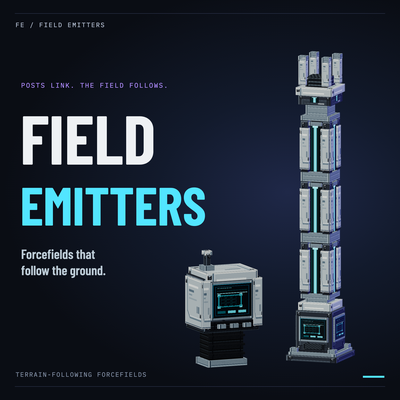 mod
mod CurseForge · Minecraft
Field Emitters
Terrain-following forcefields with entity filters, detection output and a handheld Field Tuner.
 mod
mod CurseForge · Minecraft
Immersive Apothic
Prioritizes Immersive Enchanting over Apothic Enchanting.
 mod
mod CurseForge · Minecraft
Go Fish Rehooked
Go Fish Rehooked is a fishing expansion for Minecraft that turns fishing into a dimension-spanning progression system