Fabric API Needed by Aspect Camera 1.0.0
requiredMatching file found Matched file: [26.1.2] Fabric API 0.155.3+26.1.2

CurseForge · Minecraft mod
A client-side Fabric camera tool with aspect frames, filters, depth-of-field, horizon guide, and clean screenshot capture.
Quick answer
Aspect Camera 1.0.0 targets 26.1.2 with Fabric. The project page does not say whether this file belongs on the client, dedicated server, or both. All 1 required mods have matching files.
Where it goes
The project page does not say whether this file belongs on the client, dedicated server, or both.
The source does not explicitly classify this release as client-only or server-only.
Aspect Camera 1.0.0. Change the file and its required mods may change too.
Install Fabric API first. We found matching files for this game-version and loader setup. 1 comes through another mod in the chain.
1 extra mod was pulled in by another dependency. Indented rows show who needs each one. We only count dependency files that match this setup. A file for another loader does not fill the gap.
Before you install it
Built for Aspect Camera 1.0.0. Pick another file and the loader, install side or required mods may change.
Use Aspect Camera 1.0.0. It targets 26.1.2 with Fabric; another release may have different loader, side or dependency requirements.
Install Fabric API first. We found matching files for this game-version and loader setup. 1 comes through another mod in the chain.
The project page does not say whether this file belongs on the client, dedicated server, or both.
Use the “Get this file” button beside Aspect Camera 1.0.0. It opens that exact file at the source.
About this project
Compose, preview, and capture cinematic Minecraft screenshots with aspect frames, depth-of-field blur, filters, and a clean horizon guide.
Aspect Camera is a client-side Fabric mod that adds a clean photography workflow to Minecraft.
It provides adjustable aspect-ratio frames, screenshot capture, visual guides, filters, depth-of-field blur, a horizon guide, and camera-friendly HUD controls.
The mod is designed for players who want to compose screenshots more carefully without leaving the game.
Aspect Camera lets you compose screenshots using common aspect ratios.
Supported frame styles include:
This makes it easier to line up builds, characters, landscapes, and cinematic shots before capturing the final image.
Pressing the capture key saves an image using the active Aspect Camera frame.
The saved screenshot can include:
This is useful when you want the final saved image to match the composition you see on screen.
Aspect Camera includes a distance-based depth-of-field mode.
You can control:
The blur is based on distance, not screen height, so objects near the selected focus distance stay sharp while objects in front of or behind that distance become blurred.
This is useful for:
When enabled, Aspect Camera can automatically focus on the player in third-person view.
This helps keep the player sharp while softly blurring the background and foreground.
It supports:
The horizon guide helps keep screenshots level and clean.
It is designed to stay subtle and out of the way while still giving a useful reference line for composition.
Aspect Camera includes simple visual filters that can be applied while composing and capturing screenshots.
Filters are optional and can be enabled or disabled depending on the style of the shot.
The in-game HUD shows the current camera settings in a compact way.
It can display information such as:
The HUD is color-coded to make important values easier to read while adjusting the camera.
Default controls can be changed from Minecraft's Controls screen.
Common controls include:
Some keys may behave differently depending on whether depth-of-field mode is active.
Aspect Camera is a client-side mod.
It does not need to be installed on a server.
You can use it in singleplayer or on multiplayer servers as long as client-side visual mods are allowed.
Aspect Camera saves its settings to:
config/aspectcamera.json
The config includes options for:
Aspect Camera is built for:
This mod is focused on screenshot composition and client-side visual capture.
It does not add new blocks, items, entities, or server-side gameplay mechanics.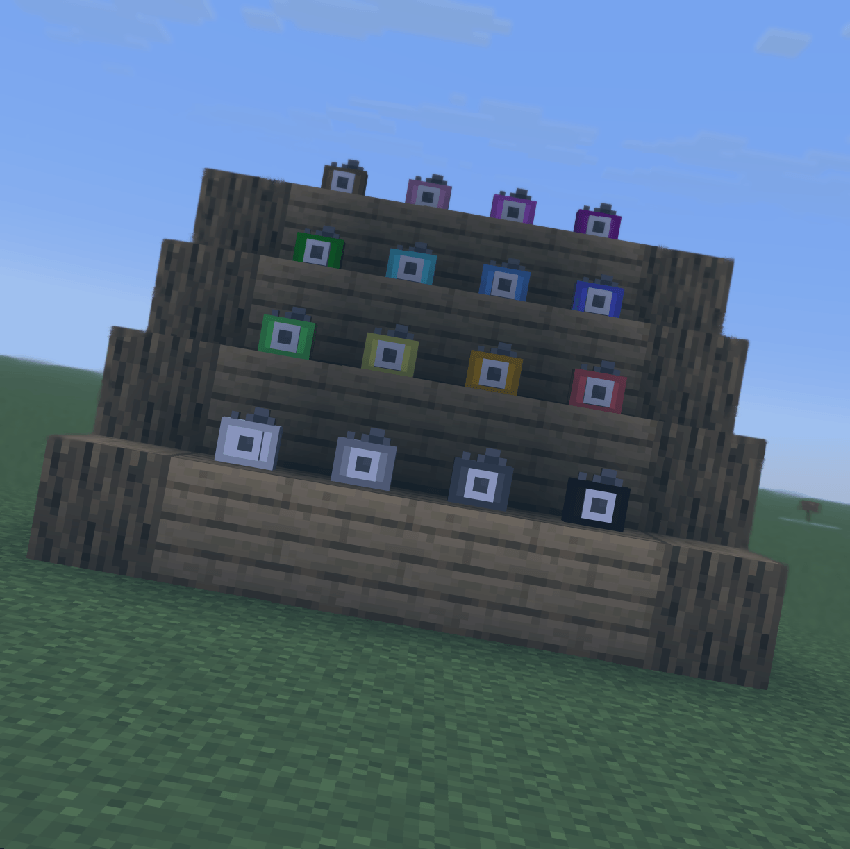
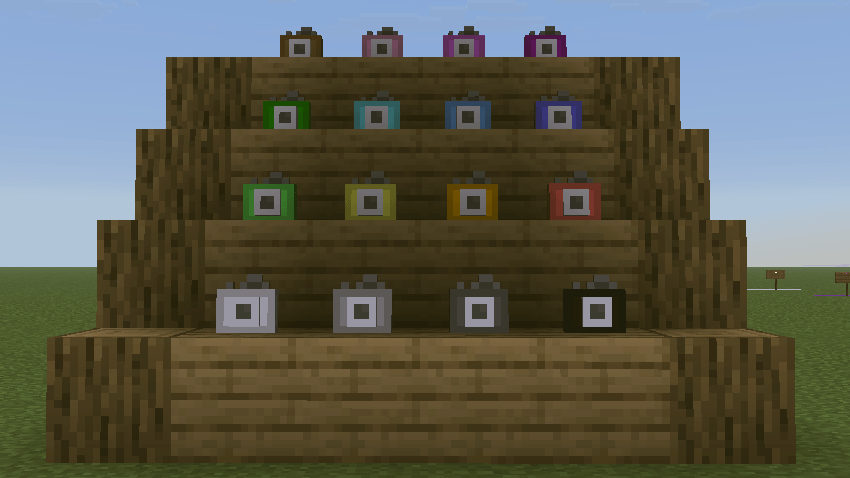
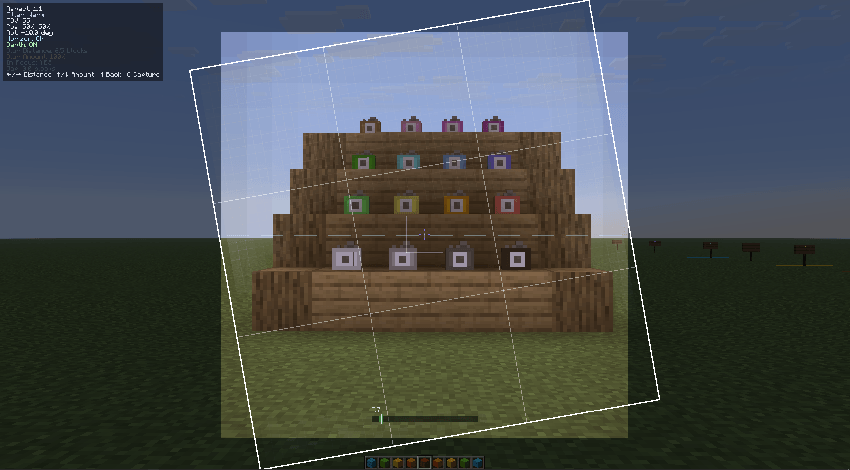
Project description from CurseForge.
Pick your setup
Choose the version and loader you play, then open the matching release.
Check the dependencies, then try the file in a copied instance before changing a world you care about.
Recent files
aspectcamera-1.0.0.jar
14 Jun 2026
Looking for an older file? The official CurseForge project page is in Resources.
 mod
modNot just another grave mod... Your ghost waits at your death site under a beacon of light, holding every item for a one-click restore to its original slot. Spirit Compass tracking, a 3D grave browser, mob protection, and no physical grave block to lose.
 mod
modA customizable, always-visible F3-inspired HUD for Minecraft fabric with FPS, coordinates, biome, entity information, Streamer Mode, etc...
 mod
modA technology mod centered around anvils