Minecraft version
Back to mods 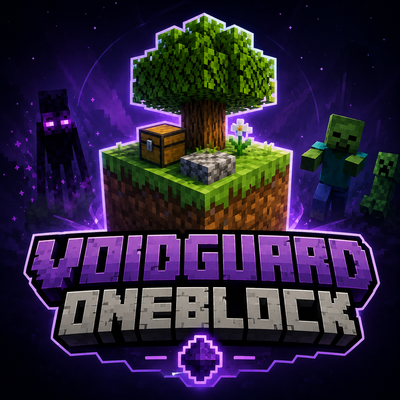
CurseForge · Minecraft mod
VoidGuard OneBlock
VoidGuard OneBlock adds a custom OneBlock world type to Minecraft with phases, a boss bar, loot chests, mob events, and multiplayer support.
Choose a version Pick your version below, then grab the matching file.
Quick answer
Which VoidGuard OneBlock release should I use?
beta file VoidGuard OneBlock 0.1.1 (NeoForge)
Game version 1.21.1
Loader NeoForge
VoidGuard OneBlock 0.1.1 (NeoForge) targets 1.21.1 with NeoForge. The project page does not say whether this file belongs on the client, dedicated server, or both. No extra mods listed for this file.
Where it goes
Is VoidGuard OneBlock required on the client, server, or both?
The project page does not say whether this file belongs on the client, dedicated server, or both.
Client Source doesn’t say
Dedicated server Source doesn’t say
Loader for this release NeoForge
Required install it here Optional supported, not mandatory Not supported do not install here Source doesn’t say do not assume
The source does not explicitly classify this release as client-only or server-only.
What else does VoidGuard OneBlock 0.1.1 (NeoForge) need?
VoidGuard OneBlock 0.1.1 (NeoForge). Change the file and its required mods may change too.
This file does not list any required mods. Do not add a library just because a different file uses it.
This file does not list any required or optional mods.
Before you install it
Add VoidGuard OneBlock without breaking your instance.
Built for VoidGuard OneBlock 0.1.1 (NeoForge). Pick another file and the loader, install side or required mods may change.
- 01
Stick to this file
Use VoidGuard OneBlock 0.1.1 (NeoForge). It targets 1.21.1 with NeoForge; another release may have different loader, side or dependency requirements.
- 02
Bring the mods it needs
This file does not list any required mods. Do not add a library just because a different file uses it.
- 03
Put it on the correct side
The project page does not say whether this file belongs on the client, dedicated server, or both.
- 04
Pick the file you checked
Use the “Get this file” button beside VoidGuard OneBlock 0.1.1 (NeoForge). It opens that exact file at the source.
About this project
What does VoidGuard OneBlock add?
VoidGuard OneBlock
VoidGuard OneBlock adds a custom OneBlock game mode to Minecraft. Start on a small platform in the void, break the single block, and progress through different phases with new blocks, loot chests, mobs, and events.
The mod includes its own OneBlock world type. When you select this world type, the OneBlock world is prepared automatically. Normal worlds remain unchanged and are not modified automatically.
Features
Custom OneBlock world type
Empty world with a starting platform
Progression system with multiple phases
Boss bar showing the current phase, biome, and remaining blocks
Loot chests with random contents
Mob events based on progression
Water and lava events
Phase transitions with countdown
Infinite final phase
Multiplayer support
Admin/setup commands
Protection against common OneBlock issues such as explosions, fire, and pistons
Gameplay
You start on a small bedrock platform with a single block. Every block you break generates a new one. After a certain number of broken blocks, the mod advances to the next phase. Each phase introduces new resources, different blocks, possible mobs, and additional events.
Multiplayer
VoidGuard OneBlock is suitable for both singleplayer and multiplayer. Progress, phases, and the boss bar are managed server-side, allowing multiple players to work together in the same OneBlock world.
Notes
To start automatically with OneBlock gameplay, select the OneBlock world type when creating a world. Nothing happens automatically in normal worlds. In those worlds, the OneBlock structure can be set up manually with a command if needed.
Project description from CurseForge.
Pick your setup
VoidGuard OneBlock by Minecraft version and loader
Choose the version and loader you play, then open the matching release.
Check the dependencies, then try the file in a copied instance before changing a world you care about.
Recent files
VoidGuard OneBlock versions and loaders
VoidGuard OneBlock 0.1.1 (NeoForge)
voidguard_oneblock-0.1.1.jar
17 Jun 2026
Client Source doesn’t say Server Source doesn’t say Dependencies No extras listed Listed on Release listing
Check the 1.21.1 · NeoForge setup 1.21.1NeoForge beta
VoidGuard OneBlock 0.1.0 (NeoForge)
voidguard_oneblock-0.1.0.jar
15 Jun 2026
Client Source doesn’t say Server Source doesn’t say Dependencies No extras listed Listed on Release listing
Check the 1.21.1 · NeoForge setup 1.21.1NeoForge alpha
Looking for an older file? The official CurseForge project page is in Resources.