Minecraft version
Back to mods 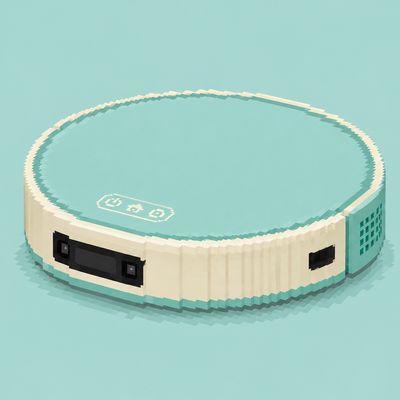
CurseForge · Minecraft mod
DropSweeper
A drops clear and collect mod
Choose a version Pick your version below, then grab the matching file.
Quick answer
Which DropSweeper release should I use?
Latest stable file dropsweeper-1.21.1-1.0.0.jar
Game version 1.21.1
Loader Fabric
dropsweeper-1.21.1-1.0.0.jar targets 1.21.1 with Fabric. The project page does not say whether this file belongs on the client, dedicated server, or both. No extra mods listed for this file.
Where it goes
Is DropSweeper required on the client, server, or both?
The project page does not say whether this file belongs on the client, dedicated server, or both.
Client Source doesn’t say
Dedicated server Source doesn’t say
Loader for this release Fabric
Required install it here Optional supported, not mandatory Not supported do not install here Source doesn’t say do not assume
The source does not explicitly classify this release as client-only or server-only.
What else does dropsweeper-1.21.1-1.0.0.jar need?
dropsweeper-1.21.1-1.0.0.jar. Change the file and its required mods may change too.
This file does not list any required mods. Do not add a library just because a different file uses it.
This file does not list any required or optional mods.
Before you install it
Add DropSweeper without breaking your instance.
Built for dropsweeper-1.21.1-1.0.0.jar. Pick another file and the loader, install side or required mods may change.
- 01
Stick to this file
Use dropsweeper-1.21.1-1.0.0.jar. It targets 1.21.1 with Fabric; another release may have different loader, side or dependency requirements.
- 02
Bring the mods it needs
This file does not list any required mods. Do not add a library just because a different file uses it.
- 03
Put it on the correct side
The project page does not say whether this file belongs on the client, dedicated server, or both.
- 04
Pick the file you checked
Use the “Get this file” button beside dropsweeper-1.21.1-1.0.0.jar. It opens that exact file at the source.
About this project
What does DropSweeper add?
DropSweeper
An intelligent item-drop sweeper for Minecraft servers.
With the friendly "Sweeper Maid" (扫地姬) by your side, say goodbye to piles of cobblestone, sand, and arrows. ฅ^•ﻌ•^ฅ
What is this?
DropSweeper is a Fabric server-side mod that automatically collects dropped items on the ground into dustbins (virtual large chests with 54 slots each), giving you:
- 🧹 Auto sweep — runs on a configurable interval (default: every 10 minutes)
- 📦 Multiple dustbins — defaults to 1, configurable up to N; FIFO eviction across bins
- 🚫 White/Black lists — whitelist items are never touched; blacklist items are removed but not stored
- 🎯 Extra entity cleanup — arrows, experience orbs, etc.
- ⚠️ Overload warning — alerts OP when a chunk has too many items piling up
- 💬 Friendly announcements — countdown before sweep (ActionBar/Chat), clickable dustbin links on completion
- 🔧 Hot-reload config — no server restart needed
- 🔐 Granular permissions — control who can open dustbins vs. who can trigger sweeps
Commands
All commands are prefixed with /dropsweeper.
Sweep
| Command | Permission | Description |
|---|---|---|
/dropsweeper items |
OP | Sweep current dimension |
/dropsweeper items all |
OP | Sweep all dimensions |
/dropsweeper items <world_id> |
OP | Sweep a specific dimension (Tab-completable) |
Open dustbin
| Command | Permission | Description |
|---|---|---|
/dropsweeper dustbin |
Everyone | Open dustbin 0 |
/dropsweeper dustbin <index> |
Everyone | Open dustbin by index |
After a sweep completes, the result message lists all non-empty dustbins as clickable links.
White/Black list management
/dropsweeper whitelist add <item_id>     # Add to whitelist (never swept)
/dropsweeper whitelist remove <item_id>  # Remove from whitelist
/dropsweeper whitelist list              # Show whitelist

/dropsweeper blacklist add <item_id>     # Add to blacklist (swept but not stored)
/dropsweeper blacklist remove <item_id>  # Remove from blacklist
/dropsweeper blacklist list              # Show blacklist
Wildcard
modid:*is supported, e.g.minecraft:*matches all vanilla items.
Config
/dropsweeper config reload # Hot-reload config/dropsweeper.json
Configuration
Location: config/dropsweeper.json (auto-generated on first run).
Common fields
{
  "sweepIntervalSeconds": 600,           // Auto-sweep interval in seconds (0 = disabled)
  "dustbinCount": 1,                     // Number of dustbins (54 slots each)
  "itemWhitelist": [                     // Whitelist: never swept
    "minecraft:nether_star",
    "minecraft:heavy_core"
  ],
  "itemBlacklist": [                     // Blacklist: swept but not stored
    "minecraft:cobblestone",
    "minecraft:sand",
    "minecraft:gravel"
  ],
  "extraEntityTypes": [                  // Extra entities to clean up
    "minecraft:arrow",
    "minecraft:spectral_arrow",
    "minecraft:experience_orb"
  ],
  "itemOverloadThreshold": 640,          // Per-chunk item count to trigger warning (0 = disabled)
  "permissionLevelDustbin": 0,           // Min. permission to open dustbin (0 = any player)
  "permissionLevelClean": 2,             // Min. permission to manually sweep
  "announcementChannel": {               // Announcement channels
    "long": "actionbar",                 // Long countdown (default 120/60/30s)
    "short": "chat",                     // Short countdown (≤3s)
    "complete": "chat"                   // Sweep completion
  }
}
Announcement channels
- ActionBar — small text above the hotbar, auto-fades after 60 ticks (3 seconds), doesn't spam
- Chat — bold message in chat, doesn't auto-fade
Default: long countdown uses ActionBar (unobtrusive), short countdown and completion use Chat (visible).
How much can dustbins hold?
- Each dustbin has 54 slots (6 rows × 9 columns, equivalent to a large chest)
- Default 1 → 54 slots
- Set
dustbinCount: 8→ 8 × 54 = 432 slots - When full, the oldest item is replaced by the new one (FIFO)
Data storage
- Dustbin contents are stored in the world save:
world/data/dimensions/minecraft/overworld/data/dropsweeper/dustbin.dat - Auto-saved, no manual action needed
- Decreasing the number of dustbins will truncate the extras and may discard items in non-empty dustbins
- Increasing the number preserves existing data
FAQ
Q: Where is the dustbin? How do I open it?
A: Run /dropsweeper dustbin (any player by default), or click the links in the sweep-completion message.
Q: How do I add custom items to the white/black list?
A: Use /dropsweeper whitelist add <item_id> (e.g. minecraft:diamond). You can also edit config/dropsweeper.json directly, then run /dropsweeper config reload.
Q: Do I have to restart the server after changing the config?
A: No. Run /dropsweeper config reload to apply changes immediately.
Q: Do clients need to install the mod?
A: On a multiplayer server, no — all sweep/command/storage logic runs server-side. Clients that install it just get a stub entrypoint.
For single-player or LAN play, you can install it on the client as well without affecting gameplay.
Q: Will it conflict with other sweep mods?
A: Yes. If two mods try to clean the same drops, you may get duplicate removals. Use one or the other.
Project description from CurseForge.
Pick your setup
DropSweeper by Minecraft version and loader
Choose the version and loader you play, then open the matching release.
Minecraft version
1.21.1
1 loader buildCheck the dependencies, then try the file in a copied instance before changing a world you care about.
Recent files
DropSweeper versions and loaders
dropsweeper-1.21.1-1.0.0.jar
1 Sept 2026
Client Source doesn’t say Server Source doesn’t say Dependencies No extras listed Listed on Release listing
Check the 1.21.1 · Fabric setup Fabric1.21.1 release
dropsweeper-1.0.0.jar
16 Jun 2026
Client Source doesn’t say Server Source doesn’t say Dependencies No extras listed Listed on Release listing
Check the 26.1.2 · Fabric setup Fabric26.1.2 release
Looking for an older file? The official CurseForge project page is in Resources.
 mod
mod CurseForge + Modrinth · Minecraft
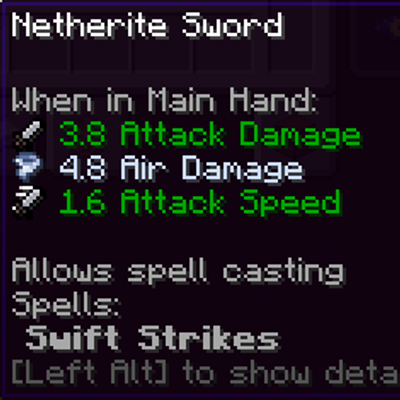
Spell Powered Weapons
Makes weapons found & crafted to have a chance to get an elemental damage instance!
 mod
mod CurseForge + Modrinth · Minecraft
ClickCrystals
Crystal PvP tweaks client mod. Your ultimate cpvp assistance. Various tweaks that improve your performance without ruining the cpvp experience.
 mod
mod CurseForge · Minecraft
Tachyo
An extreme dual-engine (Vulkan & OpenGL AZDO) FPS optimization mod designed to push hardware to its absolute limits and double your framerates.