Minecraft version
Back to mods 
CurseForge · Minecraft mod
SMP Essentials
SMP Essentials is a Fabric mod that adds economy, trading, claims, quests, bounties, and immersive world interaction to make SMP servers feel more alive.
Choose a version Pick your version below, then grab the matching file.
Quick answer
Which SMP Essentials release should I use?
Latest stable file smpessentials-1.0.0.jar
Game version 26.1.2
Loader Fabric
SMP Essentials smpessentials-1.0.0.jar targets 26.1.2 with Fabric. The project page does not say whether this file belongs on the client, dedicated server, or both. No extra mods listed for this file.
Where it goes
Is SMP Essentials required on the client, server, or both?
The project page does not say whether this file belongs on the client, dedicated server, or both.
Client Source doesn’t say
Dedicated server Source doesn’t say
Loader for this release Fabric
Required install it here Optional supported, not mandatory Not supported do not install here Source doesn’t say do not assume
The source does not explicitly classify this release as client-only or server-only.
What else does SMP Essentials smpessentials-1.0.0.jar need?
smpessentials-1.0.0.jar. Change the file and its required mods may change too.
This file does not list any required mods. Do not add a library just because a different file uses it.
This file does not list any required or optional mods.
Before you install it
Add SMP Essentials without breaking your instance.
Built for SMP Essentials smpessentials-1.0.0.jar. Pick another file and the loader, install side or required mods may change.
- 01
Stick to this file
Use smpessentials-1.0.0.jar. It targets 26.1.2 with Fabric; another release may have different loader, side or dependency requirements.
- 02
Bring the mods it needs
This file does not list any required mods. Do not add a library just because a different file uses it.
- 03
Put it on the correct side
The project page does not say whether this file belongs on the client, dedicated server, or both.
- 04
Pick the file you checked
Use the “Get this file” button beside smpessentials-1.0.0.jar. It opens that exact file at the source.
About this project
What does SMP Essentials add?
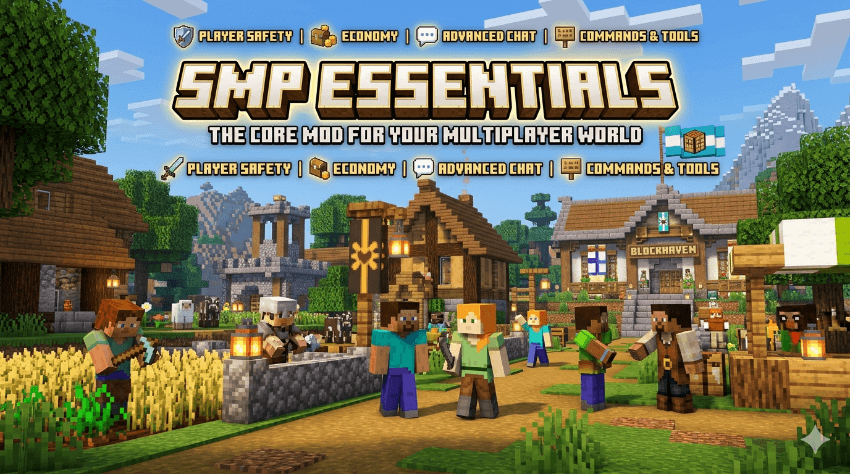
A complete toolkit for your Minecraft SMP — currency, shops, banking, jobs & quality-of-life
Minecraft 26.1.2 Loader Fabric Requires Fabric API Mod ID smpessentials By Sander Bloem
📜About the mod
SMP Essentials bundles everything that makes survival multiplayer feel great: a real economy with tangible coins, a bank, shop NPCs with chest-based stock, paid jobs, and classic quality-of-life commands like homes, warps, and teleport requests.
🪙
Currency
Copper, silver, and gold as physical items, plus a wallet and a craftable bank block.
⛏️
Jobs
Earn coins automatically through mining and harvesting.
🏪
Shops
Shop NPCs that use a chest as stock, configurable per shop.
🏠
Quality of life
Homes, warps, /spawn, and player-to-player teleport requests.
🪙The coins
Three denominations with a fixed exchange rate. Everything is calculated internally in copper.
| Coin | Item-id | In copper | Notation |
|---|---|---|---|
| Copper | smpessentials:copper_coin |
1 | c |
| Silver | smpessentials:silver_coin |
9 | s |
| Gold | smpessentials:gold_coin |
81 | g |
💡 Amounts are shown like 1g 2s 4c = 1 gold + 2 silver + 4 copper = 103 copper. You can find the coins in the “SMP Essentials” creative tab.
⚒️Crafting & exchange
All recipes are shapeless — order does not matter.
Upgrading and breaking down coins
| Input | Result |
|---|---|
| 9× copper | 1× silver |
| 9× silver | 1× gold |
| 1× silver | 9× copper |
| 1× gold | 9× silver |
"Buying" coins with vanilla items
| Input | Result |
|---|---|
| 1× 💎 diamond | 1× gold (81 copper) |
| 1× 💚 emerald | 3× silver (27 copper) |
⚠️ Diamond/emerald → coins is a one-way source of money. For a serious economy, consider making it more expensive or removing it to reduce inflation.
👛Wallet & Bankdone
Besides physical coins, every player has a personal wallet account.
| Command | What it does |
|---|---|
/balance |
Shows your balance. |
/deposit |
Deposits all coins from your inventory. |
/withdraw <amount> |
Withdraws coins as items (in copper). |
/pay <player> <amount> |
Sends money to another player. |
The Bank Block 🏦
A craftable block (8× iron around 1× gold coin) that lets you manage your wallet without commands.
Bank
Balance: 2g 4s 1c
Deposit all coins
Withdraw:
1 Copper1 Silver1 Gold
- Right-click the block → bank screen with live balance.
- Deposit all coins → all your coins are moved into your wallet.
- Withdraw → take out 1 copper/silver/gold per click as a physical coin.
⚔️Earning money — drops & loot
Mob drops
Enemies drop coins; stronger mobs give more.
| Mob | Drop (approx.) |
|---|---|
| Zombie / Husk / Spider | 1–3 copper |
| Skeleton / Creeper / Pillager | 2–7 copper |
| Blaze / Wither Skeleton | 5–10 copper |
| Enderman / Warden / Elder Guardian | 1–5 silver |
| Wither / Ender Dragon | 2–5 gold |
Loot chests
Coins can be found in dungeon, mineshaft, stronghold, bastion, end city, and nether fortress chests.
⛏️Jobsdone
Earn coins automatically in your wallet by working — the reward appears in your action bar (+ 8c (job)). Works only in survival.
Mining (per ore)
| Ore | Reward |
|---|---|
| Coal / Copper / Quartz | 2c |
| Iron / Lapis / Redstone / Nether Gold | 3c |
| Gold | 5c |
| Diamond | 8c |
| Emerald | 10c |
| Ancient Debris | 25c |
Farming
Each fully grown crop (wheat, carrot, potato, beetroot) → 1c. Unripe crops give no reward (no exploit). View all rates with /jobs.
🔨Auction Housedone
A player-to-player marketplace that runs entirely through your wallet — no loose coins needed, payment transfers automatically from buyer to seller.
| Command | What it does |
|---|---|
/ah sell <price> |
Lists the item in your hand for sale (price in copper). |
/ah |
View all listings with clickable [Buy] buttons. |
/ah buy <id> |
Buy a listing — it pays from your wallet and the item goes into your inventory. |
/ah mine |
Your own listings, with [Cancel] buttons. |
/ah cancel <id> |
Withdraw a listing and get your item back. |
💸 Click [Buy] in chat to purchase instantly. The seller receives the money in their wallet and is notified if online. Listings persist through restarts.
🏪The Shopkeeperdone
A configurable shop NPC, perfect for a shopping district where every player runs their own store.
Placing
- Place a chest — this becomes your shop stock.
- Look at the top of the chest and type
/shopkeeper spawn. The NPC appears where you are looking. - The shopkeeper always looks at you, is invulnerable, and stays in place.
Managing — admin screen
Shift + right-click (as owner or OP):
Shop Management
Items (✖ = remove)
🍞💎
✖✖
New — template item returns
📦Add →
Price: 1s 0c
CopperSilverGoldReset
- The template item in the slot determines what you sell — you get it back.
- Build the price using the coin buttons (Copper +1, Silver +9, Gold +81).
- Place a stack of 64 as the template → it sells 64 per purchase.
Buying & stock
Right-click opens the trading screen; shift-click = buy multiple.
📦 The shop only sells what is inside the chest below it. Sales come out of the chest, payments go into the chest. Empty = sold out.
🎁Loot Cratesdone
A treasure chest you open with a key for random rewards — a gamble with your hard-earned gold.
- Loot Crate 🎁 — craft: 8× gold coins around a chest.
- Crate Key 🔑 — craft: 1× gold coin + 2× iron.
- Right-click with a key → the key is consumed and you receive 2 random rewards plus a sound and message.
| Chance | Reward |
|---|---|
| 35% | 1–2 gold coin |
| 25% | 2–5 silver coin |
| 15% | 1–3 diamond |
| 13% | 4–12 iron |
| 7% | 1–3 emerald |
| ~4% | 5–9 gold coin (jackpot) |
| 1% | netherite scrap 💎 |
🏡Land & Claimsdone
Protect your area from griefing — per chunk, with trust for friends.
| Command | What it does |
|---|---|
/claim |
Claim the chunk you are standing in (16×16). |
/unclaim |
Release your claim. |
/claims |
Count your claimed chunks. |
/claim show |
Show colored chunk borders in the world (toggle). |
/trust <player> |
Give a friend build rights in all your claims. |
/untrust <player> |
Remove those rights again. |
🛡️ In a claimed chunk, other players cannot break, place, or open chests/doors. With /claim show you can see green borders around your claims and red around other players’ claims — works with any map mod (including Xaero).
🧭Quality of Lifedone
🏠
Homes
Multiple named homes with tab completion. /sethome, /home, /delhome, /homes.
🌐
Warps
Server-wide teleport points (set by OP). /warp, /setwarp, /delwarp, /warps.
🏁
Spawn
Quickly return to the world spawn with /spawn.
🤝
TPA
Teleport requests between players. /tpa, /tpahere, /tpaccept, /tpdeny.
↩️
/back
Jump back to your previous location — or to your death spot if you just died.
⚰️
Death Chest
On death, your items do not scatter but land safely in a chest at your death location.
✨ Homes and warps persist through restarts and work cross-dimension (overworld/nether/end), including facing direction. Type /home + Tab for your saved homes. /back remembers your location before every teleport and prioritizes your most recent death spot.
🎯Bountiesdone
Put a price on someone’s head — whoever defeats them in PvP claims the reward.
| Command | What it does |
|---|---|
/bounty set <player> <amount> |
Places a bounty (paid from your wallet). Multiple players can stack rewards. |
/bounty list |
Overview of all open bounties, sorted by amount. |
⚔️ Whoever kills the bounty target in PvP (no suicide, no mob kill) receives the full amount directly in their wallet — with a server-wide announcement.
📜NPC Questsdone
A quest NPC that accepts items in exchange for a reward paid to your wallet.
Placing & setup
- Look at a block and type
/questgiver spawn— the NPC appears there with its own handmade skin. - Hold the required item:
/questgiver setitem <amount>. - Set the reward:
/questgiver setreward <amount>. - Optional:
/questgiver toggleonce— make the quest available only once per player.
Turning in
Right-click the NPC: if you have enough of the item, it is taken and the reward is deposited into your wallet (with sound + green particles). Not enough? You will see exactly how many you are still missing. Shift+right-click (owner/OP) shows the current settings.
Quest Seeker — a hidden treasure hunter 🗺️
A special event NPC that you hide somewhere randomly in the world, with its own yellow treasure hunter skin.
| Command | What it does |
|---|---|
/questseeker spawn <radius> <reward> OP |
Hides the Seeker randomly within <radius> blocks of world spawn, on the surface. |
/questseeker remove OP |
Removes the active Seeker. |
🏆 No hints — pure discovery. Every player who finds it (right-click) claims the reward once for themselves. The very first finder gets a server-wide announcement; after that, everyone can still claim their own reward.
⚙️Server Settingsdone
A GUI screen for OPs to toggle entire mod systems on or off without restarting.
Server Settings
Jobs ON Toggle
Claims ON Toggle
Death Chest ON Toggle
Loot Crates OFF Toggle
Bounties ON Toggle
Auction House ON Toggle
Open with /smpadmin (OP only). Changes apply immediately and persist after restart:
| Toggle | Effect when OFF |
|---|---|
| Jobs | No more wallet rewards from mining/harvesting. |
| Claims | Claim protection is ignored (claims remain registered). |
| Death Chest | Items drop normally on death again, like vanilla. |
| Loot Crates | Keys stop working; players receive a message. |
| Bounties | /bounty set is blocked; payouts on kill stop. |
| Auction House | /ah sell and /ah buy are blocked. |
⌨️All commands
| Category | Command | Function |
|---|---|---|
| Wallet | /balance |
Show balance. |
/deposit |
Deposit all your coins. | |
/withdraw <amount> |
Withdraw coins. | |
/pay <player> <amount> |
Pay a player. | |
| Jobs | /jobs |
Show job rates. |
| Shop | /shopkeeper spawn |
Place a shop on the looked-at block. |
/shopkeeper addtrade <price> |
Add an item (chat variant). | |
/shopkeeper removetrade <index> |
Remove an item. | |
/shopkeeper setname <name> |
Give the shop a name. | |
/shopkeeper remove |
Remove the shop. | |
| Homes | /sethome [name] |
Save a home. |
/home [name] |
Teleport to a home. | |
/delhome [name] |
Delete a home. | |
/homes |
List your homes. | |
| Warps | /warp <name> |
Teleport to a warp. |
/warps |
List all warps. | |
/setwarp <name> OP |
Set a warp. | |
/delwarp <name> OP |
Delete a warp. | |
| Teleport | /spawn |
Go to world spawn. |
/tpa <player> |
Request to teleport to someone. | |
/tpahere <player> |
Request someone to teleport to you. | |
/tpaccept |
Accept a request. | |
/tpdeny |
Deny a request. | |
| Back | /back |
Return to your previous location or death spot. |
| Auction | /ah |
View the marketplace. |
/ah sell <price> |
List the item in your hand for sale. | |
/ah buy <id> |
Buy a listing. | |
/ah mine |
View your own listings. | |
/ah cancel <id> |
Withdraw a listing. | |
| Claims | /claim |
Claim a chunk. |
/unclaim |
Release a claim. | |
/claims |
Number of claims. | |
/claim show |
Show chunk borders (toggle). | |
/trust <player> |
Give a friend build rights. | |
/untrust <player> |
Remove rights. | |
| Crates | (right-click with key) | Open a loot crate. |
| Bounty | /bounty set <player> <amount> |
Place a bounty. |
/bounty list |
View open bounties. | |
| Quests | /questgiver spawn |
Place a quest NPC on the looked-at block. |
/questgiver setitem <amount> |
Set required item (item in hand). | |
/questgiver setreward <amount> |
Set reward. | |
/questgiver toggleonce |
Toggle once per player on/off. | |
/questgiver remove |
Remove the quest NPC. | |
| Quest Seeker | /questseeker spawn <radius> <reward> OP |
Hide the treasure hunter. |
/questseeker remove OP |
Remove the active Seeker. | |
| Admin | /smpadmin OP |
Open the server settings screen. |
🗺️Roadmap
💰
Economy mostly done
Coins, wallet, bank, jobs, shops & auction house ✓. Still possible: buy-and-sell shops.
🏡
Land & claims done
Claiming, protection, trust & chunk borders ✓. Still possible: coin-based costs/limits.
🧭
Quality of life done
Homes, warps, spawn, tpa, /back & death chest ✓.
🎉
Events done
Loot crates, bounties & NPC quests ✓. Still possible: server-wide events.
⚙️
Server Management done
GUI settings screen (/smpadmin) for toggling mod systems on/off ✓.
SMP Essentials v1.0.0 — made by Sander Bloem · Fabric mod for Minecraft 26.1.2
Local wiki / overview of the mod.
Project description from CurseForge.
Pick your setup
SMP Essentials by Minecraft version and loader
Choose the version and loader you play, then open the matching release.
Check the dependencies, then try the file in a copied instance before changing a world you care about.
Recent files
SMP Essentials versions and loaders
smpessentials-1.0.0.jar
17 Jun 2026
Client Source doesn’t say Server Source doesn’t say Dependencies No extras listed Listed on Release listing
Check the 26.1.2 · Fabric setup Fabric26.1.2 release
smpessentials-1.0.0.jar
17 Jun 2026
Client Source doesn’t say Server Source doesn’t say Dependencies No extras listed Listed on Release listing
Check the 26.1.2 · Fabric setup Fabric26.1.2 release
Looking for an older file? The official CurseForge project page is in Resources.