Fabric API Needed by Litemacro-1.0.98-mc26.3.jar
requiredMatching file found Matched file: [26.3] Fabric API 0.164.0+26.3
CurseForge · Minecraft mod
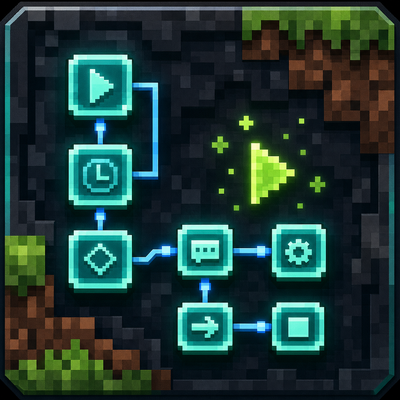
Litemacro is a visual Minecraft macro builder for Fabric. It lets you build macros with drag-and-drop components, true/false logic, failed paths, item pickers, keybinds, import/export, and Discord notifications.
Quick answer
Litemacro-1.0.98-mc26.3.jar targets 26.3 with Fabric. The project page does not say whether this file belongs on the client, dedicated server, or both. All 1 required mods have matching files.
Where it goes
The project page does not say whether this file belongs on the client, dedicated server, or both.
The source does not explicitly classify this release as client-only or server-only.
Litemacro-1.0.98-mc26.3.jar. Change the file and its required mods may change too.
Install Fabric API first. We found matching files for this game-version and loader setup.
We only count dependency files that match this setup. A file for another loader does not fill the gap.
Before you install it
Built for Litemacro-1.0.98-mc26.3.jar. Pick another file and the loader, install side or required mods may change.
Use Litemacro-1.0.98-mc26.3.jar. It targets 26.3 with Fabric; another release may have different loader, side or dependency requirements.
Install Fabric API first. We found matching files for this game-version and loader setup.
The project page does not say whether this file belongs on the client, dedicated server, or both.
Use the “Get this file” button beside Litemacro-1.0.98-mc26.3.jar. It opens that exact file at the source.
About this project
Litemacro is a Fabric client-side Minecraft macro builder that lets players create, save, edit, and run macros with an easy in-game visual node editor. Instead of writing code, players can drag components into a macro, connect them with true, false, completed, and failed paths, add delays, use item selectors, set keybinds, import/export macros, and organize up to 100 saved macros.
It can automate repeated Minecraft actions like sending commands, checking inventory, clicking GUI items, closing chests, reacting to chat, checking player status, using items, and sending Discord webhook notifications. The goal is to make macro building easier, cleaner, and more user friendly.
Open Mod keybind: B
Basics
Litemacro from the main menu.Edit.Macro Entry Point.Save.Run.Easy Macro 1: Wait Then Chat
Use this to learn links.
Macro Entry PointWaitChat / CommandMacro Entry Point -> WaitWait -> Chat / CommandWait to 1000 mshelloEasy Macro 2: Auto Click
For holding/using left or right click.
Macro Entry PointAuto ClickLeft or RightClick or HoldMacro Entry Point -> Auto ClickMedium Macro: Mine Until Inventory Full
Good for mining.
Macro Entry PointAuto ClickIdle UntilInventory FullDrop Items, Deposit Items, or Rejoin/Stop.Example links:
Macro Entry Point -> Auto Click
Auto Click -> Idle Until
Idle Until waits for Inventory Full
Inventory Full -> Deposit Items
Set Auto Click to left hold/click for mining.
Set Idle Until so it waits instead of stopping when the condition is not true.
Medium Macro: Deposit Items Fast
For chest deposit.
Interact with Block/open chest step.Deposit ItemsShift on if you want shift-click.Fast on if you want all matching stacks moved faster.Hard Macro: Buy Items Under Price
For auction GUI style stuff.
Item/Slot Has Tag0-53Click GUI Item or next action.Wait then repeat.Example:
Macro Entry Point -> Item/Slot Has Tag
Match -> Click GUI Item
Fail -> Wait -> Repeat
For price, use only the max if you want “buy anything under this price.” Example: max $5k.
Hard Macro: Rejoin If Kicked
If KickedWaitRejoin ServerMacro Entry Point -> If Kicked
If Kicked -> Wait
Wait -> Rejoin Server
3000-8000 ms.Rejoin Server to last server or a server IP.Best Rules
Wait between GUI actions.Idle Until when you want the macro to wait, not fail.Repeat for only part of a macro.Repeat Macro if you want the whole macro to run again.Wait or a fail path.Project description from CurseForge.
Pick your setup
Choose the version and loader you play, then open the matching release.
Check the dependencies, then try the file in a copied instance before changing a world you care about.
Recent files
21 Oct 2026
21 Oct 2026
21 Oct 2026
21 Oct 2026
21 Oct 2026
20 Oct 2026
20 Oct 2026
20 Oct 2026
20 Oct 2026
20 Oct 2026
16 Oct 2026
16 Oct 2026
Looking for an older file? The official CurseForge project page is in Resources.