Minecraft version
Back to mods 
CurseForge · Minecraft mod
Halo Customed
Floating decorative halos above entity heads — multi-layered, fully animated, highly configurable. Give every player their own glowing crown.
Choose a version Pick your version below, then grab the matching file.
Quick answer
Which Halo Customed release should I use?
Latest stable file halo-26.2-neoforge-1.2.1-iris-fix.jar
Game version 26.2
Loader NeoForge
Halo Customed halo-26.2-neoforge-1.2.1-iris-fix.jar targets 26.2 with NeoForge. The project page does not say whether this file belongs on the client, dedicated server, or both. No extra mods listed for this file.
Where it goes
Is Halo Customed required on the client, server, or both?
The project page does not say whether this file belongs on the client, dedicated server, or both.
Client Source doesn’t say
Dedicated server Source doesn’t say
Loader for this release NeoForge
Required install it here Optional supported, not mandatory Not supported do not install here Source doesn’t say do not assume
The source does not explicitly classify this release as client-only or server-only.
What else does Halo Customed halo-26.2-neoforge-1.2.1-iris-fix.jar need?
halo-26.2-neoforge-1.2.1-iris-fix.jar. Change the file and its required mods may change too.
This file does not list any required mods. Do not add a library just because a different file uses it.
This file does not list any required or optional mods.
Before you install it
Add Halo Customed without breaking your instance.
Built for Halo Customed halo-26.2-neoforge-1.2.1-iris-fix.jar. Pick another file and the loader, install side or required mods may change.
- 01
Stick to this file
Use halo-26.2-neoforge-1.2.1-iris-fix.jar. It targets 26.2 with NeoForge; another release may have different loader, side or dependency requirements.
- 02
Bring the mods it needs
This file does not list any required mods. Do not add a library just because a different file uses it.
- 03
Put it on the correct side
The project page does not say whether this file belongs on the client, dedicated server, or both.
- 04
Pick the file you checked
Use the “Get this file” button beside halo-26.2-neoforge-1.2.1-iris-fix.jar. It opens that exact file at the source.
About this project
What does Halo Customed add?
Warning
Version 1.1.1 of the mod includes a breaking change!!! Loading an old save after updating will cause all entity halo NBT data to be lost, and this data can NOT be recovered!!! Please back up your data and proceed with caution before updating!
Description
Inspired by the iconic halos from Blue Archive.
Some of the BA halos displayed in the gallery must be obtained here.
Halo adds configurable floating halos above entity heads. Each halo is defined by a JSON file and can stack multiple textured layers with independent position, rotation, scale, and glowing settings. A flexible animation system drives per-layer motion via sine, cosine, and linear terms on any axis, from subtle idle bobbing to staggered clock-ring rotation.
YSM Compatible
YSM compatibility is currently undergoing testing; you may encounter graphical glitches.
This feature is disabled by default. To enable it, navigate to the game instance's root directory, locate ./config/halo-azusake/halo_mod_config.json, open it in a text editor, and set the experimentalYsmAnchorEnabled field to true. A restart is required for the changes to take effect.
If the halo appears positioned too high or too low, adjust the experimentalYsmHeadLocalOffset field in the same file. The three parameters correspond to [x, y, z], representing displacement to the right, upward, and backward, respectively.
Usage
- Use
/halo show <entity selector> <halo definition>to show halo above target entity - Use
/halo hide <entity selector>to hide its halo - Use
/halo listto list halo loaded - Other command are used for debug
How to add Halo
Check Doc in English or Chinese
Or Download resource pack from Ba-Halo-Definition
Features
- Multi-layer halos — stack multiple layers with per-layer transform and glowing toggle
- Per-layer animation — sin, cos, and linear function terms on any offset or rotation axis; multiple terms on the same axis are summed
- Orientation modes — locked (follows entity yaw), free (floats loose), sync (hybrid)
- Data-driven — all definitions are JSON files under
data/halo/halo_definitions/; compatible with data packs and resource packs - Ingame commands —
/halofor real-time preview and management
Built-in definitions
ring_default— a 7-layer clock-ring designhud— a hud like design
Compatibility
- Minecraft 1.19.4 ~ 1.20.4 , 1.21.1 , 26.1.x , 26.2
- Fabric Loader 0.15+
- Requires Fabric API
1.19.4 Note: Core features (show/hide, multiplayer sync, persistence) work, but
/halo list,/halo active, and/halo dumpproduce no chat output. Other versions are unaffected.
NeoForge / Forge
This mod is natively built for Fabric, but can also run on NeoForge / Forge 1.20.1 via Sinytra Connector + Forgified Fabric API. Shader packs are compatible.
- Install NeoForge or Forge for Minecraft 1.20.1
- Install Sinytra Connector
- Install Forgified Fabric API
- Place the Halo mod JAR into the
modsfolder
Project description from CurseForge.
Pick your setup
Halo Customed by Minecraft version and loader
Choose the version and loader you play, then open the matching release.
Minecraft version
26.1.2
2 loader buildsMinecraft version
26.1.1
1 loader buildMinecraft version
26.1
1 loader buildMinecraft version
1.21.1
2 loader buildsMinecraft version
1.20.4
1 loader buildMinecraft version
1.20.3
1 loader buildMinecraft version
1.20.2
1 loader buildMinecraft version
1.20.1
2 loader buildsMinecraft version
1.20
1 loader buildCheck the dependencies, then try the file in a copied instance before changing a world you care about.
Recent files
Halo Customed versions and loaders
halo-1.21.1-neoforge-1.2.1-ysm-compatible.jar
24 Aug 2026
Client Source doesn’t say Server Source doesn’t say Dependencies No extras listed Listed on Release listing
Check the 1.21.1 · NeoForge setup 1.21.1NeoForge beta
halo-26.1.2-neoforge-1.2.1-ysm-compatible.jar
24 Aug 2026
Client Source doesn’t say Server Source doesn’t say Dependencies No extras listed Listed on Release listing
Check the 26.1.2 · NeoForge setup NeoForge26.1.2 beta
halo-1.20.1-forge-1.2.1-ysm-compatible.jar
24 Aug 2026
Client Source doesn’t say Server Source doesn’t say Dependencies No extras listed Listed on Release listing
Check the 1.20.1 · Forge setup 1.20.1Forge beta
halo-1.21.1-fabric-1.2.1-ysm-compatible.jar
24 Aug 2026
Client Source doesn’t say Server Source doesn’t say Dependencies No extras listed Listed on Release listing
Check the 1.21.1 · Fabric setup Fabric1.21.1 beta
halo-1.20.1-fabric-1.2.1-ysm-compatible.jar
24 Aug 2026
Client Source doesn’t say Server Source doesn’t say Dependencies No extras listed Listed on Release listing
Check the 1.20.4 · Fabric setup 1.20.2Fabric1.20.11.20.4 beta
halo-26.2-neoforge-1.2.1-iris-fix.jar
23 Aug 2026
Client Source doesn’t say Server Source doesn’t say Dependencies No extras listed Listed on Release listing
Check the 26.2 · NeoForge setup NeoForge26.2 release
halo-26.1.2-neoforge-1.2.1-iris-fix.jar
23 Aug 2026
Client Source doesn’t say Server Source doesn’t say Dependencies No extras listed Listed on Release listing
Check the 26.1.2 · NeoForge setup NeoForge26.1.2 release
halo-26.2-fabric-1.2.1-iris-fix.jar
23 Aug 2026
Client Source doesn’t say Server Source doesn’t say Dependencies No extras listed Listed on Release listing
Check the 26.2 · Fabric setup Fabric26.2 release
halo-26.1.2-fabric-1.2.1-iris-fix.jar
23 Aug 2026
Client Source doesn’t say Server Source doesn’t say Dependencies No extras listed Listed on Release listing
Check the 26.1.2 · Fabric setup Fabric26.126.1.126.1.2 release
halo-1.20.1-forge-1.2.1.jar
21 Aug 2026
Client Source doesn’t say Server Source doesn’t say Dependencies No extras listed Listed on Release listing
Check the 1.20.1 · Forge setup 1.20.1Forge release
halo-26.2-neoforge-1.2.1.jar
21 Aug 2026
Client Source doesn’t say Server Source doesn’t say Dependencies No extras listed Listed on Release listing
Check the 26.2 · NeoForge setup NeoForge26.2 release
halo-26.1.2-neoforge-1.2.1.jar
17 Aug 2026
Client Source doesn’t say Server Source doesn’t say Dependencies No extras listed Listed on Release listing
Check the 26.1.2 · NeoForge setup NeoForge26.1.2 release
Looking for an older file? The official CurseForge project page is in Resources.
 mod
mod CurseForge · Minecraft
Lookalike - ものまね(緒方 水輝@Vtuber)
日本語の説明があります。Temporarily disguise your skin as another player using command/item. Supports custom duration, scan list, werewolf integration, nickname priority, and hiding all overhead nametags in multiplayer.
 mod
mod CurseForge · Minecraft
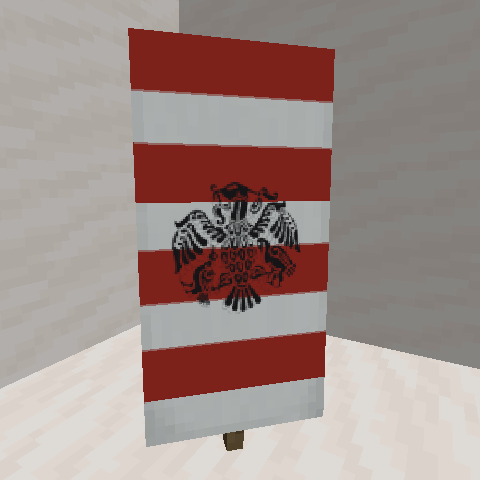
Aoinuh's Banners
Adds a few more banner patterns to the game.
 mod
mod CurseForge + Modrinth · Minecraft
BBL Core
Various useful methods, utilities and helpers to make coding mods a bit better