Minecraft version
Back to mods 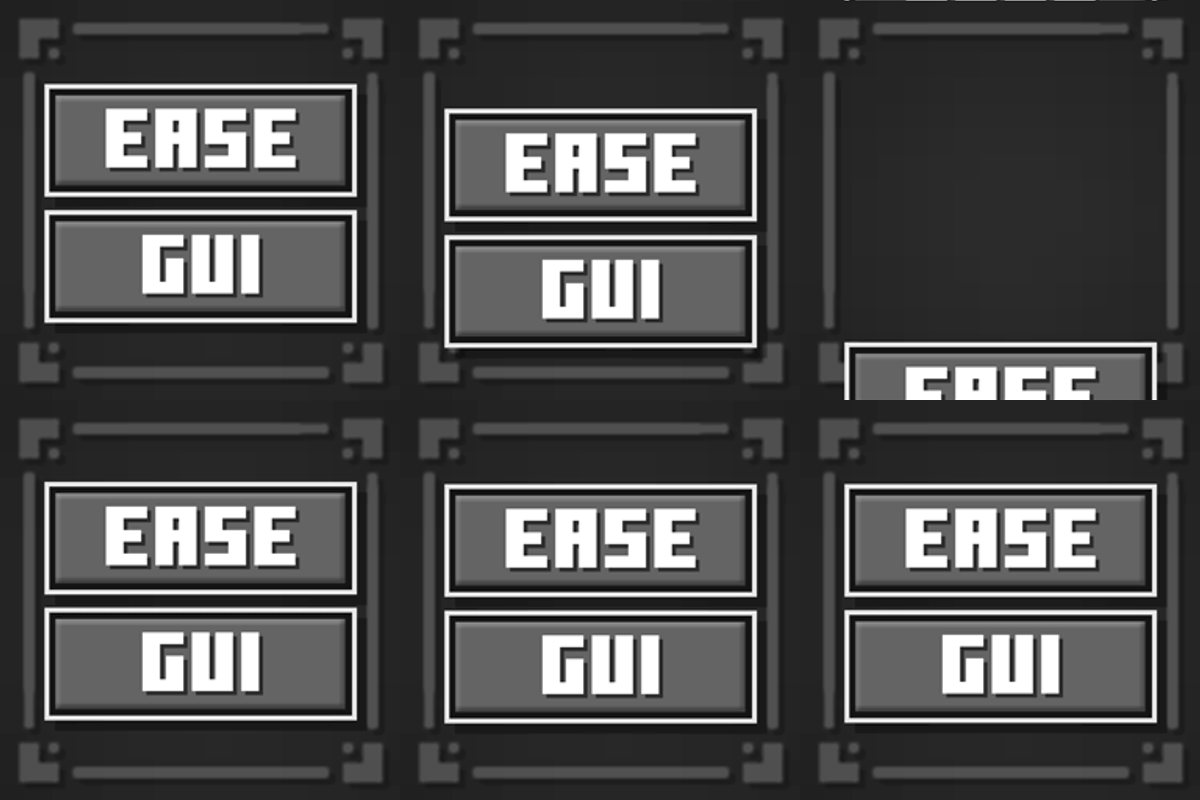
CurseForge · Minecraft mod
EaseGUI
Smoothly animates all GUI screens with extensive customization!
Choose a version Pick your version below, then grab the matching file.
Quick answer
Which EaseGUI release should I use?
beta file v.0.4.3 NeoForge 1.21.11
Game version 1.21.11
Loader NeoForge
EaseGUI v.0.4.3 NeoForge 1.21.11 targets 1.21.11 with NeoForge. The project page does not say whether it belongs on the client. The project page does not say whether it belongs on the dedicated server. No extra mods listed for this file.
Where it goes
Is EaseGUI required on the client, server, or both?
The project page does not say whether it belongs on the client. The project page does not say whether it belongs on the dedicated server.
Client Source doesn’t say
Dedicated server Source doesn’t say
Loader for this release NeoForge
Required install it here Optional supported, not mandatory Not supported do not install here Source doesn’t say do not assume
The source does not explicitly classify this release as client-only or server-only.
What else does EaseGUI v.0.4.3 NeoForge 1.21.11 need?
v.0.4.3 NeoForge 1.21.11. Change the file and its required mods may change too.
This file does not list any required mods. Do not add a library just because a different file uses it.
This file does not list any required or optional mods.
Before you install it
Add EaseGUI without breaking your instance.
Built for EaseGUI v.0.4.3 NeoForge 1.21.11. Pick another file and the loader, install side or required mods may change.
- 01
Stick to this file
Use v.0.4.3 NeoForge 1.21.11. It targets 1.21.11 with NeoForge; another release may have different loader, side or dependency requirements.
- 02
Bring the mods it needs
This file does not list any required mods. Do not add a library just because a different file uses it.
- 03
Put it on the correct side
The project page does not say whether it belongs on the client. The project page does not say whether it belongs on the dedicated server.
- 04
Pick the file you checked
Use the “Get this file” button beside v.0.4.3 NeoForge 1.21.11. It opens that exact file at the source.
About this project
What does EaseGUI add?

EaseGUI is a client-side mod that adds smooth, dynamic entry animations to Minecraft screens and interfaces!

Animated GUI Elements:
- Smooth background blur
- Main menu logo
- Buttons
- Text labels
- Scrollable lists
- Containers & inventory screens
📌 Requirements (Fabric)
- Fabric API— Required for mod textures to display and render correctly.
- Mod Menu— Highly recommended for an easy, in-game configuration interface.

Deep Customization
The mod offers extensive customization options for every element category. You can configure animations globally for all screens or fine-tune them individually for specific menus to suit your taste.

⚙️Configuration Parameters Explained
- Animation [ON/OFF] — Toggles animations for the selected element category.
- Duration — Controls how long the animation lasts (in milliseconds).
- Offset [X/Y] — Sets the starting position of the element relative to its final layout position.
- Initial Scale [X/Y] — Controls the scale of the element at the beginning of the animation.
- Initial Alpha — Adjusts the starting opacity (transparency) of the element.
- Cascade Delay — The time delay between animating consecutive elements of the same type (creates a beautiful staggered entry effect).
- Cascade Order — The direction of the staggered sequence.
- Pivot Point — The anchor point used for scaling transformations (e.g., scaling from the center, top-left, etc.).
- Easing (Interpolation) — The mathematical curve that defines the acceleration profile and overall feel of the animation.
By default, a clean and simplified global animation preset is applied. However, you can craft completely unique transitions for each screen or disable them entirely where they aren't needed.
🧪 Beta Status & Feedback
EaseGUI is currently in Beta. While the core features are fully stable on both Fabric and NeoForge, I am actively fine-tuning compatibility with third-party mods that modify the game's user interface.
As the developer, I would be incredibly grateful for your bug reports! If you run into compatibility issues with other mods, please let me know.
Compatibility & Known Issues
🟩 Resource Packs: Full Compatibility
The mod is fully compatible with any custom resource packs.
- Tip: If your resource pack includes a custom Main Menu logo and you prefer to use it instead of the animated EaseGUI version, simply change the "Logo Type" setting to "Whole Text" in the mod configuration.
🟨 Highly Intrusive UI Mods
The main compatibility risks come from mods that heavily overhaul vanilla interfaces, completely rewrite their base rendering logic, or hard-code rigid element positions.
If you encounter visual glitches or rendering issues with a specific screen (such as the inventory), you don't have to disable the entire mod! You can easily tweak or completely disable the animation for that individual screen in the configuration menu while keeping smooth transitions across the rest of the game.
Recommended mods
EaseGUI works perfectly with other GUI-smoothing mods:
- Smooth Scrolling
- Smooth Swapping
- Immersive UI
Project description from CurseForge.
Pick your setup
EaseGUI by Minecraft version and loader
Choose the version and loader you play, then open the matching release.
Minecraft version
1.21.11
2 loader buildsMinecraft version
1.21.1
2 loader buildsCheck the dependencies, then try the file in a copied instance before changing a world you care about.
Recent files
EaseGUI versions and loaders
v.0.4.3 NeoForge 1.21.11
easegui-0.4.3-neoforge-1.21.11.jar
1 Aug 2026
Client Source doesn’t say Server Source doesn’t say Dependencies No extras listed Listed on Release listing
Check the 1.21.11 · NeoForge setup NeoForge1.21.11 beta
v.0.4.3 Fabric 1.21.11
easegui-0.4.3-fabric-1.21.11.jar
1 Aug 2026
Client Source doesn’t say Server Source doesn’t say Dependencies 2 required · 2 unchecked Listed on Release listing
Check the 1.21.11 · Fabric setup Fabric1.21.11 beta
v.0.3.2 NeoForge 1.21.1
easegui-0.3.2-neoforge-1.21.1.jar
1 Aug 2026
Client Source doesn’t say Server Source doesn’t say Dependencies No extras listed Listed on Release listing
Check the 1.21.1 · NeoForge setup 1.21.1NeoForge beta
v.0.3.2 Fabric 1.21.1
easegui-0.3.2-fabric-1.21.1.jar
1 Aug 2026
Client Source doesn’t say Server Source doesn’t say Dependencies 2 required · 2 unchecked Listed on Release listing
Check the 1.21.1 · Fabric setup Fabric1.21.1 beta
v.0.5.0 NeoForge 26.2
easegui-0.5.0-neoforge-26.2.jar
28 Jul 2026
Client Source doesn’t say Server Source doesn’t say Dependencies No extras listed Listed on Release listing
Check the 26.2 · NeoForge setup NeoForge26.2 beta
v.0.5.0 Fabric 26.2
easegui-0.5.0-fabric-26.2.jar
28 Jul 2026
Client Source doesn’t say Server Source doesn’t say Dependencies 2 required · 2 unchecked Listed on Release listing
Check the 26.2 · Fabric setup Fabric26.2 beta
v.0.4.2 NeoForge 1.21.11
easegui-0.4.2-neoforge-1.21.11.jar
19 Jul 2026
Client Source doesn’t say Server Source doesn’t say Dependencies No extras listed Listed on Release listing
Check the 1.21.11 · NeoForge setup NeoForge1.21.11 beta
v.0.4.2 Fabric 1.21.11
easegui-0.4.2-fabric-1.21.11.jar
19 Jul 2026
Client Source doesn’t say Server Source doesn’t say Dependencies 2 required · 2 unchecked Listed on Release listing
Check the 1.21.11 · Fabric setup Fabric1.21.11 beta
v.0.3.1 NeoForge 1.21.1
easegui-0.3.1-neoforge-1.21.1.jar
19 Jul 2026
Client Source doesn’t say Server Source doesn’t say Dependencies No extras listed Listed on Release listing
Check the 1.21.1 · NeoForge setup 1.21.1NeoForge beta
v.0.3.1 Fabric 1.21.1
easegui-0.3.1-fabric-1.21.1.jar
19 Jul 2026
Client Source doesn’t say Server Source doesn’t say Dependencies 2 required · 2 unchecked Listed on Release listing
Check the 1.21.1 · Fabric setup Fabric1.21.1 beta
v.0.4.1 Neoforge 1.21.11
easegui-0.4.1-neoforge-1.21.11.jar
16 Jul 2026
Client Source doesn’t say Server Source doesn’t say Dependencies No extras listed Listed on Release listing
Check the 1.21.11 · NeoForge setup NeoForge1.21.11 beta
v.0.4.1 Fabric 1.21.11
easegui-0.4.1-fabric-1.21.11.jar
16 Jul 2026
Client Source doesn’t say Server Source doesn’t say Dependencies 2 required · 2 unchecked Listed on Release listing
Check the 1.21.11 · Fabric setup Fabric1.21.11 beta
Looking for an older file? The official CurseForge project page is in Resources.
 mod
mod CurseForge + Modrinth · Minecraft
World Finder
World Finder is a client-side seed map and structure finder for vanilla Minecraft worlds, built as an in-game ChunkBase-style helper.
 mod
mod CurseForge + Modrinth · Minecraft
Create: Biotech
A Create addon that brings living creatures into the factory. | 一个把活体生物接进工厂里的机械动力附属模组。
 mod
mod CurseForge · Minecraft
TNTUtils
More control over explosions