Fabric API Needed by Toggleable Textures toggleabletextures-1.2.1.jar
requiredMatching file found Matched file: [26.2] Fabric API 0.156.0+26.2
CurseForge · Minecraft mod
Toggleable Textures is a client-side Fabric mod that lets players switch selected Minecraft block textures between modern and nostalgic historical versions through an in-game menu.
Quick answer
Toggleable Textures toggleabletextures-1.2.1.jar targets 26.2 with Fabric. The project page does not say whether this file belongs on the client, dedicated server, or both. All 1 required mods have matching files.
Where it goes
The project page does not say whether this file belongs on the client, dedicated server, or both.
The source does not explicitly classify this release as client-only or server-only.
toggleabletextures-1.2.1.jar. Change the file and its required mods may change too.
Install Fabric API first. We found matching files for this game-version and loader setup.
We only count dependency files that match this setup. A file for another loader does not fill the gap.
Before you install it
Built for Toggleable Textures toggleabletextures-1.2.1.jar. Pick another file and the loader, install side or required mods may change.
Use toggleabletextures-1.2.1.jar. It targets 26.2 with Fabric; another release may have different loader, side or dependency requirements.
Install Fabric API first. We found matching files for this game-version and loader setup.
The project page does not say whether this file belongs on the client, dedicated server, or both.
Use the “Get this file” button beside toggleabletextures-1.2.1.jar. It opens that exact file at the source.
About this project

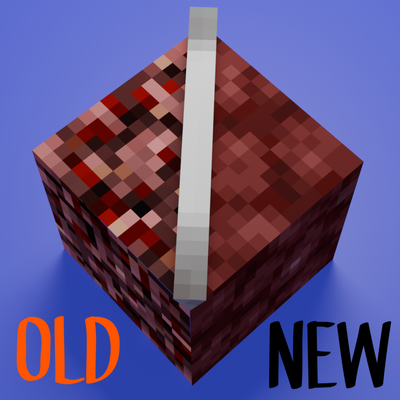
Special thanks to CodecraftPlugin for creating the title card artwork!
Another special thanks to Cr1ato for showcasing the mod in a recent YouTube Short!
Watch Cr1ato's Toggleable Textures showcase
Toggleable Textures is a client-side Fabric mod that lets you switch selected Minecraft block and item textures between modern and nostalgic historical versions through an in-game menu.
Search for supported textures, preview the available choices, cycle between versions, and click Apply to update them without replacing the entire game with a full resource pack.
Older textures are extracted from your local Minecraft installation, so the mod does not ship Mojang assets.
Install Toggleable Textures like any other Fabric mod through the CurseForge App.
Make sure Fabric API is installed. If it is listed as a required dependency, the CurseForge App should install it automatically.
0.152.2+26.2..jar file in your .minecraft/mods folder.To use all of the older texture options, launch the following Minecraft versions at least once through the vanilla Minecraft Launcher:
This gives Toggleable Textures access to your own local game files so it can extract the older textures on your computer.
Toggleable Textures can also use textures from downloaded resource packs.
.zip file in your Minecraft resourcepacks folder.=.Pack: <Resource Pack Name>.Current, Old, or Pack.When you disable a resource pack, its texture options automatically disappear from the Toggleable Textures menu.
= to open the Toggleable Textures menu.The default key for opening the Toggleable Textures menu is =.
You can change this keybind from Minecraft's Controls menu.
Project description from CurseForge.
Pick your setup
Choose the version and loader you play, then open the matching release.
Check the dependencies, then try the file in a copied instance before changing a world you care about.
Recent files
6 Aug 2026
29 Jul 2026
11 Jul 2026
28 Jun 2026
25 Jun 2026
Looking for an older file? The official CurseForge project page is in Resources.
 mod
modDiscover Plants, Animals and Monsters with a Spyglass. Collect them all and take notes in your personal Field Guide!
 mod
modA highly configurable death penalty and death recovery mod, based on the features of Corpse Complex!
 mod
modA lightweight add-on for JEI/REI/EMI. Filtering exact items is just a click away!