Minecraft version
Back to mods 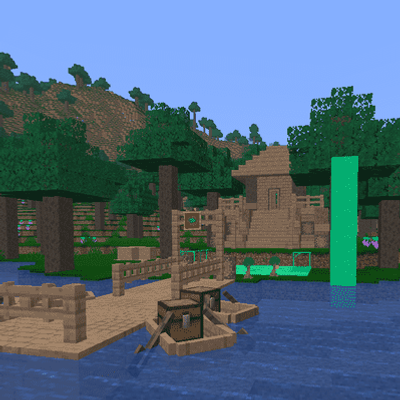
CurseForge · Minecraft mod
Eternal Eclipse™ World
Warning! This is a mod. This mod introduced a lot of things that haven't been explored yet in the Eternal Eclipse™ Universe by SunniePaws.
Choose a version Pick your version below, then grab the matching file.
Quick answer
Which Eternal Eclipse™ World release should I use?
Latest stable file The Chromatic Frontier v1.3
Game version 26.1.2
Loader Fabric
Eternal Eclipse™ World The Chromatic Frontier v1.3 targets 26.1.2 with Fabric. The project page does not say whether this file belongs on the client, dedicated server, or both. No extra mods listed for this file.
Where it goes
Is Eternal Eclipse™ World required on the client, server, or both?
The project page does not say whether this file belongs on the client, dedicated server, or both.
Client Source doesn’t say
Dedicated server Source doesn’t say
Loader for this release Fabric
Required install it here Optional supported, not mandatory Not supported do not install here Source doesn’t say do not assume
The source does not explicitly classify this release as client-only or server-only.
What else does Eternal Eclipse™ World The Chromatic Frontier v1.3 need?
The Chromatic Frontier v1.3. Change the file and its required mods may change too.
This file does not list any required mods. Do not add a library just because a different file uses it.
This file does not list any required or optional mods.
Before you install it
Add Eternal Eclipse™ World without breaking your instance.
Built for Eternal Eclipse™ World The Chromatic Frontier v1.3. Pick another file and the loader, install side or required mods may change.
- 01
Stick to this file
Use The Chromatic Frontier v1.3. It targets 26.1.2 with Fabric; another release may have different loader, side or dependency requirements.
- 02
Bring the mods it needs
This file does not list any required mods. Do not add a library just because a different file uses it.
- 03
Put it on the correct side
The project page does not say whether this file belongs on the client, dedicated server, or both.
- 04
Pick the file you checked
Use the “Get this file” button beside The Chromatic Frontier v1.3. It opens that exact file at the source.
About this project
What does Eternal Eclipse™ World add?
Warning! This is a mod. This mod introduced a lot of things that haven't been explored yet in the Eternal Eclipse™ Universe by SunniePaws. As this series was creates by SunniePaws. This mod brings a lot of thing to Eternal Eclipse™ Universe and will be used for Eternal Eclipse™ Series.
This Mod Aniversary is on July 1 2026
Mod name: Eternal Eclipse™ World (Mod)
Release date: 1 July 2026
Lore for The Chromatic Frontier
- Chroma Forest & Painted Peaks
Before the Creation of the Chroma Forest there was a Mountain called the Painted Peaks, it was different from now where the peak of the mountain was taller than now. It have more color where jade was not the top of the peak there were other colors and jade was not the rarest at the time. The color was obtainable at that time, but now the color is gone and the only color that is new from our kind were Jade, as Jade is rare. How do Painted Peaks get to now, is because a evil scientist struck the mountain with a man made meteor. That blown off the top stone from the mountain and became Chroma Stone. And Jade became the rarest color at that mountain and made it super rare, but luckily a Group of Scientists Save Jade and became a flower on Chroma Forest.
Project description from CurseForge.
Pick your setup
Eternal Eclipse™ World by Minecraft version and loader
Choose the version and loader you play, then open the matching release.
Minecraft version
1.21.8
1 loader buildCheck the dependencies, then try the file in a copied instance before changing a world you care about.
Recent files
Eternal Eclipse™ World versions and loaders
The Chromatic Frontier v1.3
eternal_eclipse_world-1.3-fabric-26.1.2.jar
13 Jul 2026
Client Source doesn’t say Server Source doesn’t say Dependencies No extras listed Listed on Release listing
Check the 26.1.2 · Fabric setup Fabric26.1.2 release
The Chromatic Frontier
eternal_eclipse_world-1.0 Beta 1-fabric-1.21.8.jar
24 Jun 2026
Client Source doesn’t say Server Source doesn’t say Dependencies No extras listed Listed on Release listing
Check the 1.21.8 · Fabric setup Fabric1.21.8 beta
Looking for an older file? The official CurseForge project page is in Resources.
 mod
CurseForge + Modrinth · Minecraft
Plague's Chat Timestamps
A Minecraft mod that adds customizable timestamps to chat!
 mod
CurseForge + Modrinth · Minecraft
Bigger Stack Size
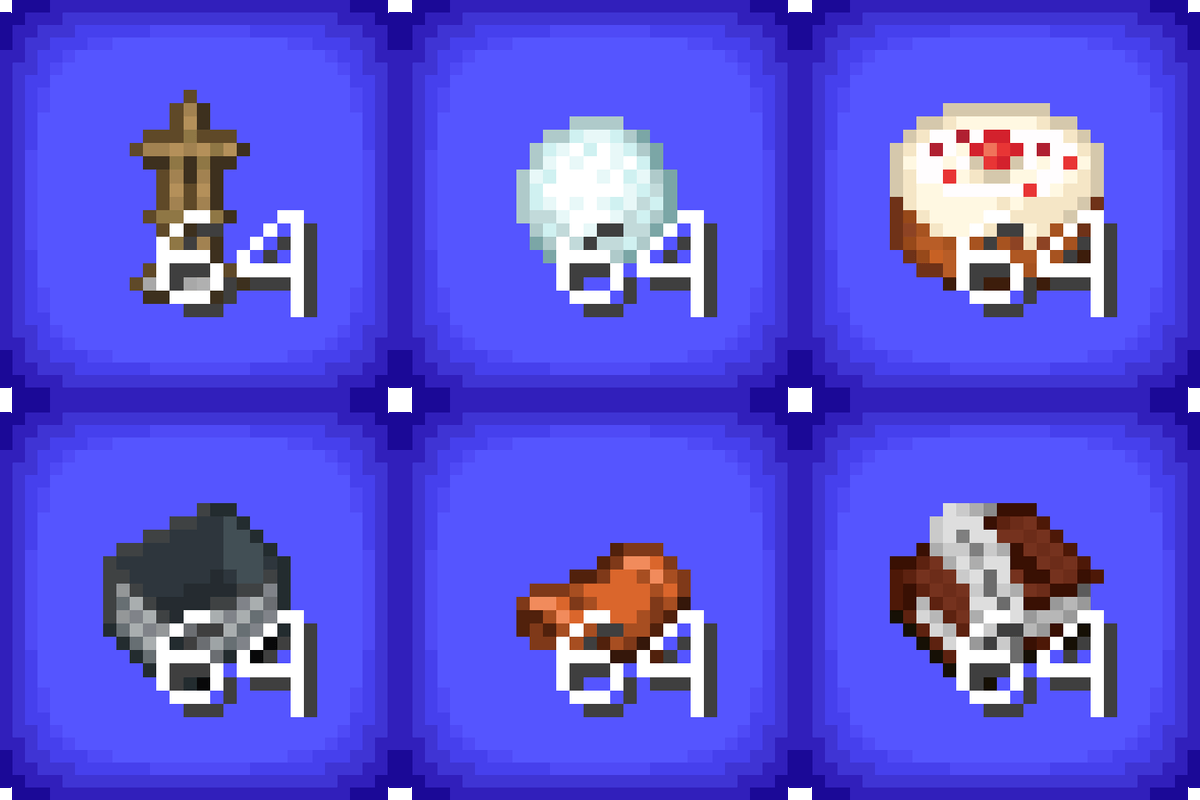
Stack all items to 64: potions, ender pearls, totems, buckets, signs, tools and more
 mod
CurseForge · Minecraft
NPC studios
Create RPG NPCs that walk smooth paths, talk in branching dialogs, run shops, give daily quests and follow their own daily routine. One panel, one wand, no commands.