Polymorphic Extended Crafting Optional for Polymorph+ polymorph_plus-neoforge-1.4.2+26.3.0
optionalNo matching file

CurseForge · Minecraft mod
(26.x port) Also adds some QoL features and mod compatibility to the original Polymorph mod. No more recipe conflicts!
Quick answer
Polymorph+ polymorph_plus-neoforge-1.4.2+26.3.0 targets 26.3 with NeoForge. The project page does not say whether this file belongs on the client, dedicated server, or both. No extra mods listed for this file.
Where it goes
The project page does not say whether this file belongs on the client, dedicated server, or both.
The source does not explicitly classify this release as client-only or server-only.
polymorph_plus-neoforge-1.4.2+26.3.0 on 26.3 NeoForge. Every mod below is checked against that same setup.
This file does not list any required mods. Do not add a library just because a different file uses it.
We only count dependency files that match this setup. A file for another loader does not fill the gap.
Before you install it
Built for Polymorph+ polymorph_plus-neoforge-1.4.2+26.3.0 on 26.3 NeoForge. Pick another file and the loader, install side or required mods may change.
Use polymorph_plus-neoforge-1.4.2+26.3.0. It targets 26.3 with NeoForge; another release may have different loader, side or dependency requirements.
This file does not list any required mods. Do not add a library just because a different file uses it.
The project page does not say whether this file belongs on the client, dedicated server, or both.
Use the “Get this file” button beside polymorph_plus-neoforge-1.4.2+26.3.0. It opens that exact file at the source.
About this project



Polymorph+ resolves recipe conflicts: when two mods add recipes with the same ingredients, you pick the result. On top of the original Polymorph it adds quality of life (shortcuts, favourites, a scrollable selector) and built-in support for storage and backpack mods. It replaces Polymorph, so install one or the other, not both.
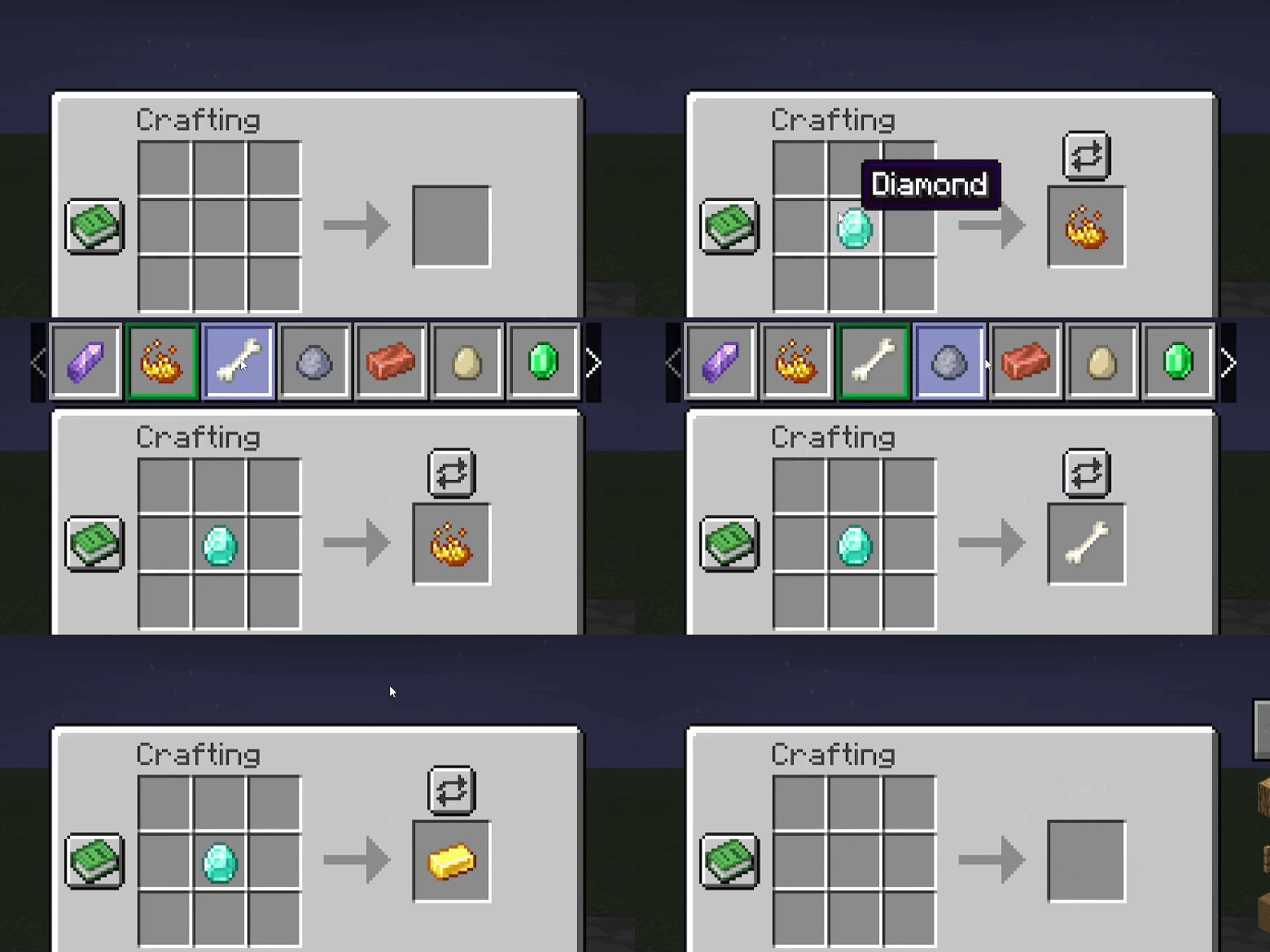
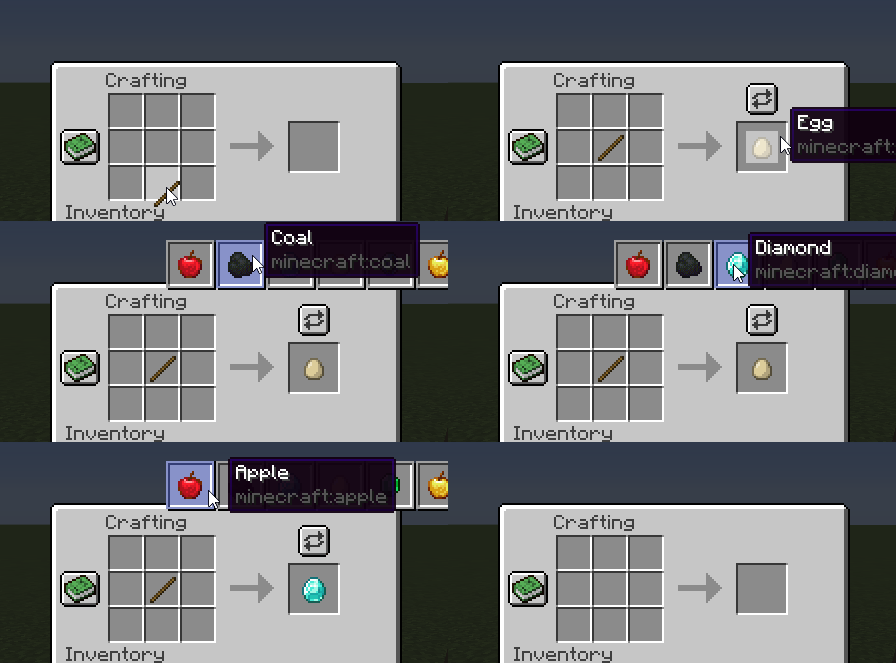
A button appears above the output slot when ingredients match more than one recipe. Click it, pick the result. The selection persists as long as the input stays the same.
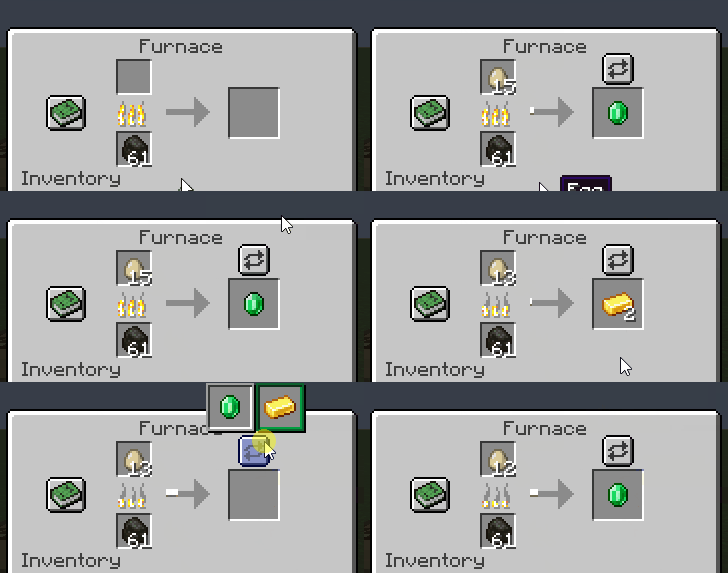
Same selector above the output slot. The choice is saved on the block.
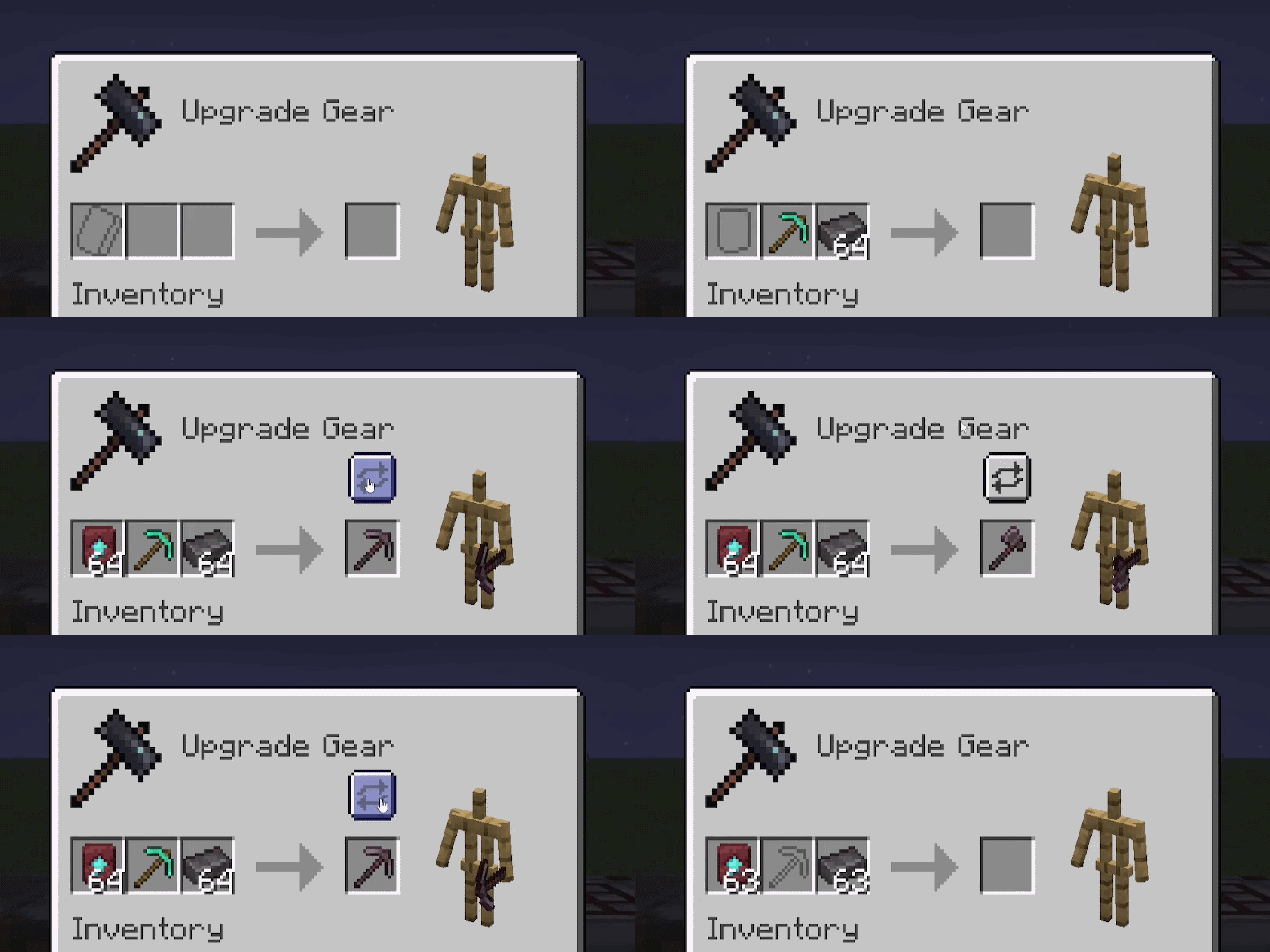
When a smithing transform input matches more than one recipe, the selector appears next to the result slot.
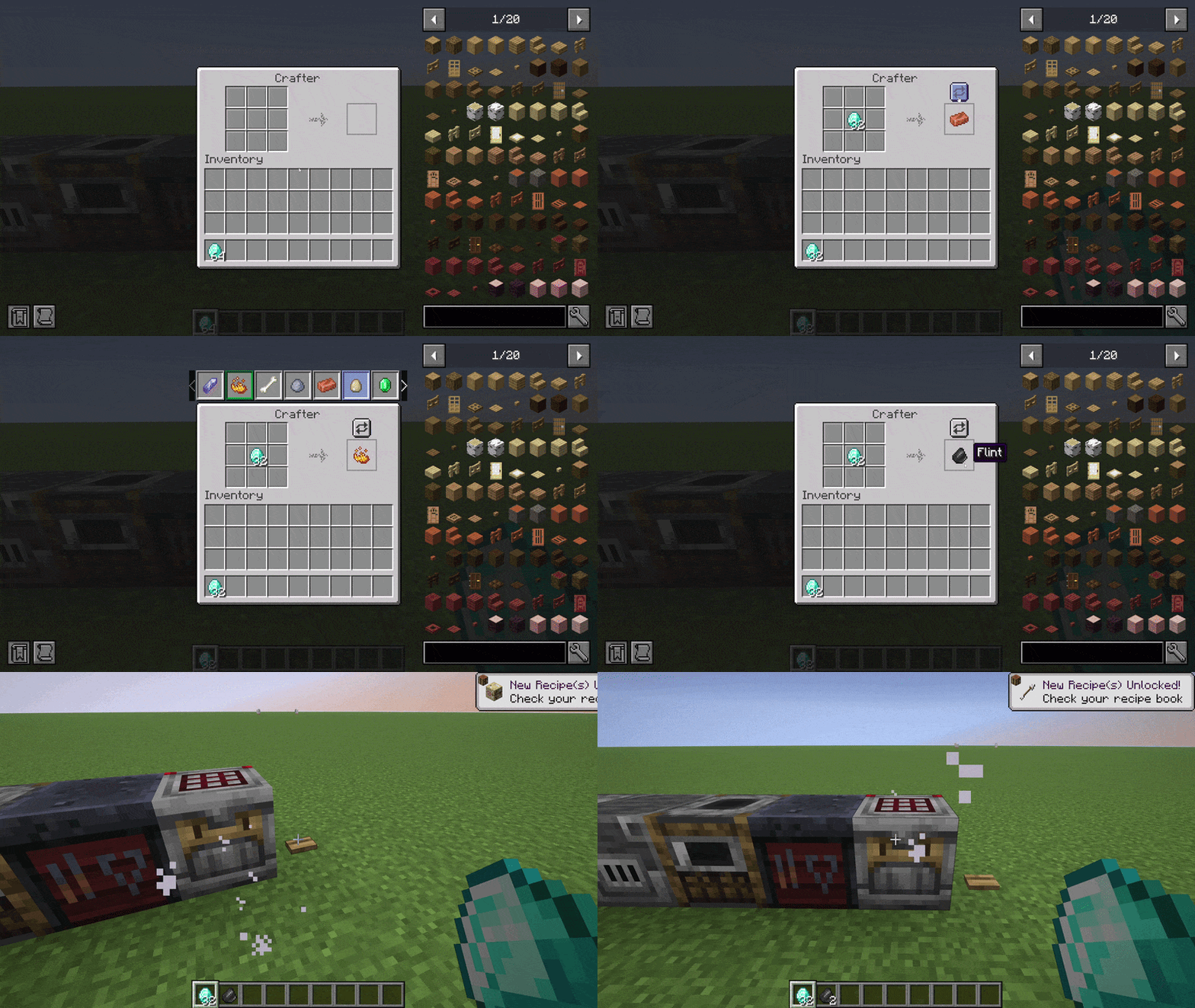
Same selector inside the vanilla Crafter screen. The choice is saved on the block entity so redstone automation respects it across world reloads.
/polymorph conflicts scans crafting, smelting, blasting, smoking, and smithing recipes and writes a list of detected conflicts to the logs folder.
Original mod by TheIllusiveC4, upstream repo. Port maintained by Aminoquiz. Source and assets are LGPL-3.0-or-later. This port is unofficial.
Help keep these mods going via ko-fi.com/aminoquiz, or host your server on Wabbanode with code AMINE (from 1.49 USD/month).

Project description from CurseForge.
Pick your setup
Choose the version and loader you play, then open the matching release.
Check the dependencies, then try the file in a copied instance before changing a world you care about.
Recent files
polymorph_plus-neoforge-1.4.2+26.3.0.jar
18 Oct 2026
polymorph_plus-neoforge-1.4.1+26.3.0.jar
17 Oct 2026
polymorph_plus-neoforge-1.4.0+26.3.0.jar
13 Oct 2026
polymorph_plus-neoforge-1.3.6+26.3.0.jar
12 Oct 2026
polymorph_plus-neoforge-1.3.5+26.3.0.jar
10 Oct 2026
polymorph_plus-neoforge-1.3.4+26.3.0.jar
2 Oct 2026
polymorph_plus-neoforge-1.3.3+26.3.0.jar
1 Oct 2026
Looking for an older file? The official CurseForge project page is in Resources.
 mod
modLoad any schematic as a ghost in your world, see what's missing, and build it with easy place or the printer. Opens .litematic, .schem, .schematic, .nbt and Axiom .bp. A client-side alternative to Litematica.
 mod
modLDLib is a libarary mod for custom rendering, modular gui.
 mod
modBuild any schematic in survival: a ghost of it in your world, what's missing, what to gather, easy place and a printer. Opens .litematic, .schem, .nbt and Axiom .bp. A client-side Litematica alternative for Fabric and NeoForge.

