Minecraft version
Back to mods 
CurseForge · Minecraft mod
Holographique Map
MapMinecraft (NeoForge 1.21.1) adds the Live Map Projector: a block that scans nearby terrain and projects a floating 3D voxel hologram of the world. Features real textures, biome colors, water, a config GUI, and a redstone entity radar.
Choose a version Pick your version below, then grab the matching file.
Quick answer
Which Holographique Map release should I use?
Latest stable file mapminecraft-1.0.1.jar
Game version 1.21.1
Loader NeoForge
Holographique Map mapminecraft-1.0.1.jar targets 1.21.1 with NeoForge. The project page does not say whether this file belongs on the client, dedicated server, or both. No extra mods listed for this file.
Where it goes
Is Holographique Map required on the client, server, or both?
The project page does not say whether this file belongs on the client, dedicated server, or both.
Client Source doesn’t say
Dedicated server Source doesn’t say
Loader for this release NeoForge
Required install it here Optional supported, not mandatory Not supported do not install here Source doesn’t say do not assume
The source does not explicitly classify this release as client-only or server-only.
What else does Holographique Map mapminecraft-1.0.1.jar need?
mapminecraft-1.0.1.jar. Change the file and its required mods may change too.
This file does not list any required mods. Do not add a library just because a different file uses it.
This file does not list any required or optional mods.
Before you install it
Add Holographique Map without breaking your instance.
Built for Holographique Map mapminecraft-1.0.1.jar. Pick another file and the loader, install side or required mods may change.
- 01
Stick to this file
Use mapminecraft-1.0.1.jar. It targets 1.21.1 with NeoForge; another release may have different loader, side or dependency requirements.
- 02
Bring the mods it needs
This file does not list any required mods. Do not add a library just because a different file uses it.
- 03
Put it on the correct side
The project page does not say whether this file belongs on the client, dedicated server, or both.
- 04
Pick the file you checked
Use the “Get this file” button beside mapminecraft-1.0.1.jar. It opens that exact file at the source.
About this project
What does Holographique Map add?
🗺️ MapMinecraft — Live Map Projector
Drop one block. Watch your world float above it as a live 3D hologram.
A NeoForge 1.21.1 mod that adds one show-stopping block: the Live Map Projector. It scans the terrain around it and projects a glowing, floating 3D voxel hologram of your world, with real textures, biome colors, animated translucent water, and full 3D trees.
✨ What it does
- 🌍 3D voxel hologram — not a flat minimap. A real slice of the world up to 256 blocks tall, rebuilt as a floating diorama.
- 🎨 Real textures + biome colors — grass, logs, leaves, stone… every face is textured like in-game. Animated, translucent water.
- 🎛️ Fully tunable in-game (right-click) — scan radius, size, height, rotation, bob.
- 📍 Center on coordinates — show a remote area, not just around the block.
- 🔌 Redstone radar — a 0 to 15 signal based on nearby entities, with comparator output and modes: All / Players / Hostiles / Animals / Items.
- 🇬🇧🇫🇷 Bilingual English + French.
📦 Install
- NeoForge 21.1.234+ for Minecraft 1.21.1
- Drop the
.jarintomods/ - Launch 🎮
Requires: Minecraft 1.21.1 · NeoForge 21.1.234+ · Java 21
🛠️ Recipe
P R P     P = Paper
R C R     R = Redstone
P R P     C = Compass
Project description from CurseForge.
Pick your setup
Holographique Map by Minecraft version and loader
Choose the version and loader you play, then open the matching release.
Check the dependencies, then try the file in a copied instance before changing a world you care about.
Recent files
Holographique Map versions and loaders
mapminecraft-1.0.1.jar
26 Jun 2026
Client Source doesn’t say Server Source doesn’t say Dependencies No extras listed Listed on Release listing
Check the 1.21.1 · NeoForge setup 1.21.1NeoForge release
Looking for an older file? The official CurseForge project page is in Resources.
 mod
mod CurseForge + Modrinth · Minecraft
Storage Drawers
Interactive compartment storage for your workshops.
 mod
mod CurseForge + Modrinth · Minecraft
rankboard
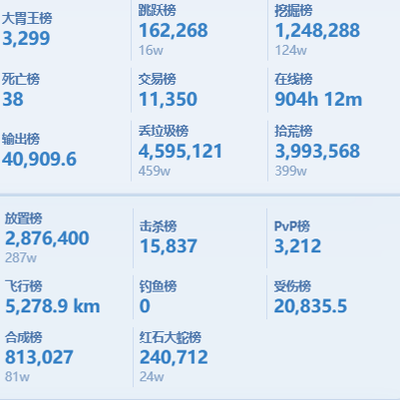
Scoreboard ranking mod: web dashboard access, historical data query, point lookup for arbitrary post-install dates.
 mod
mod Modrinth · Minecraft
Sliding Platforms
Turn any wall of blocks into a real sliding door or elevator cabin. Motion, collision, sounds — all live