L2 Library Optional for Truly Best Friends Forever trulybestfriends-0.2.4.1-1.21.1.jar
optionalMatching file found Matched file: l2library-3.0.8.jar

CurseForge · Minecraft mod
Let your beloved pet stay by your side forever.
Quick answer
Truly Best Friends Forever trulybestfriends-0.2.4.1-1.21.1.jar targets 1.21.1 with NeoForge. The project page does not say whether this file belongs on the client, dedicated server, or both. No extra mods listed for this file.
Where it goes
The project page does not say whether this file belongs on the client, dedicated server, or both.
The source does not explicitly classify this release as client-only or server-only.
trulybestfriends-0.2.4.1-1.21.1.jar. Change the file and its required mods may change too.
This file does not list any required mods. Do not add a library just because a different file uses it.
2 extra mods were pulled in by other dependencies. Indented rows show who needs each one. We only count dependency files that match this setup. A file for another loader does not fill the gap.
Before you install it
Built for Truly Best Friends Forever trulybestfriends-0.2.4.1-1.21.1.jar. Pick another file and the loader, install side or required mods may change.
Use trulybestfriends-0.2.4.1-1.21.1.jar. It targets 1.21.1 with NeoForge; another release may have different loader, side or dependency requirements.
This file does not list any required mods. Do not add a library just because a different file uses it.
The project page does not say whether this file belongs on the client, dedicated server, or both.
Use the “Get this file” button beside trulybestfriends-0.2.4.1-1.21.1.jar. It opens that exact file at the source.
About this project
Keep your pets by your side, forever.
Truly Best Friends Forever is a Minecraft pet management mod that tracks and persistently stores your tamed pets. Its dedicated management screen lets you inspect, store, summon, heal, and revive them.
Even if a pet is in an unloaded chunk, in another dimension, or already dead, you can still manage it from the pet screen.
GitHub / Issue Tracker | MC Encyclopedia
| Minecraft | Mod Loader | Java |
|---|---|---|
| 1.20.1 | Forge 47.4.20+ | Java 17 |
| 1.21.1 | NeoForge 21.1.228+ | Java 21 |
The mod must be installed on both the client and server. For singleplayer, installing it in your local client is sufficient.
Tamed wolves, cats, horses, parrots, and pets from other mods are registered automatically. The complete NBT data of each pet is stored separately and managed through an index.
Servers that need to reduce scanning overhead can enable performanceMode in the configuration. This disables automatic tracking and other expensive scans. Pets must then be registered manually by right-clicking them with a feather or by using /tbf load. The registration item and whether it is consumed are configurable.
The pet screen can be opened with a configurable keybind. When a compatible version of L2 Library is installed, it is also available through the Pet Companions inventory tab.
The screen displays each pet's name, health, dimension, and coordinates. Its latest status is synchronized from the server in real time.
Pets can be summoned to their owner from any dimension. Sitting pets automatically stand up after being summoned.
If the pet's chunk is not loaded, the mod creates a pending summon and completes the teleport after the chunk becomes available. Forced chunk loading and entity deduplication prevent duplicate pets from being created.
While riding a registered pet, the Summon button for another pet that has previously been ridden changes to Swap Mount. Using it summons the new mount and automatically stores the previous one.
Hold Shift to change the Swap Mount button back to a normal Summon button.
When a tracked pet dies, the mod stores its state and prevents item drops, avoiding item duplication through repeated revivals. The pet can then be revived from the management screen by consuming the configured revival item. By default, revival costs one Totem of Undying.
Revived pets receive the same Regeneration, Absorption, and Fire Resistance effects granted by a Totem of Undying.
Entity types that must keep their normal death and drop behavior can be added to noReviveWhitelist or clearOnDeathWhitelist.
Removing a living pet from tracking requires two confirmation steps to prevent accidental deletion:
When a stored pet is removed from tracking, it is first released back into the world. Removing a dead pet allows it to continue through its normal death process.
If deleteStoredPetsDirectly is enabled, the stored data of recalled or dead pets is permanently deleted without releasing the entity.
The mod includes a dedicated team editor:
maxPendingSummons.Hold the configurable team wheel key to open a radial menu for the current team. Point at a pet and release the key, or left-click, to summon it. The wheel also supports mount swapping. Click the bottle icon to summon the entire team.
The mod separately backs up the inventory NBT of container-carrying entities, such as horses equipped with chests. Modded entities with arbitrary slot counts are supported.
On Minecraft 1.21.1, installing Curios 9.5.1+ also allows pet accessories to be backed up and restored as part of the complete entity snapshot.
The mod includes English and Chinese display names for more than 20 common dimensions. These include the three vanilla dimensions, Twilight Forest, Blue Skies, The Aether, Everbright/Everdawn, The Undergarden, Bumblezone, Tropicraft, Gaia Dimension, The Midnight, and the planets and orbits from Ad Astra. Server administrators can also add custom dimension names through the configuration.
While the server is stopped, the .nbt files of stored pets can be edited directly. Changes are preserved and applied to the entity the next time the server starts.
.minecraft/mods/.The following commands require permission level 2. Registering your own pet with the configured manual registration item does not require operator permissions.
| Command | Description |
|---|---|
/tbf load |
Registers the targeted entity as a pet after checking its owner, blacklist status, and pet limit |
/tbf load master |
Forces the targeted non-player living entity to be registered to the command user |
/tbf autoRegisterBlacklist |
Adds the targeted entity type to the automatic registration blacklist |
/tbf noReviveWhitelist |
Adds the targeted entity type to the non-revivable list |
/tbf clearOnDeathWhitelist |
Adds the targeted entity type to the list that clears tracking data after death |
/tbf clear |
Clears your pet list after a second confirmation within 30 seconds |
All pet data is stored inside the corresponding world save. Deleting the world also deletes its pet data. Removing the mod does not damage the world.
<world>/trulybestfriends/
|-- pets_index.nbt
`-- <player UUID>/
    `-- <pet UUID>.nbt
While the server is stopped, <pet UUID>.nbt can be edited to change the health, name, maximum health, and other properties of a stored pet. Coordinates and dimension data are replaced by the summon positioning logic.
ownerNbtFields can define the NBT path containing the owner's UUID. Nested NBT paths are supported.If an ownable entity should not be tracked, such as a temporary summon, add its entity ID or a namespace:* wildcard to autoRegisterBlacklist.
maxPendingSummons.Health value directly to 0 before summoning places it in a dead-but-not-stored state. Use the revival feature to restore it.| Pet List |
|---|
| High-priority Canine Metal Golem |
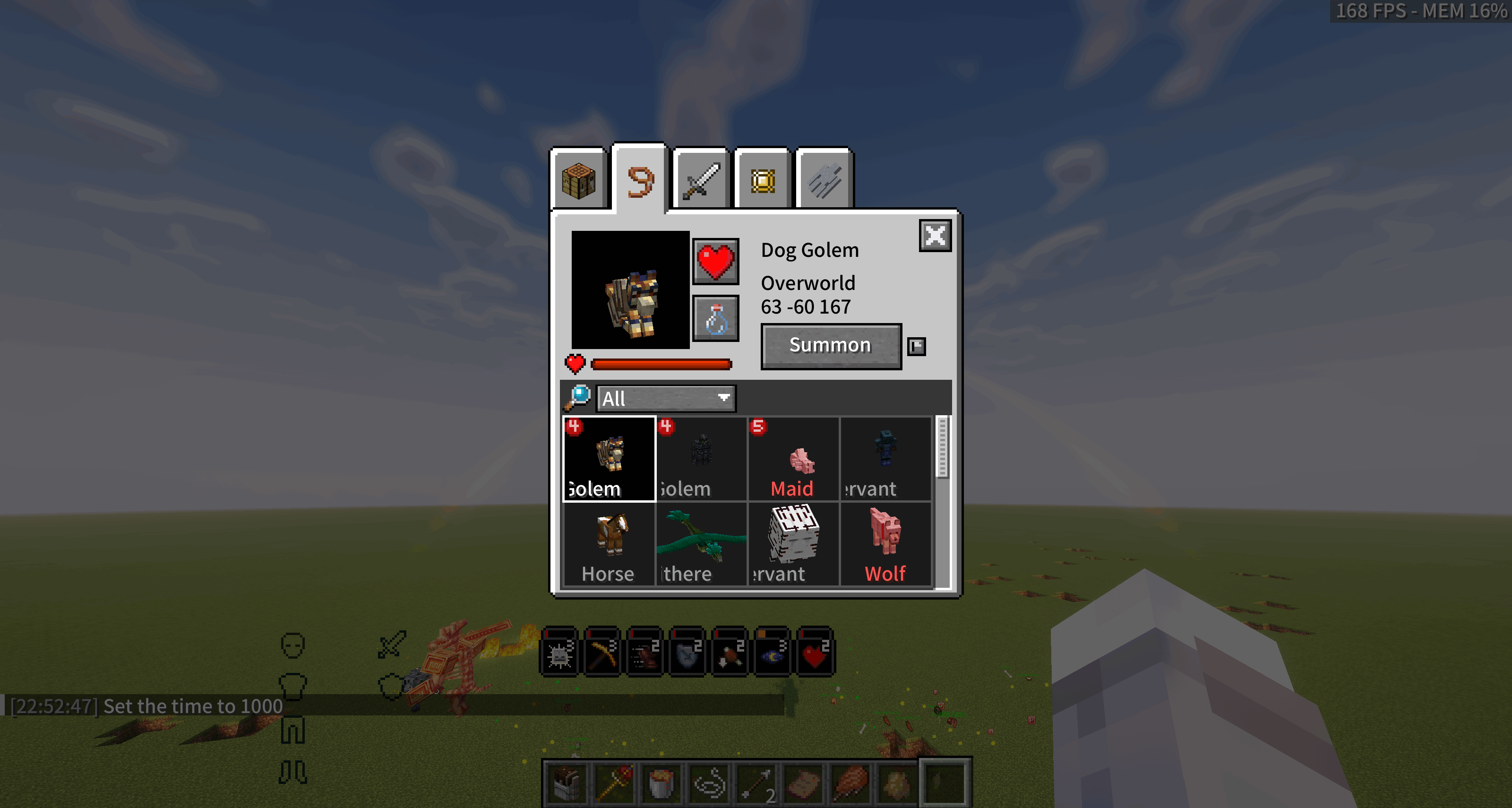 |
| Pet List |
| --- |
| Stored Fire Dragon |
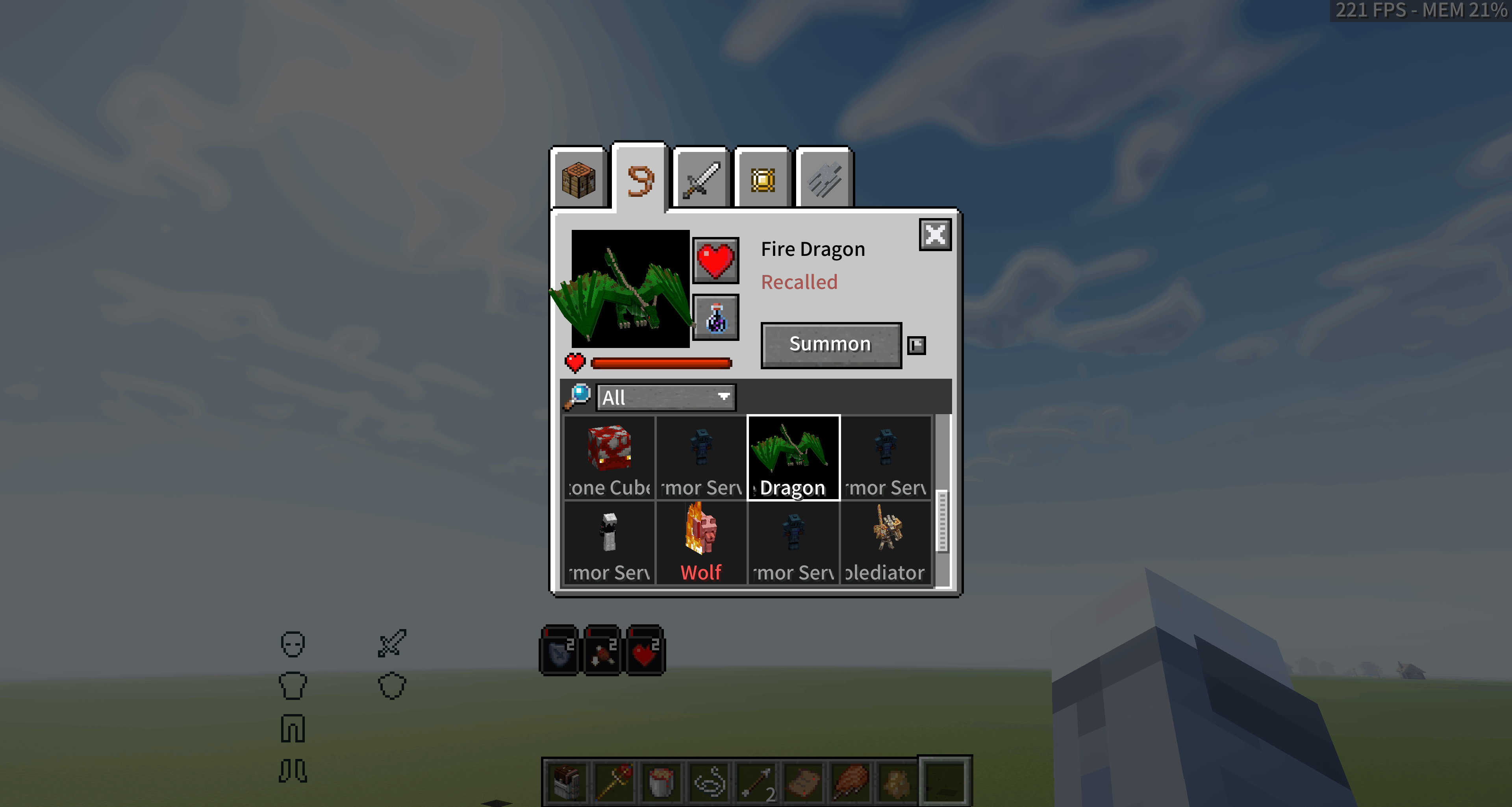 |
| Team Editor |
| --- |
| White team members |
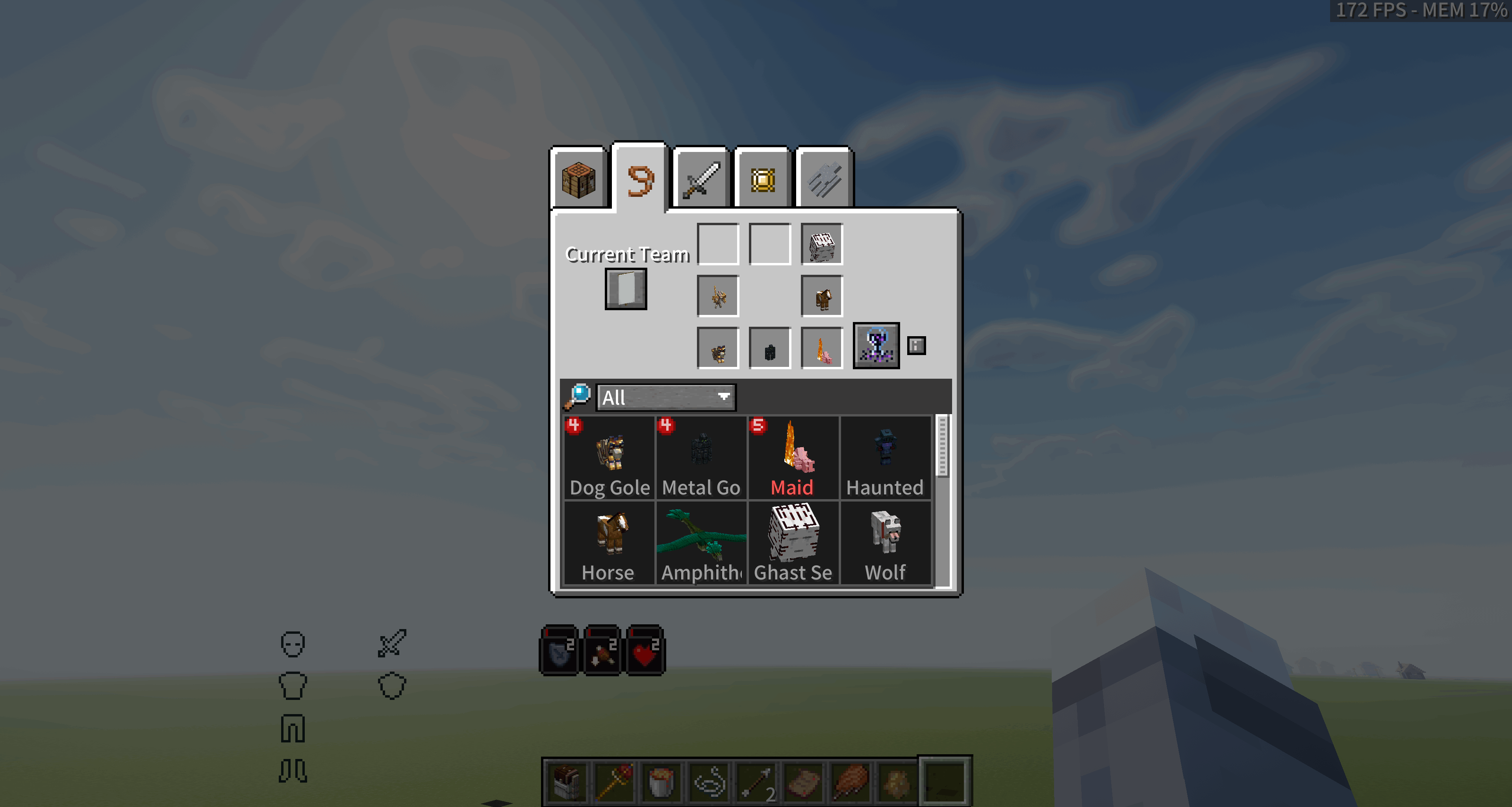 |
| Selected Wheel Member |
| --- |
| Selected Ghast Servant |
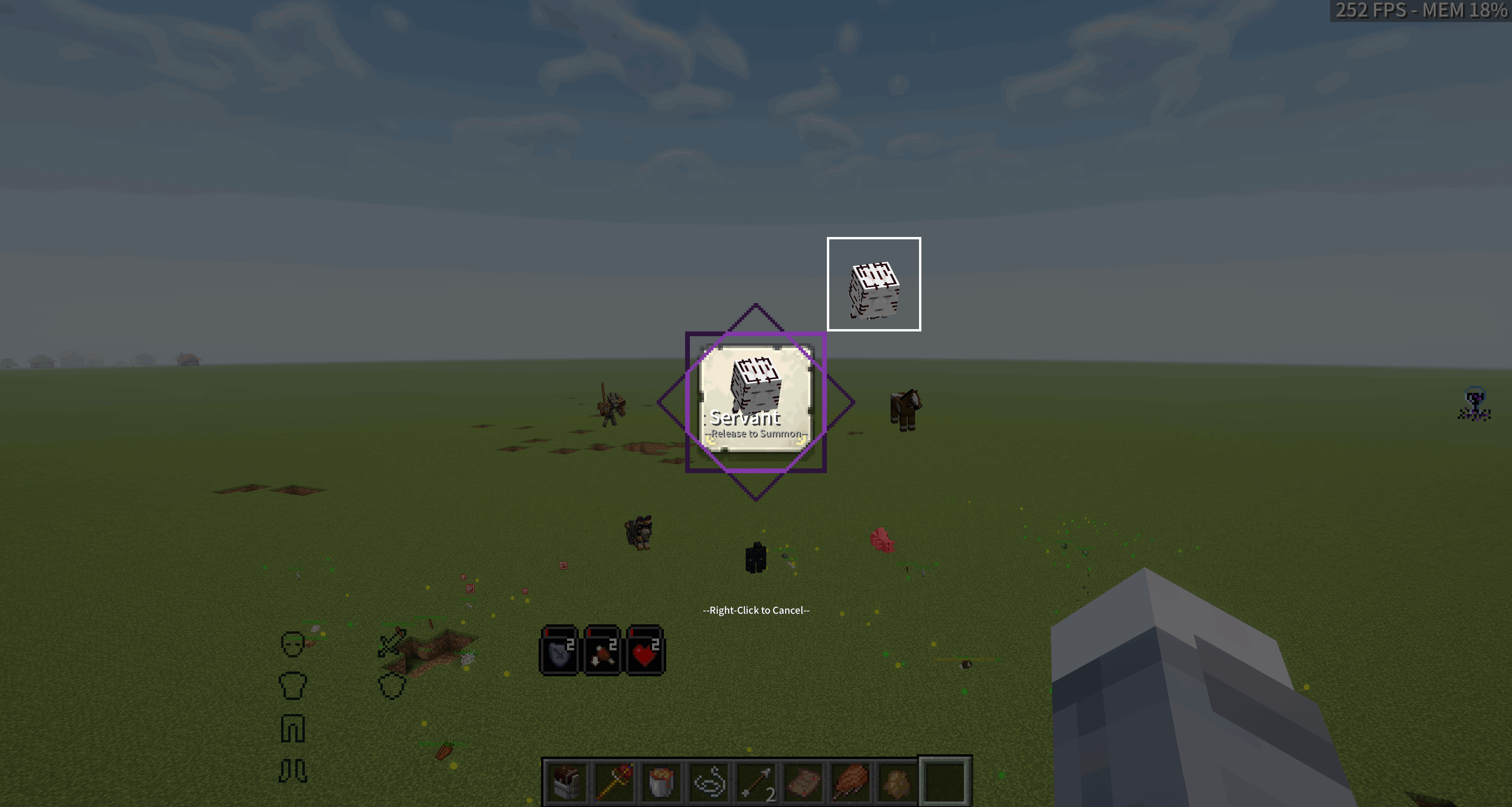 |
Please report bugs and feature requests through GitHub Issues. Include:
latest.log or crash report;Truly Best Friends Forever is licensed under GPL-3.0. Follow the license terms when modifying, including, or redistributing the mod, and respect the licenses of compatible mods.
Project description from CurseForge.
Pick your setup
Choose the version and loader you play, then open the matching release.
Check the dependencies, then try the file in a copied instance before changing a world you care about.
Recent files
8 Oct 2026
8 Oct 2026
8 Oct 2026
8 Oct 2026
13 Sept 2026
13 Sept 2026
23 Aug 2026
21 Aug 2026
21 Aug 2026
21 Aug 2026
20 Aug 2026
20 Aug 2026
Looking for an older file? The official CurseForge project page is in Resources.
 mod
modCustomize what items drop from Fishing Catches, with powerful features like conditional drops, commands, and special effects.
 mod
modA mod to help unfiy the questing mods and give there rewards a revamp
 mod
modImmortal Master That will make you a master, immortal.