Create Aeronautics Needed by Create Aeronautics: Simplified Logistics transport_logistics-1.0.0.jar
requiredMatching file found Matched file: Create Aeronautics 1.3.2 for mc1.21.1
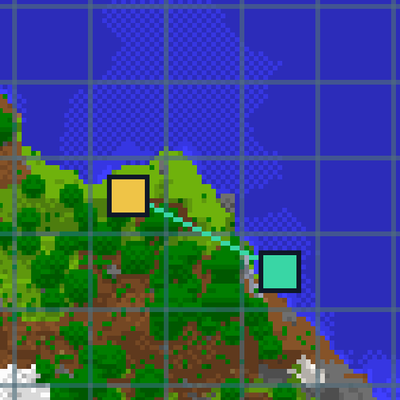
CurseForge · Minecraft mod
An simpler alternative to the automated logistics mod. Doesn't require manual recording of ship route. The ship navigates autonomously with a computer generated flight path.
Quick answer
Create Aeronautics: Simplified Logistics transport_logistics-1.0.0.jar targets 1.21.1 with NeoForge. The project page does not say whether this file belongs on the client, dedicated server, or both. All 3 required mods have matching files.
Where it goes
The project page does not say whether this file belongs on the client, dedicated server, or both.
The source does not explicitly classify this release as client-only or server-only.
transport_logistics-1.0.0.jar. Change the file and its required mods may change too.
Install Create Aeronautics, Sable, Create first. We found matching files for this game-version and loader setup. 3 come through another mod in the chain.
3 extra mods were pulled in by other dependencies. Indented rows show who needs each one. We only count dependency files that match this setup. A file for another loader does not fill the gap.
Before you install it
Built for Create Aeronautics: Simplified Logistics transport_logistics-1.0.0.jar. Pick another file and the loader, install side or required mods may change.
Use transport_logistics-1.0.0.jar. It targets 1.21.1 with NeoForge; another release may have different loader, side or dependency requirements.
Install Create Aeronautics, Sable, Create first. We found matching files for this game-version and loader setup. 3 come through another mod in the chain.
The project page does not say whether this file belongs on the client, dedicated server, or both.
Use the “Get this file” button beside transport_logistics-1.0.0.jar. It opens that exact file at the source.
About this project
The ship will rise to cruising altitude, then turn and move forward toward the destination, then descend and land.
Sorry this is my first release, there are many bugs still that I'm dealing with, so gameplay won't be great yet. I'll make updates in the next few days.
Project description from CurseForge.
Pick your setup
Choose the version and loader you play, then open the matching release.
Check the dependencies, then try the file in a copied instance before changing a world you care about.
Recent files
28 Jun 2026
Looking for an older file? The official CurseForge project page is in Resources.
 mod
Native NPCs for DragonMineZ on Minecraft 1.21.1 (NeoForge).
 mod
Automatic combat and animation switching for Epic Fight, Punchy, and Punchy!Moves. Supports WOM; no Epic Tweaks required.
 mod
Every 2 minutes, fate deals you 10 face-down cards. Flip one... then stop, or push your luck? 67 cards that twist how you see, hear and control Minecraft.