Minecraft version
Back to mods 
CurseForge · Minecraft mod
StageBox
Create epic Minecraft concerts with custom music, animated DJ booths, synchronized speakers, lasers, disco lights, LED effects, floodlights, smoke, sparks, group controls, and stage decorations.
Choose a version Pick your version below, then grab the matching file.
Quick answer
Which StageBox release should I use?
Latest stable file StageBox-Mod-1.3.0-NeoForge-1.21.8.jar
Game version 1.21.8
Loader NeoForge
StageBox-Mod-1.3.0-NeoForge-1.21.8.jar targets 1.21.8 with NeoForge. The project page does not say whether this file belongs on the client, dedicated server, or both. No extra mods listed for this file.
Where it goes
Is StageBox required on the client, server, or both?
The project page does not say whether this file belongs on the client, dedicated server, or both.
Client Source doesn’t say
Dedicated server Source doesn’t say
Loader for this release NeoForge
Required install it here Optional supported, not mandatory Not supported do not install here Source doesn’t say do not assume
The source does not explicitly classify this release as client-only or server-only.
What else does StageBox-Mod-1.3.0-NeoForge-1.21.8.jar need?
StageBox-Mod-1.3.0-NeoForge-1.21.8.jar. Change the file and its required mods may change too.
This file does not list any required mods. Do not add a library just because a different file uses it.
This file does not list any required or optional mods.
Before you install it
Add StageBox without breaking your instance.
Built for StageBox-Mod-1.3.0-NeoForge-1.21.8.jar. Pick another file and the loader, install side or required mods may change.
- 01
Stick to this file
Use StageBox-Mod-1.3.0-NeoForge-1.21.8.jar. It targets 1.21.8 with NeoForge; another release may have different loader, side or dependency requirements.
- 02
Bring the mods it needs
This file does not list any required mods. Do not add a library just because a different file uses it.
- 03
Put it on the correct side
The project page does not say whether this file belongs on the client, dedicated server, or both.
- 04
Pick the file you checked
Use the “Get this file” button beside StageBox-Mod-1.3.0-NeoForge-1.21.8.jar. It opens that exact file at the source.
About this project
What does StageBox add?
🎵 STAGEBOX – MUSIC, LIGHTING & STAGE EQUIPMENT
Bring your own concerts, nightclubs, karaoke rooms, and music festivals to life in Minecraft!
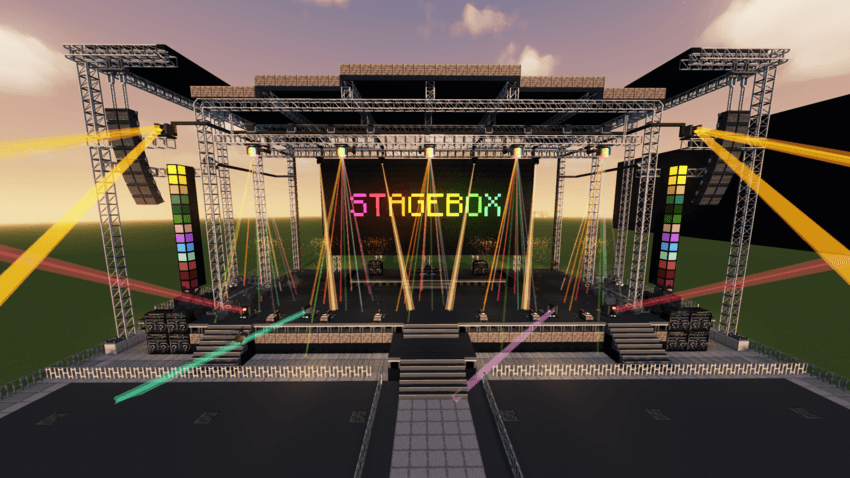
StageBox combines custom music playback, animated stage lighting, special effects, and stage decorations into one connected system.
Play your favorite songs, control lighting effects, synchronize equipment, and build your own professional-looking stage.
━━━━━━━━━━━━━━━━━━━━
🔊 SPEAKER & MUSIC SYSTEM
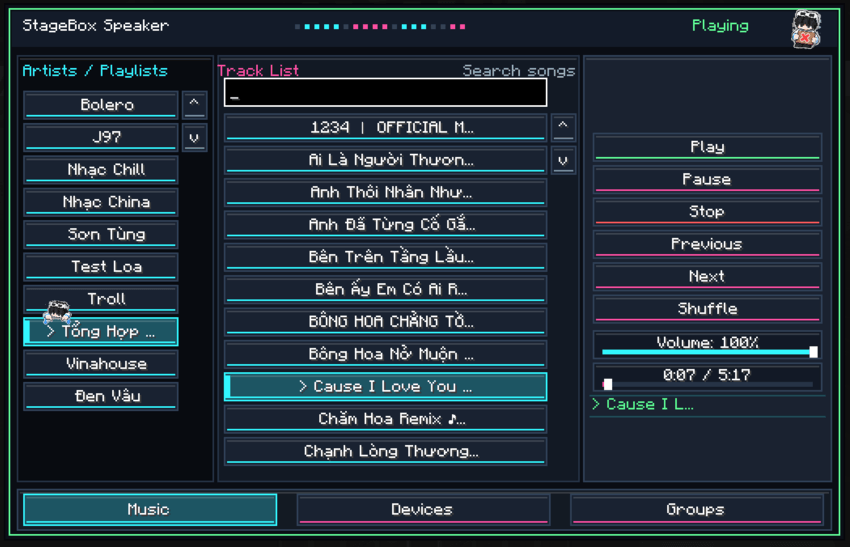
Play your own .ogg music files directly in Minecraft.
Create playlists using folders.
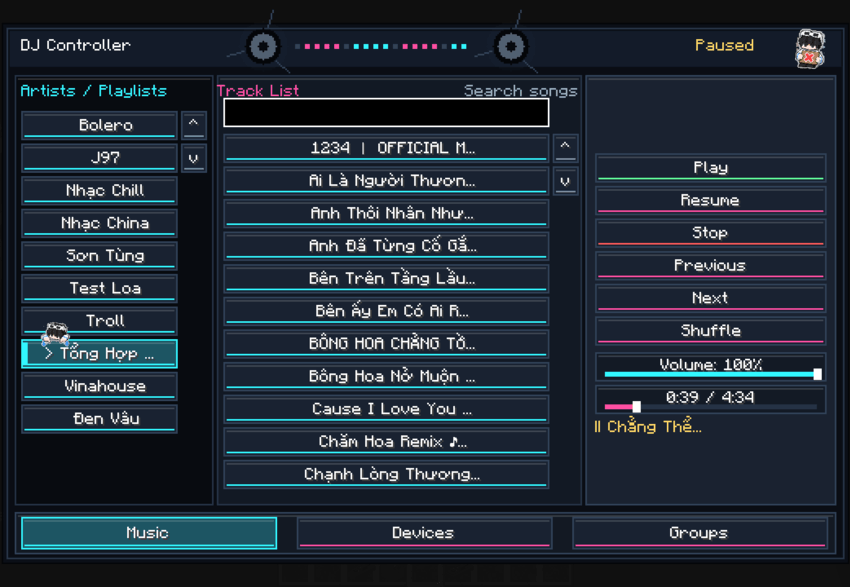
Play, Pause, Resume, Stop, Skip, and Shuffle.
Adjust volume and track playback progress.
Automatically play the next song.
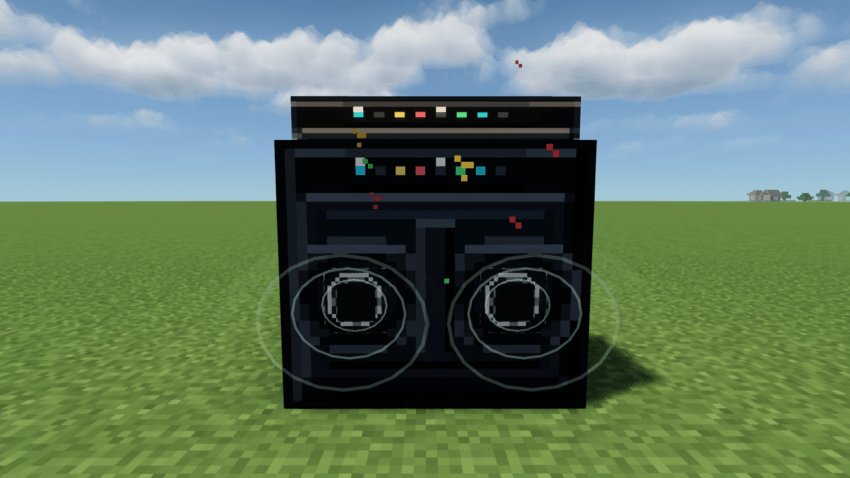
Connect multiple speakers for synchronized playback.
Animated speaker cones while music is playing.
How to add music:
Place your .ogg files in:
config/stagebox/music
Create a folder for each playlist.
Example: config/stagebox/music/Concert/song.ogg
Open a StageBox Speaker and select your music.
━━━━━━━━━━━━━━━━━━━━
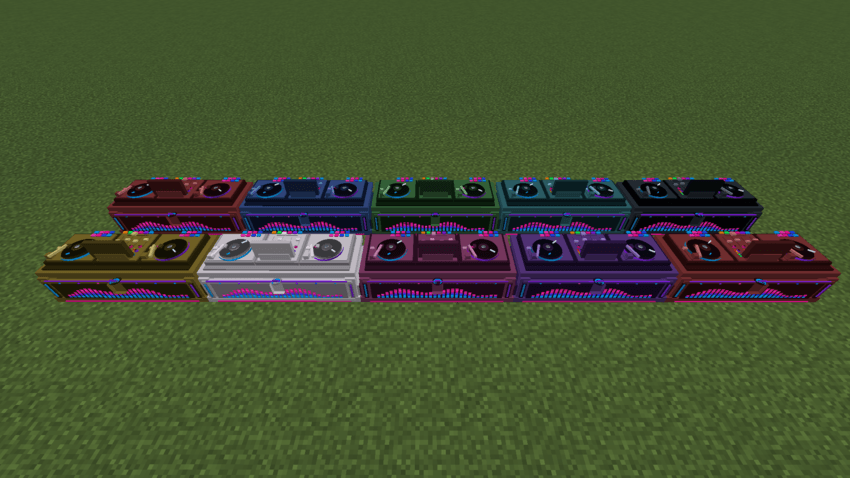
🎛️ DJ CONTROLLER
Control music and connected stage equipment from an animated DJ booth.
Full music and playlist controls.
Search songs and manage playback.
Device tab for connected equipment.
Animated turntables, EQ bars, and power effects.
10 color variants.
Connected DJ Controllers and Speakers share the same playback session.
━━━━━━━━━━━━━━━━━━━━
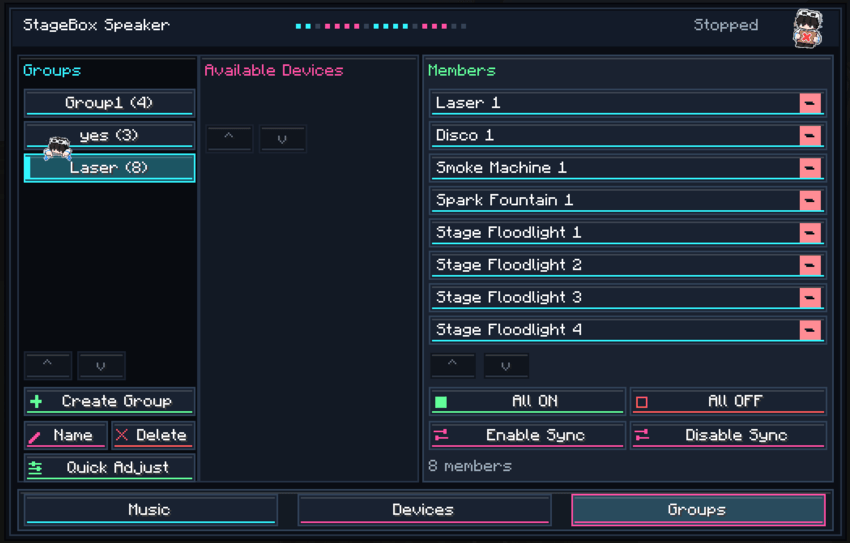
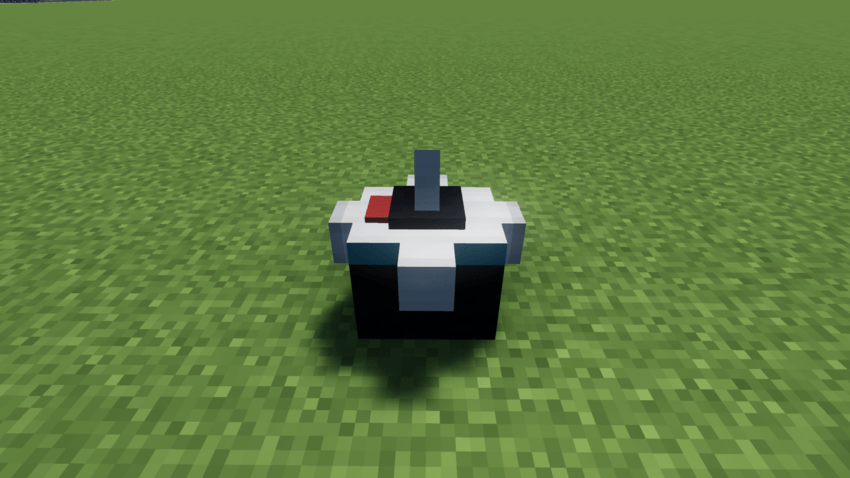
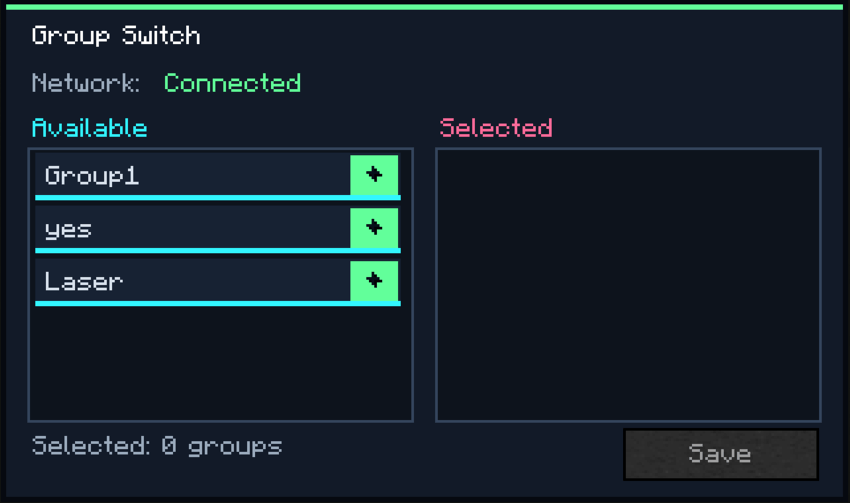
⚡ GROUP SYSTEM & GROUP SWITCH
Organize and control multiple devices more easily.
How to use:
Create a Group.
Add the devices you want to control.
Assign the Group to a Group Switch.
Use the switch to turn the assigned devices on or off.
One Group Switch can control multiple groups.
Perfect for controlling an entire stage lighting setup with a single switch!
━━━━━━━━━━━━━━━━━━━━
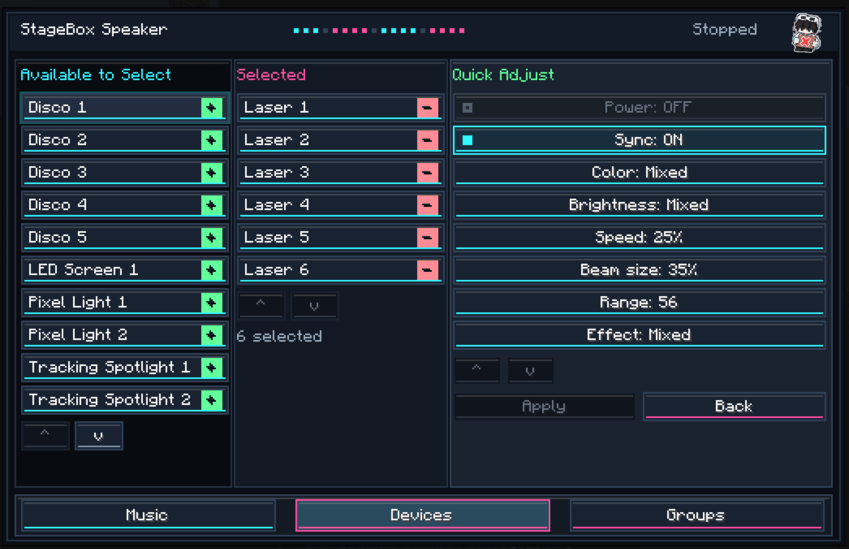
🎚️ DEVICE CONTROLS & QUICK SETTINGS
Customize connected stage equipment without adjusting everything individually.
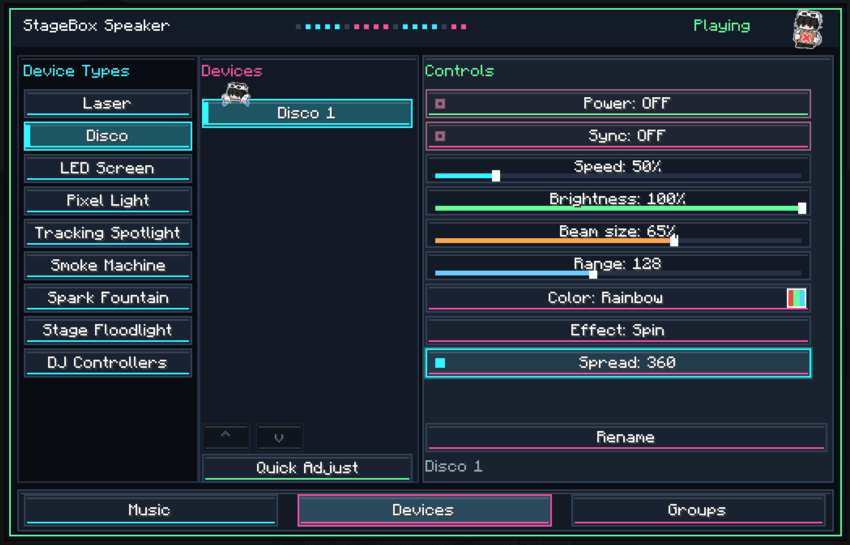
Configure Laser and Disco devices separately.
Give individual devices different effects and settings.
Use Quick Settings to adjust multiple compatible devices together.
Rename devices for easier identification.
For example: Left Laser, Right Laser, Center Disco.
━━━━━━━━━━━━━━━━━━━━
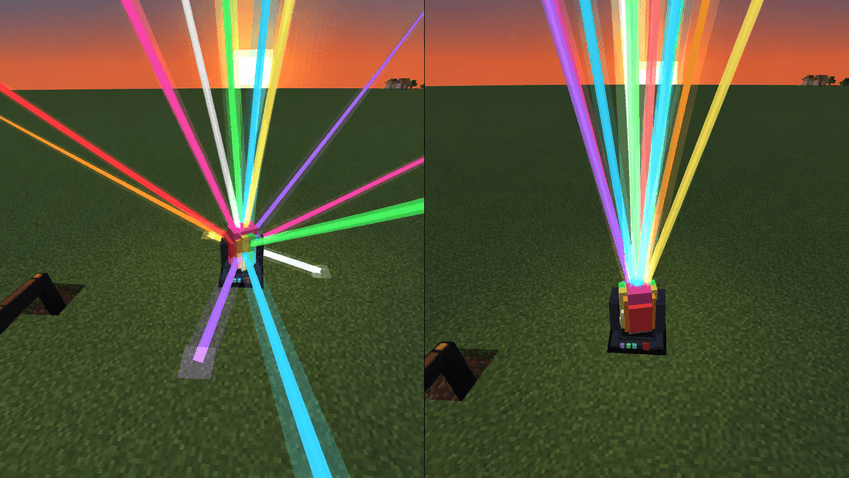
🌈 LASER, DISCO LIGHTS & DISCO BALL
Create colorful lighting shows with adjustable effects.
Laser Modes: Sweep, Pulse, Fan.
Disco Light Modes: Rotate, Sparkle, Orbit.
Adjust supported settings such as color, speed, brightness, beam size, and range.
Use manual controls or synchronize compatible lights with music playback.
The Disco Ball adds rotating light effects for nightclubs and dance floors.
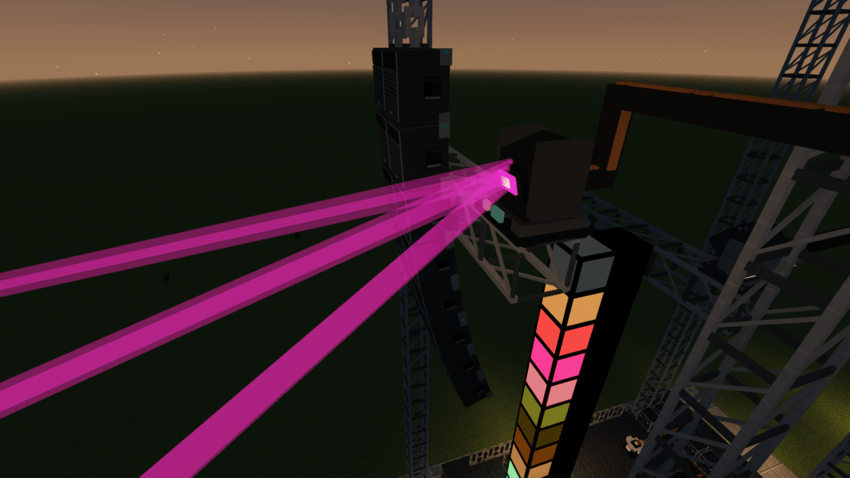
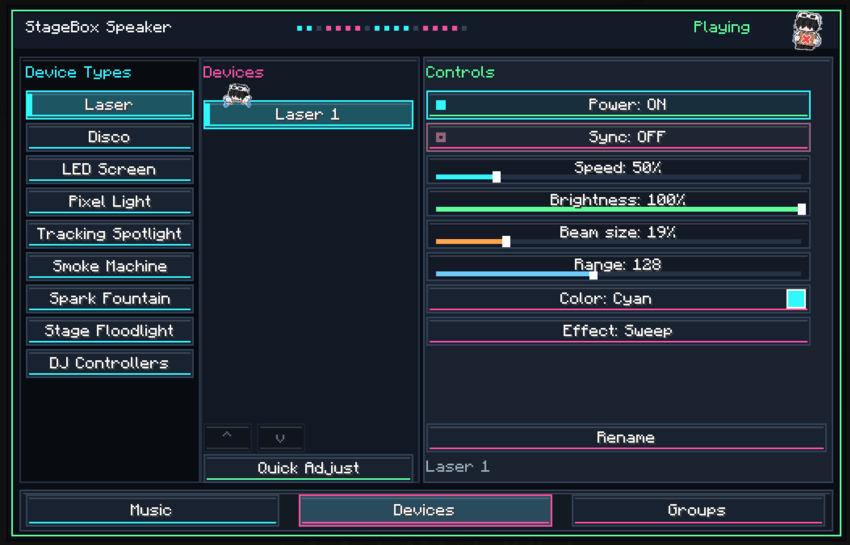
━━━━━━━━━━━━━━━━━━━━
🔦 FLOODLIGHTS
Illuminate your stage with four Floodlight variants:
Standard • Large • XL • Mega
Each variant offers different sizes and lighting coverage.
Adjust the lighting direction and combine multiple Floodlights to illuminate larger areas.
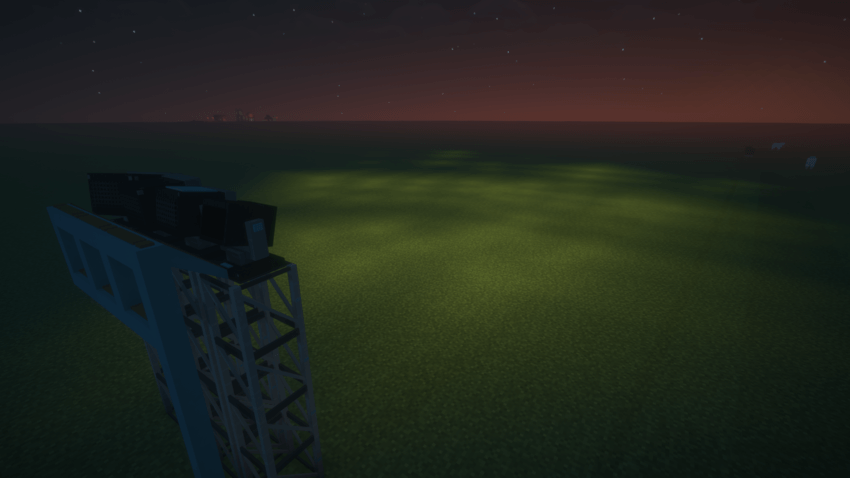
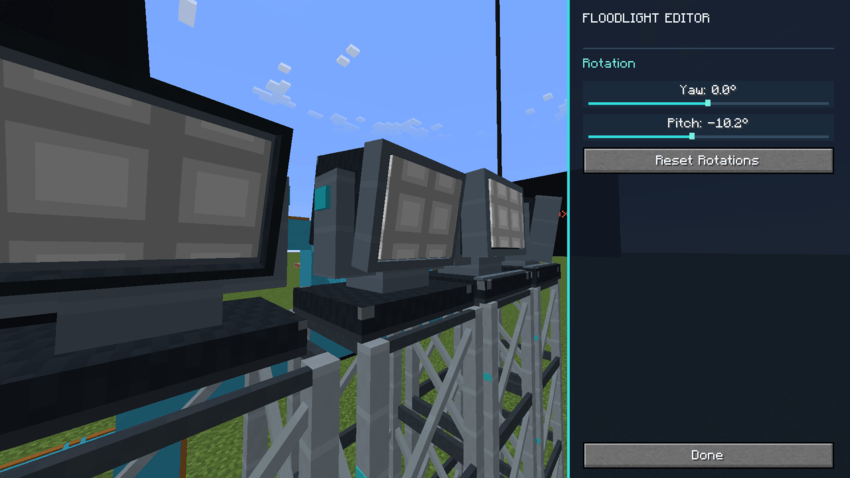
━━━━━━━━━━━━━━━━━━━━
💡 LED SCREEN & PIXEL LIGHT
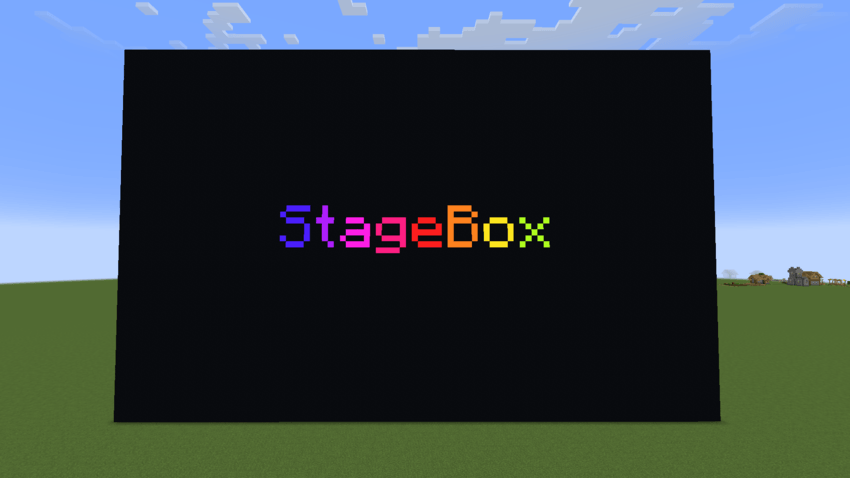
LED Screen
Place LED Screen blocks next to each other to create larger displays.
Display custom text.
Change colors, brightness, text size, and animation speed.
Use different display modes.
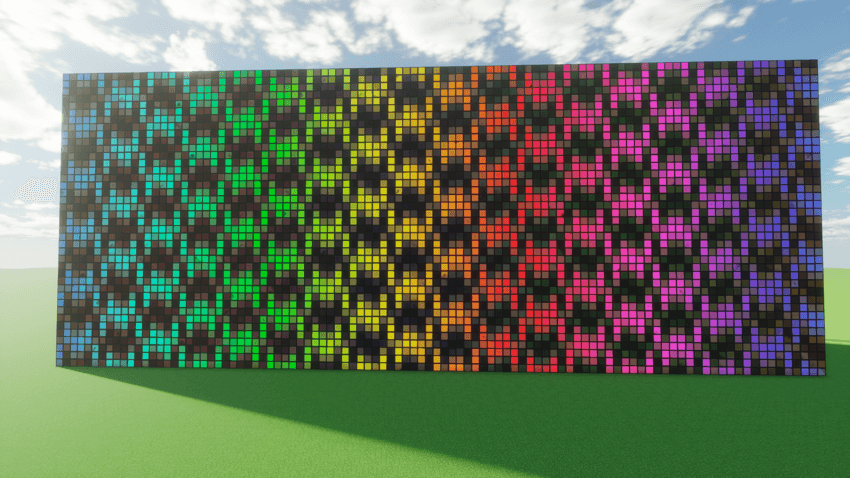
Pixel Light
Place Pixel Light blocks together to automatically create a connected lighting strip.
16 effects, including Rainbow, Chase, Comet, Wave, and Strobe.
Adjustable colors, speed, and tail length.
Music synchronization.
━━━━━━━━━━━━━━━━━━━━
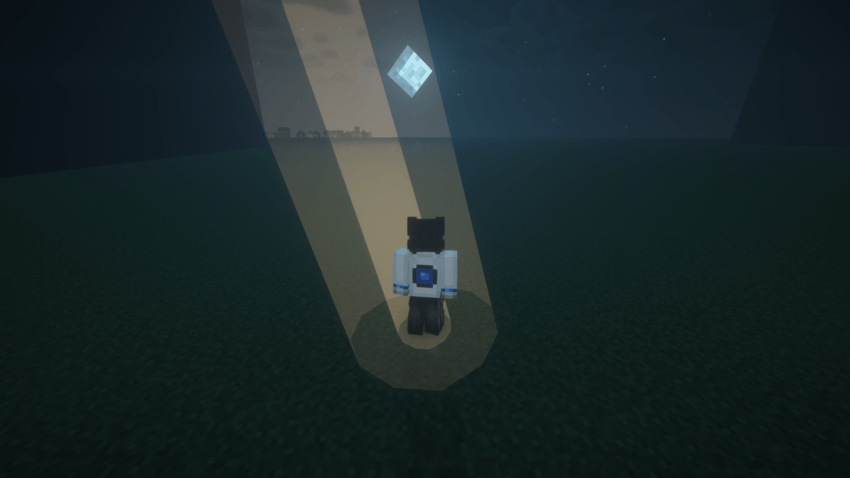
🎯 TRACKING SPOTLIGHT
A moving spotlight that can automatically follow players.
Tracking Modes:
Fixed: Keep the spotlight in a selected direction.
Nearest Player: Follow the nearest player.
Selected Player: Follow a specific player.
Adjust tracking range, brightness, and beam size.
Ideal for concerts, live performances, and roleplay events.
━━━━━━━━━━━━━━━━━━━━
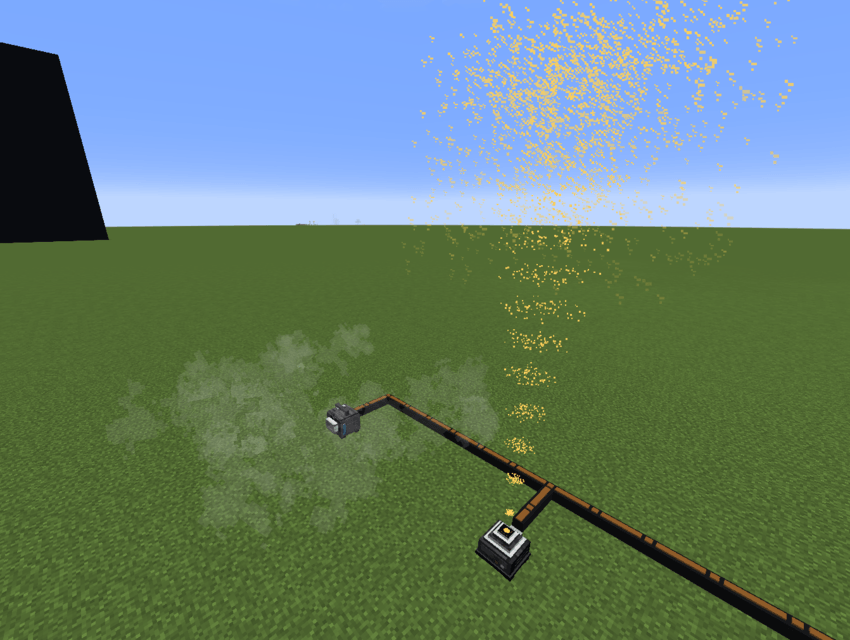
🌫️ SMOKE MACHINE & SPARK FOUNTAIN
Add visual stage effects to your performances.
Smoke Machine
10 smoke effect modes.
Adjust density, speed, spread, rise, lifetime, and frequency.
Spark Fountain
10 spark effect modes.
Multiple colors, including Rainbow.
Adjust height, width, density, intensity, and sparkle.
Spark effects are visual only and do not cause fire or damage.
━━━━━━━━━━━━━━━━━━━━
🔊 LINE ARRAY & STAGE DECORATIONS
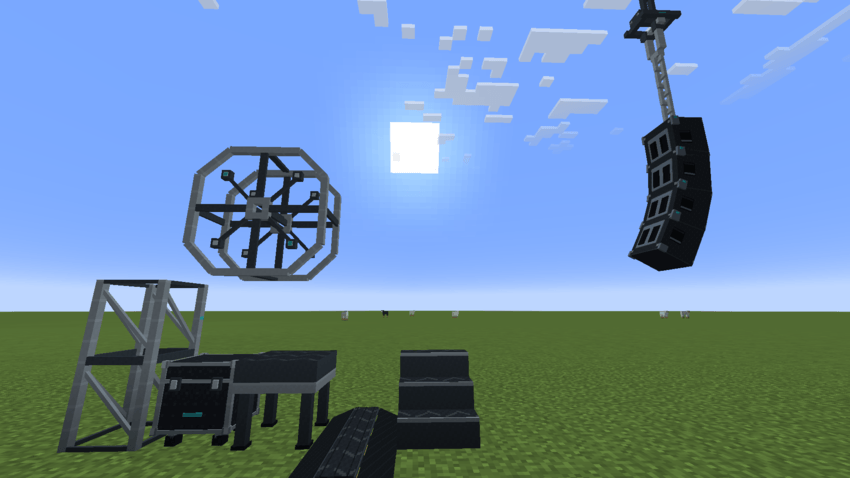
Build realistic-looking concert stages with decorative equipment.
Line Array
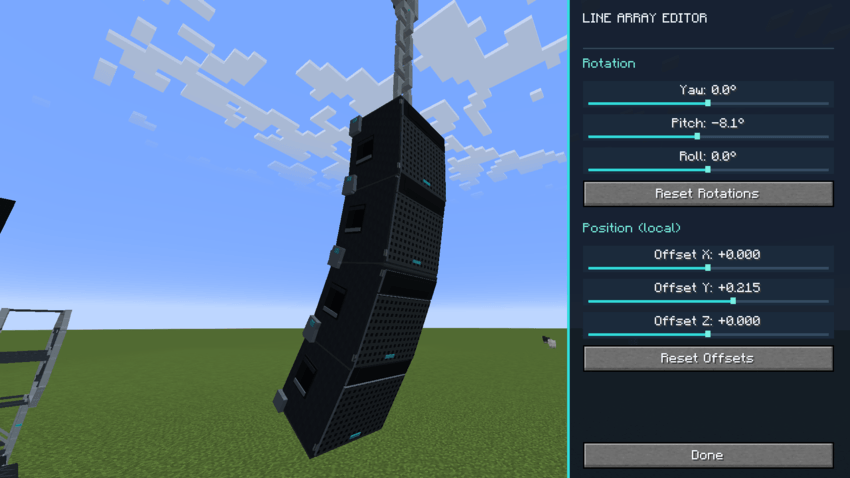
Create hanging speaker arrays with individually adjustable units.
Hold Shift + Right Click on a Line Array speaker to open its editor.
Adjust Yaw, Pitch, Roll, and X/Y/Z position to create curved or angled speaker arrays.
Line Array is decorative and does not play music independently.
Stage Decorations
Includes stage trusses, hanging details, platforms, stairs, ramps, Flight Cases, and other decorations.
━━━━━━━━━━━━━━━━━━━━
🔗 CABLES & SYNCHRONIZATION
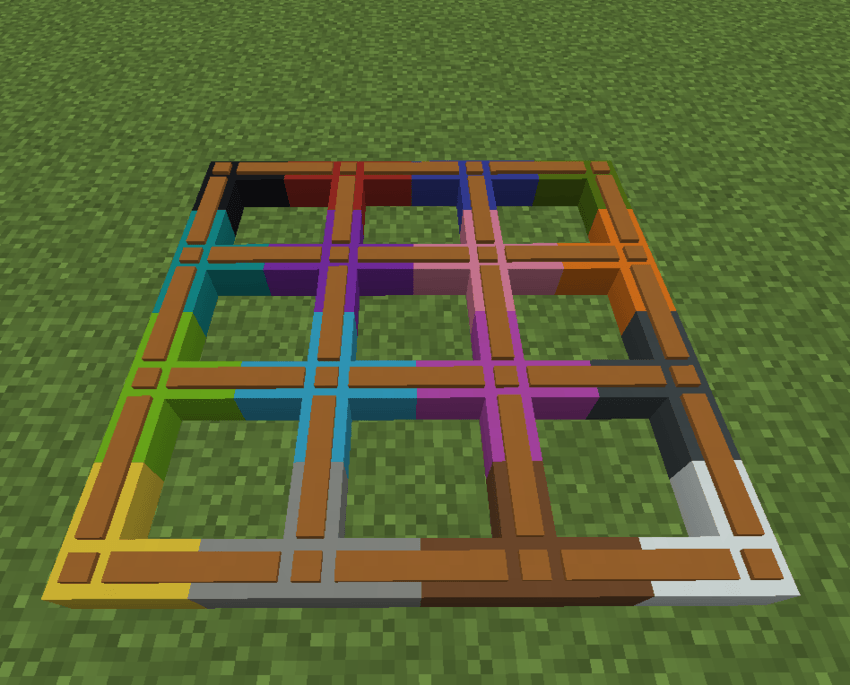
Connect compatible StageBox equipment using colored cables.
Connect Speakers, DJ Controllers, lights, and effect machines.
Share playback states across connected music devices.
Synchronize compatible stage effects with music.
Add or remove stage devices without unnecessarily restarting music.
━━━━━━━━━━━━━━━━━━━━
🦜 DANCING PARROTS
Vanilla Minecraft parrots can dance near a StageBox Speaker while music is playing!
━━━━━━━━━━━━━━━━━━━━
🛠️ CRAFTING RECIPES
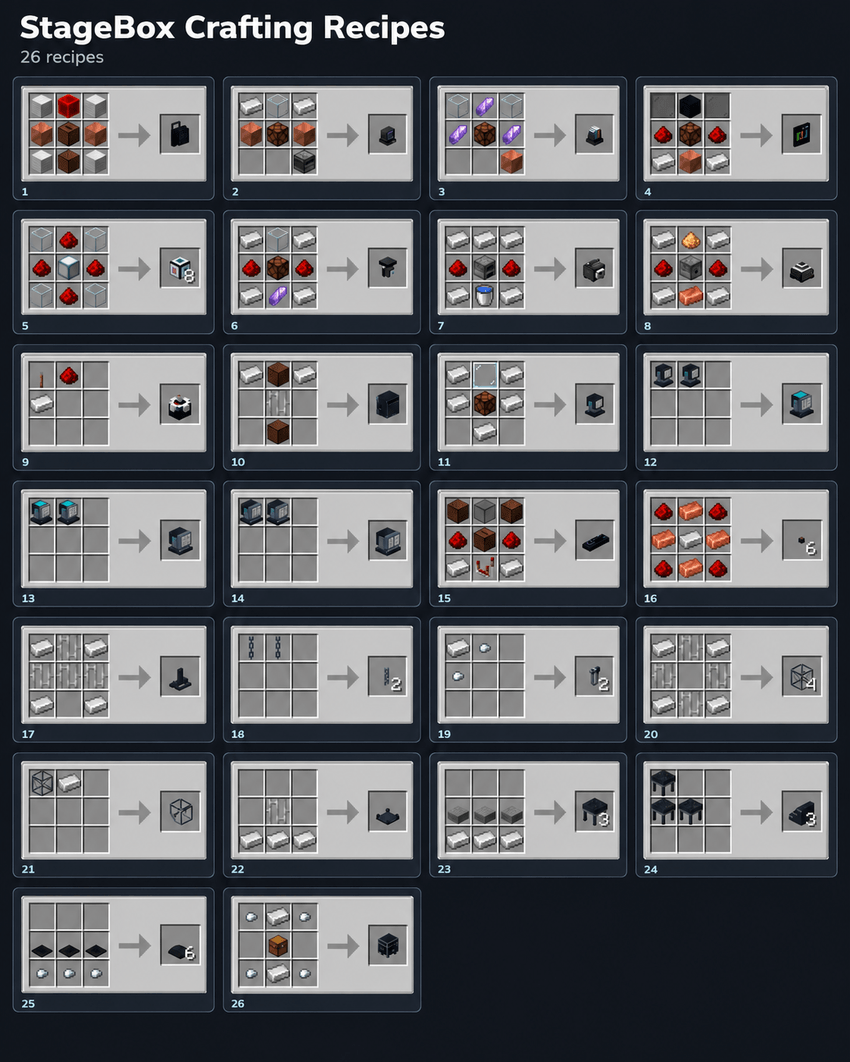
StageBox includes crafting recipes for supported equipment.
Check the available recipes in your installed version to craft devices for your stage.
━━━━━━━━━━━━━━━━━━━━
📦 INSTALLATION & NOTES
Download the file matching your Minecraft version and mod loader.
Install StageBox in your mods folder.
Music playback supports .ogg files only.
StageBox does not include music. Add your own audio files.
For bugs, questions, or support:
━━━━━━━━━━━━━━━━━━━━
❤️ Developed by TTPing, a Minecraft mod developer from Vietnam. 🇻🇳
Thank you for supporting StageBox!
Build your stage. Play your music. Create your own show!
Project description from CurseForge.
Pick your setup
StageBox by Minecraft version and loader
Choose the version and loader you play, then open the matching release.
Minecraft version
26.2
2 loader buildsMinecraft version
26.1.2
2 loader buildsMinecraft version
1.21.11
3 loader buildsMinecraft version
1.21.8
2 loader buildsMinecraft version
1.21.1
3 loader buildsMinecraft version
1.20.1
2 loader buildsCheck the dependencies, then try the file in a copied instance before changing a world you care about.
Recent files
StageBox versions and loaders
StageBox-Mod-1.3.0-NeoForge-1.21.8.jar
24 Oct 2026
Client Source doesn’t say Server Source doesn’t say Dependencies No extras listed Listed on Release listing
Check the 1.21.8 · NeoForge setup 1.21.8NeoForge release
StageBox-Mod-1.3.0-Fabric-1.21.8.jar
24 Oct 2026
Client Source doesn’t say Server Source doesn’t say Dependencies No extras listed Listed on Release listing
Check the 1.21.8 · Fabric setup Fabric1.21.8 release
StageBox-Mod-1.3.0-NeoForge-26.3.jar
23 Oct 2026
Client Source doesn’t say Server Source doesn’t say Dependencies No extras listed Listed on Release listing
Check the 26.3 · NeoForge setup NeoForge26.3 release
StageBox-Mod-1.3.0-Fabric-26.3.jar
23 Oct 2026
Client Source doesn’t say Server Source doesn’t say Dependencies No extras listed Listed on Release listing
Check the 26.3 · Fabric setup Fabric26.3 release
StageBox-Mod-1.3.0-Forge-26.3.jar
23 Oct 2026
Client Source doesn’t say Server Source doesn’t say Dependencies No extras listed Listed on Release listing
Check the 26.3 · Forge setup Forge26.3 release
StageBox-Mod-1.3.0-NeoForge-26.2.jar
23 Oct 2026
Client Source doesn’t say Server Source doesn’t say Dependencies No extras listed Listed on Release listing
Check the 26.2 · NeoForge setup NeoForge26.2 release
StageBox-Mod-1.3.0-Fabric-26.2.jar
23 Oct 2026
Client Source doesn’t say Server Source doesn’t say Dependencies No extras listed Listed on Release listing
Check the 26.2 · Fabric setup Fabric26.2 release
StageBox-Mod-1.3.0-NeoForge-26.1.2.jar
23 Oct 2026
Client Source doesn’t say Server Source doesn’t say Dependencies No extras listed Listed on Release listing
Check the 26.1.2 · NeoForge setup NeoForge26.1.2 release
StageBox-Mod-1.3.0-Fabric-26.1.2.jar
23 Oct 2026
Client Source doesn’t say Server Source doesn’t say Dependencies No extras listed Listed on Release listing
Check the 26.1.2 · Fabric setup Fabric26.1.2 release
StageBox-Mod-1.3.0-NeoForge-1.21.11.jar
23 Oct 2026
Client Source doesn’t say Server Source doesn’t say Dependencies No extras listed Listed on Release listing
Check the 1.21.11 · NeoForge setup NeoForge1.21.11 release
StageBox-Mod-1.3.0-Fabric-1.21.11.jar
23 Oct 2026
Client Source doesn’t say Server Source doesn’t say Dependencies No extras listed Listed on Release listing
Check the 1.21.11 · Fabric setup Fabric1.21.11 release
StageBox-Mod-1.3.0-Forge-1.21.11.jar
23 Oct 2026
Client Source doesn’t say Server Source doesn’t say Dependencies No extras listed Listed on Release listing
Check the 1.21.11 · Forge setup Forge1.21.11 release
Looking for an older file? The official CurseForge project page is in Resources.
 mod
mod CurseForge + Modrinth · Minecraft
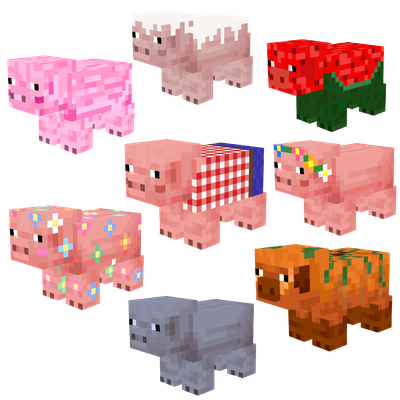
Maple's Pigs | Seasonal Variants
Seasonal pig variants with custom textures that change with the seasons! 🐷
 mod
mod CurseForge + Modrinth · Minecraft
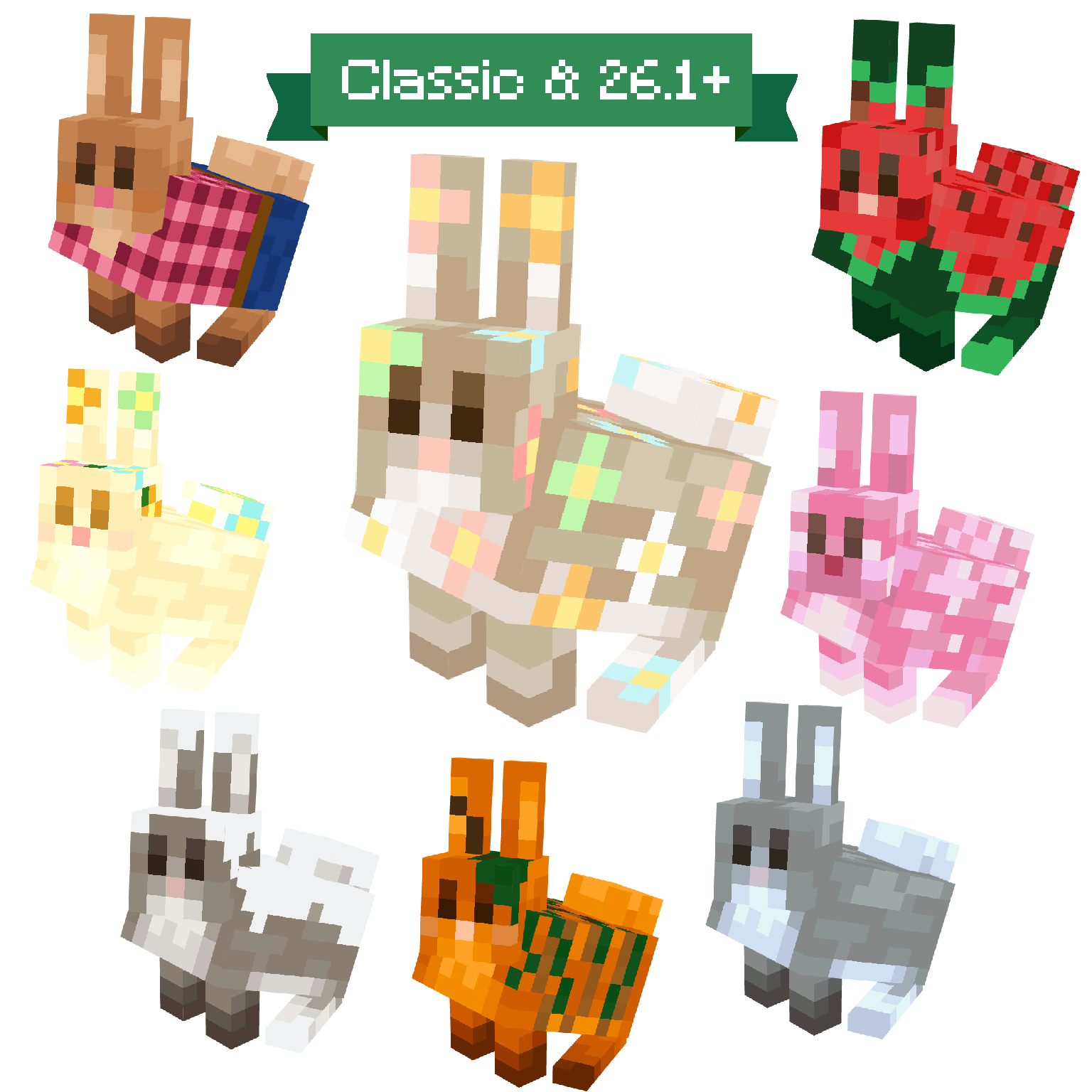
Maple's Rabbits | Seasonal Variants
Seasonal rabbit variants with custom textures that change with the seasons! 🐰 New and Classic Model✨
 mod
mod CurseForge · Minecraft
Assorted Multitools
Adds one tool that works as a pickaxe, shovel, axe, hoe and sword.