Minecraft version
Back to mods 
CurseForge · Minecraft mod
World Change
Mod for easier world switching
Choose a version Pick your version below, then grab the matching file.
Quick answer
Which World Change release matches 26.1?
Best match for your filters WorldChange-v0.1.0
Game version 26.1
Loader Fabric
World Change WorldChange-v0.1.0 targets 26.1 with Fabric. The project page does not say whether this file belongs on the client, dedicated server, or both. No extra mods listed for this file.
Where it goes
Is World Change required on the client, server, or both?
The project page does not say whether this file belongs on the client, dedicated server, or both.
Client Source doesn’t say
Dedicated server Source doesn’t say
Loader for this release Fabric
Required install it here Optional supported, not mandatory Not supported do not install here Source doesn’t say do not assume
The source does not explicitly classify this release as client-only or server-only.
What else does World Change WorldChange-v0.1.0 need?
WorldChange-v0.1.0 on 26.1. Every mod below is checked against that same setup.
This file does not list any required mods. Do not add a library just because a different file uses it.
This file does not list any required or optional mods.
Before you install it
Add World Change without breaking your instance.
Built for World Change WorldChange-v0.1.0 on 26.1. Pick another file and the loader, install side or required mods may change.
- 01
Stick to this file
Use WorldChange-v0.1.0. It targets 26.1 with Fabric; another release may have different loader, side or dependency requirements.
- 02
Bring the mods it needs
This file does not list any required mods. Do not add a library just because a different file uses it.
- 03
Put it on the correct side
The project page does not say whether this file belongs on the client, dedicated server, or both.
- 04
Pick the file you checked
Use the “Get this file” button beside WorldChange-v0.1.0. It opens that exact file at the source.
About this project
What does World Change add?
WorldChange
Switch between your singleplayer worlds with a single command — no trip back to the title screen.
What it does
WorldChange loads another world from your saves folder while you're still in-game. It reuses Minecraft's own "play selected world" flow, so all you see is the normal loading screen — you never get kicked back to the menu.
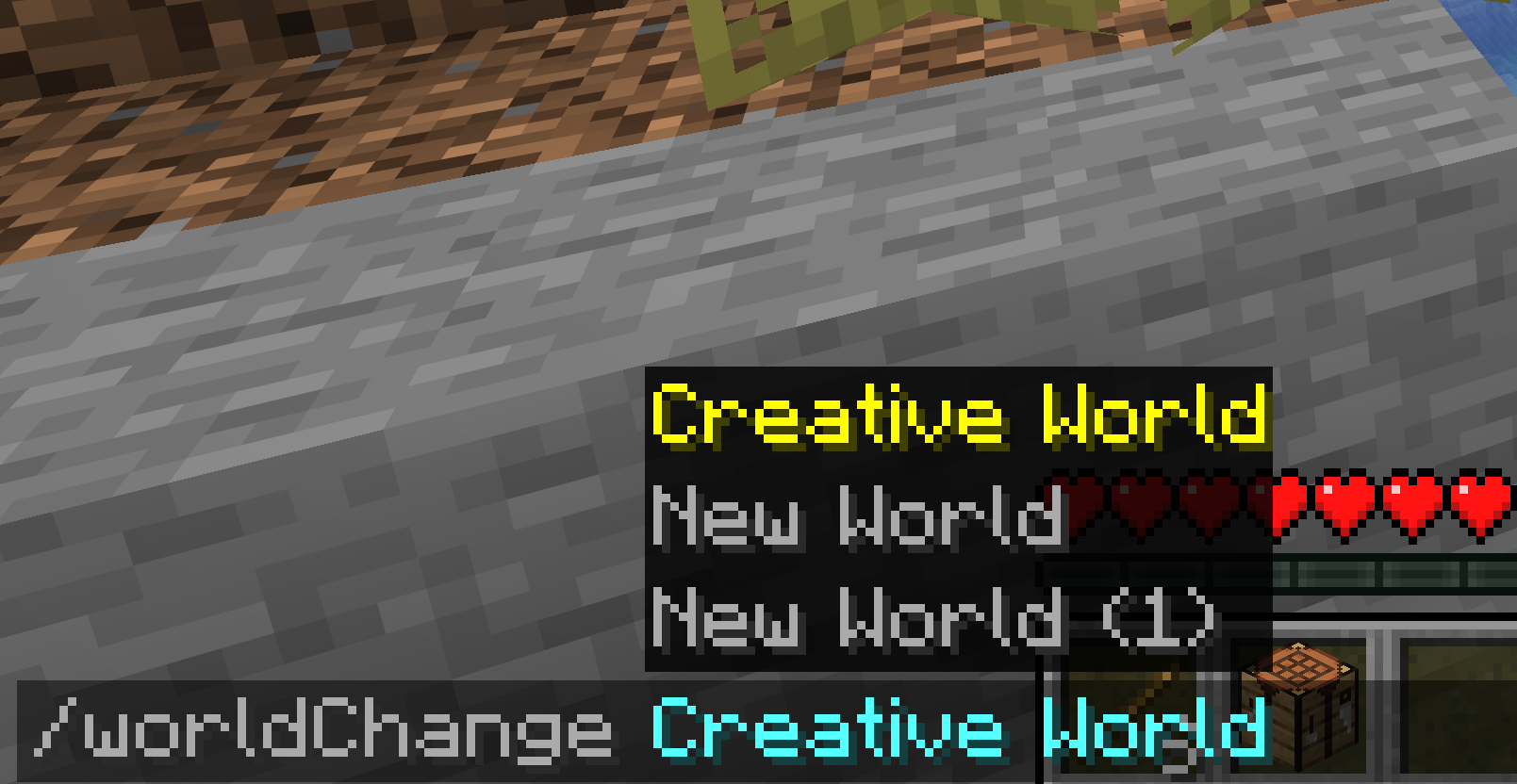
- One command —
/worldChange <name>switches you to that world instantly - Works from anywhere — even while connected to a multiplayer server (it disconnects and loads your local world)
- Smart matching — finds worlds by name; the seed is optional and only needed to tell apart two worlds that share a name
- No surprises — clear in-game messages when a world isn't found, is locked, or is incompatible. It never crashes your game
- Vanilla look & feel — built entirely with Minecraft's native UI, no custom textures or decoration
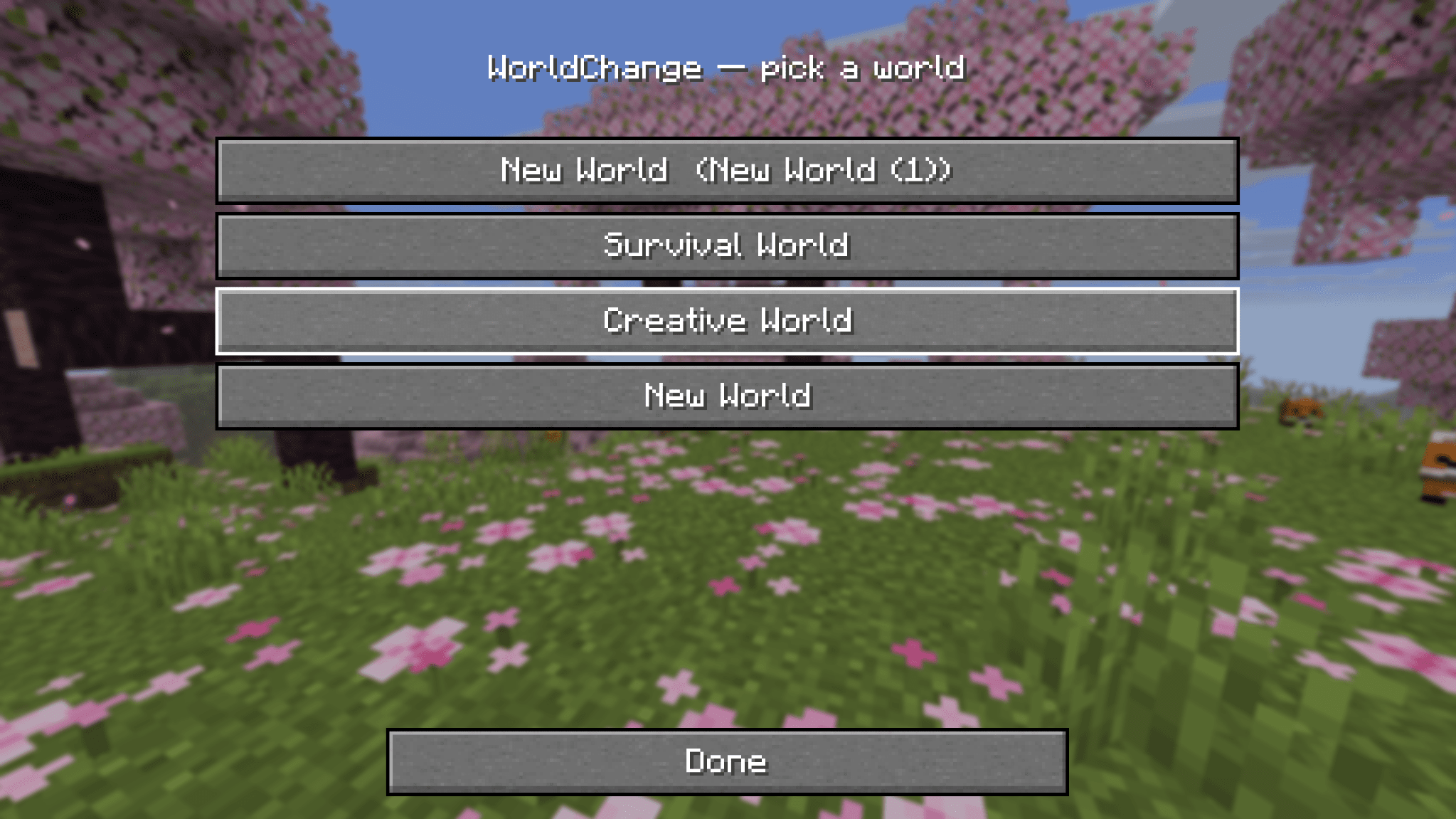
World picker (Mod Menu)
Prefer clicking over typing? Open WorldChange from Mod Menu to get a clean, vanilla-style list of your worlds — one click switches. Worlds that can't be loaded (incompatible version, currently open, or locked) are shown but disabled.
Usage
/worldChange MyWorld          # switch by name
/worldChange MyWorld:12345    # add the seed when two worlds share a name
Compatibility
| Loader | Fabric |
| Minecraft | 1.21.10 · 1.21.11 · 26.1 · 26.1.1 · 26.1.2 · 26.2 |
| Requires | Fabric API |
| Optional | Mod Menu (for the world picker) |
| Side | Client-side only — not needed on servers |
Notes
- This is the first release (v0.1.0). Feedback and bug reports are welcome.
- Switching always saves your current world before loading the next one.
Project description from CurseForge.
Pick your setup
World Change by Minecraft version and loader
Choose the version and loader you play, then open the matching release.
Minecraft version
26.1.2
1 loader buildMinecraft version
26.1.1
1 loader buildMinecraft version
26.1
1 loader buildMinecraft version
1.21.11
1 loader buildMinecraft version
1.21.10
1 loader buildCheck the dependencies, then try the file in a copied instance before changing a world you care about.
Recent files
World Change versions and loaders
WorldChange-v0.1.0
worldchange-0.1.0+26.1-fabric.jar
29 Jun 2026
Client Source doesn’t say Server Source doesn’t say Dependencies No extras listed Listed on Release listing
Check the 26.1 · Fabric setup Fabric26.1 release
Looking for an older file? The official CurseForge project page is in Resources.
 mod
CurseForge + Modrinth · Minecraft
Simple Fishing Overhaul
Fish the actual fish from the water
 mod
CurseForge + Modrinth · Minecraft
quick pack
Optimize datapack / resourcepack zip file loading times
 mod
CurseForge + Modrinth · Minecraft
Eymistaken's HUD
A highly customizable PvP HUD featuring a Drag & Drop Layout Designer, CPS, Keystrokes, Reach, Armor HUD and Combo display.