Minecraft version
Back to mods 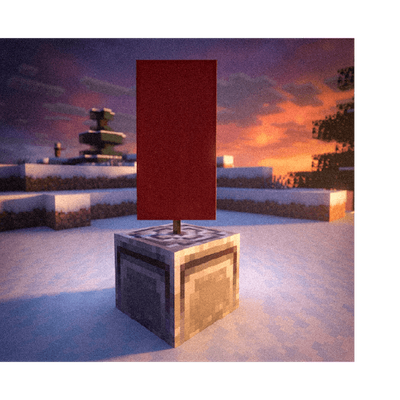
CurseForge · Minecraft mod
Bannerstone – Lodestone Waypoints
Never get lost again! Craft beautiful customizable Bannerstone waypoints and pair them with your locator bar to easily mark, color-code, and track your legendary discoveries across the world.
Choose a version Pick your version below, then grab the matching file.
Quick answer
Which Bannerstone – Lodestone Waypoints release should I use?
Latest stable file bannerstone-0.1.2.jar
Game version 26.2
Loader Fabric
Bannerstone – Lodestone Waypoints bannerstone-0.1.2.jar targets 26.2 with Fabric. The project page does not say whether this file belongs on the client, dedicated server, or both. No extra mods listed for this file.
Where it goes
Is Bannerstone – Lodestone Waypoints required on the client, server, or both?
The project page does not say whether this file belongs on the client, dedicated server, or both.
Client Source doesn’t say
Dedicated server Source doesn’t say
Loader for this release Fabric
Required install it here Optional supported, not mandatory Not supported do not install here Source doesn’t say do not assume
The source does not explicitly classify this release as client-only or server-only.
What else does Bannerstone – Lodestone Waypoints bannerstone-0.1.2.jar need?
bannerstone-0.1.2.jar. Change the file and its required mods may change too.
This file does not list any required mods. Do not add a library just because a different file uses it.
This file does not list any required or optional mods.
Before you install it
Add Bannerstone – Lodestone Waypoints without breaking your instance.
Built for Bannerstone – Lodestone Waypoints bannerstone-0.1.2.jar. Pick another file and the loader, install side or required mods may change.
- 01
Stick to this file
Use bannerstone-0.1.2.jar. It targets 26.2 with Fabric; another release may have different loader, side or dependency requirements.
- 02
Bring the mods it needs
This file does not list any required mods. Do not add a library just because a different file uses it.
- 03
Put it on the correct side
The project page does not say whether this file belongs on the client, dedicated server, or both.
- 04
Pick the file you checked
Use the “Get this file” button beside bannerstone-0.1.2.jar. It opens that exact file at the source.
About this project
What does Bannerstone – Lodestone Waypoints add?
✨ Bannerstone
"A waypoint companion mod that lets you craft, customize, and track your own lodestone beacon waypoints."
Bannerstone introduces a brand-new waypoint tracking system to Minecraft. Craft ethereal Bannerstone blocks, color-code them with vibrant banners, and watch as they register directly on your locator bar and vanilla maps—helping you navigate your world in style!
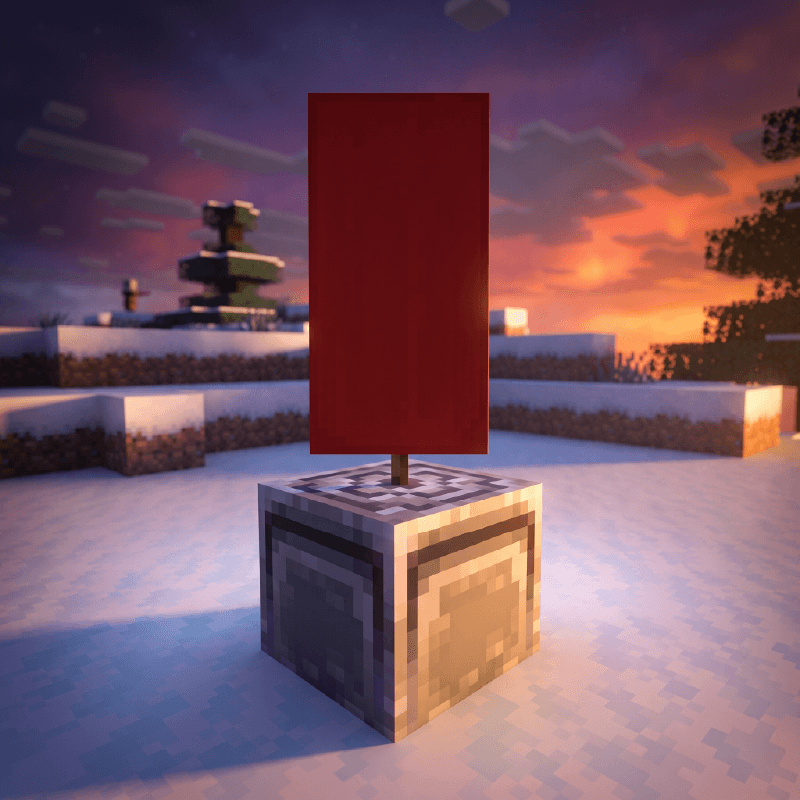
🎯 What does this mod do?
Ever wanted a waypoint marker that integrates perfectly with vanilla maps? One that shows on your compass bar, lets you customize its name in an anvil, and fits the aesthetic of your base? Bannerstone makes it happen.
Craft. Place. Track.
✨ Key Features
| Icon | Feature Description |
|---|---|
| 📍 | Customizable Waypoints: Mark key locations with decorative block markers |
| 🎨 | 16 Color Variations: Fully integrated with all vanilla banner colors |
| 🗺️ | Vanilla Map Integration: Displays live markers with custom name labels |
| 🧭 | Locator Bar HUD: Seamless compass HUD integration tracking up to 1024 blocks |
| 🏗️ | Smart Placement: Adaptive dual-mode placement (standing or wall-hanging) |
| ⚒️ | Anvil Compatible: Rename waypoints before placing for personalized map tags |
| 🧱 | True Lodestone Physics: Accurate hardness, sounds, and pickaxe mining requirements |
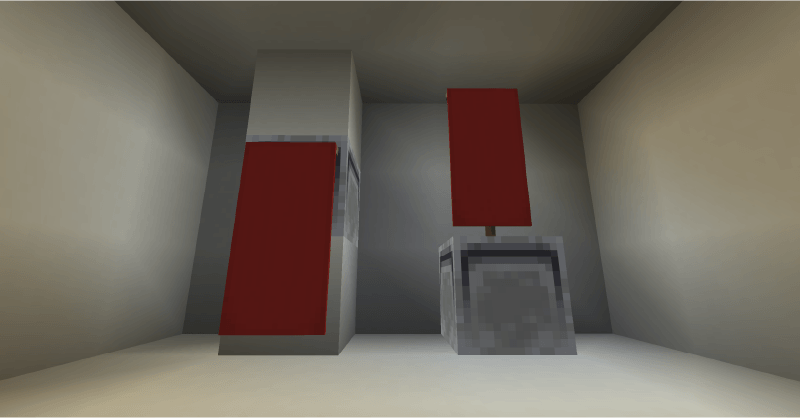
👻 Meet the Bannerstones
Place standing Bannerstones on the ground or hang them elegantly from walls. The custom renderer displays a beautiful colored banner matching your exact design.
🔍 Mechanics & Details
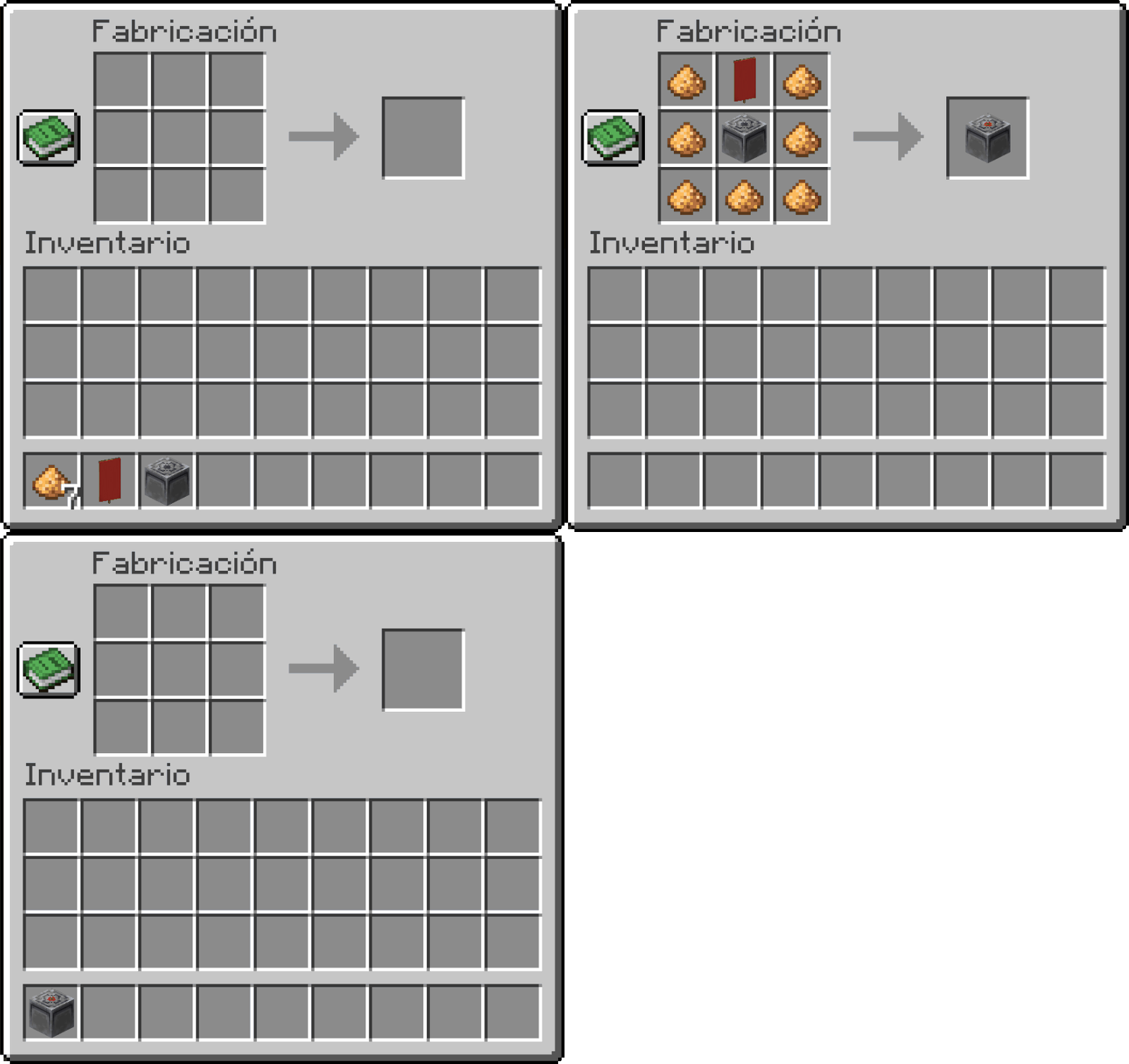
⚒️ Crafting Recipe
The recipe requires a Lodestone at the center, a Banner of your choice on top, and Glowstone Dust framing the sides:
🗺️ Custom Map Markers & Anvil Names
Register your waypoints directly on your vanilla maps with custom descriptions:
- Map Registration: Right-click a placed Bannerstone with a vanilla
Mapto draw a marker. - Color Matching: Map icons automatically match the hex color of the banner used.
- Custom Naming: Rename your Bannerstone in an
Anvilbefore placing it; your custom name will display right next to the map marker! - Easy Toggle: Right-click again with a map to seamlessly toggle the marker on or off.
🧭 Locator Bar & HUD Integration
Every placed Bannerstone automatically spawns a waypoint beacon:
- Long-Range Tracking: Shows on your screen Locator Bar HUD up to 1024 blocks away.
- Visual Clarity: Emits a colored waypoint marker matching the banner's color.
- Smart Validation: Requires 2 blocks of clear vertical space above to place in standing mode.
🎮 Compatibility
| Spec | Detail |
|---|---|
| Minecraft Version | 26.2 |
| Mod Loader | Fabric |
| Dependencies | RequiresFabric API |
📥 Installation
- Download and install Fabric Loader.
- Download and install Fabric API.
- Download the latest release of Bannerstone.
- Place the downloaded
.jarfile into your Minecraftmodsfolder. - Launch the game and enjoy!
❓ Frequently Asked Questions
Q: How do I craft a Bannerstone?
A: Arrange 7 Glowstone Dust, 1 Banner of your choice, and 1 Lodestone in a crafting table.
Q: How do I show waypoints on my Map?
A: Right-click the placed Bannerstone with a vanilla Map. Right-click it again to remove the marker.
Q: Does it work in all dimensions?
A: Yes! It works perfectly in the Overworld, Nether, and End.
"A journey is best measured in friends rather than miles, and a waypoint is the best signpost you can have on the road."
Developer: Shamy]® Creative Studio
License: LicenseRef-All-Rights-Reserved
Version: 0.1.2
Project description from CurseForge.
Pick your setup
Bannerstone – Lodestone Waypoints by Minecraft version and loader
Choose the version and loader you play, then open the matching release.
Minecraft version
26.1.2
1 loader buildMinecraft version
26.1.1
1 loader buildMinecraft version
26.1
1 loader buildMinecraft version
1.21.11
1 loader buildCheck the dependencies, then try the file in a copied instance before changing a world you care about.
Recent files
Bannerstone – Lodestone Waypoints versions and loaders
bannerstone-0.1.2.jar
21 Jul 2026
Client Source doesn’t say Server Source doesn’t say Dependencies No extras listed Listed on Release listing
Check the 26.2 · Fabric setup Fabric26.2 release
bannerstone-0.1.1.jar
14 Jul 2026
Client Source doesn’t say Server Source doesn’t say Dependencies No extras listed Listed on Release listing
Check the 26.2 · Fabric setup Fabric26.2 release
bannerstone-0.1.jar
5 Jul 2026
Client Source doesn’t say Server Source doesn’t say Dependencies No extras listed Listed on Release listing
Check the 26.2 · Fabric setup Fabric26.2 release
bannerstone-0.1.jar
5 Jul 2026
Client Source doesn’t say Server Source doesn’t say Dependencies No extras listed Listed on Release listing
Check the 26.1.2 · Fabric setup Fabric26.126.1.126.1.2 release
bannerstone-0.1.jar
2 Jul 2026
Client Source doesn’t say Server Source doesn’t say Dependencies No extras listed Listed on Release listing
Check the 1.21.11 · Fabric setup Fabric1.21.11 release
Looking for an older file? The official CurseForge project page is in Resources.
 mod
mod CurseForge + Modrinth · Minecraft
AsyncParticles
Async particle tick, GPU accelerated particle rendering.
 mod
mod CurseForge · Minecraft
Custom FPS Crosshairs
Fully customizable VALORANT style crosshairs for Minecraft, with a live editor, shareable codes, dynamic effects, and up to 10 profiles.
 mod
mod CurseForge + Modrinth · Minecraft
Sign Builder
Build, paint, and automate custom 3D letters, numbers, symbols, and backplates with 40 dynamic materials, multi-blocks, and interactive Redstone.