Minecraft version
Back to mods 
CurseForge · Minecraft mod
Totes
Storage mod for Minecraft 26.1+
Choose a version Pick your version below, then grab the matching file.
Quick answer
Which Totes release matches 26.1?
beta file Totes v0.1.0
Game version 26.1, 26.1.1, 26.1.2
Loader NeoForge
Totes v0.1.0 targets 26.1, 26.1.1, 26.1.2 with NeoForge. The project page does not say whether this file belongs on the client, dedicated server, or both. No extra mods listed for this file.
Where it goes
Is Totes required on the client, server, or both?
The project page does not say whether this file belongs on the client, dedicated server, or both.
Client Source doesn’t say
Dedicated server Source doesn’t say
Loader for this release NeoForge
Required install it here Optional supported, not mandatory Not supported do not install here Source doesn’t say do not assume
The source does not explicitly classify this release as client-only or server-only.
What else does Totes v0.1.0 need?
Totes v0.1.0 on 26.1. Every mod below is checked against that same setup.
This file does not list any required mods. Do not add a library just because a different file uses it.
This file does not list any required or optional mods.
Before you install it
Add Totes without breaking your instance.
Built for Totes v0.1.0 on 26.1. Pick another file and the loader, install side or required mods may change.
- 01
Stick to this file
Use Totes v0.1.0. It targets 26.1, 26.1.1, 26.1.2 with NeoForge; another release may have different loader, side or dependency requirements.
- 02
Bring the mods it needs
This file does not list any required mods. Do not add a library just because a different file uses it.
- 03
Put it on the correct side
The project page does not say whether this file belongs on the client, dedicated server, or both.
- 04
Pick the file you checked
Use the “Get this file” button beside Totes v0.1.0. It opens that exact file at the source.
About this project
What does Totes add?
Totes!
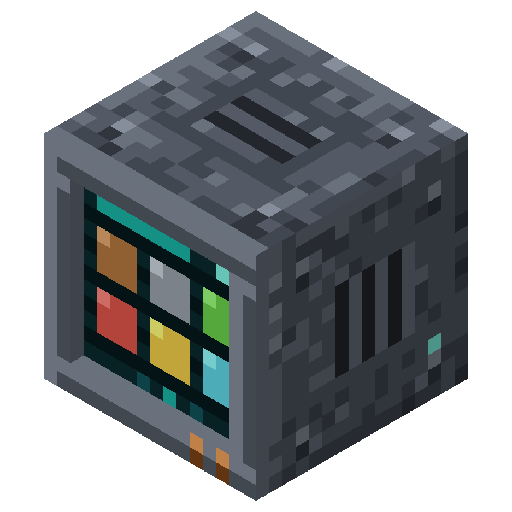
Tired of cluttered chests and overflowing inventories? Totes introduces a comprehensive, scalable, and intelligent storage system designed to streamline your Minecraft experience. From massive item capacities to wireless management and advanced automation, Totes offers a modern solution for all your storage needs.
Key Features
Totes:
◦ Massive Capacity: Each Tote starts with a base capacity of 2048 items.
◦ Tiered Upgrades: Enhance your Totes with Copper (2x), Iron (4x), Gold (6x), Diamond (8x), and Netherite (10x) upgrades. Stack up to 4 upgrades for truly colossal storage!
◦ Void Upgrade: Never worry about overflow again! Apply a Void Upgrade to automatically void any excess items when the Tote reaches its maximum capacity.
◦ Lockable: Lock a Tote to a specific item type, ensuring only that item can be stored.
◦ Visual Clarity: See at a glance what's inside, whether it's locked, the quantity, and what upgrades are within!
◦ Portable Inventory: Break and pick up Totes without losing a single item, upgrade, or lock status. They retain all their data, making relocation a breeze.
◦ Automation Ready: Easily pipe items in and out using your favorite logistics mods like Pipez or Mekanism.
Tote Controller:
◦ Centralized Management: Link multiple Totes to a single Controller, creating a unified storage network.
◦ Intelligent Routing: Input items into the Controller, and it will automatically distribute them, prioritizing Totes that already contain the item, then filling empty Totes.
◦ Wireless Access: Connect your entire Tote network to your automation systems through a single block.
Tote Linker:
◦ Intuitive Linking: Use the Tote Linker to easily connect Totes to your Controller. Right-click a Controller to set it as the target, then right-click Totes to link them.
◦ Mode Switching: Cycle between "ADD" and "REMOVE" modes by right-clicking the air.
◦ Clear Target: Shift-right-click the air to clear your active Controller target.
◦ X-Ray Vision: Holding the Linker provides an X-Ray highlight, displaying your Totes (Green) and Tote Controller (Blue):
Plastic:
◦ Crafting material, essential for crafting items in this mod.
◦ Crafted by smelting Dried Kelp in a furnace or blast furnace.
Beta
This is mod is currently in Beta. If there are bugs, or you have suggestions to implement, please leave a comment or submit an issue. I am not an artist, so some items do not look great at the moment. If you would like to contribute any art, please reach out and you will be credited.
Project description from CurseForge.
Pick your setup
Totes by Minecraft version and loader
Choose the version and loader you play, then open the matching release.
Minecraft version
26.1.1
1 loader buildMinecraft version
26.1
1 loader buildCheck the dependencies, then try the file in a copied instance before changing a world you care about.
Recent files
Totes versions and loaders
Totes v0.1.0
Totes v0.1.0.jar
2 Jul 2026
Client Source doesn’t say Server Source doesn’t say Dependencies No extras listed Listed on Release listing
Check the 26.1 · NeoForge setup NeoForge26.126.1.126.1.2 beta
Looking for an older file? The official CurseForge project page is in Resources.
 mod
CurseForge · Minecraft
Stowage
Turn the chests you already have into one searchable storage network. Craft straight from it, feed it with hoppers, reach it wirelessly.
 mod
CurseForge · Minecraft
Neatfold
Inventory sorting on a key you choose plus a small button: merges stacks and tidies your inventory or the open chest.
 mod
Modrinth · Minecraft
SimplesorterR
A lightweight client-side mod for effortless inventory management in Minecraft.