Minecraft version
Back to mods 
CurseForge · Minecraft mod
All My Need
A mod designed to provide players with a convenient and customizable creative inventory
Choose a version Pick your version below, then grab the matching file.
Quick answer
Which All My Need release should I use?
beta file allmyneed-0.0.1-beta.jar
Game version 1.21.1
Loader NeoForge
All My Need allmyneed-0.0.1-beta.jar targets 1.21.1 with NeoForge. The project page does not say whether this file belongs on the client, dedicated server, or both. No extra mods listed for this file.
Where it goes
Is All My Need required on the client, server, or both?
The project page does not say whether this file belongs on the client, dedicated server, or both.
Client Source doesn’t say
Dedicated server Source doesn’t say
Loader for this release NeoForge
Required install it here Optional supported, not mandatory Not supported do not install here Source doesn’t say do not assume
The source does not explicitly classify this release as client-only or server-only.
What else does All My Need allmyneed-0.0.1-beta.jar need?
allmyneed-0.0.1-beta.jar. Change the file and its required mods may change too.
This file does not list any required mods. Do not add a library just because a different file uses it.
This file does not list any required or optional mods.
Before you install it
Add All My Need without breaking your instance.
Built for All My Need allmyneed-0.0.1-beta.jar. Pick another file and the loader, install side or required mods may change.
- 01
Stick to this file
Use allmyneed-0.0.1-beta.jar. It targets 1.21.1 with NeoForge; another release may have different loader, side or dependency requirements.
- 02
Bring the mods it needs
This file does not list any required mods. Do not add a library just because a different file uses it.
- 03
Put it on the correct side
The project page does not say whether this file belongs on the client, dedicated server, or both.
- 04
Pick the file you checked
Use the “Get this file” button beside allmyneed-0.0.1-beta.jar. It opens that exact file at the source.
About this project
What does All My Need add?
All My Need
All My Need is a vanilla-friendly NeoForge mod that adds a customizable creative inventory tab. It is designed for players who often search for the same blocks, tools, or materials and want a personal, paged shortcut tab inside the creative inventory.
Features
- Adds a dedicated creative tab for frequently used items.
- Starts with two empty custom pages and a
+page button for adding more. - Supports editing page names, up to 8 characters.
- Lets players place items into any slot while edit mode is enabled.
- Saves custom pages to the local client config folder.
- Supports deleting the current page and moving a page upward.
- Provides an optional config entry to place this mod's tab at the front of the creative inventory.
- Works without any required external mod dependency.
- Compatible with JEI when JEI is present.
Usage
- Open the creative inventory.
- Select the All My Need tab.
- Click
Editto enter edit mode. - Place items into the custom grid.
- Rename, add, delete, or move pages as needed.
- Click
Saveor switch pages to store the current layout.
After saving, items can be taken from the tab like normal creative inventory items.
Configuration
The common config is generated at:
config/allmyneed-common.toml
Available option:
registerTabAsFirst = false
When set to true, the All My Need creative tab is moved to the first visible creative tab position. The default is false to preserve the vanilla creative tab order unless the player chooses otherwise.
Custom page data is stored client-side at:
config/allmyneed/client_items.json
Compatibility
- Minecraft: 1.21.1
- Mod loader: NeoForge 21.1+
- Java: 21
- JEI: optional, compatible when installed
Building
./gradlew build
The built jar will be generated under:
build/libs/
License
All My Need is released under the MIT License. See LICENSE for details.
Project description from CurseForge.
Pick your setup
All My Need by Minecraft version and loader
Choose the version and loader you play, then open the matching release.
Check the dependencies, then try the file in a copied instance before changing a world you care about.
Recent files
All My Need versions and loaders
allmyneed-0.0.1-beta.jar
2 Jul 2026
Client Source doesn’t say Server Source doesn’t say Dependencies No extras listed Listed on Release listing
Check the 1.21.1 · NeoForge setup 1.21.1NeoForge beta
Looking for an older file? The official CurseForge project page is in Resources.
 mod
mod CurseForge + Modrinth · Minecraft
World Stripper
Strips away blocks to reveal the underground world gen. A must have tool for all map-makers, pack-makers or developers.
 mod
mod CurseForge + Modrinth · Minecraft
Craftable Horse Armour & Saddle [CHA&S]
Adds configurable recipes to horse armour and saddles from vanilla MC.
 mod
mod CurseForge + Modrinth · Minecraft
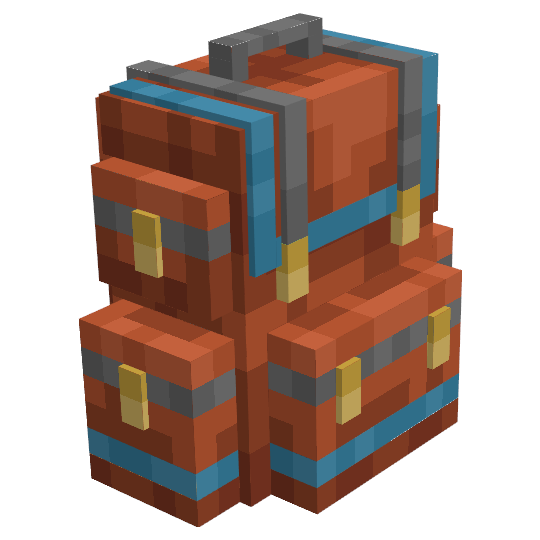
Sophisticated Backpacks
Yet another backpack mod this time with backpack you can place in world, color in different color combinations, upgrade with more inventory and enhance with many functional upgrades