Immersive Vehicles (MTS) Needed by Junctions of Ruun-1.20.1-V1.0.0.jar
requiredMatching file found Matched file: Immersive Vehicles-1.20.1-24.0.0
CurseForge · Minecraft mod
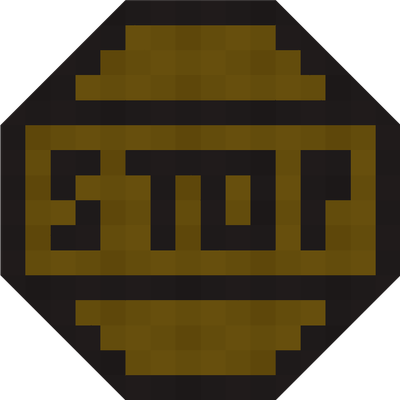
A vast swatch of signage for MTS/IV
Quick answer
Junctions of Ruun-1.20.1-V1.0.0.jar targets 1.20.1 with Forge. The project page does not say whether this file belongs on the client, dedicated server, or both. All 1 required mods have matching files.
Where it goes
The project page does not say whether this file belongs on the client, dedicated server, or both.
The source does not explicitly classify this release as client-only or server-only.
Junctions of Ruun-1.20.1-V1.0.0.jar. Change the file and its required mods may change too.
Install Immersive Vehicles (MTS) first. We found matching files for this game-version and loader setup.
We only count dependency files that match this setup. A file for another loader does not fill the gap.
Before you install it
Built for Junctions of Ruun-1.20.1-V1.0.0.jar. Pick another file and the loader, install side or required mods may change.
Use Junctions of Ruun-1.20.1-V1.0.0.jar. It targets 1.20.1 with Forge; another release may have different loader, side or dependency requirements.
Install Immersive Vehicles (MTS) first. We found matching files for this game-version and loader setup.
The project page does not say whether this file belongs on the client, dedicated server, or both.
Use the “Get this file” button beside Junctions of Ruun-1.20.1-V1.0.0.jar. It opens that exact file at the source.
About this project
Junctions of Ruun requires Immersive Vehicles to function properly
JUNCTIONS OF RUUN
Junctions of Ruun adds a vast color pallet of signage for your Immersive Vehicles road networks! All signage is designed with symbolic icons as well as blank versions with text fields to allow clear legibility on your roads.
CONTENTS
All signs come with blank variants with text fields if you cannot find an appropriate symbol for your use case!
Posts
Junction Signs
Caution Diamonds
With Black and Blue symbol colors and Construction and School Zone variants where applicable
Circular Signage
With multiple colors for both allowed and restriction signage
Horizontal Rectangular Signage
Comes in Blue, White, Black, and Construction Orange
Vertical Rectangular Signage
Comes in Blue, White, and Construction Orange
NOTES
This pack is done as a hobby and will be updated inconsistently and as I see fit.
Usage and redistribution in any form is allowed, just credit Iron Horse Dev Group and link back here in some form =)
Project description from CurseForge.
Pick your setup
Choose the version and loader you play, then open the matching release.
Check the dependencies, then try the file in a copied instance before changing a world you care about.
Recent files
2 Jul 2026
2 Jul 2026
2 Jul 2026
Looking for an older file? The official CurseForge project page is in Resources.
 mod
modA modern version of the Magic Carpets 1.6.4 mod, a port for version modern versions
 mod
modOxidize, reduce and wax copper blocks right inside your backpack
 mod
modPick up, carry, and place mobs with the Mob Picker! Easily move creatures around your world and interact with them in a simple and fun way.