Minecraft version
Back to mods 
CurseForge · Minecraft mod
Map Face - Client
Renders a map equipped in the helmet slot in front of the players face, usable with /hat
Choose a version Pick your version below, then grab the matching file.
Quick answer
Which Map Face - Client release should I use?
Latest stable file mapface-fabric-client-1.0.2+26.2.jar
Game version 26.2
Loader Fabric
Map Face - Client mapface-fabric-client-1.0.2+26.2.jar targets 26.2 with Fabric. The project page does not say whether this file belongs on the client, dedicated server, or both. No extra mods listed for this file.
Where it goes
Is Map Face - Client required on the client, server, or both?
The project page does not say whether this file belongs on the client, dedicated server, or both.
Client Source doesn’t say
Dedicated server Source doesn’t say
Loader for this release Fabric
Required install it here Optional supported, not mandatory Not supported do not install here Source doesn’t say do not assume
The source does not explicitly classify this release as client-only or server-only.
What else does Map Face - Client mapface-fabric-client-1.0.2+26.2.jar need?
mapface-fabric-client-1.0.2+26.2.jar. Change the file and its required mods may change too.
This file does not list any required mods. Do not add a library just because a different file uses it.
This file does not list any required or optional mods.
Before you install it
Add Map Face - Client without breaking your instance.
Built for Map Face - Client mapface-fabric-client-1.0.2+26.2.jar. Pick another file and the loader, install side or required mods may change.
- 01
Stick to this file
Use mapface-fabric-client-1.0.2+26.2.jar. It targets 26.2 with Fabric; another release may have different loader, side or dependency requirements.
- 02
Bring the mods it needs
This file does not list any required mods. Do not add a library just because a different file uses it.
- 03
Put it on the correct side
The project page does not say whether this file belongs on the client, dedicated server, or both.
- 04
Pick the file you checked
Use the “Get this file” button beside mapface-fabric-client-1.0.2+26.2.jar. It opens that exact file at the source.
About this project
What does Map Face - Client add?

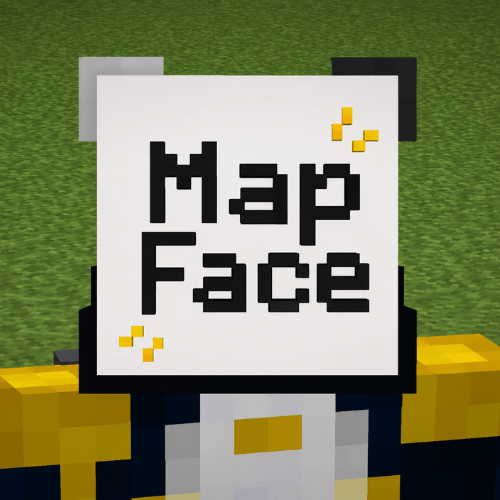
MapFace lets you wear a filled map on your head and renders the actual map texture directly on the front of your face.
This is the client-side Fabric mod. For improved multiplayer syncing, server owners can also install the optional Paper plugin:
Optional server plugin: MapFace Server
What it does
When a player equips a filled_map in their head slot, MapFace replaces the normal head-item rendering and draws the map itself as a flat face mask.
That means:
- Your own worn map renders on your face
- Other players wearing maps can also render correctly
- The map stays attached to the face and follows head rotation
Client-only mode
MapFace works by default as a client-side Fabric mod.
In client-only mode, you can always see your own worn maps. You can also see other players' worn maps, but only if your client already has that map's data.
Usually, that means you must have:
- held that map before
- viewed it in an item frame
- received the map data from the server in another way
If your client has never received the map's data, there is nothing for MapFace to render yet.
Optional server-side syncing
For better multiplayer support, server owners can install the optional MapFace Server Paper plugin:
When installed on a Paper server, the plugin helps MapFace clients sync map data automatically. This makes worn maps render much more reliably between players.
The server plugin improves multiplayer by:
- sending needed map data before the client notices it is missing
- keeping worn maps updated while they are being viewed
- making MapFace clients see each other's worn maps more consistently
Unmodded clients are ignored safely, and this client mod still works without the plugin.
Requirements
Client
- Fabric Loader
- Fabric API
- MapFace client mod
Optional server support
- Paper server
- MapFace Server plugin
Usage
- Obtain a
filled_map - Equip it in your head slot
- Look in third person, or have another MapFace user look at you
Notes
- This mod is primarily visual
- The server plugin is not required for basic functionality
- The Paper plugin only improves synchronization for players using the client mod
- Best multiplayer results happen when both the client mod and optional server plugin are installed
Compatibility
- Designed for the Minecraft/Fabric version listed on this page
- Client-side safe by default
- Works when joining Vanilla, Paper, and Fabric servers
- Optional enhanced syncing is available on Paper servers with MapFace Server
Project description from CurseForge.
Pick your setup
Map Face - Client by Minecraft version and loader
Choose the version and loader you play, then open the matching release.
Minecraft version
26.1.2
1 loader buildCheck the dependencies, then try the file in a copied instance before changing a world you care about.
Recent files
Map Face - Client versions and loaders
mapface-fabric-client-1.0.2+26.2.jar
4 Jul 2026
Client Source doesn’t say Server Source doesn’t say Dependencies No extras listed Listed on Release listing
Check the 26.2 · Fabric setup Fabric26.2 release
mapface-fabric-client-1.0.1+26.1.2.jar
4 Jul 2026
Client Source doesn’t say Server Source doesn’t say Dependencies No extras listed Listed on Release listing
Check the 26.1.2 · Fabric setup Fabric26.1.2 release
Looking for an older file? The official CurseForge project page is in Resources.