Fabric API Needed by OvercastUI overcast-1.2.1.jar
requiredMatching file found Matched file: [26.1.2] Fabric API 0.155.3+26.1.2

CurseForge · Minecraft mod
A full web browser overlay inside Minecraft, Steam-overlay style. Browse, read the wiki, or watch video in picture-in-picture without alt-tabbing or pausing draggable tabbed windows, split view, custom themes. Client-side.
Quick answer
OvercastUI overcast-1.2.1.jar targets 26.1, 26.1.1, 26.1.2 with Fabric. The project page does not say whether this file belongs on the client, dedicated server, or both. All 1 required mods have matching files.
Where it goes
The project page does not say whether this file belongs on the client, dedicated server, or both.
The source does not explicitly classify this release as client-only or server-only.
overcast-1.2.1.jar on 26.1. Every mod below is checked against that same setup.
Install Fabric API first. We found matching files for this game-version and loader setup.
We only count dependency files that match this setup. A file for another loader does not fill the gap.
Before you install it
Built for OvercastUI overcast-1.2.1.jar on 26.1. Pick another file and the loader, install side or required mods may change.
Use overcast-1.2.1.jar. It targets 26.1, 26.1.1, 26.1.2 with Fabric; another release may have different loader, side or dependency requirements.
Install Fabric API first. We found matching files for this game-version and loader setup.
The project page does not say whether this file belongs on the client, dedicated server, or both.
Use the “Get this file” button beside overcast-1.2.1.jar. It opens that exact file at the source.
About this project
A Steam Overlay-style Chromium browser, built into Minecraft. Browse the web without alt-tabbing or pausing your game. Client-side only, Fabric.
* 🪟 Multiple windows — draggable, resizable, with tab support * 🌐 Full browser — back/forward/reload/home, address bar, find-in-page, per-tab zoom * 📺 Picture-in-Picture — videos keep playing after you close the overlay * 🔲 Split view — two pages side by side * 🎨 Theming — adjustable opacity and backdrop * ⌨️ Rebindable hotkey — default Shift+Tab, in-game settings menu * 💤 Tab suspension — sleeps idle tabs to save resources * ⏸️ Never pauses your game
mods folder. 2. Press Shift+Tab in-game to open the overlay (rebindable in settings). 3. Wait 10–15 seconds for Chromium to download (first install only). 4. Enjoy!* Loader: Fabric * Minecraft: 1.21.1, 1.21.11, 26.1, 26.1.1, 26.1.2 * Side: Client only * Requires: Fabric API
Whether you want an in-game browser to keep a wiki open, a Steam-style web overlay to watch videos while you play, or picture-in-picture for a stream OvercastUI keeps it all inside Minecraft, no alt-tabbing.
🔗 Website & full docs: https://merenotnoonereal.github.io/overcastui/
Project description from CurseForge.
Pick your setup
Choose the version and loader you play, then open the matching release.
Check the dependencies, then try the file in a copied instance before changing a world you care about.
Recent files
14 Jul 2026
8 Jul 2026
Looking for an older file? The official CurseForge project page is in Resources.
 mod
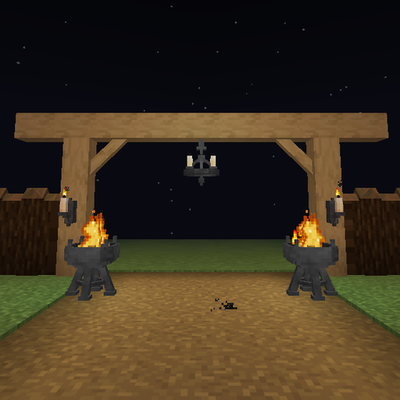
Timber beams, palisades, braces, timber frames and log piles for all 12 wood types, plus braziers, chandeliers, wall sconces and candelabras. Vanilla textures.
 mod
Backpack mod on all versions
 mod
Play music from many sources like youtube, soundcloud or radio livestreams