Minecraft version
Back to mods 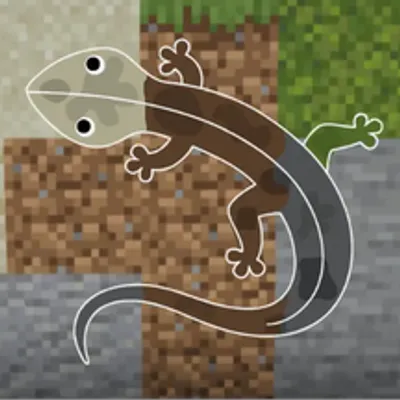
CurseForge · Minecraft mod
Chameleon (Hide and Seek)
Meccha Chameleon styled hide-and-seek mod.
Choose a version Pick your version below, then grab the matching file.
Quick answer
Which Chameleon (Hide and Seek) release should I use?
Latest stable file 1.0.0 26.1.1
Game version 26.1.1
Loader Fabric
Chameleon (Hide and Seek) 1.0.0 26.1.1 targets 26.1.1 with Fabric. The project page does not say whether this file belongs on the client, dedicated server, or both. No extra mods listed for this file.
Where it goes
Is Chameleon (Hide and Seek) required on the client, server, or both?
The project page does not say whether this file belongs on the client, dedicated server, or both.
Client Source doesn’t say
Dedicated server Source doesn’t say
Loader for this release Fabric
Required install it here Optional supported, not mandatory Not supported do not install here Source doesn’t say do not assume
The source does not explicitly classify this release as client-only or server-only.
What else does Chameleon (Hide and Seek) 1.0.0 26.1.1 need?
1.0.0 26.1.1. Change the file and its required mods may change too.
This file does not list any required mods. Do not add a library just because a different file uses it.
This file does not list any required or optional mods.
Before you install it
Add Chameleon (Hide and Seek) without breaking your instance.
Built for Chameleon (Hide and Seek) 1.0.0 26.1.1. Pick another file and the loader, install side or required mods may change.
- 01
Stick to this file
Use 1.0.0 26.1.1. It targets 26.1.1 with Fabric; another release may have different loader, side or dependency requirements.
- 02
Bring the mods it needs
This file does not list any required mods. Do not add a library just because a different file uses it.
- 03
Put it on the correct side
The project page does not say whether this file belongs on the client, dedicated server, or both.
- 04
Pick the file you checked
Use the “Get this file” button beside 1.0.0 26.1.1. It opens that exact file at the source.
About this project
What does Chameleon (Hide and Seek) add?
Chameleon
This mod is heavily inspired by Meccha Chameleon, huge thanks to the team behind it!
In Chameleon, hiders disguise themselves to blend into the world. Open the built-in paint editor and decorate your own skin to match whatever's around you. The closer your paint matches the texture next to you, the higher the chance of winning.
Once the timer is over, the game starts, hide yourself somewhere in the world and wait.
For seekers, F3+B and nametags are disabled. They have to hunt without any external tools.
How a match runs
One player hosts, through the setting menu, they set the spawn points, assign who hides and who seeks, and start the round. Hiders go first to paint and position themselves while a timer counts down. Seekers are frozen until the clock hits zero, then they're loosed to comb the map. One tag catches a hider. The last hider left wins.
Built for multiplayer
Chameleon runs on servers right out of the box. Match controls are operator-only, so hosting stays in trusted hands.
How to start?
Open chat and run the command: /chameleon to open the game hosting panel. From there, choose your settings and have fun!
Project description from CurseForge.
Pick your setup
Chameleon (Hide and Seek) by Minecraft version and loader
Choose the version and loader you play, then open the matching release.
Minecraft version
26.1.2
1 loader buildMinecraft version
26.1.1
1 loader buildCheck the dependencies, then try the file in a copied instance before changing a world you care about.
Recent files
Chameleon (Hide and Seek) versions and loaders
1.0.0 26.1.1
chameleon_1.0.0_26.1.1.jar
4 Jul 2026
Client Source doesn’t say Server Source doesn’t say Dependencies No extras listed Listed on Release listing
Check the 26.1.1 · Fabric setup Fabric26.1.1 release
1.0.0 26.1.2
chameleon_1.0.0_26.1.2.jar
4 Jul 2026
Client Source doesn’t say Server Source doesn’t say Dependencies No extras listed Listed on Release listing
Check the 26.1.2 · Fabric setup Fabric26.1.2 release
1.0.0 26.2
chameleon_1.0.0_26.2.jar
4 Jul 2026
Client Source doesn’t say Server Source doesn’t say Dependencies No extras listed Listed on Release listing
Check the 26.2 · Fabric setup Fabric26.2 release
Looking for an older file? The official CurseForge project page is in Resources.
 mod
CurseForge + Modrinth · Minecraft
[AdvancedChatCore] Simply Updated
An update of the original Advanced Chat Core(With fixes). The core mod for AdvancedChat modules.
 mod
CurseForge · Minecraft
Control Flex - Controller Support
Control Flex is a controller mod designed for mid-to-large modpacks.
 mod
CurseForge + Modrinth · Minecraft
[AdvancedChatHUD] Simply Updated
An update of the original Advanced Chat HUD(With fixes). A brand new chat HUD design for Minecraft with tons of features.