Minecraft version
Back to mods 
CurseForge · Minecraft mod
Faye Garden Mega Pack
Download ALL three add-ons from our debut project: The Faye Garden in just ONE Pack!
Choose a version Pick your version below, then grab the matching file.
Quick answer
Which Faye Garden Mega Pack release should I use?
Latest stable file Faye Garden Mega Pack Neoforge-26.1.2.jar
Game version 26.1.2
Loader NeoForge
Faye Garden Mega Pack Neoforge-26.1.2.jar targets 26.1.2 with NeoForge. The project page does not say whether this file belongs on the client, dedicated server, or both. No extra mods listed for this file.
Where it goes
Is Faye Garden Mega Pack required on the client, server, or both?
The project page does not say whether this file belongs on the client, dedicated server, or both.
Client Source doesn’t say
Dedicated server Source doesn’t say
Loader for this release NeoForge
Required install it here Optional supported, not mandatory Not supported do not install here Source doesn’t say do not assume
The source does not explicitly classify this release as client-only or server-only.
What else does Faye Garden Mega Pack Neoforge-26.1.2.jar need?
Faye Garden Mega Pack Neoforge-26.1.2.jar. Change the file and its required mods may change too.
This file does not list any required mods. Do not add a library just because a different file uses it.
This file does not list any required or optional mods.
Before you install it
Add Faye Garden Mega Pack without breaking your instance.
Built for Faye Garden Mega Pack Neoforge-26.1.2.jar. Pick another file and the loader, install side or required mods may change.
- 01
Stick to this file
Use Faye Garden Mega Pack Neoforge-26.1.2.jar. It targets 26.1.2 with NeoForge; another release may have different loader, side or dependency requirements.
- 02
Bring the mods it needs
This file does not list any required mods. Do not add a library just because a different file uses it.
- 03
Put it on the correct side
The project page does not say whether this file belongs on the client, dedicated server, or both.
- 04
Pick the file you checked
Use the “Get this file” button beside Faye Garden Mega Pack Neoforge-26.1.2.jar. It opens that exact file at the source.
About this project
What does Faye Garden Mega Pack add?
Download ALL 3 add-ons from the Faye Garden in just ONE Pack!
DECORATIONS PACK
29 decorative items that can be incorporated into your Minecraft world.
CREATURES PACK
5 unique creatures to incorporate into your Minecraft world.
NATURE SOUNDS PACK
Enjoy relaxing sounds in your Faye Garden world.
In the new 26.1 update, players can now use a stick to change an item's rotation, and a feather to change its position; which is good for making clutter decorations.
All items can be obtained in the stonecutter using a stick.
Please note that some objects don’t have this feature yet, such as chairs.
TERMS OF USE POLICY
1. You are NOT allowed to re-distribute textures, models, or add-ons; regardless of modifications.
2. You are NOT allowed to upload any creations published on this site to another website or fan site without the author's permission.
3. When images, videos, reviews, or any form of play using these published works are published and revenue is generated: you must also include the name of the distribution and the URL (https://www.thefayeproject.com/) linking to this site.
4. All participants who use these works indirectly through multiplayer servers or with friends are also subject to these terms and conditions.
💌 to report bugs: contact@thefayeproject.com
Project description from CurseForge.
Pick your setup
Faye Garden Mega Pack by Minecraft version and loader
Choose the version and loader you play, then open the matching release.
Minecraft version
1.21.8
1 loader buildCheck the dependencies, then try the file in a copied instance before changing a world you care about.
Recent files
Faye Garden Mega Pack versions and loaders
Faye Garden Mega Pack Neoforge-26.1.2.jar
the_faye_mega_pack-1.0.0-neoforge-26.1.2.jar
10 Jul 2026
Client Source doesn’t say Server Source doesn’t say Dependencies No extras listed Listed on Release listing
Check the 26.1.2 · NeoForge setup NeoForge26.1.2 release
The Faye Garden Mega Pack Neoforge-1.21.8.jar
the_faye_garden_mega_pack-1.0.0-neoforge-1.21.8.jar
4 Jul 2026
Client Source doesn’t say Server Source doesn’t say Dependencies No extras listed Listed on Release listing
Check the 1.21.8 · NeoForge setup 1.21.8NeoForge release
Looking for an older file? The official CurseForge project page is in Resources.
 mod
CurseForge + Modrinth · Minecraft
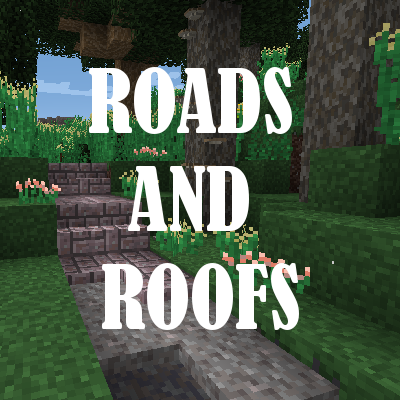
Roads and Roofs TFC
An addon for TerraFirmaCraft featuring new road and roof blocks.
 mod
CurseForge + Modrinth · Minecraft
Kaleidoscope:Dimensions wine
Add dimensional wines to Kaleidoscope.
 mod
Modrinth · Minecraft
JOJO - stone block crusaders
Adds many features from the popular manga/anime jojo's bizzare adventure (jjba)