Minecraft version
Back to mods 
CurseForge · Minecraft mod
Fast Async Backups
Simple, reliable world backups at the press of a key — or the tip of a command. Ever had your world corrupted by a rogue mod, a power outage, or just a bad decision with WorldEdit?
Choose a version Pick your version below, then grab the matching file.
Quick answer
Which Fast Async Backups release matches 1.21.2?
Best match for your filters worldbackup-3.0.0.jar
Game version 1.21.8, 1.21.5, 1.21.4
Loader NeoForge
Fast Async Backups worldbackup-3.0.0.jar targets 1.21.8, 1.21.5, 1.21.4 with NeoForge. The project page does not say whether this file belongs on the client, dedicated server, or both. No extra mods listed for this file.
Where it goes
Is Fast Async Backups required on the client, server, or both?
The project page does not say whether this file belongs on the client, dedicated server, or both.
Client Source doesn’t say
Dedicated server Source doesn’t say
Loader for this release NeoForge
Required install it here Optional supported, not mandatory Not supported do not install here Source doesn’t say do not assume
The source does not explicitly classify this release as client-only or server-only.
What else does Fast Async Backups worldbackup-3.0.0.jar need?
worldbackup-3.0.0.jar on 1.21.2. Every mod below is checked against that same setup.
This file does not list any required mods. Do not add a library just because a different file uses it.
This file does not list any required or optional mods.
Before you install it
Add Fast Async Backups without breaking your instance.
Built for Fast Async Backups worldbackup-3.0.0.jar on 1.21.2. Pick another file and the loader, install side or required mods may change.
- 01
Stick to this file
Use worldbackup-3.0.0.jar. It targets 1.21.8, 1.21.5, 1.21.4 with NeoForge; another release may have different loader, side or dependency requirements.
- 02
Bring the mods it needs
This file does not list any required mods. Do not add a library just because a different file uses it.
- 03
Put it on the correct side
The project page does not say whether this file belongs on the client, dedicated server, or both.
- 04
Pick the file you checked
Use the “Get this file” button beside worldbackup-3.0.0.jar. It opens that exact file at the source.
About this project
What does Fast Async Backups add?
World Backup
Simple, reliable world backups at the press of a key — or the tip of a command.
Ever had your world corrupted by a rogue mod, a power outage, or just a bad decision with WorldEdit? World Backup lets you create instant, compressed zip backups of your entire world folder with a single command. Backups run asynchronously so your server never freezes, and automatic rotation keeps your disk from filling up.
✨ Features
Instant backups — Create a full .zip backup of your world with /backup <name>
Non-blocking — Backups run on a separate thread; your server stays responsive
Automatic rotation — Old backups are pruned automatically based on a configurable limit
Configurable — Set your backup limit via command or JSON config file
Safe by default — Name validation prevents path traversal attacks
Conflict-friendly — Copies your world to a temp directory first, then zips from the clean copy. Files locked by other mods (Sable, etc.) are retried automatically with increasing backoff.
Server-wide broadcast — All players see backup progress and completion messages.
📋 Commands
/backup <name>| Creates a timestamped zip backup with the given name./backuplimit <number>| Sets the maximum number of backups to keep (1–1000)
Examples:
/backup before-portal → before-portal_2025-06-03_21-30-00.zip
/backup vanilla-test → vanilla-test_2025-06-03_21-31-15.zip
/backuplimit 25 → Sets the rotation limit to 25 backups
All players can use these commands by default — no operator permissions required.
⚙️ Configuration
The backup limit is stored in backup/backup_config.json inside your server directory. It is created automatically on first use and can be edited directly:
json {"backupLimit": 10}
The limit can also be changed in-game with /backuplimit <number>.
📁 Where are backups stored?
Backups are saved to the backup/ folder inside your server directory (next to your world folders). Each backup is a compressed .zip file named in the format:
<name>_<YYYY-MM-DD_HH-mm-ss>.zip
🔄 Compatibility
World Backup is designed to coexist peacefully with other mods:
- Sable — Fully compatible. World files are copied to a temporary directory before zipping, so Sable's file locks don't interfere. Retried up to 5 times with increasing backoff.
- Ice and Fire, Dread Land, and other dimension mods — All sub-levels and custom dimensions are
- backed up.
- Any file-locking mod — The copy-first strategy combined with retry logic handles files locked by other mods without skipping data.
- Any world type — Works with vanilla, modded, and custom world formats.
🛠 Technical Details
- Copy-first strategy — World folder is copied to a temp directory using
Files.copy(path-to-path), which on Windows uses theCopyFileExAPI to handle locked files - Backups flush all chunks to disk before copying (
saveAllChunks) - Asynchronous execution via
CompletableFuture— no server tick lag - Automatic retry with backoff (up to 5 attempts) for temporarily locked files
- Temp directory is cleaned up automatically after backup completes (even on failure)
- Backup rotation deletes the oldest files first by modification time
- Safe filename validation: only letters, numbers, hyphens, and underscores allowed
📦 Installation
- Install NeoForge for Minecraft 1.21.1+
- Drop
worldbackup-1.0.0.jarinto yourmods/folder. - Start the server — backups are ready to go/
No configuration needed to get started. Just /backup my-backup and you're set.
Project description from CurseForge.
Pick your setup
Fast Async Backups by Minecraft version and loader
Choose the version and loader you play, then open the matching release.
Minecraft version
1.21.10
1 loader buildMinecraft version
1.21.9
1 loader buildMinecraft version
1.21.8
1 loader buildMinecraft version
1.21.7
1 loader buildMinecraft version
1.21.6
1 loader buildMinecraft version
1.21.5
1 loader buildMinecraft version
1.21.4
1 loader buildMinecraft version
1.21.3
1 loader buildMinecraft version
1.21.2
1 loader buildMinecraft version
1.21.1
1 loader buildCheck the dependencies, then try the file in a copied instance before changing a world you care about.
Recent files
Fast Async Backups versions and loaders
worldbackup-3.0.0.jar
5 Jul 2026
Client Source doesn’t say Server Source doesn’t say Dependencies No extras listed Listed on Release listing
Check the 1.21.2 · NeoForge setup 1.21.81.21.51.21.41.21.1 release
Looking for an older file? The official CurseForge project page is in Resources.
 mod
CurseForge + Modrinth · Minecraft
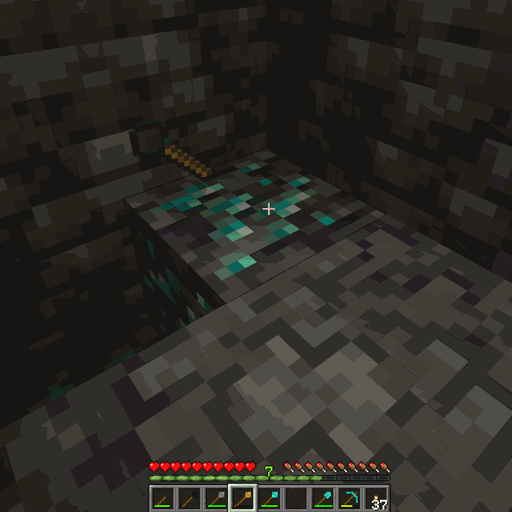
Balanced Ore Detector
Fully configurable Ore Detectors that do not break the balance of the game, and still make prospecting a challenge, without forcing you to hollow out the entire world.
 mod
CurseForge + Modrinth · Minecraft
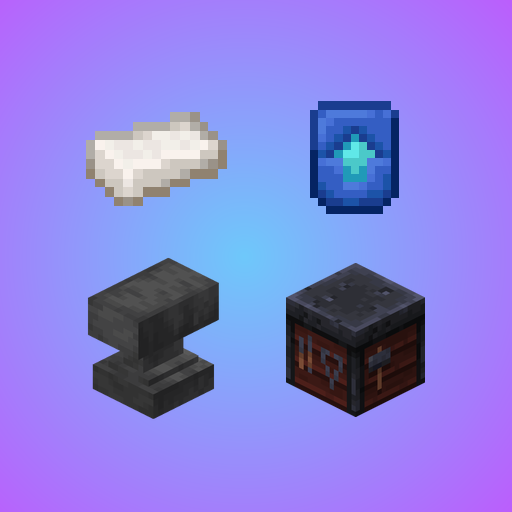
Simple Smithing Overhaul
Improved and rebalanced smithing, item repair and enchantment sources. Fully-featured and vanilla friendly.
 mod
CurseForge · Minecraft
Input Tweaks
Client-side mod expanding the Key Binds screen with conflict management, priorities, radial menus, and cross-modpack profiles.