Minecraft version
Back to mods 
CurseForge · Minecraft mod
Armors API
An API for matching a full set of armor
Choose a version Pick your version below, then grab the matching file.
Quick answer
Which Armors API release should I use?
Latest stable file armors_api-1.0.1.jar
Game version 1.20.1
Loader Forge
Armors API armors_api-1.0.1.jar targets 1.20.1 with Forge. The project page does not say whether this file belongs on the client, dedicated server, or both. No extra mods listed for this file.
Where it goes
Is Armors API required on the client, server, or both?
The project page does not say whether this file belongs on the client, dedicated server, or both.
Client Source doesn’t say
Dedicated server Source doesn’t say
Loader for this release Forge
Required install it here Optional supported, not mandatory Not supported do not install here Source doesn’t say do not assume
The source does not explicitly classify this release as client-only or server-only.
What else does Armors API armors_api-1.0.1.jar need?
armors_api-1.0.1.jar. Change the file and its required mods may change too.
This file does not list any required mods. Do not add a library just because a different file uses it.
This file does not list any required or optional mods.
Before you install it
Add Armors API without breaking your instance.
Built for Armors API armors_api-1.0.1.jar. Pick another file and the loader, install side or required mods may change.
- 01
Stick to this file
Use armors_api-1.0.1.jar. It targets 1.20.1 with Forge; another release may have different loader, side or dependency requirements.
- 02
Bring the mods it needs
This file does not list any required mods. Do not add a library just because a different file uses it.
- 03
Put it on the correct side
The project page does not say whether this file belongs on the client, dedicated server, or both.
- 04
Pick the file you checked
Use the “Get this file” button beside armors_api-1.0.1.jar. It opens that exact file at the source.
About this project
What does Armors API add?
This mod enables full armor set identification via custom IDs and allows certain abilities to require specific armor sets.
Originally created to configure dedicated armor sets for the Shadow Mist mod, the API is now publicly available for other modders and modpack developers.
The configured equipment is read from the config/armors_api/<id>.json configuration file.
JSON Example:
{
  "id": "shadow_armors",
  "armors_list": {
    "helmet": [
      "shadowlands:enhanced_shadowmetal_helmet"
    ],
    "chestplate": [
      "shadowlands:enhanced_shadowmetal_chestplate"
    ],
    "leggings": [
      "shadowlands:enhanced_shadowmetal_leggings"
    ],
    "boots": [
      "shadowlands:enhanced_shadowmetal_boots"
    ]
  }
}
Commands:
/armors_api add <id> all– Adds all currently equipped armor pieces to the specified set./armors_api add <id> <helmet|chestplate|leggings|boots>– Adds the currently equipped<helmet|chestplate|leggings|boots>to the specified set./armors_api reload– Reloads the configuration file./armors_api list– Lists all registered armor sets./armors_api check <id>– Checks whether the player is currently wearing the specified armor set./armors_api remove all– Removes all registered armor sets./armors_api remove <id>– Removes the armor set data for the specified ID (supports removingallor individual slots:<helmet|chestplate|leggings|boots>).
The mod provides a developer API and also supports KubeJS integration.
Project description from CurseForge.
Pick your setup
Armors API by Minecraft version and loader
Choose the version and loader you play, then open the matching release.
Check the dependencies, then try the file in a copied instance before changing a world you care about.
Recent files
Armors API versions and loaders
armors_api-1.0.1.jar
12 Jul 2026
Client Source doesn’t say Server Source doesn’t say Dependencies No extras listed Listed on Release listing
Check the 1.20.1 · Forge setup 1.20.1Forge release
armors_api-1.0.0.jar
6 Jul 2026
Client Source doesn’t say Server Source doesn’t say Dependencies No extras listed Listed on Release listing
Check the 1.20.1 · Forge setup 1.20.1Forge beta
Looking for an older file? The official CurseForge project page is in Resources.
 mod
mod CurseForge + Modrinth · Minecraft
Jungdab's Turrets
Adds various turrets that can be customized with a simple targeting system and upgrade chips.
 mod
mod CurseForge · Minecraft
InSight Chests
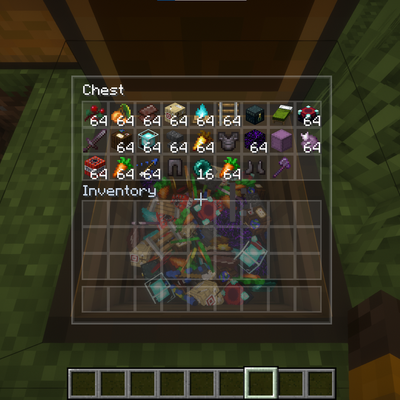
A client-side mod providing smooth camera transitions, semi-transparent menus, and physical 3D item rendering inside chests.
 mod
mod CurseForge · Minecraft
Nine Turn Ring
A casual-friendly Curios accessory mod that grants ten layers of escalating power-ups to make survival ea