Minecraft version
Back to mods 
CurseForge · Minecraft mod
Steam Bridge
Steam Bridge is a network proxy mod for Minecraft that uses Steam P2P and SDR for connections. It lets you play with friends without port forwarding or public IPs, ensuring minimal latency, high stability, and secure transport directly through Valve's gami
Choose a version Pick your version below, then grab the matching file.
Quick answer
Which Steam Bridge release should I use?
Latest stable file steambridge-1.2-NeoForge-1.20.1.jar
Game version 1.20.1
Loader Forge, NeoForge
Steam Bridge steambridge-1.2-NeoForge-1.20.1.jar targets 1.20.1 with Forge, NeoForge. The project page does not say whether this file belongs on the client, dedicated server, or both. No extra mods listed for this file.
Where it goes
Is Steam Bridge required on the client, server, or both?
The project page does not say whether this file belongs on the client, dedicated server, or both.
Client Source doesn’t say
Dedicated server Source doesn’t say
Loader for this release Forge, NeoForge
Required install it here Optional supported, not mandatory Not supported do not install here Source doesn’t say do not assume
The source does not explicitly classify this release as client-only or server-only.
What else does Steam Bridge steambridge-1.2-NeoForge-1.20.1.jar need?
steambridge-1.2-NeoForge-1.20.1.jar. Change the file and its required mods may change too.
This file does not list any required mods. Do not add a library just because a different file uses it.
This file does not list any required or optional mods.
Before you install it
Add Steam Bridge without breaking your instance.
Built for Steam Bridge steambridge-1.2-NeoForge-1.20.1.jar. Pick another file and the loader, install side or required mods may change.
- 01
Stick to this file
Use steambridge-1.2-NeoForge-1.20.1.jar. It targets 1.20.1 with Forge, NeoForge; another release may have different loader, side or dependency requirements.
- 02
Bring the mods it needs
This file does not list any required mods. Do not add a library just because a different file uses it.
- 03
Put it on the correct side
The project page does not say whether this file belongs on the client, dedicated server, or both.
- 04
Pick the file you checked
Use the “Get this file” button beside steambridge-1.2-NeoForge-1.20.1.jar. It opens that exact file at the source.
About this project
What does Steam Bridge add?
Steam Bridge
Lightweight mod that routes Minecraft traffic through Steam using AppID 480 (Spacewar).
This lets the game use Valve's relay network for low latency connections.
No port forwarding, no public IP, no VPN, no separate server.
How to host
- Make sure Steam is running and you are signed in.
- Open a singleplayer world.
- Open the pause menu → Open to LAN.
- Press Open via Steam.
- Choose access mode (Friends Only / Everyone) and route (Auto / Direct P2P / Valve Relay) if you want.
- Share your Steam ID or let friends join from the friends list.
How to join
- Paste the host's Steam ID into the Direct Connection field, or
- Use the friends button (S) next to the address field and pick a friend, or
- Add the host's Steam ID through Add Server — it will appear in the multiplayer list like a normal server.
Features
- Steam servers show up in the regular multiplayer list
- Friends list integration
- Kick / Ban management while the session is active
- UDP forwarding through Steam (used by voice chat mods and any other mods that rely on UDP)
- Small size and direct Steam Networking Sockets usage
- Wide version support, including older Minecraft versions
Config options
allowWithoutAuth— allow connections without Steam ticket check (easier with some NATs, less strict)virtualPort— change only if it conflicts with another modinterceptUdp— enable UDP forwarding through Steam (on by default, applies at launch). May conflict with other mods that also intercept sockets — disable it if that happens.
Requirements
- Steam client running and signed in on both sides
- Windows x64 (Linux support in progress)
- Same mod version on host and client
Created April 2026. First public release on GitHub: 16 June 2026.
Discord: https://discord.gg/2xBnJ7awRC
Disclaimer
Steam Bridge is an independent open-source project and is not affiliated with, endorsed by, or authorized by Valve Corporation or Mojang Studios.
"Steam", "Steamworks", "Steam Datagram Relay", and "Spacewar" are trademarks of Valve Corporation.
"Minecraft" is a trademark of Mojang Studios.
The project redistributes the required Steamworks runtime under the Steamworks SDK license applicable to Steam developers.
Project description from CurseForge.
Pick your setup
Steam Bridge by Minecraft version and loader
Choose the version and loader you play, then open the matching release.
Minecraft version
1.20.1
3 loader buildsMinecraft version
1.19.2
2 loader buildsMinecraft version
1.16.5
2 loader buildsMinecraft version
1.12.2
1 loader buildMinecraft version
1.8.9
1 loader buildMinecraft version
1.7.10
1 loader buildCheck the dependencies, then try the file in a copied instance before changing a world you care about.
Recent files
Steam Bridge versions and loaders
steambridge-1.2-NeoForge-1.20.1.jar
15 Aug 2026
Client Source doesn’t say Server Source doesn’t say Dependencies No extras listed Listed on Release listing
Check the 1.20.1 · Forge setup 1.20.1ForgeNeoForge release
steambridge-1.2-Forge-1.8.9.jar
15 Aug 2026
Client Source doesn’t say Server Source doesn’t say Dependencies No extras listed Listed on Release listing
Check the 1.8.9 · Forge setup Forge1.8.9 release
steambridge-1.2-Forge-1.7.10.jar
15 Aug 2026
Client Source doesn’t say Server Source doesn’t say Dependencies No extras listed Listed on Release listing
Check the 1.7.10 · Forge setup Forge1.7.10 release
steambridge-1.2-Forge-1.19.2.jar
15 Aug 2026
Client Source doesn’t say Server Source doesn’t say Dependencies No extras listed Listed on Release listing
Check the 1.19.2 · Forge setup Forge1.19.2 release
steambridge-1.2-Forge-1.16.5.jar
15 Aug 2026
Client Source doesn’t say Server Source doesn’t say Dependencies No extras listed Listed on Release listing
Check the 1.16.5 · Forge setup 1.16.5Forge release
steambridge-1.2-Forge-1.12.2.jar
15 Aug 2026
Client Source doesn’t say Server Source doesn’t say Dependencies No extras listed Listed on Release listing
Check the 1.12.2 · Forge setup Forge1.12.2 release
steambridge-1.2-Fabric-1.21.1.jar
15 Aug 2026
Client Source doesn’t say Server Source doesn’t say Dependencies 1 required · 1 unchecked Listed on Release listing
Check the 1.21.1 · Fabric setup Fabric1.21.1 release
steambridge-1.2-Fabric-1.20.1.jar
15 Aug 2026
Client Source doesn’t say Server Source doesn’t say Dependencies 1 required · 1 unchecked Listed on Release listing
Check the 1.20.1 · Fabric setup Fabric1.20.1 release
steambridge-1.2-Fabric-1.16.5.jar
15 Aug 2026
Client Source doesn’t say Server Source doesn’t say Dependencies 1 required · 1 unchecked Listed on Release listing
Check the 1.16.5 · Fabric setup 1.16.5Fabric release
steambridge-1.2-NeoForge-1.21.1.jar
3 Aug 2026
Client Source doesn’t say Server Source doesn’t say Dependencies No extras listed Listed on Release listing
Check the 1.21.1 · Forge setup Forge1.21.1NeoForge release
v1.2-MC-1.19.2(Fabric)
steambridge-1.2-Fabric-1.19.2.jar
23 Jul 2026
Client Optional Server Optional Dependencies No extras listed Listed on Release listing
Check the 1.19.2 · Fabric setup 1.19.2Fabric release
Looking for an older file? The official CurseForge project page is in Resources.
 mod
CurseForge + Modrinth · Minecraft
Runeborn | Soulslike RPG progression
A soulslike RPG overhaul: earn runes, level eight attributes at Ember Shrines, wield 74 scaling armaments and hunt seven Sovereigns.
 mod
CurseForge + Modrinth · Minecraft
Tinkers' Gadgets
A lightweight Tinkers' Construct addon featuring tools, new materials, and exclusive projectile traits.
 mod
CurseForge · Minecraft
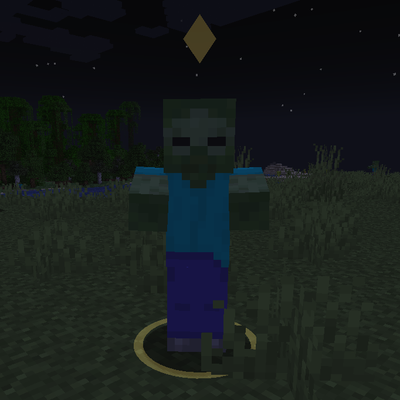
Target Highlight
Marks the enemy nearest your crosshair with a soft ground ring and a small marker above its head. Client-side only and fully configurable.