Minecraft version
Back to mods 
CurseForge · Minecraft mod
Create: RoadWorks
Build roads and bridges with a smart remote: place path points, smooth curves, random block palettes, borders, viaducts, high arches and Golden Gate style suspension bridges. Live ghost preview, HUD, presets. Blocks are taken from your inventory
Choose a version Pick your version below, then grab the matching file.
Quick answer
Which Create: RoadWorks release should I use?
Latest stable file roadbuilder-1.0.4.jar
Game version 1.21.1
Loader NeoForge
Create: RoadWorks roadbuilder-1.0.4.jar targets 1.21.1 with NeoForge. The project page does not say whether this file belongs on the client, dedicated server, or both. No extra mods listed for this file.
Where it goes
Is Create: RoadWorks required on the client, server, or both?
The project page does not say whether this file belongs on the client, dedicated server, or both.
Client Source doesn’t say
Dedicated server Source doesn’t say
Loader for this release NeoForge
Required install it here Optional supported, not mandatory Not supported do not install here Source doesn’t say do not assume
The source does not explicitly classify this release as client-only or server-only.
What else does Create: RoadWorks roadbuilder-1.0.4.jar need?
roadbuilder-1.0.4.jar. Change the file and its required mods may change too.
This file does not list any required mods. Do not add a library just because a different file uses it.
This file does not list any required or optional mods.
Before you install it
Add Create: RoadWorks without breaking your instance.
Built for Create: RoadWorks roadbuilder-1.0.4.jar. Pick another file and the loader, install side or required mods may change.
- 01
Stick to this file
Use roadbuilder-1.0.4.jar. It targets 1.21.1 with NeoForge; another release may have different loader, side or dependency requirements.
- 02
Bring the mods it needs
This file does not list any required mods. Do not add a library just because a different file uses it.
- 03
Put it on the correct side
The project page does not say whether this file belongs on the client, dedicated server, or both.
- 04
Pick the file you checked
Use the “Get this file” button beside roadbuilder-1.0.4.jar. It opens that exact file at the source.
About this project
What does Create: RoadWorks add?
🛣️ Create: RoadWorks
Trace a path. Press Build. Get a real road: graded, paved to match the biome, tunneled through mountains and bridged over valleys.
A configurable Road Remote: click a few waypoints, tune the road in the GUI, check the exact result as ghost blocks, then build it in one click. In survival, blocks come from your inventory, dug blocks go back into it, and the remote wears out as you use it.
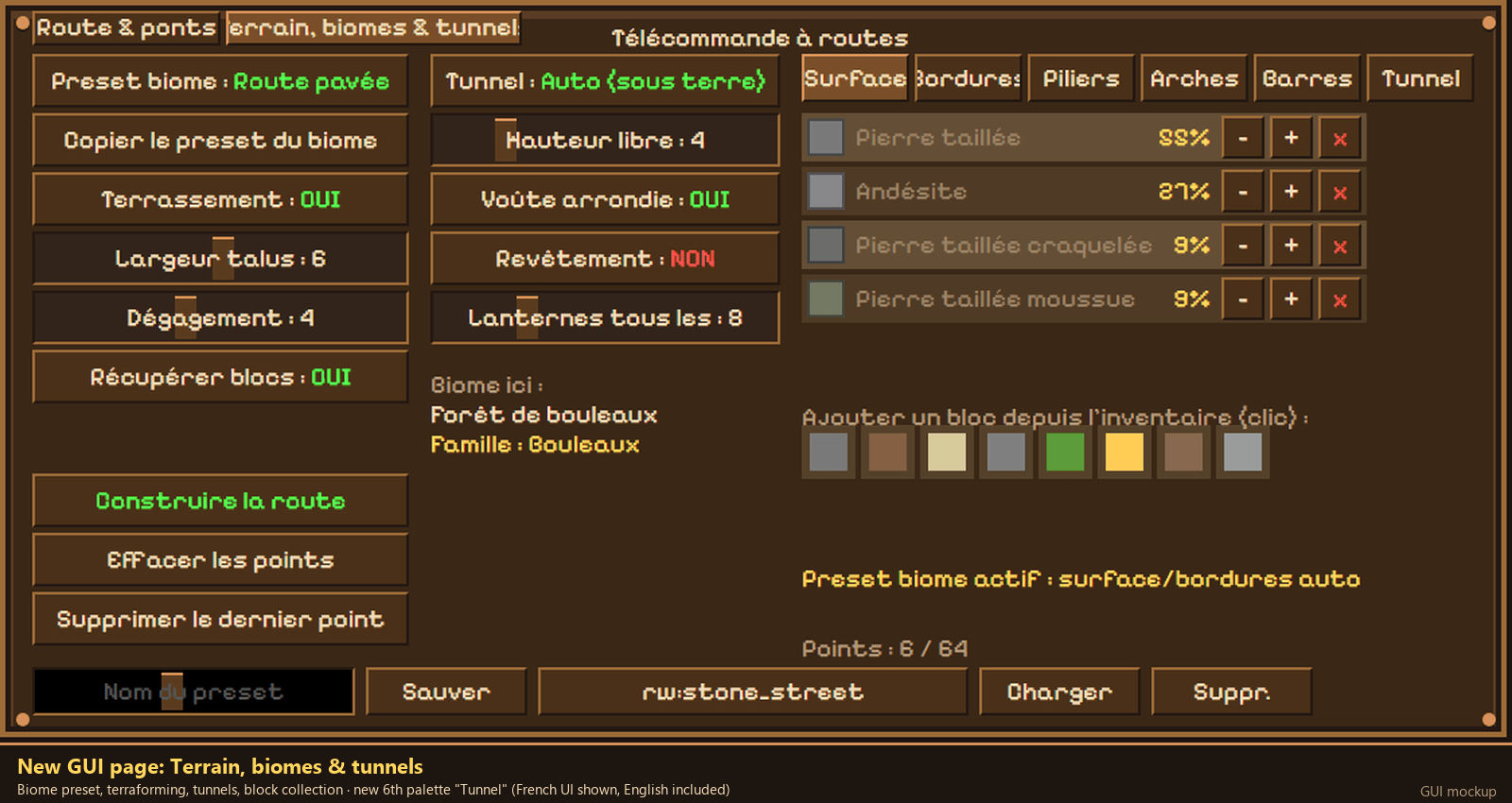
✨ New: terrain, biomes & tunnels
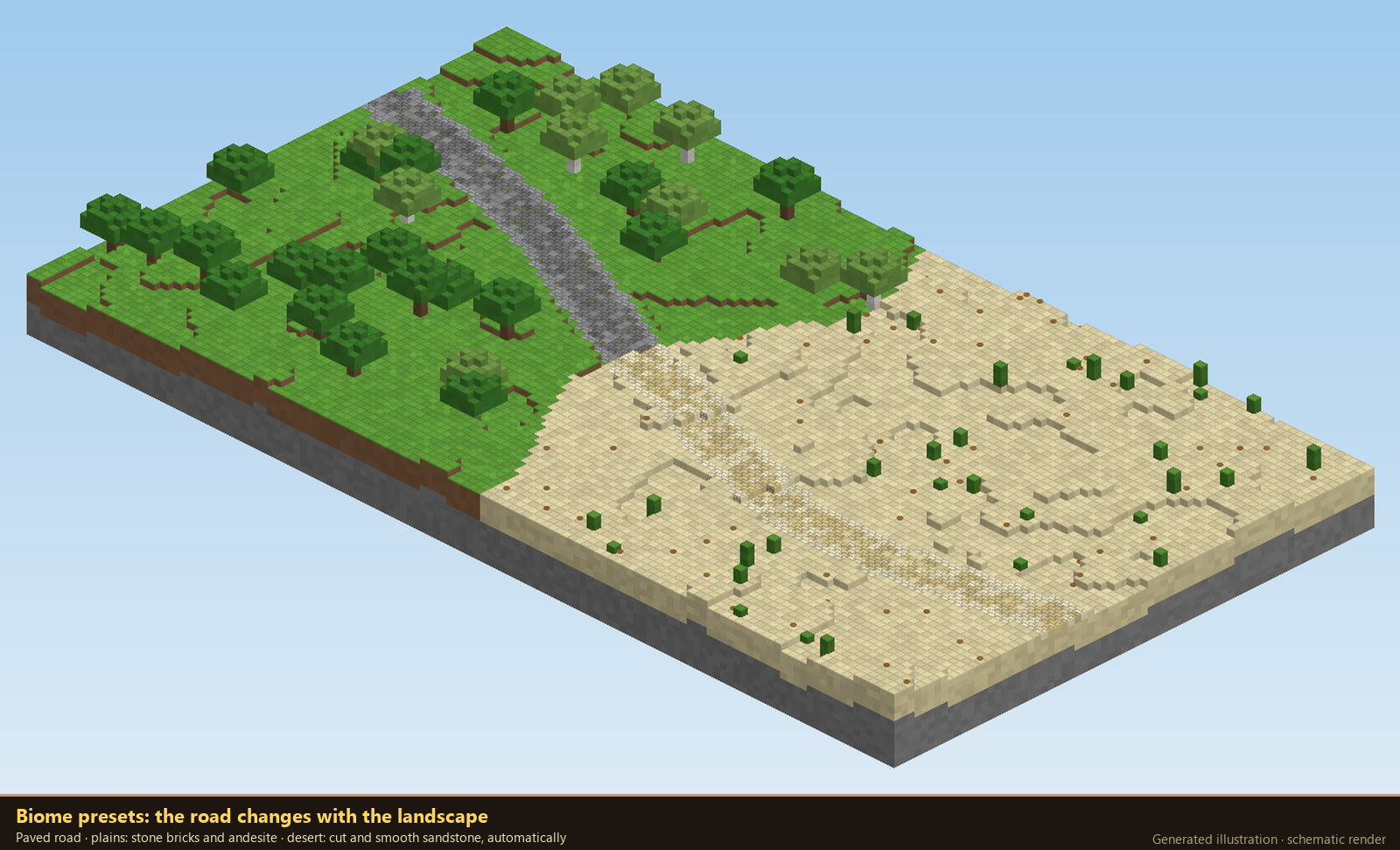
🌍 Biome presets
Choose Natural track or Paved road and the road changes its materials as it crosses biomes: dirt path and gravel in the plains, sandstone in the desert, packed mud in swamps, mossy bricks in the jungle, and so on across 17 biome families. Modded biomes (Biomes O' Plenty, Oh The Biomes We've Gone, Regions Unexplored…) are recognised through their tags and names, and the paved style uses their own bricks or sandstone when the mod has them. Copy biome preset puts the current biome's look into your palettes so you can edit it.
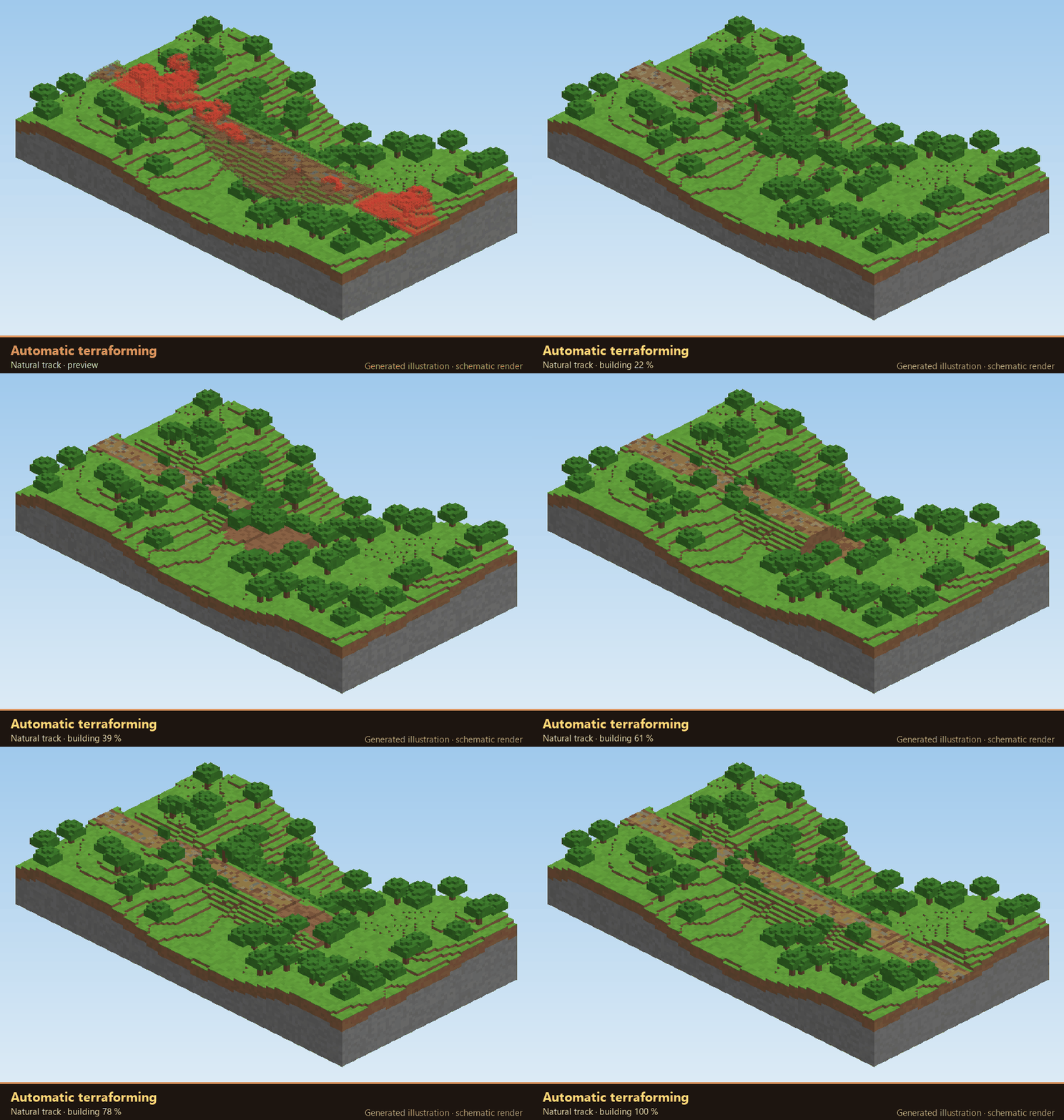
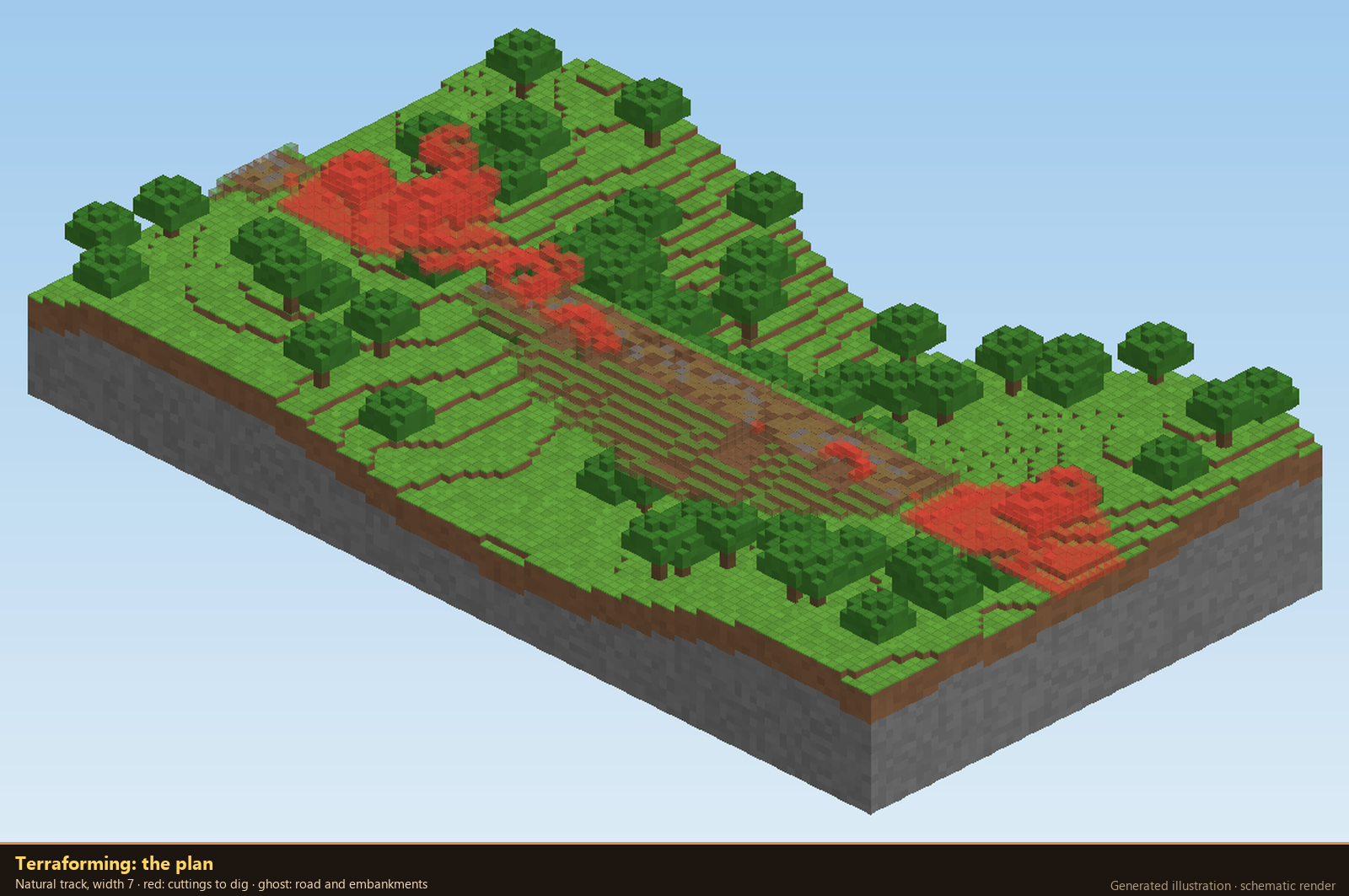
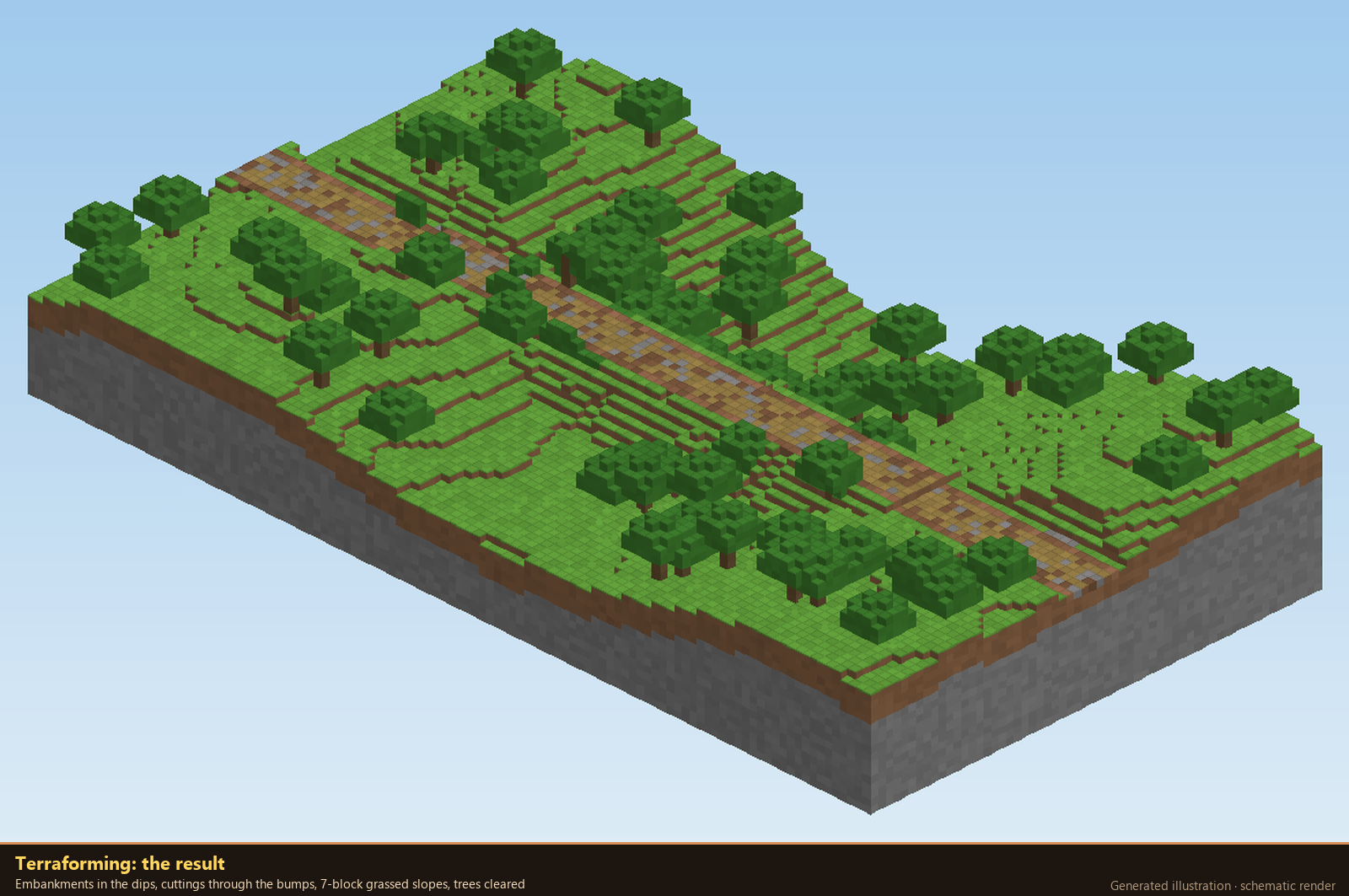
⛰️ Terraforming (auto-leveling)
- Embankments where the ground is lower, cuttings where it is higher
- Natural side slopes (about 1:1, slightly uneven), adjustable from 0 to 12 blocks wide
- Head room cleared above the road: trunks, plants and overhangs go, and no tree is left floating
- No embankment in water or under a bridge
🚇 Tunnels & mining galleries
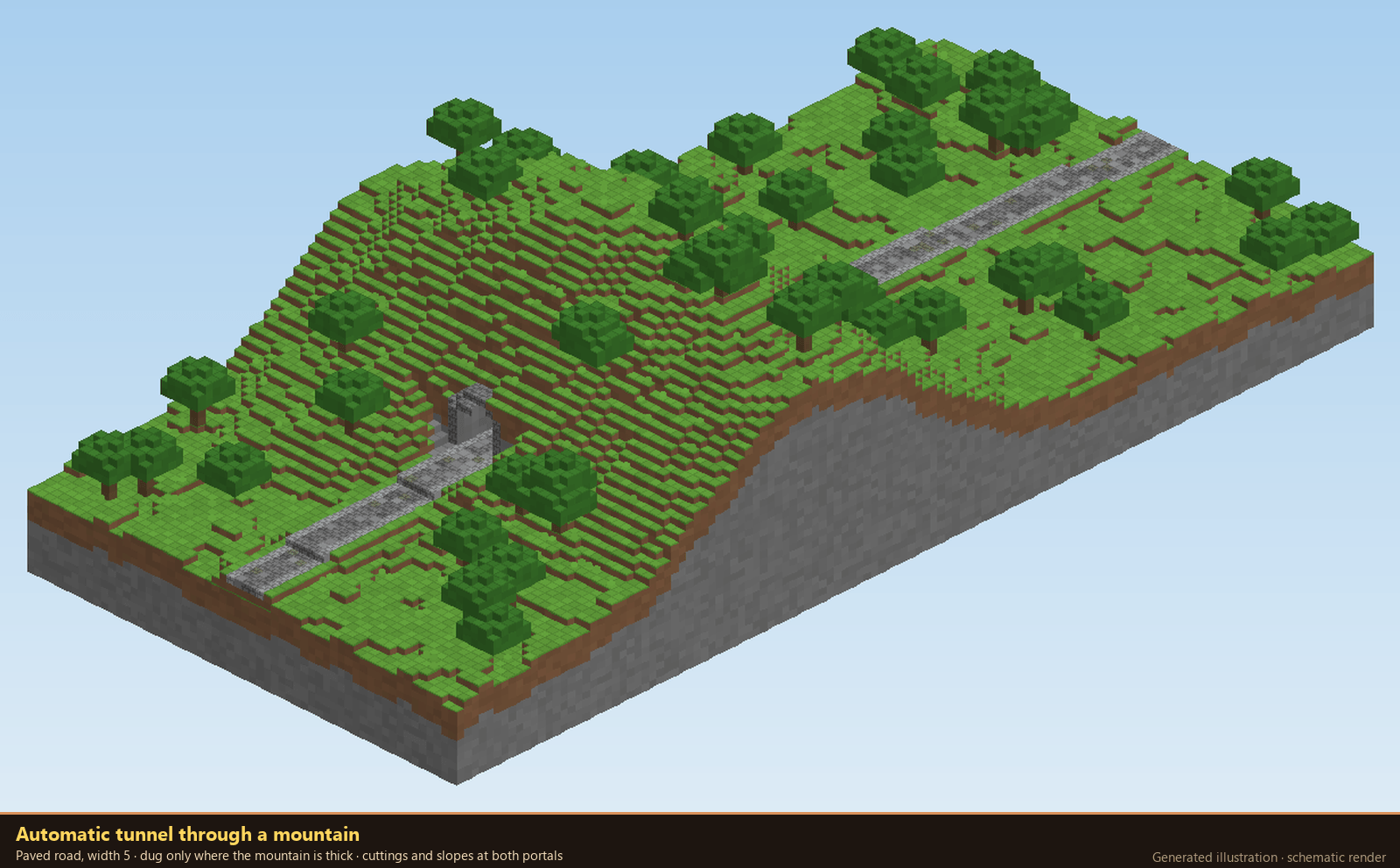
- Auto: a tunnel only where the road runs deep under the terrain (open cutting elsewhere)
- Gallery: the whole road is dug, for mines and underground passages
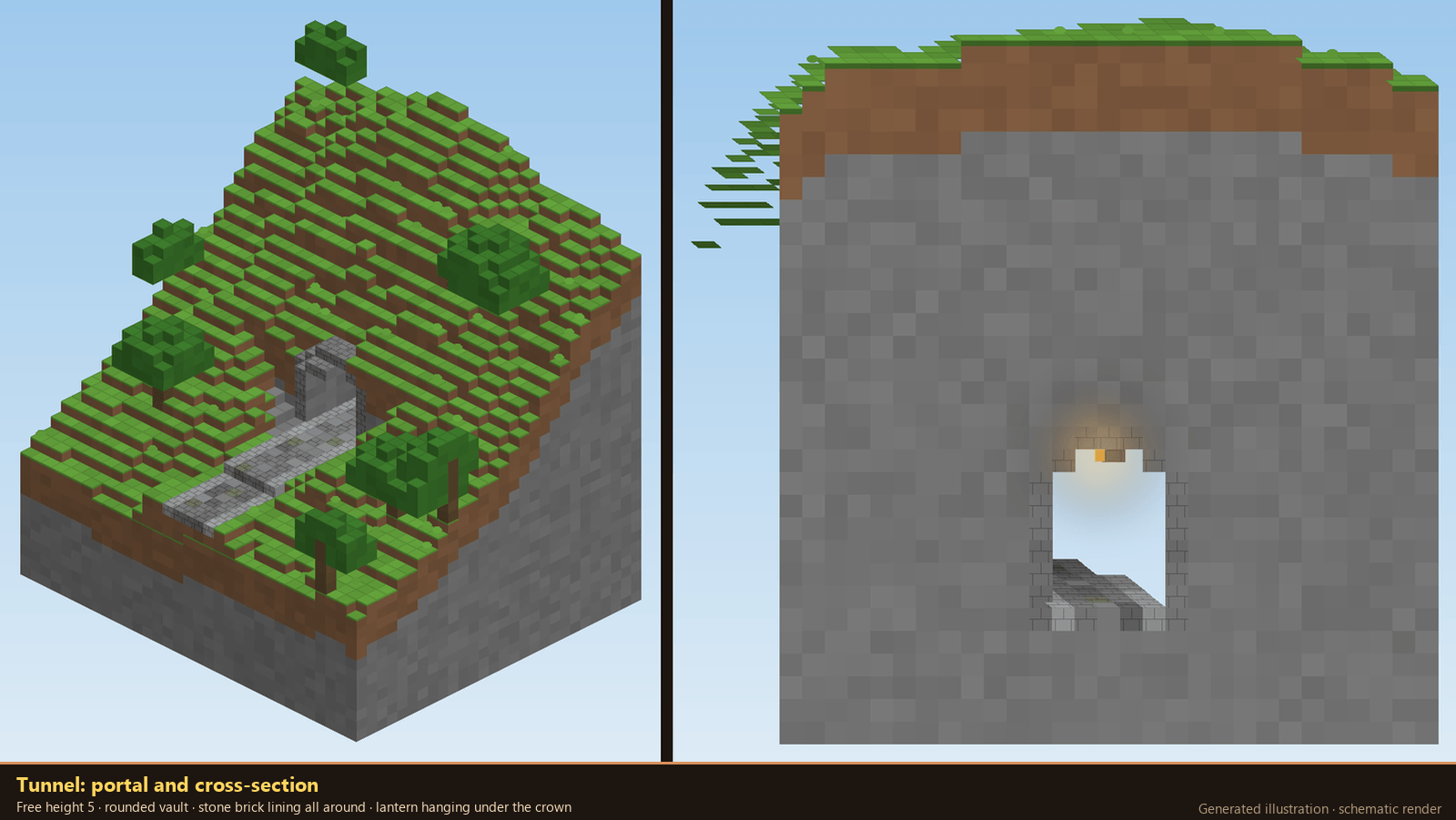
- Free height 2–12, optional rounded vault, lining from the new Tunnel palette (or stone bricks / cut sandstone by biome), hanging lanterns every N blocks
- Water, lava, sand and gravel around the tunnel are always sealed: no floods, no cave-ins
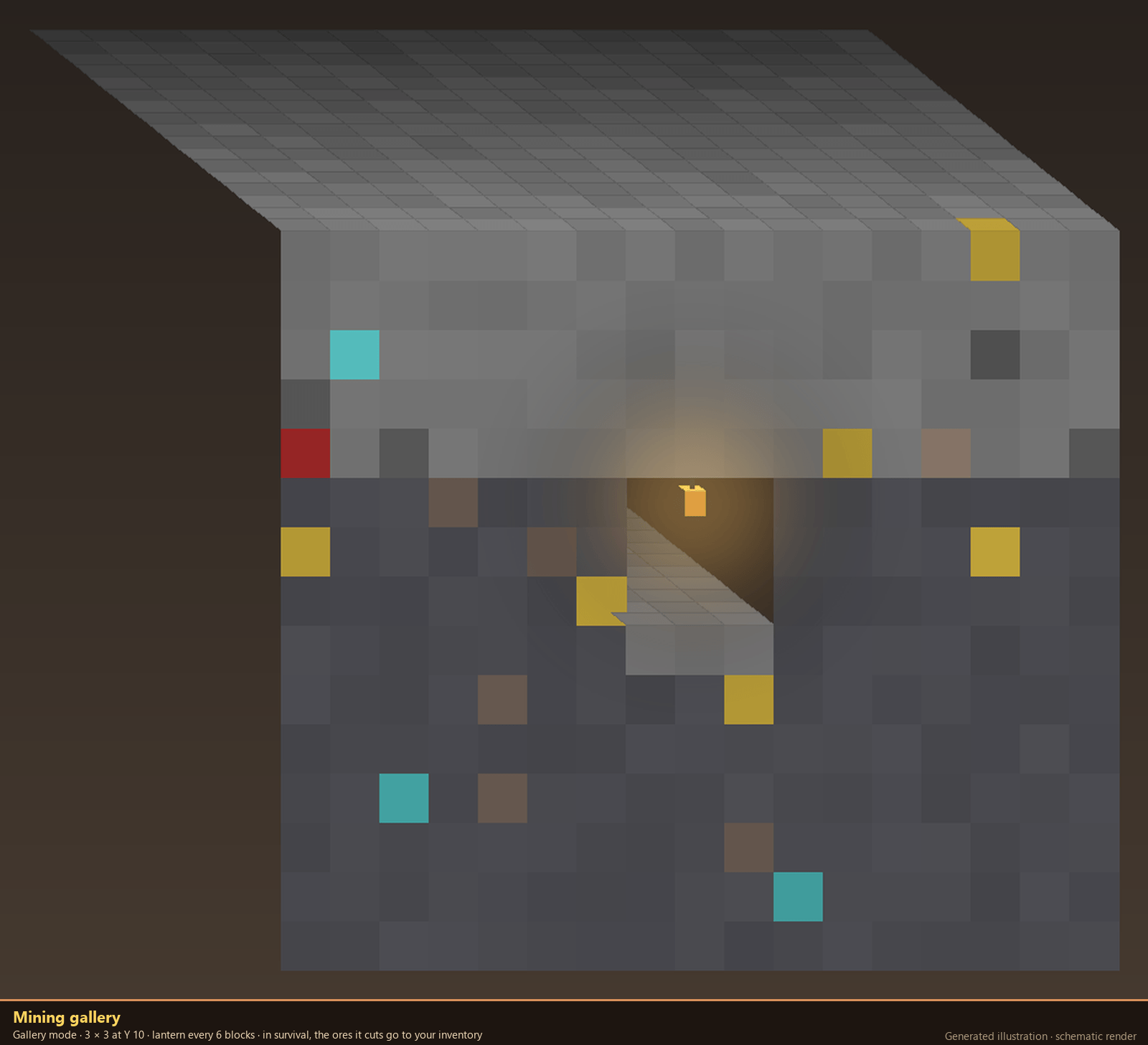
⚒️ Survival digging
- Dug and replaced blocks drop as if mined with a pickaxe (stone gives cobblestone, ores give their ores) and go to your inventory. Overflow drops at your feet, and you can turn this off.
- Grass and dirt path cost dirt, so you can build them in survival
- Unbreakable blocks, chests and machines are never touched
- Every dig fires the normal block-break event: claims and protection mods are respected, and job / economy mods count the blocks like regular mining
- 10 blocks placed or dug = 1 durability
🔗 RoadWeaver compatibility
Presets from config/roadweaver/presets/ show up in the preset list as rw:<name> (read-only). A RoadWeaver preset tied to a biome is used first when you copy that biome's preset. RoadWeaver is not required.
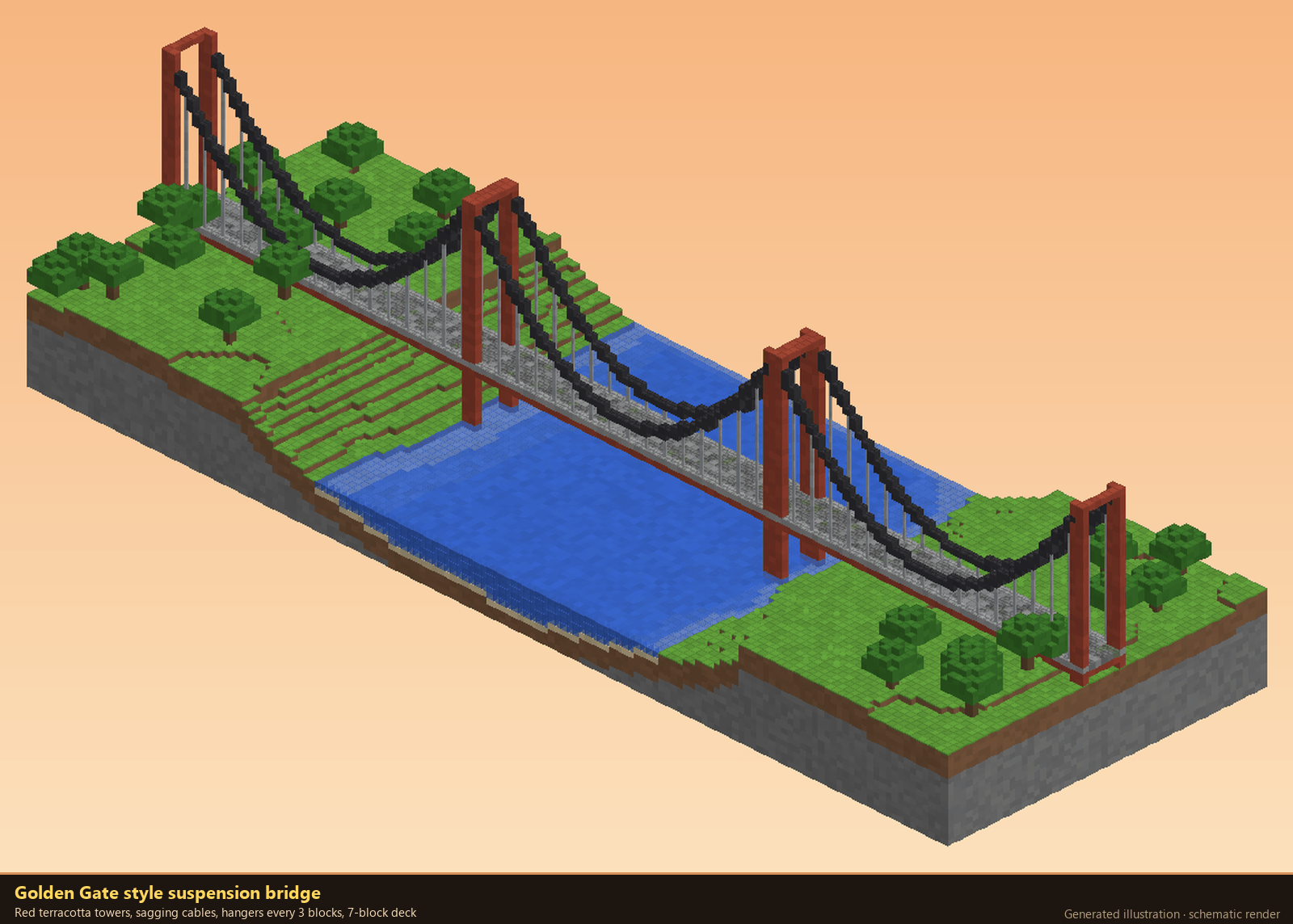
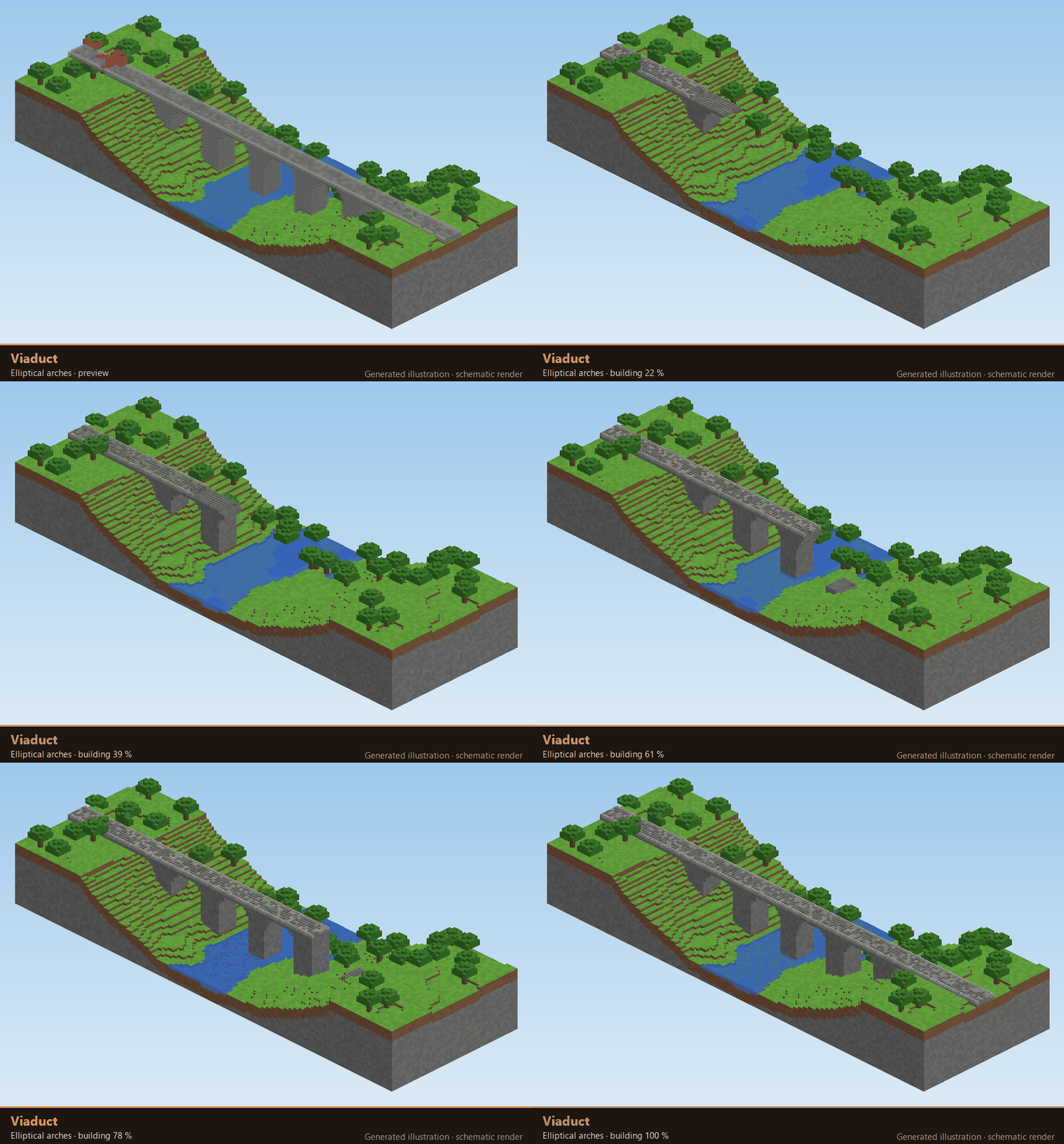
🌉 Bridges
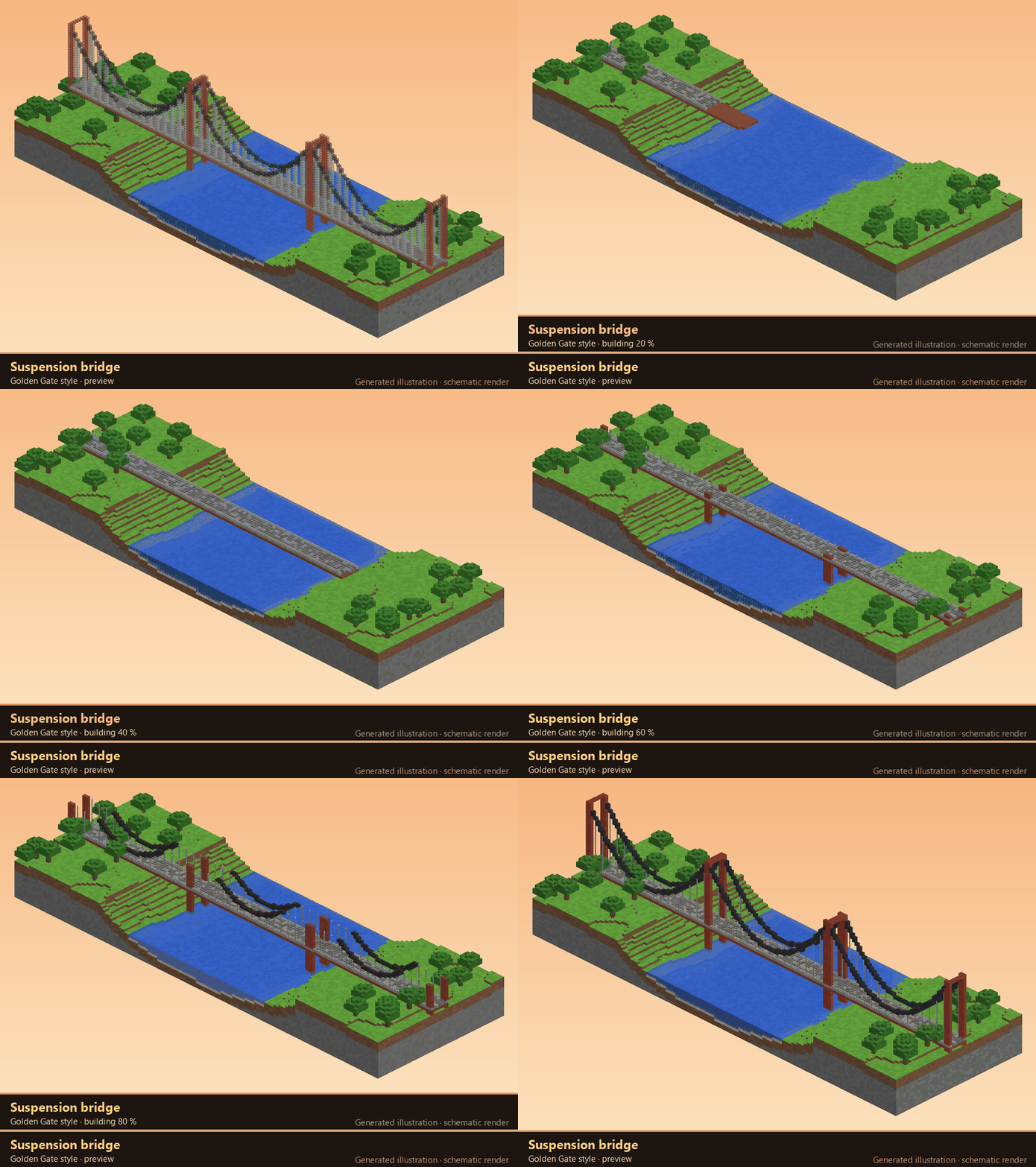
- Viaduct: pillars down to the ground linked by elliptical arches (openings up to 126 blocks). Spans fit the bridge length automatically.
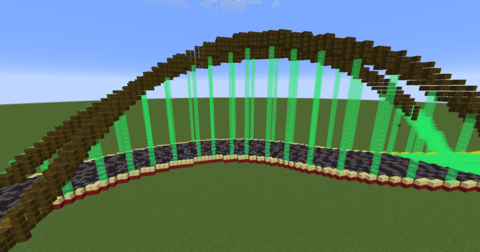
- High arch: two parabolic ribs above the road with vertical bars
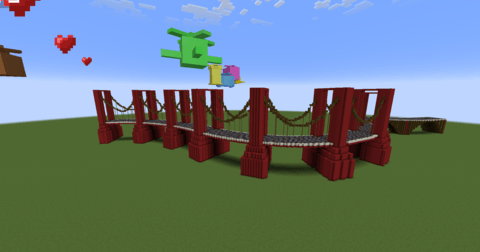
- Suspension (Golden Gate style): towers with adjustable width and an optional cone base, sagging cables with adjustable thickness and tension, hangers to the deck
👁️ Preview & HUD
Ghost preview with real block models near you and colored boxes far away. Borders are tinted yellow and blocks to dig are shown in red. The bronze HUD shows durability, points, blocks to place and to dig, and the full bill of materials with have / needed counts.
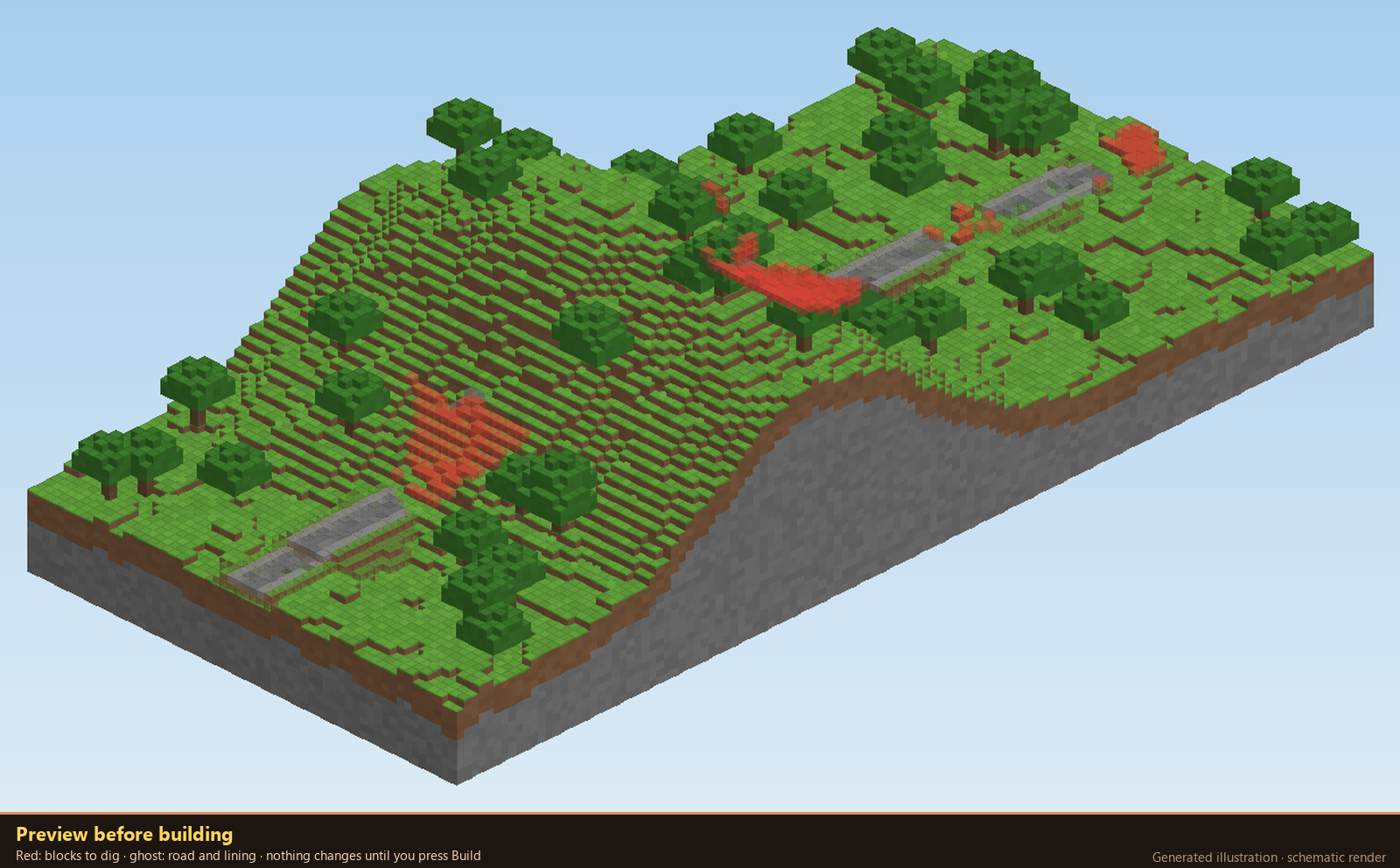
🎨 Road shape & palettes
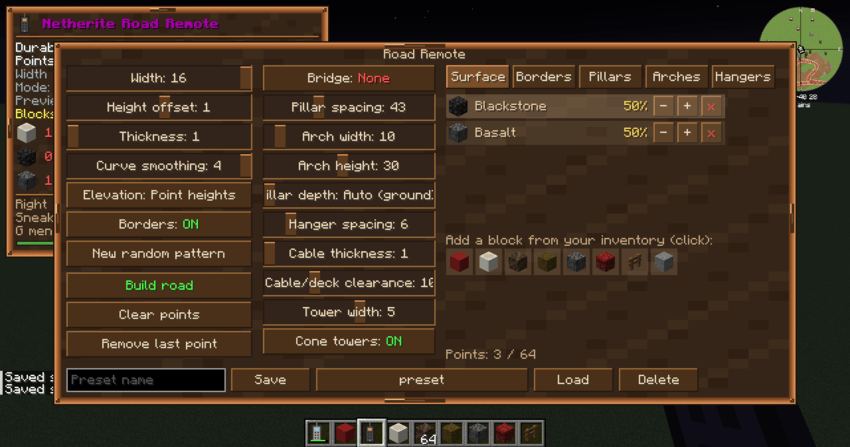
- Width 1–16, thickness 1–4, height offset −16 to +16, curve smoothing 0–4, up to 64 waypoints
- Elevation: Point heights (smooth ramps between waypoints) or Follow terrain
- Six weighted palettes: Surface, Borders, Pillars, Arches, Hangers, Tunnel. Click a block from your inventory to add it and set its percentage with [−] [+].
- Save and load presets (everything except the waypoints)
🧭 Examples
- Mountain pass: Point heights · width 7 · biome preset Paved road · terraforming ON (slopes 6, head room 4) · tunnel Auto, free height 5, rounded vault, lining ON, a lantern every 8 blocks.
- Countryside track: Follow terrain · smoothing 2 · width 3 · biome preset Natural track · terraforming ON (slopes 3). It turns into packed mud in the swamp and sandstone in the desert.
- Mining gallery: waypoints underground · width 3 · tunnel Gallery, free height 3, a lantern every 6 blocks · collect blocks ON.
- Valley crossing: Point heights · width 5 · bridge Viaduct, pillar spacing 16, arch width 12 · terraforming ON to cut the approaches.
🕹️ Controls
- Right click a block: add a waypoint
- Sneak + left or right click: remove the last waypoint (never breaks blocks)
- Right click in the air or G: open the GUI · B: build · V: toggle the preview
🛠️ Remotes
- Iron: 5,000 durability. Iron ingots around a glass pane, redstone at the bottom.
- Diamond: 15,000. The iron remote surrounded by diamonds, plus a redstone block.
- Netherite: 45,000. Smithing table upgrade.
Creative mode builds for free. Builds run progressively (32 actions per tick) with no lag spike. Very long roads stop at 50,000 actions per run: press Build again to continue.
📸 In-game screenshots
📋 Requirements
Minecraft 1.21.1 · NeoForge · optional: RoadWeaver (only to read its presets). English and French included.
Except for the in-game screenshots section, images on this page are generated schematic renders of what the mod builds.
Made by Arginou57.
Project description from CurseForge.
Pick your setup
Create: RoadWorks by Minecraft version and loader
Choose the version and loader you play, then open the matching release.
Check the dependencies, then try the file in a copied instance before changing a world you care about.
Recent files
Create: RoadWorks versions and loaders
roadbuilder-1.0.4.jar
25 Nov 2026
Client Source doesn’t say Server Source doesn’t say Dependencies No extras listed Listed on Release listing
Check the 1.21.1 · NeoForge setup 1.21.1NeoForge release
roadbuilder-1.0.4.jar
11 Jul 2026
Client Source doesn’t say Server Source doesn’t say Dependencies No extras listed Listed on Release listing
Check the 1.21.1 · NeoForge setup 1.21.1NeoForge release
roadbuilder-1.0.3.jar
7 Jul 2026
Client Source doesn’t say Server Source doesn’t say Dependencies No extras listed Listed on Release listing
Check the 1.21.1 · NeoForge setup 1.21.1NeoForge release
roadbuilder-1.0.2.jar
7 Jul 2026
Client Source doesn’t say Server Source doesn’t say Dependencies No extras listed Listed on Release listing
Check the 1.21.1 · NeoForge setup 1.21.1NeoForge release
roadbuilder-1.0.1.jar
7 Jul 2026
Client Source doesn’t say Server Source doesn’t say Dependencies No extras listed Listed on Release listing
Check the 1.21.1 · NeoForge setup 1.21.1NeoForge release
roadbuilder-1.0.0.jar
7 Jul 2026
Client Source doesn’t say Server Source doesn’t say Dependencies No extras listed Listed on Release listing
Check the 1.21.1 · NeoForge setup 1.21.1NeoForge release
Looking for an older file? The official CurseForge project page is in Resources.
 mod
CurseForge · Minecraft
Lazy's Library
Includes features for things such as smart creatures and procedural structures
 mod
CurseForge · Minecraft
Realistic Night Vision Goggles
This Mod makes nights and caves properly dark and adds night vision goggles that work like real ones.
 mod
CurseForge · Minecraft
Immersive Alternative Fuels
Small Addon of Immersive Engineering, Immersive Petroleum and Immersive Mechanical, adding new Bio Chemicals!