Minecraft version
Back to mods 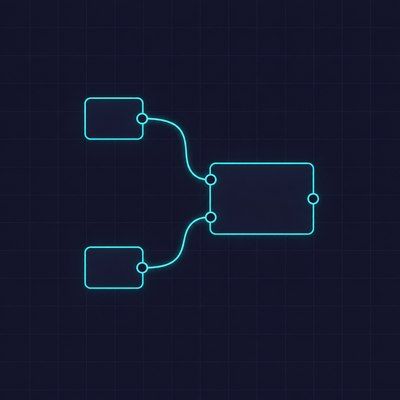
CurseForge · Minecraft mod
node graph
A reusable node graph editor library and evaluation engine.
Choose a version Pick your version below, then grab the matching file.
Quick answer
Which node graph release matches 1.20.1 Forge?
Best match for your filters nodegraph-1.4.2+1.20.1-forge.jar
Game version 1.20.1
Loader Forge
node graph nodegraph-1.4.2+1.20.1-forge.jar targets 1.20.1 with Forge. The project page does not say whether this file belongs on the client, dedicated server, or both. No extra mods listed for this file.
Where it goes
Is node graph required on the client, server, or both?
The project page does not say whether this file belongs on the client, dedicated server, or both.
Client Source doesn’t say
Dedicated server Source doesn’t say
Loader for this release Forge
Required install it here Optional supported, not mandatory Not supported do not install here Source doesn’t say do not assume
The source does not explicitly classify this release as client-only or server-only.
What else does node graph nodegraph-1.4.2+1.20.1-forge.jar need?
nodegraph-1.4.2+1.20.1-forge.jar on 1.20.1 Forge. Every mod below is checked against that same setup.
This file does not list any required mods. Do not add a library just because a different file uses it.
This file does not list any required or optional mods.
Before you install it
Add node graph without breaking your instance.
Built for node graph nodegraph-1.4.2+1.20.1-forge.jar on 1.20.1 Forge. Pick another file and the loader, install side or required mods may change.
- 01
Stick to this file
Use nodegraph-1.4.2+1.20.1-forge.jar. It targets 1.20.1 with Forge; another release may have different loader, side or dependency requirements.
- 02
Bring the mods it needs
This file does not list any required mods. Do not add a library just because a different file uses it.
- 03
Put it on the correct side
The project page does not say whether this file belongs on the client, dedicated server, or both.
- 04
Pick the file you checked
Use the “Get this file” button beside nodegraph-1.4.2+1.20.1-forge.jar. It opens that exact file at the source.
About this project
What does node graph add?
NodeGraph

A reusable node graph editor library and evaluation engine for Minecraft Forge 1.20.1.
Features
- Node editor: nodes with a header, typed input/output ports, and input widgets (text / slider / button-group / dropdown)
- Type system: per-type colors, registry, automatic conversion rules (rendered with a warning)
- Evaluation engine: lazy Blender-style evaluation with cycle detection and per-run caching
- Canvas: pan / zoom / scroll, grid, embeddable
NodeGraphWidget - Node groups: wireframe boxes, drag-to-regroup, resize handle, per-group scale
- Editing: box-select, right-click context menu, copy / cut / paste, full undo/redo, keyboard shortcuts (Ctrl+C/X/V, Del, Ctrl+Z / Ctrl+Shift+Z)
- Add node: searchable overlay; dragging a port to empty space opens a type-filtered menu with auto-connect
- Live results: output ports display their evaluated value each frame; widget edits recompute downstream instantly
Installation
Gradle (Forge 1.20.1 mod consumers use fg.deobf):
repositories {
    mavenCentral()
}

dependencies {
    implementation fg.deobf('io.github.tt432:nodegraph:1.0.0')
}
In-game usage
- Obtain the Node Graph Editor item from the Tools creative tab.
- Right-click to open the editor.
- Drag from an output port to an input port to connect them — same type only, or auto-convert (shown with an orange warning).
- Right-click the canvas → Add Node... to insert from the catalog; drag a port onto empty space for a type-filtered menu that auto-connects the new node.
- Click a text input widget to edit its value; downstream results recompute live.
- Middle-drag to pan, Ctrl+scroll to zoom, left-drag empty space to box-select.
License
MIT
Project description from CurseForge.
Pick your setup
node graph by Minecraft version and loader
Choose the version and loader you play, then open the matching release.
Minecraft version
1.21.1
1 loader buildMinecraft version
1.20.1
1 loader buildCheck the dependencies, then try the file in a copied instance before changing a world you care about.
Recent files
node graph versions and loaders
nodegraph-1.4.2+1.20.1-forge.jar
28 Sept 2026
Client Source doesn’t say Server Source doesn’t say Dependencies No extras listed Listed on Release listing
Check the 1.20.1 · Forge setup 1.20.1Forge release
nodegraph-1.1.2.jar
25 Jul 2026
Client Source doesn’t say Server Source doesn’t say Dependencies No extras listed Listed on Release listing
Check the 1.20.1 · Forge setup 1.20.1Forge release
nodegraph-1.1.1.jar
9 Jul 2026
Client Source doesn’t say Server Source doesn’t say Dependencies No extras listed Listed on Release listing
Check the 1.20.1 · Forge setup 1.20.1Forge release
nodegraph-1.1.0.jar
7 Jul 2026
Client Source doesn’t say Server Source doesn’t say Dependencies No extras listed Listed on Release listing
Check the 1.20.1 · Forge setup 1.20.1Forge release
nodegraph-1.0.0.jar
7 Jul 2026
Client Source doesn’t say Server Source doesn’t say Dependencies No extras listed Listed on Release listing
Check the 1.20.1 · Forge setup 1.20.1Forge release
Looking for an older file? The official CurseForge project page is in Resources.