
Minecraft version
Back to mods 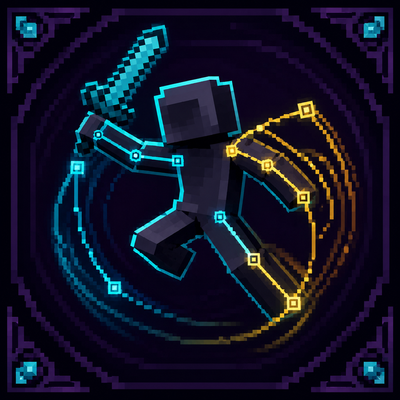
CurseForge · Minecraft mod
Player Animation Core
A NeoForge library for non-conflicting player animations. Layered animation stack, Molang support, first-person model rendering, and simple API for mod integration. Multiple mods can animate the player simultaneously.
Choose a version Pick your version below, then grab the matching file.
Quick answer
Which Player Animation Core release should I use?
Latest stable file Player Animation Core (1.1.0)
Game version 26.2
Loader NeoForge
Player Animation Core (1.1.0) targets 26.2 with NeoForge. The project page does not say whether this file belongs on the client, dedicated server, or both. No extra mods listed for this file.
Where it goes
Is Player Animation Core required on the client, server, or both?
The project page does not say whether this file belongs on the client, dedicated server, or both.
Client Source doesn’t say
Dedicated server Source doesn’t say
Loader for this release NeoForge
Required install it here Optional supported, not mandatory Not supported do not install here Source doesn’t say do not assume
The source does not explicitly classify this release as client-only or server-only.
What else does Player Animation Core (1.1.0) need?
Player Animation Core (1.1.0). Change the file and its required mods may change too.
This file does not list any required mods. Do not add a library just because a different file uses it.
This file does not list any required or optional mods.
Before you install it
Add Player Animation Core without breaking your instance.
Built for Player Animation Core (1.1.0). Pick another file and the loader, install side or required mods may change.
- 01
Stick to this file
Use Player Animation Core (1.1.0). It targets 26.2 with NeoForge; another release may have different loader, side or dependency requirements.
- 02
Bring the mods it needs
This file does not list any required mods. Do not add a library just because a different file uses it.
- 03
Put it on the correct side
The project page does not say whether this file belongs on the client, dedicated server, or both.
- 04
Pick the file you checked
Use the “Get this file” button beside Player Animation Core (1.1.0). It opens that exact file at the source.
About this project
What does Player Animation Core add?
🎬 Player Animation Core
Keyframe-based, layered player-animation library for NeoForge.



✨ Overview
| Player Animation Core (PAC) is a library mod: a flexible, layered animation system for the player model. Multiple mods can animate the player at once without fighting each other — higher-priority layers override lower ones per bone, so blends like "walking + attacking" just work. It ships with a Molang engine, GeckoLib-style keyframes with easing, and four first-person rendering modes. On its own it changes nothing; it only renders when another mod triggers an animation. Based on Player Animation Library by KosmX, rebranded and adapted for NeoForge by Stalking Dragons. The upstream library is MIT licensed and the derived code here keeps that license. Not affiliated with or endorsed by the original author. |
 |
|---|
🎯 Features
🎞️ Keyframe Animation System
Define animations in JSON with GeckoLib-style keyframes — full control over per-bone position, rotation and scale with configurable easing. Molang expressions supported.
🧩 Layered Animation Stacking
Multiple animations run at once with priority layering; higher-priority layers override lower ones per bone, enabling complex blends.
👀 Four First-Person Modes
THIRD_PERSON_MODEL — full 3D player model in first person with configurable part visibility. HANDS_ONLY — item-bone transforms on top of vanilla first-person hands. HANDS_ONLY_ARM — arm-bone rotations (configurable scale) on vanilla first-person item rendering. VANILLA — standard first-person view.
🧊️ Bone Transform API
Query and apply transforms to any body part (head, torso, arms, legs, right/left item), and mirror animations for left-hand rendering with MirrorIfLeftHandModifier.
📦 Lightweight
A pure library — zero visual changes on its own. A drop-in dependency for combat, parkour, emote or any animation mod.
📋 Requirements
| Minecraft / NeoForge / Java | see Available Versions below |
|---|---|
| Dependencies | None |
| Side | Client only |
📦 Available Versions
| Minecraft | NeoForge | Latest build | Status |
|---|---|---|---|
| 26.1.2 | 26.1.2.78+ | 1.0.2 |
Stable |
| 26.2 | 26.2.0.32-beta+ | 1.1.0 |
Stable |
All versions share this CurseForge project. Pick the file that matches your Minecraft version. No 1.21.1 build is planned — KosmX's own Player Animation Library already ships a 1.21.1 release.
🎮 For Mod Developers
Add PAC as a dependency, register an animation factory with PlayerAnimationFactory.ANIMATION_DATA_FACTORY.registerFactory(...), trigger animations through PlayerAnimationAccess.getPlayerAnimationLayer(...), and override getFirstPersonMode() / getFirstPersonConfiguration() for per-weapon tuning. See the repository's docs/DEVELOPER.md for the full API reference.
🔧 Compatible Mods
Dinamyc Combat — custom weapon attack animations with first-person support. Your mod here — PAC is built for integration.
🙏 Credits & License
Player Animation Core is based on Player Animation Library by KosmX, rebranded and adapted for NeoForge by Stalking Dragons. The upstream library is MIT licensed; the code derived from it here retains the MIT license and KosmX's copyright notice. Not affiliated with or endorsed by the original author.
https://codex.skdragons.com/
Codex Stalking Dragons — Minecraft Modding
Project description from CurseForge.
Pick your setup
Player Animation Core by Minecraft version and loader
Choose the version and loader you play, then open the matching release.
Minecraft version
26.1.2
1 loader buildCheck the dependencies, then try the file in a copied instance before changing a world you care about.
Recent files
Player Animation Core versions and loaders
Player Animation Core (1.1.0)
player_animation_core-26.2-neoforge-26.2.0.57-1.1.0.jar
20 Aug 2026
Client Source doesn’t say Server Source doesn’t say Dependencies No extras listed Listed on Release listing
Check the 26.2 · NeoForge setup NeoForge26.2 release
Player Animation Core (1.0.4)
player_animation_core-26.2-neoforge-26.2.0.45-beta-1.0.4.jar
18 Aug 2026
Client Source doesn’t say Server Source doesn’t say Dependencies No extras listed Listed on Release listing
Check the 26.2 · NeoForge setup NeoForge26.2 release
Player Animation Core (1.0.2)
player_animation_core-26.2-neoforge-1.0.2.jar
5 Aug 2026
Client Source doesn’t say Server Source doesn’t say Dependencies No extras listed Listed on Release listing
Check the 26.2 · NeoForge setup NeoForge26.2 release
Player Animation Core (1.0.1)
player_animation_core-26.2-neoforge-1.0.1.jar
2 Aug 2026
Client Source doesn’t say Server Source doesn’t say Dependencies No extras listed Listed on Release listing
Check the 26.2 · NeoForge setup NeoForge26.2 release
Player Animation Core (1.0.1)
player_animation_core-26.1.2-neoforge-1.0.1.jar
2 Aug 2026
Client Source doesn’t say Server Source doesn’t say Dependencies No extras listed Listed on Release listing
Check the 26.1.2 · NeoForge setup NeoForge26.1.2 release
Player Animation Core (1.0.0)
player_animation_core-26.2-neoforge-1.0.0.jar
2 Aug 2026
Client Source doesn’t say Server Source doesn’t say Dependencies No extras listed Listed on Release listing
Check the 26.2 · NeoForge setup NeoForge26.2 release
Player Animation Core (0.0.0-beta.3)
player_animation_core-26.2-neoforge-0.0.0-beta.3.jar
2 Aug 2026
Client Source doesn’t say Server Source doesn’t say Dependencies No extras listed Listed on Release listing
Check the 26.2 · NeoForge setup NeoForge26.2 beta
Player Animation Core (0.0.0-beta.2)
player_animation_core-26.2-neoforge-0.0.0-beta.2.jar
2 Aug 2026
Client Source doesn’t say Server Source doesn’t say Dependencies No extras listed Listed on Release listing
Check the 26.2 · NeoForge setup NeoForge26.2 beta
Player Animation Core (0.0.0-beta.1)
player_animation_core-26.2-neoforge-0.0.0-beta.1.jar
2 Aug 2026
Client Source doesn’t say Server Source doesn’t say Dependencies No extras listed Listed on Release listing
Check the 26.2 · NeoForge setup NeoForge26.2 beta
Player Animation Core (1.0.0)
player_animation_core-26.1.2-neoforge-1.0.0.jar
17 Jul 2026
Client Source doesn’t say Server Source doesn’t say Dependencies No extras listed Listed on Release listing
Check the 26.1.2 · NeoForge setup NeoForge26.1.2 release
Player Animation Core (0.0.0-beta.20)
player_animation_core-0.0.0-beta.20.jar
14 Jul 2026
Client Source doesn’t say Server Source doesn’t say Dependencies No extras listed Listed on Release listing
Check the 26.1.2 · NeoForge setup NeoForge26.1.2 beta
Player Animation Core (0.0.0-beta.19)
player_animation_core-0.0.0-beta.19.jar
11 Jul 2026
Client Source doesn’t say Server Source doesn’t say Dependencies No extras listed Listed on Release listing
Check the 26.1.2 · NeoForge setup NeoForge26.1.2 beta
Looking for an older file? The official CurseForge project page is in Resources.
 mod
mod CurseForge · Minecraft
[FVTM] Fex's Vehicle and Transportation Mod
A vast addon-based mod allowing you to create Vehicles, Containers, Items, Blocks, Food/Drinks, Clothes and more!
 mod
mod CurseForge + Modrinth · Minecraft
Spell Engine Extension (RPG Series Tweaks)
Extends the mod 'Spell Engine' with additional functionality.
 mod
mod CurseForge · Minecraft
Tool Mod
a mod that adds Useful tools and new weapons