Create Needed by Create: Addon Organizer createaddonorganizer-1.5
requiredMatching file found Matched file: Create 6.0.10 for mc1.21.1
CurseForge · Minecraft mod
Create Addon organiser (Or CAO for short) makes create addons get sorted into the main "Create" tab in a style similar to create aeronautics, with tons of customisability.
Quick answer
Create: Addon Organizer createaddonorganizer-1.5 targets 1.21.1 with NeoForge. The project page does not say whether this file belongs on the client, dedicated server, or both. All 1 required mods have matching files.
Where it goes
The project page does not say whether this file belongs on the client, dedicated server, or both.
The source does not explicitly classify this release as client-only or server-only.
createaddonorganizer-1.5. Change the file and its required mods may change too.
Install Create first. We found matching files for this game-version and loader setup.
We only count dependency files that match this setup. A file for another loader does not fill the gap.
Before you install it
Built for Create: Addon Organizer createaddonorganizer-1.5. Pick another file and the loader, install side or required mods may change.
Use createaddonorganizer-1.5. It targets 1.21.1 with NeoForge; another release may have different loader, side or dependency requirements.
Install Create first. We found matching files for this game-version and loader setup.
The project page does not say whether this file belongs on the client, dedicated server, or both.
Use the “Get this file” button beside createaddonorganizer-1.5. It opens that exact file at the source.
About this project
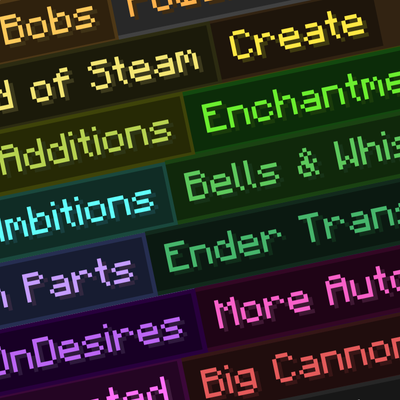
banner artwork dosent span to every addon / mod available as all banners are community made.

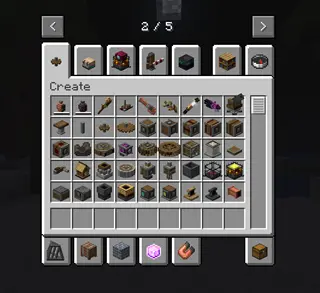
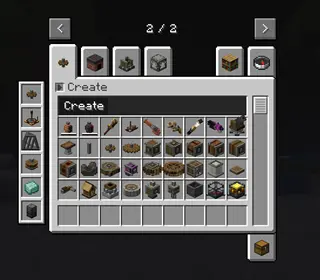
Have you ever been in creative mode with a ton of create mod addons and found it annoying that EVERY SINGLE ONE has its own tab? well, Worry no more! CAO sorts every create addon into sections contained within the base "Create" tab, and the "Create's Building Blocks" tab. it also leaves create aeronautics untouched.
<details> <summary>Before vs after</summary>
</details>
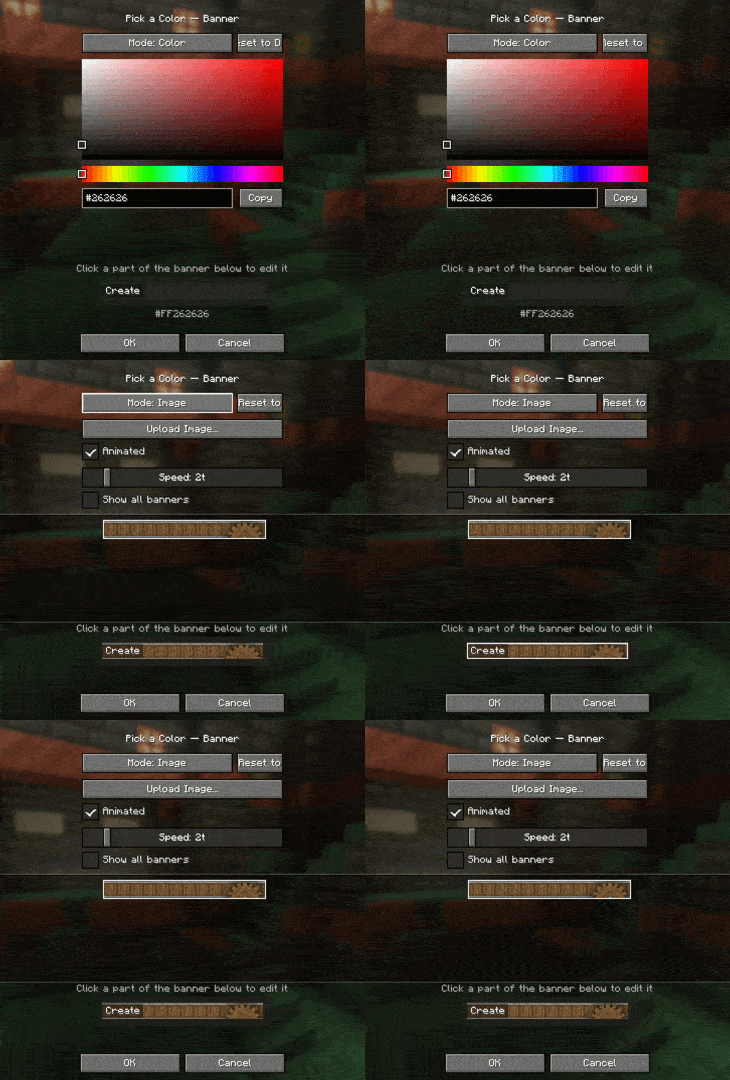
As you can see, it reduces the clutter a ton. But not only does it look good naitively, it supports a TON of customization via the mod's config screen! You can change
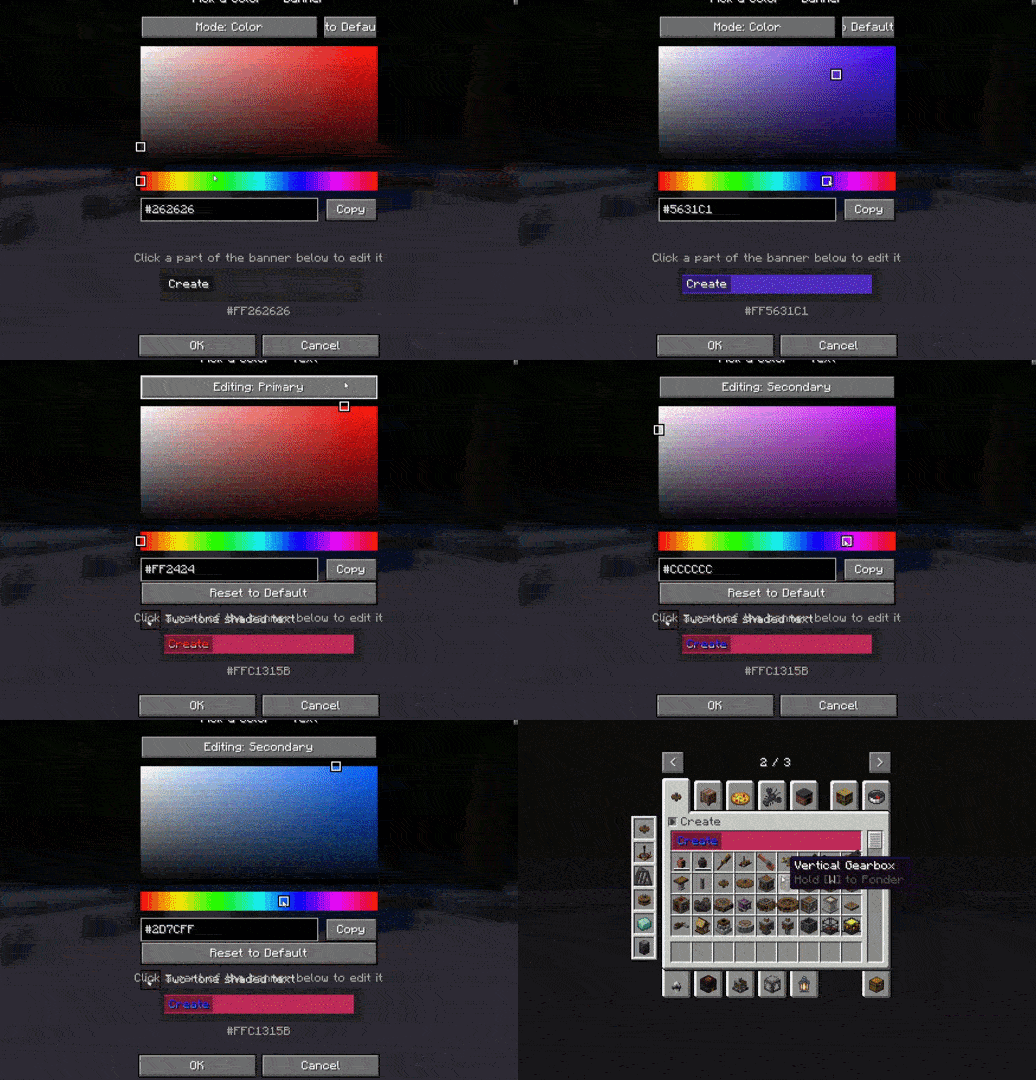
And if you dont want a color for the tab section, you can upload your own image! it has to be 160x17, and the mod also has full vanilla texture animation support (just like create aero!)
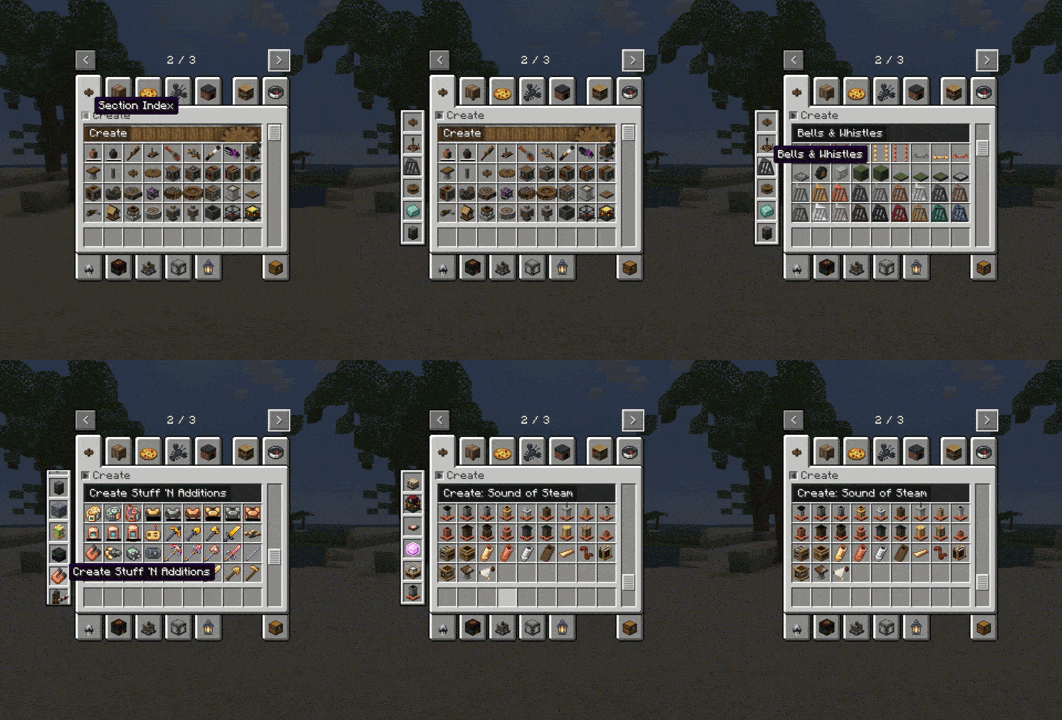
If you have a lot of addons, there is a built in sidebar that allows you to quickly jump to them!
Project description from CurseForge.
Pick your setup
Choose the version and loader you play, then open the matching release.
Check the dependencies, then try the file in a copied instance before changing a world you care about.
Recent files
createaddonorganizer-1.5__1.21.1.jar
24 Jul 2026
createaddonorganizer-1.4.0__1.21.1.jar
24 Jul 2026
createaddonorganizer-1.3.0__1.21.1.jar
16 Jul 2026
createaddonorganizer-1.2.0__1.21.1.jar
11 Jul 2026
createaddonorganizer-1.1.0__1.21.1.jar
9 Jul 2026
createaddonorganizer-1.0__1.21.1.jar
8 Jul 2026
Looking for an older file? The official CurseForge project page is in Resources.
 mod
modSpill blood for power. Altars that consume life, sigils that bend the world, custom demons in an endless dungeon, sentient armor that drinks souls, a shield that pays your damage in essentia. Datapack-driven from the ground up.
 mod
modA client-side visual chat HUD editor with customizable layouts, text styles, player colors, mentions, notifications, and a persistent command clipboard.
 mod
modExpands Minecraft's Archaeological Excavations