Minecraft version
Back to mods 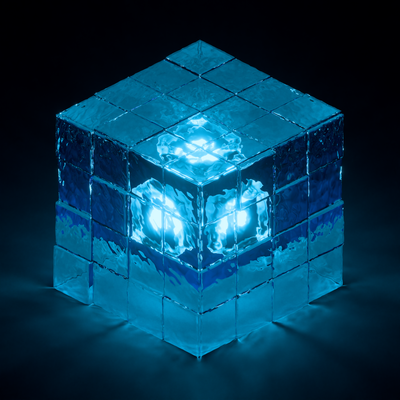
CurseForge · Minecraft mod
Caustica
Ray-traced renderer for Minecraft's Vulkan backend.
Choose a version Pick your version below, then grab the matching file.
Quick answer
Which Caustica release should I use?
Latest stable file caustica-0.1.1.jar
Game version 26.2
Loader Fabric
caustica-0.1.1.jar targets 26.2 with Fabric. The project page does not say whether this file belongs on the client, dedicated server, or both. No extra mods listed for this file.
Where it goes
Is Caustica required on the client, server, or both?
The project page does not say whether this file belongs on the client, dedicated server, or both.
Client Source doesn’t say
Dedicated server Source doesn’t say
Loader for this release Fabric
Required install it here Optional supported, not mandatory Not supported do not install here Source doesn’t say do not assume
The source does not explicitly classify this release as client-only or server-only.
What else does caustica-0.1.1.jar need?
caustica-0.1.1.jar. Change the file and its required mods may change too.
This file does not list any required mods. Do not add a library just because a different file uses it.
This file does not list any required or optional mods.
Before you install it
Add Caustica without breaking your instance.
Built for caustica-0.1.1.jar. Pick another file and the loader, install side or required mods may change.
- 01
Stick to this file
Use caustica-0.1.1.jar. It targets 26.2 with Fabric; another release may have different loader, side or dependency requirements.
- 02
Bring the mods it needs
This file does not list any required mods. Do not add a library just because a different file uses it.
- 03
Put it on the correct side
The project page does not say whether this file belongs on the client, dedicated server, or both.
- 04
Pick the file you checked
Use the “Get this file” button beside caustica-0.1.1.jar. It opens that exact file at the source.
About this project
What does Caustica add?
Caustica
Caustica is an experimental ray-traced renderer for Minecraft 26.2's Vulkan backend. It replaces the vanilla world view with hardware ray tracing and NVIDIA DLSS features while keeping Minecraft's familiar UI and gameplay intact.
Caustica is early software. Expect bugs, missing visual cases, and frequent changes while the renderer is being built.
Features
- Vulkan hardware path-traced world rendering
- DLSS Ray Reconstruction support
- DLSS Frame Generation support (experimental)
- HDR output
- Dynamic entity rendering in the ray-traced scene
- LabPBR-style material support
- OMM (Opacity Micro-Map) + SER (Shader Execution Reordering) optimizations
Requirements
- Vulkan graphics backend enabled
- A GPU and driver with Vulkan ray tracing support
- NVIDIA RTX GPU and supported driver for DLSS features
- HDR-capable display and OS HDR mode for HDR output
- Install LabPBR resource pack like SPBR for better visuals
Installation
- Install Fabric Loader for Minecraft
26.2. - Install Fabric API.
- Put the Caustica jar in your Minecraft
modsfolder. - Launch the game with the Vulkan graphics backend.
- Open Video Settings to adjust Caustica's renderer options.
Usage Notes
- Caustica is client-side only.
- DLSS Ray Reconstruction and Frame Generation require supported NVIDIA hardware and drivers.
- Use Java args to improve performance. Minecraft Launcher default:
-XX:+UseCompactObjectHeaders -XX:+AlwaysPreTouch -XX:+UseStringDeduplication -XX:+UseZGC - Frame Generation is experimental and needs to be enabled by modifying the configuration file.
- HDR output requires an HDR swapchain and a correctly configured HDR display.
- If Minecraft falls back to OpenGL after a crash, re-enable the Vulkan backend before using Caustica again.
Compatibility
Caustica takes over the world renderer, so other mods that heavily modify world rendering, shader pipelines, post-processing, or the Vulkan backend may conflict. UI-only mods are more likely to work.
Status
Caustica is not a finished renderer yet. Current work focuses on visual correctness, world coverage, stability, and making the SDR/HDR presentation paths behave consistently.
Project description from CurseForge.
Pick your setup
Caustica by Minecraft version and loader
Choose the version and loader you play, then open the matching release.
Check the dependencies, then try the file in a copied instance before changing a world you care about.
Recent files
Caustica versions and loaders
caustica-0.1.1.jar
28 Jul 2026
Client Source doesn’t say Server Source doesn’t say Dependencies No extras listed Listed on Release listing
Check the 26.2 · Fabric setup Fabric26.2 release
caustica-0.1.0.jar
9 Jul 2026
Client Source doesn’t say Server Source doesn’t say Dependencies No extras listed Listed on Release listing
Check the 26.2 · Fabric setup Fabric26.2 beta
Looking for an older file? The official CurseForge project page is in Resources.
 mod
CurseForge + Modrinth · Minecraft
Practical Enchantments
This mod adds a series of imaginative mods.
 mod
CurseForge + Modrinth · Minecraft
Visual Creative Tab Editor
Edit Minecraft creative tabs with drag-and-drop, multi-select, smart sorting, and datapack-driven compatibility.
 mod
CurseForge · Minecraft
AutoIllumination (Automobility Addon)
A mod adds headlights to vehicles from Automobility and RIAutomobility.