CurseForge · Minecraft mod
Command Safety
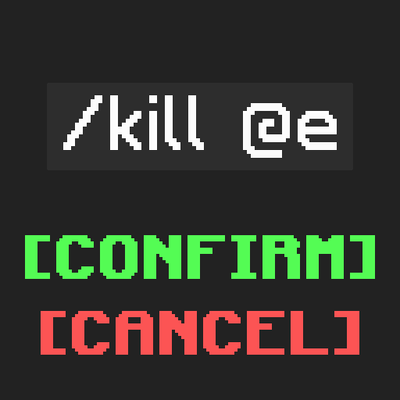
Warns the player when running potentially dangerous commands ('/kill @e' etc).
Quick answer
Which Command Safety release matches 1.21.11 Forge?
Command Safety 1.1.0 for Forge 1.21.9-1.21.11 targets 1.21.9, 1.21.10, 1.21.11 with Forge. The project page does not say whether this file belongs on the client, dedicated server, or both. No extra mods listed for this file.
Where it goes
Is Command Safety required on the client, server, or both?
The project page does not say whether this file belongs on the client, dedicated server, or both.
The source does not explicitly classify this release as client-only or server-only.
What else does Command Safety 1.1.0 for Forge 1.21.9-1.21.11 need?
Command Safety 1.1.0 for Forge 1.21.9-1.21.11 on 1.21.11 Forge. Every mod below is checked against that same setup.
This file does not list any required mods. Do not add a library just because a different file uses it.
This file does not list any required or optional mods.
Before you install it
Add Command Safety without breaking your instance.
Built for Command Safety 1.1.0 for Forge 1.21.9-1.21.11 on 1.21.11 Forge. Pick another file and the loader, install side or required mods may change.
- 01
Stick to this file
Use Command Safety 1.1.0 for Forge 1.21.9-1.21.11. It targets 1.21.9, 1.21.10, 1.21.11 with Forge; another release may have different loader, side or dependency requirements.
- 02
Bring the mods it needs
This file does not list any required mods. Do not add a library just because a different file uses it.
- 03
Put it on the correct side
The project page does not say whether this file belongs on the client, dedicated server, or both.
- 04
Pick the file you checked
Use the “Get this file” button beside Command Safety 1.1.0 for Forge 1.21.9-1.21.11. It opens that exact file at the source.
About this project
What does Command Safety add?
Command Safety Mod
Have you ever accidentally killed all entities in your world with a single command? Or maybe you've cleared all the scores of a player when you didn't mean to?
This mod helps you avoid such mishaps, by requiring the player to confirm commands that have the potential to break a lot of things.
Very useful when working on large projects, especially when multiple people (that potentially have less experience with commands) are involved.
The commands & the conditions of when they require confirmation:
/fill,/clone- When selecting an area of more than 10 000 blocks.
/execute,/kill,/effect,/tp,/teleport,/give,/clear,/gamemode- When affecting more than 50 entities (players, ravagers, item frames).
- When affecting more than 25 living entities (players, ravagers, ...).
- When affecting more than 1 player.
/scoreboard- When affecting more than 50 score holders (players / entities).
- When using the
/scoreboard players reset ..command without selecting an objective.
Config:
You can use the /confimcmd config command to change the limits of when commands require confirmation, or you can also modify the config files themselves (./config/confirmcommand.properties).
/confirmcmd
/confirmcmd config <name>- Gets the value of a config./confirmcmd config <name> <value>- Sets the value of a config.
Possible values for <name> are: max_blocks, max_players, max_living_entities, max_entities, max_score_holders
Project description from CurseForge.
Pick your setup
Command Safety by Minecraft version and loader
Choose the version and loader you play, then open the matching release.
26.1.2
4 loader builds26.1.1
4 loader builds26.1
4 loader builds1.21.11
4 loader builds1.21.10
4 loader builds1.21.9
4 loader builds1.21.8
4 loader builds1.21.7
4 loader builds1.21.6
4 loader builds1.21.5
4 loader builds1.21.4
4 loader buildsShowing the newest 12 of 46 game versions. Older files are in the list below.
Check the dependencies, then try the file in a copied instance before changing a world you care about.
Recent files
Command Safety versions and loaders
Command Safety 1.1.0 for Forge 1.21.9-1.21.11
commandsafety-1.1.0+1.21.9-forge.jar
10 Jul 2026
Looking for an older file? The official CurseForge project page is in Resources.