Minecraft version
Back to mods 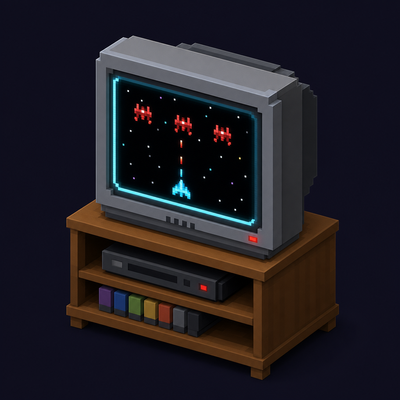
CurseForge · Minecraft mod
RetroConsole
Play libretro emulators on in-world TV screens
Choose a version Pick your version below, then grab the matching file.
Quick answer
Which RetroConsole release matches 1.21.2 NeoForge?
Best match for your filters 0.3.4
Game version 1.21.11, 1.21.10, 1.21.9
Loader NeoForge
RetroConsole 0.3.4 targets 1.21.11, 1.21.10, 1.21.9 with NeoForge. Installation on the client is optional. Installation on the dedicated server is optional. No extra mods listed for this file.
Where it goes
Is RetroConsole required on the client, server, or both?
Installation on the client is optional. Installation on the dedicated server is optional.
Client Optional
Dedicated server Optional
Loader for this release NeoForge
Required install it here Optional supported, not mandatory Not supported do not install here Source doesn’t say do not assume
The source marks this as usable on both the client and server.
What else does RetroConsole 0.3.4 need?
0.3.4 on 1.21.2 NeoForge. Every mod below is checked against that same setup.
This file does not list any required mods. Do not add a library just because a different file uses it.
This file does not list any required or optional mods.
Before you install it
Add RetroConsole without breaking your instance.
Built for RetroConsole 0.3.4 on 1.21.2 NeoForge. Pick another file and the loader, install side or required mods may change.
- 01
Stick to this file
Use 0.3.4. It targets 1.21.11, 1.21.10, 1.21.9 with NeoForge; another release may have different loader, side or dependency requirements.
- 02
Bring the mods it needs
This file does not list any required mods. Do not add a library just because a different file uses it.
- 03
Put it on the correct side
Installation on the client is optional. Installation on the dedicated server is optional.
- 04
Pick the file you checked
Use the “Get this file” button beside 0.3.4. It opens that exact file at the source.
About this project
What does RetroConsole add?
RetroConsole
RetroConsole brings libretro emulation into Minecraft. Place a console in your world, build a TV wall from Screen blocks, browse your game library, and play on in-world displays or in a fullscreen viewer.
Current version: 0.3.4
Available for:
- Minecraft 1.20.1 — Forge and Fabric
- Minecraft 1.21.1 — NeoForge and Fabric
- Minecraft 26.1.2 — NeoForge and Fabric
Download the matching file from the Files tab or GitHub Releases. If a file isn't showing up on CurseForge yet, it may still be under moderation.
Bug reports, crashes and suggestions are welcome on GitHub Issues.
What's new
- Minecraft 1.20.1 support — RetroConsole is now available for Forge and Fabric on 1.20.1.
- New interface — a refreshed library with multiple layouts, search, favorites and game details, plus a new TV panel and settings screens. The classic interface is still available; switch between them in Library → UI.
- Updated models — refreshed console, screen and gamepad appearances.
- Rebindable shortcuts — quick save, quick load, the TV menu and controls screen can be rebound in Minecraft's controls settings.
- Citra fixes — improvements to saves and ROM paths containing non-Latin characters.
Which file do I need?
Choose the file matching both your Minecraft version and your mod loader.
| Minecraft | Loader | File |
|---|---|---|
| 1.20.1 | Forge | retroconsole-0.3.4+1.20.1-forge.jar |
| 1.20.1 | Fabric | retroconsole-0.3.4+1.20.1-fabric.jar |
| 1.21.1 | NeoForge | retroconsole-0.3.4+1.21.1-neoforge.jar |
| 1.21.1 | Fabric | retroconsole-0.3.4+1.21.1-fabric.jar |
| 26.1.2 | NeoForge | retroconsole-0.3.4+26.1.2-neoforge.jar |
| 26.1.2 | Fabric | retroconsole-0.3.4+26.1.2-fabric.jar |
Fabric builds also require Fabric API. Install only the JAR for your chosen loader.
Features
- Retro Console block with a game library, system tabs, search and favorites.
- Screen blocks that form multiblock TV walls — the console must touch the wall.
- Fullscreen TV view with volume controls and quick save/load.
- Server-side emulation — video and audio stream to nearby players.
- Per-player saves, play-time stats and PS2 memory-card sync.
- In-game settings for paths, streaming, session limits and video presets.
- Hardware-rendered cores through a bundled headless OpenGL helper.
- Doom 3 through the
boom3core — retail or the free demo. - RPG Maker XP / VX / VX Ace through
mkxp-z, with RTP support and one library entry per game folder. - Nintendo DS and 3DS support with a touch pointer through compatible cores.
Requirements
| Minecraft | Loader | Java |
|---|---|---|
| 1.20.1 | Forge 47.4.0 or Fabric Loader 0.16+ | 17 |
| 1.21.1 | NeoForge 21.1.x or Fabric Loader 0.16+ | 21 |
| 26.1.2 | NeoForge 26.1.x or Fabric Loader 0.18+ | 25 |
- Fabric API is required for Fabric builds.
- Supported operating systems: Windows or Linux, 64-bit.
- Hardware-rendered cores require a compatible GPU with OpenGL 3.3+.
- macOS is not supported.
RetroConsole does not include libretro cores, BIOS files or ROMs. You must supply them yourself and only use content you have the legal right to use.
Quick start
- Install the loader for your Minecraft version, then place the matching RetroConsole JAR in your
modsfolder. Fabric users also need Fabric API. - Launch Minecraft. The mod creates
config/retroconsole/automatically. - Download suitable libretro cores (
.dllon Windows,.soon Linux) and place them inconfig/retroconsole/cores/. Many cores are available from the libretro buildbot. - Add your ROMs to the appropriate folders under
config/retroconsole/roms/, such asnes/,gba/orps2/. - If your core requires BIOS files, place them under
config/retroconsole/system/. See the GitHub README for core-specific paths. - Craft a Retro Console and Screen blocks, or find them in the Retro Console creative tab.
- Place the console so it touches your screen wall. Right-click the console, select a game in the library and press Launch.
- Right-click the console again while a game is running to open the fullscreen TV view.
Crafting recipes
Retro Console          Screen ×2

I I I                  G G G
I R I                  G R G
I G I                  I I I

I = Iron Ingot
R = Redstone
G = Glass Pane
TV screens
- Screens link to the console through physical contact.
- Adjacent screens with the same orientation form rectangular walls. L-shaped arrangements split into separate rectangles.
- Look sharply down or up to place screens on the floor or ceiling.
Cores and systems
The library recognizes a range of systems, including NES, SNES, Game Boy, GBA, Mega Drive / Genesis, PS1, PS2, PSP, Dreamcast, Sega CD, Saturn, Nintendo DS and 3DS.
The following cores were smoke-tested on Windows 11 during development of 0.3.0. This is a guide to previously tested cores, not a guarantee for every game, platform or RetroConsole version.
| Core | System | Notes |
|---|---|---|
fceumm_libretro, nestopia_libretro, quicknes_libretro, mesen_libretro |
NES / Famicom | Software rendering |
snes9x_libretro |
SNES | Software rendering |
gambatte_libretro |
Game Boy / Game Boy Color | Software rendering |
mgba_libretro |
GBA | Software rendering |
genesis_plus_gx_libretro |
Mega Drive / Genesis, Master System, Game Gear, Sega CD | Software rendering |
desmume_libretro, desmume2015_libretro |
Nintendo DS | Dual screen and touch pointer |
citra_libretro |
Nintendo 3DS | Hardware OpenGL and touch pointer |
pcsx_rearmed_libretro |
PS1 | Software rendering |
pcsx2_libretro (LRPS2) |
PS2 | Hardware OpenGL; BIOS required |
ppsspp_libretro |
PSP | Hardware OpenGL |
flycast_libretro |
Dreamcast | Hardware OpenGL; BIOS required |
boom3_libretro |
Doom 3 | Hardware OpenGL; requires game data |
mkxp-z_libretro |
RPG Maker XP / VX / VX Ace | Hardware OpenGL; some games require an RTP |
easyrpg_libretro |
RPG Maker 2000 / 2003 | Software rendering |
Other libretro cores can also be placed in cores/ and selected for a game from the Other tab. Compatibility depends on the core and game.
The mkxp-z core is not available on the libretro buildbot; build it from the mkxp-z source.
RPG Maker games
Place each XP / VX / VX Ace game in its own folder under:
config/retroconsole/roms/rpgmaker/<game>/
Games that require an RTP need the appropriate package unpacked under:
config/retroconsole/system/mkxp-z/RTP/
Use the folder name Standard for XP, RPGVX for VX or RPGVXAce for VX Ace.
Multiplayer
On a dedicated server, cores, ROMs and required BIOS files live on the server. Emulation runs server-side, and clients receive video and audio streams.
The game library comes from the server; clients do not scan their local ROM folders for a multiplayer session. Saves, save states and play-time stats are stored per player on the server.
Install the matching RetroConsole build on both the server and clients.
Configuration
Open the ⚙ button in the library. Forge and NeoForge users can also open Mods → RetroConsole → Config; on Fabric, use the library button.
config/retroconsole.json contains settings for paths, streaming distances, session limits, video presets and debugging.
On a dedicated server, change the server's configuration for server-side streaming and video settings.
Upgrading from 0.2.6 or older? The old retroconsole-common.toml and retroconsole-server.toml files are read once and folded into the new configuration.
Controls
Default keyboard bindings can be changed under Options → Controls → Retro Console.
Emulator controls
- Arrow keys — D-Pad
- Z / X / C / V — A / B / X / Y
- Q / W / E / R — L1 / R1 / L2 / R2
- N / M — L3 / R3
- Enter — Start
- Right Shift — Select
- I / K / J / L — left analog stick
- T / G / F / H — right analog stick
TV view
- F4 — open or close the panel in the new interface
- F1 — controls / help
- F5 / F6 — quick save / quick load
- Esc — close the viewer when input is not captured
- Delete — release keyboard/mouse capture and open the panel in the new interface
The new interface can be enabled in Library → UI. The classic interface remains available.
Known limitations
- macOS is not supported.
- Linux includes the native helper, but hardware-rendered cores have received less testing there than on Windows.
- Some cores need additional BIOS, game data or runtime packages.
mkxp-zis not distributed through the libretro buildbot.- Automatic save-state resume is skipped for very large states; quick save/load and a game's own saves are unaffected.
- Cores, BIOS files and ROMs are not included.
Legal
- RetroConsole is not RetroArch and is not affiliated with the libretro project. It implements the libretro API.
- No ROMs, BIOS files or cores are included. You are responsible for complying with copyright and core licenses.
- Mod license: GPL-3.0. Source code: GitHub.
Links
- Source and documentation: https://github.com/Gaigen/retroconsole
- Downloads: https://github.com/Gaigen/retroconsole/releases
- Issues and feedback: https://github.com/Gaigen/retroconsole/issues
- Libretro cores: https://buildbot.libretro.com/
Project description from CurseForge.
Pick your setup
RetroConsole by Minecraft version and loader
Choose the version and loader you play, then open the matching release.
Minecraft version
1.21.11
2 loader buildsMinecraft version
1.21.10
2 loader buildsMinecraft version
1.21.9
2 loader buildsMinecraft version
1.21.8
2 loader buildsMinecraft version
1.21.7
2 loader buildsMinecraft version
1.21.6
2 loader buildsMinecraft version
1.21.5
2 loader buildsMinecraft version
1.21.4
2 loader buildsMinecraft version
1.21.3
2 loader buildsMinecraft version
1.21.2
2 loader buildsMinecraft version
1.21.1
2 loader buildsShowing the newest 12 of 18 game versions. Older files are in the list below.
Check the dependencies, then try the file in a copied instance before changing a world you care about.
Recent files
RetroConsole versions and loaders
0.3.4
retroconsole-0.3.4+1.21.1-neoforge.jar
12 Nov 2026
Client Optional Server Optional Dependencies No extras listed Listed on Release listing
Check the 1.21.2 · NeoForge setup 1.21.111.21.101.21.91.21.8 release
0.3.3
retroconsole-0.3.3+1.21.1-neoforge.jar
12 Nov 2026
Client Optional Server Optional Dependencies No extras listed Listed on Release listing
Check the 1.21.2 · NeoForge setup 1.21.111.21.101.21.91.21.8 release
0.3.2
retroconsole-0.3.2+1.21.1-neoforge.jar
12 Nov 2026
Client Optional Server Optional Dependencies No extras listed Listed on Release listing
Check the 1.21.2 · NeoForge setup 1.21.111.21.101.21.91.21.8 release
Looking for an older file? The official CurseForge project page is in Resources.