Minecraft version
Back to mods 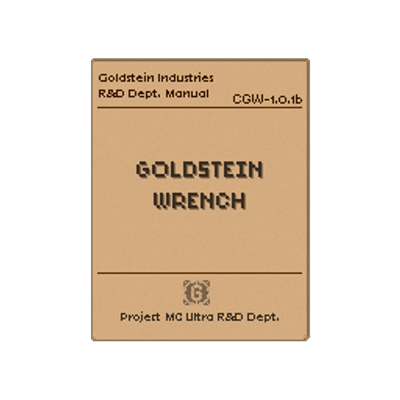
CurseForge · Minecraft mod
Create: Goldstein Wrench
The Create Wrench enchanced for combat! Comaptible with most melee enchantments, including the Mace specific ones! Classified documentation (Patchouli book) and an original Music Disc also included!
Choose a version Pick your version below, then grab the matching file.
Quick answer
Which Create: Goldstein Wrench release should I use?
Latest stable file goldsteinwrench-1.0.0-mc1.21.1.jar
Game version 1.21.1
Loader NeoForge
Create: Goldstein Wrench goldsteinwrench-1.0.0-mc1.21.1.jar targets 1.21.1 with NeoForge. The project page does not say whether this file belongs on the client, dedicated server, or both. No extra mods listed for this file.
Where it goes
Is Create: Goldstein Wrench required on the client, server, or both?
The project page does not say whether this file belongs on the client, dedicated server, or both.
Client Source doesn’t say
Dedicated server Source doesn’t say
Loader for this release NeoForge
Required install it here Optional supported, not mandatory Not supported do not install here Source doesn’t say do not assume
The source does not explicitly classify this release as client-only or server-only.
What else does Create: Goldstein Wrench goldsteinwrench-1.0.0-mc1.21.1.jar need?
goldsteinwrench-1.0.0-mc1.21.1.jar. Change the file and its required mods may change too.
This file does not list any required mods. Do not add a library just because a different file uses it.
This file does not list any required or optional mods.
Before you install it
Add Create: Goldstein Wrench without breaking your instance.
Built for Create: Goldstein Wrench goldsteinwrench-1.0.0-mc1.21.1.jar. Pick another file and the loader, install side or required mods may change.
- 01
Stick to this file
Use goldsteinwrench-1.0.0-mc1.21.1.jar. It targets 1.21.1 with NeoForge; another release may have different loader, side or dependency requirements.
- 02
Bring the mods it needs
This file does not list any required mods. Do not add a library just because a different file uses it.
- 03
Put it on the correct side
The project page does not say whether this file belongs on the client, dedicated server, or both.
- 04
Pick the file you checked
Use the “Get this file” button beside goldsteinwrench-1.0.0-mc1.21.1.jar. It opens that exact file at the source.
About this project
What does Create: Goldstein Wrench add?
Goldstein Wrench
The Create Wrench engineered for self defence.
The Goldstein Wrench preserves Create’s original wrench functionality while addressing a documented workplace concern: machinery occasionally attracts unwanted attention, which can only be contained through impact maintenance.
Its reinforced construction supports combat enchantments and puts gravity to work through Gravity Assisted Bonk (G.A.B.) (Minecraft Mace mechanics and Better Combat animations).
A Goldstein Industries Endeavor
Still a Create Wrench
Rotate a machine, dismantle a belt, adjust a girder, redirect a Factory Gauge, recover a contraption, or relocate a train—the familiar Create Wrench remains underneath the reinforced frame.
Nothing was traded away for combat. The wrench still belongs beside the toolbox, even if it now performs equally well inside a torchless cave.
Impact Maintenance
The reinforced wrench functions as a proper melee weapon without losing durability through combat or supported Create interactions.
Applicable combat and mace enchantments can be added through the Enchanting Table, Enchanted Books, and the Anvil. No mode switching is required: one moment it adjusts a gearbox; the next, it adjusts whatever wandered into the construction site.
Gravity Assisted Bonk (G.A.B.)
What is the logical strategy when a Creeper enters your field of view below your newly built windmill, or a Zombie wanders beneath the tracks while you’re installing a train station?
Apply gravity.
Gravity Assisted Bonk works like Minecraft’s Mace: fall toward a mob and strike before landing. Greater falling distance produces greater damage.
GW Classified
GW Classified contains the recorded results of Goldstein Wrench testing, documenting its properties, applications, and known limitations. Incidents encountered along the way have been appended to the file and retained as factual engineering records, regardless of their administrative convenience.
The documents can be crafted or issued automatically after completing Create’s Wrench and Engineer’s Goggles advancement.
Fragments of the Goldstein Brothers Theme have been encrypted within the archive. A preserved schematic indicates that a playable rendition can be crafted using Create machinery.
No further information has been disclosed.
Requirements
- Minecraft 1.21.1
- NeoForge 21.1.226
- Create 6.0.10
- Better Combat
- Patchouli
- Player Animator
Required on both client and server.
Credits
Project author: Gabripouele
Branding: A Goldstein Industries Endeavor
Overhead Smash and Normal attack animations: Daedelus
Goldstein Brothers Theme: Composed, performed, and recorded by Gabripouele
Goldstein Wrench is an independent Create add-on.
NOT AN OFFICIAL MINECRAFT PRODUCT. NOT APPROVED BY OR ASSOCIATED WITH MOJANG OR MICROSOFT.
Source and Issues
Source: https://github.com/Goldstein-Industries/GoldsteinWrench
Issues: https://github.com/Goldstein-Industries/GoldsteinWrench/issues
Original source code is available under the MIT License. Third-party and derivative assets remain governed by their respective terms.
Project description from CurseForge.
Pick your setup
Create: Goldstein Wrench by Minecraft version and loader
Choose the version and loader you play, then open the matching release.
Check the dependencies, then try the file in a copied instance before changing a world you care about.
Recent files
Create: Goldstein Wrench versions and loaders
goldsteinwrench-1.0.0-mc1.21.1.jar
12 Jul 2026
Client Source doesn’t say Server Source doesn’t say Dependencies No extras listed Listed on Release listing
Check the 1.21.1 · NeoForge setup 1.21.1NeoForge release
Looking for an older file? The official CurseForge project page is in Resources.