Fabric API Optional for Item Collector itemcollector-fabric-26.2-2.0.0.jar
optionalMatching file found Matched file: [26.2] Fabric API 0.161.0+26.2
CurseForge · Minecraft mod
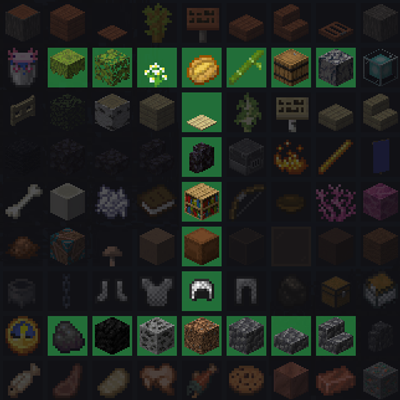
Track your collection of every item from every installed mod in one custom menu
Quick answer
Item Collector itemcollector-fabric-26.2-2.0.0.jar targets 26.2 with Fabric. The project page does not say whether this file belongs on the client, dedicated server, or both. No extra mods listed for this file.
Where it goes
The project page does not say whether this file belongs on the client, dedicated server, or both.
The source does not explicitly classify this release as client-only or server-only.
itemcollector-fabric-26.2-2.0.0.jar on 26.2. Every mod below is checked against that same setup.
This file does not list any required mods. Do not add a library just because a different file uses it.
We only count dependency files that match this setup. A file for another loader does not fill the gap.
Before you install it
Built for Item Collector itemcollector-fabric-26.2-2.0.0.jar on 26.2. Pick another file and the loader, install side or required mods may change.
Use itemcollector-fabric-26.2-2.0.0.jar. It targets 26.2 with Fabric; another release may have different loader, side or dependency requirements.
This file does not list any required mods. Do not add a library just because a different file uses it.
The project page does not say whether this file belongs on the client, dedicated server, or both.
Use the “Get this file” button beside itemcollector-fabric-26.2-2.0.0.jar. It opens that exact file at the source.
About this project

On world load, Item Collector auto-generates a collection quest for every obtainable item from every mod you have installed, and you can quickly blacklist items with the click of a button. Install it alongside 2 mods or 500, and it’ll create an entry for every item no matter when you add a mod!
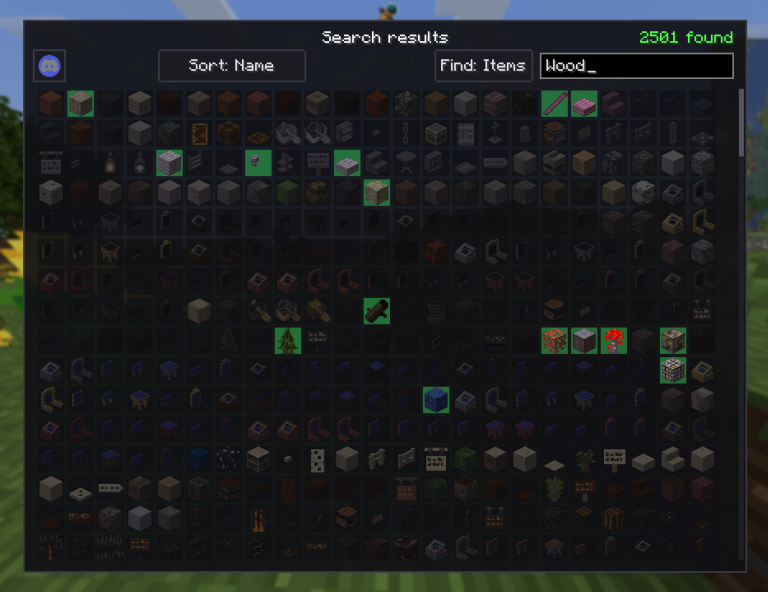
Press B (rebindable) or type /collection to open the collection menu:

Normal items are collected the moment they enter your inventory.
Unobtainable blocks (bedrock, end portal frames, modded indestructibles) are collected just by looking at them through a spyglass or while crouching for 3 seconds (configurable).
Creative-only items (command blocks, spawn eggs, and anything else hidden from the survival creative tabs) are excluded automatically, so you don’t have to blacklist them yourself.

Everything runs automatically, but config/itemcollector.json lets you fine-tune:
forceBlacklist — Item IDs to exclude from the collection completely, such as "minecraft:bedrock".forceInclude — Item IDs to force into the collection even if they are normally blacklisted as creative only.announceToChat — Whether or not a chat message should be shown when you collect an item for the first time.showToasts — Whether or not the advancement popup should be shown in the top-right corner when you collect an item for the first time.stareSeconds — How many seconds you must look at an unobtainable block (such as bedrock) for it to be "collected."blacklistBlocksCollection — When true, blacklisted items are not recorded at all, and cannot be collected until unblacklisted. When false, the blacklist will hide its items from the total count, but will still record if the items are collected.stareBlocksAlsoCollectable — When true, blocks that are normally only collected by looking at them will also be collected if you obtain the item. Helps with modded blocks that are mistakenly marked as unobtainable.All of your blacklisted items are also stored in the separate config file, itemcollector-blacklist.json.

Available for Fabric, Forge, and NeoForge across a range of Minecraft versions. Grab the file that matches your setup. (Requires Fabric API on Fabric. No API dependency on Forge/NeoForge.)
Mod created by Skatric with help from SobGoth <3
Project description from CurseForge.
Pick your setup
Choose the version and loader you play, then open the matching release.
Check the dependencies, then try the file in a copied instance before changing a world you care about.
Recent files
24 Sept 2026
24 Sept 2026
8 Sept 2026
5 Sept 2026
22 Jul 2026
16 Jul 2026
Looking for an older file? The official CurseForge project page is in Resources.
 mod
Adds more villagers with new professions and workstations. Port of the original More Villagers mod.
 mod
Explore it, loot it, uncover it — abandoned labs, crashed ships, alien temples and station wrecks that give every world a reason to be landed on.
 mod
Item like eye of ender but player can use that to search structure