Minecraft version
Back to mods 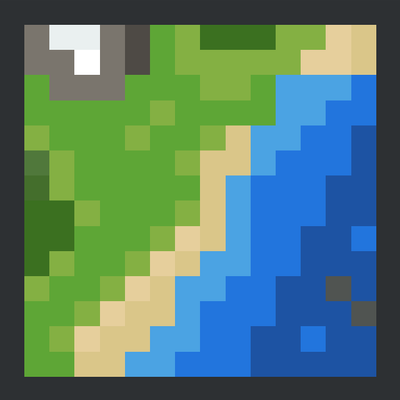
CurseForge · Minecraft mod
Velorise Simple Map
An exploration-focused world map and minimap with cave mapping, waypoints and extensive customization.
Choose a version Pick your version below, then grab the matching file.
Quick answer
Which Velorise Simple Map release should I use?
Latest stable file simplemap-1.21.1-neoforge-2.0.0.jar
Game version 1.21.1
Loader NeoForge
Velorise Simple Map simplemap-1.21.1-neoforge-2.0.0.jar targets 1.21.1 with NeoForge. The project page does not say whether this file belongs on the client, dedicated server, or both. No extra mods listed for this file.
Where it goes
Is Velorise Simple Map required on the client, server, or both?
The project page does not say whether this file belongs on the client, dedicated server, or both.
Client Source doesn’t say
Dedicated server Source doesn’t say
Loader for this release NeoForge
Required install it here Optional supported, not mandatory Not supported do not install here Source doesn’t say do not assume
The source does not explicitly classify this release as client-only or server-only.
What else does Velorise Simple Map simplemap-1.21.1-neoforge-2.0.0.jar need?
simplemap-1.21.1-neoforge-2.0.0.jar. Change the file and its required mods may change too.
This file does not list any required mods. Do not add a library just because a different file uses it.
This file does not list any required or optional mods.
Before you install it
Add Velorise Simple Map without breaking your instance.
Built for Velorise Simple Map simplemap-1.21.1-neoforge-2.0.0.jar. Pick another file and the loader, install side or required mods may change.
- 01
Stick to this file
Use simplemap-1.21.1-neoforge-2.0.0.jar. It targets 1.21.1 with NeoForge; another release may have different loader, side or dependency requirements.
- 02
Bring the mods it needs
This file does not list any required mods. Do not add a library just because a different file uses it.
- 03
Put it on the correct side
The project page does not say whether this file belongs on the client, dedicated server, or both.
- 04
Pick the file you checked
Use the “Get this file” button beside simplemap-1.21.1-neoforge-2.0.0.jar. It opens that exact file at the source.
About this project
What does Velorise Simple Map add?
Simple Map
An exploration-focused world map and minimap designed to blend naturally into Minecraft while providing powerful navigation tools and extensive customization.
Whether you're exploring vanilla terrain or massive modded worlds, Simple Map helps you navigate, organize and discover your world without disrupting the Minecraft experience.
Quick Start
Getting started only takes a minute.
- Press M to open the fullscreen map.
- Drag with the left mouse button to move around the map.
- Use the mouse wheel to zoom towards the cursor.
- Left-click to place or remove a temporary navigation pin.
- Right-click to open the context menu, where you can create waypoints, inspect terrain information or teleport when permitted.
- Press U to open the Waypoint Manager.
- When cave mapping is available, use the controls in the lower-left corner to switch between Automatic, Layered and Full Cave modes.
Features
World Mapping
- Fullscreen world map with smooth panning and cursor-based zoom.
- Customizable minimap with movable HUD, circular or square layouts and configurable colors.
- Accurate world colors for vanilla and modded blocks, with an optional Vanilla color mode.
- Dimension Viewer for browsing explored regions across the Overworld, Nether, End and discovered modded dimensions.
- Persistent map cache that keeps explored areas between play sessions.
Cave Mapping
- Automatic cave detection while exploring underground.
- Layered cave view with adjustable height.
- Full cave view for exploring complete underground cave systems.
- Server-controlled cave modes for different gameplay styles.
Navigation
- Unlimited waypoints with customizable icons and colors.
- Waypoint Manager for searching, editing, filtering and tracking destinations.
- Direction arrows and live distance indicators on both the world map and minimap.
Map Book System
The Map Book system is completely optional and can be enabled by servers or players who prefer progression-based exploration.
- Craft an Empty Map Book using a Book, Compass and Empty Map.
- Save and update explored regions while exploring.
- Share or merge Map Books with other players.
- Enable or disable the system through the server configuration.
Controls
By default, Simple Map uses the following controls:
- M to open the World Map.
- N to toggle the Minimap.
- L to toggle North Lock.
- U to open the Waypoint Manager.
- = and - to zoom the minimap.
While the map is open:
- Left Click + Drag to pan the map.
- Left Click to place or remove a temporary pin.
- Right Click to open the context menu.
Additional shortcuts can be configured from Minecraft's Controls menu.
Compatibility
Simple Map currently supports:
- Minecraft 1.21.1
- NeoForge 21.1.x
- Java 21
It works in both singleplayer and dedicated servers, and supports vanilla as well as modded dimensions and blocks.
Configuration
Most settings can be changed directly from the in-game configuration screen.
Server-specific options, including the optional Map Book progression system and cave mapping mode, are available through the server configuration file.
Project description from CurseForge.
Pick your setup
Velorise Simple Map by Minecraft version and loader
Choose the version and loader you play, then open the matching release.
Check the dependencies, then try the file in a copied instance before changing a world you care about.
Recent files
Velorise Simple Map versions and loaders
simplemap-1.21.1-neoforge-2.0.0.jar
25 Oct 2026
Client Source doesn’t say Server Source doesn’t say Dependencies No extras listed Listed on Release listing
Check the 1.21.1 · NeoForge setup 1.21.1NeoForge release
simplemap-1.21.1-neoforge-2.0.0-beta.1.jar
18 Jul 2026
Client Source doesn’t say Server Source doesn’t say Dependencies No extras listed Listed on Release listing
Check the 1.21.1 · NeoForge setup 1.21.1NeoForge beta
simplemap-1.21.1-neoforge-1.0.1.jar
12 Jul 2026
Client Source doesn’t say Server Source doesn’t say Dependencies No extras listed Listed on Release listing
Check the 1.21.1 · NeoForge setup 1.21.1NeoForge release
Looking for an older file? The official CurseForge project page is in Resources.
 mod
mod CurseForge + Modrinth · Minecraft
Serene & Slice Compat
Fixes irrigation logic and restores sprinkler sound
 mod
mod CurseForge · Minecraft
Hematic
Blood splashes, settles on surfaces, stains creatures and dissolves in water.
 mod
mod CurseForge · Minecraft
Cobblemon Battle Plus
A server-side Cobblemon battle system mod for creating Battle Factory, Battle Tower, Battle Points, and configurable Trainer NPC battle content.