Minecraft version
Back to mods 
CurseForge · Minecraft mod
TradeWatch
TradeWatch finds matching enchanted-book villager trades, highlights them, and plays a notification sound. Set desired enchantments, levels, and maximum prices without automating any trading actions.
Choose a version Pick your version below, then grab the matching file.
Quick answer
Which TradeWatch release should I use?
Latest stable file tradewatch-26.3.jar
Game version 26.3
Loader Fabric
tradewatch-26.3.jar targets 26.3 with Fabric. The project page does not say whether this file belongs on the client, dedicated server, or both. No extra mods listed for this file.
Where it goes
Is TradeWatch required on the client, server, or both?
The project page does not say whether this file belongs on the client, dedicated server, or both.
Client Source doesn’t say
Dedicated server Source doesn’t say
Loader for this release Fabric
Required install it here Optional supported, not mandatory Not supported do not install here Source doesn’t say do not assume
The source does not explicitly classify this release as client-only or server-only.
What else does tradewatch-26.3.jar need?
tradewatch-26.3.jar. Change the file and its required mods may change too.
This file does not list any required mods. Do not add a library just because a different file uses it.
This file does not list any required or optional mods.
Before you install it
Add TradeWatch without breaking your instance.
Built for tradewatch-26.3.jar. Pick another file and the loader, install side or required mods may change.
- 01
Stick to this file
Use tradewatch-26.3.jar. It targets 26.3 with Fabric; another release may have different loader, side or dependency requirements.
- 02
Bring the mods it needs
This file does not list any required mods. Do not add a library just because a different file uses it.
- 03
Put it on the correct side
The project page does not say whether this file belongs on the client, dedicated server, or both.
- 04
Pick the file you checked
Use the “Get this file” button beside tradewatch-26.3.jar. It opens that exact file at the source.
About this project
What does TradeWatch add?
TradeWatch
TradeWatch is a client-side Fabric mod for Minecraft 26.2 that finds librarian enchanted-book trades you actually want. It never rerolls, clicks trades, interacts with blocks, breaks lecterns, or automates villagers.
Requirements
Minecraft 26.2, Fabric Loader, and Fabric API are required. Mod Menu is optional.
Using TradeWatch
Open the configuration screen with the default G key (rebindable in Minecraft Controls), /tradewatch, or Mod Menu's Configure button. Search by enchantment name (eff, mend) or registry ID (minecraft:efficiency), select an enchantment, enable its individual levels, and set each level's independent maximum price with a 1–64 emerald slider. Only enchanted-book offers in the villager merchant screen are checked; other results are ignored. TradeWatch uses the actual current emerald stack shown by the offer, including discounts, and ignores the required Book input. Matching rows are green, a vanilla ping is played once per opened merchant screen, and a non-blocking center-screen panel provides! Stop watching <enchantment> actions. Stopping removes all watched levels for that enchantment.
Wishlist entries use Minecraft registry identifiers and independent prices per level. For example, Efficiency IV can be watched for 15 emeralds while Efficiency V is watched for 32. Invalid or unavailable registry entries are safely removed after registry synchronization.
Commands
/tradewatch
/tradewatch add minecraft:efficiency 5 price:32
/tradewatch remove minecraft:efficiency
/tradewatch remove minecraft:efficiency 5
/tradewatch list
/tradewatch clear
/tradewatch clear confirm
add validates the runtime registry identifier, supported level, and 1–64 price. The exact price:32 syntax is required. remove <enchantment> removes every watched level for that enchantment; remove <enchantment> <level> only removes that level. clear requires the explicit confirm literal. Prices are configured per enchantment level, not globally.
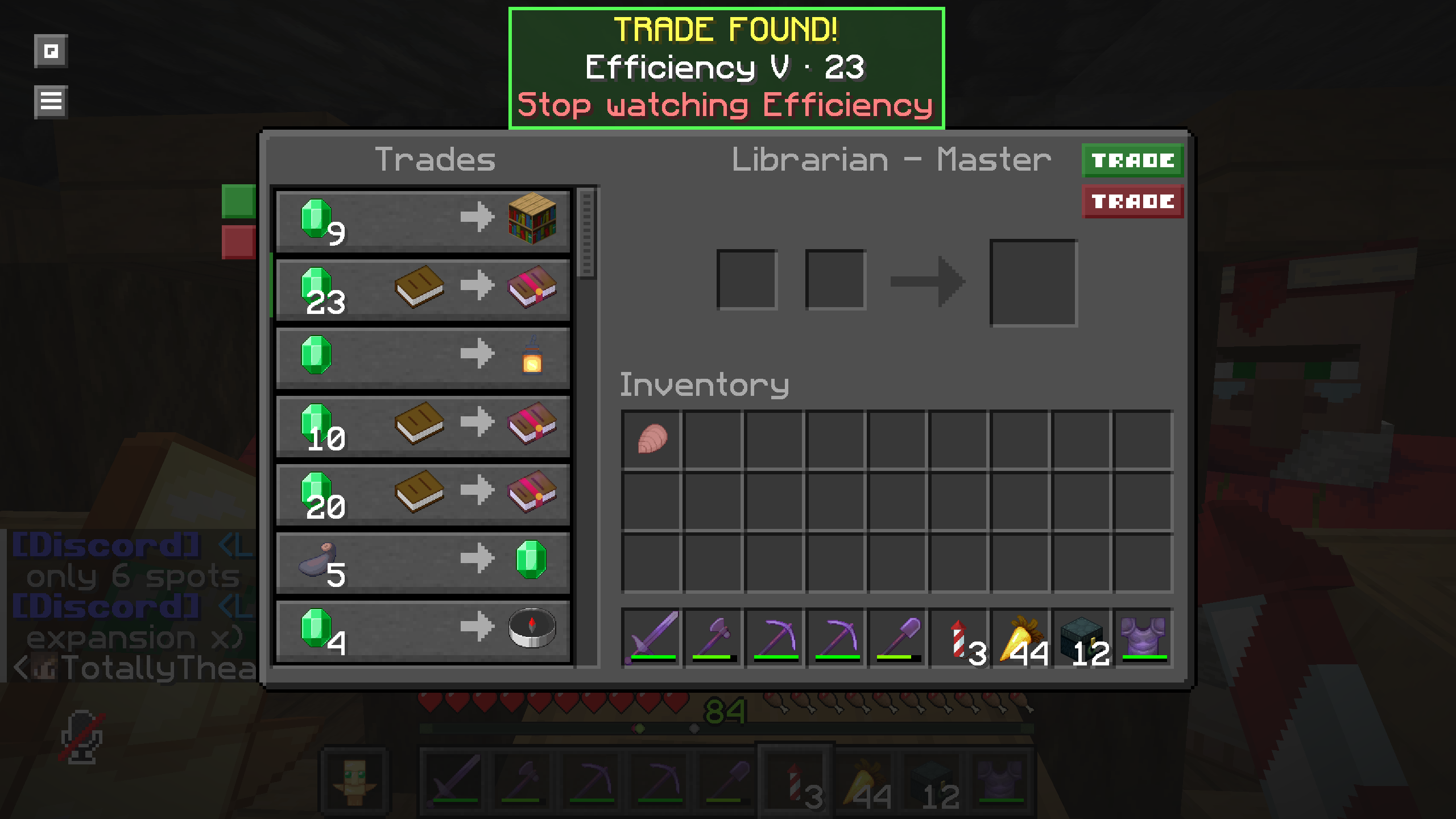
Project description from CurseForge.
Pick your setup
TradeWatch by Minecraft version and loader
Choose the version and loader you play, then open the matching release.
Minecraft version
26.2
1 loader buildMinecraft version
26.1.2
1 loader buildMinecraft version
26.1.1
1 loader buildMinecraft version
26.1
1 loader buildCheck the dependencies, then try the file in a copied instance before changing a world you care about.
Recent files
TradeWatch versions and loaders
tradewatch-26.3.jar
16 Sept 2026
Client Source doesn’t say Server Source doesn’t say Dependencies No extras listed Listed on Release listing
Check the 26.3 · Fabric setup Fabric26.3 release
tradewatch-26.2.jar
14 Sept 2026
Client Source doesn’t say Server Source doesn’t say Dependencies No extras listed Listed on Release listing
Check the 26.2 · Fabric setup Fabric26.2 release
26.1.x
tradewatch-26.1.x.jar
12 Jul 2026
Client Required Server Not supported Dependencies No extras listed Listed on Release listing
Check the 26.1.2 · Fabric setup 26.126.1.126.1.2Fabric release
Looking for an older file? The official CurseForge project page is in Resources.
 mod
mod CurseForge + Modrinth · Minecraft
Clutter No More
Fixes the game's inventory clutter problem by unifying Stairs and Slabs into a single block: Transform your full blocks into other shapes with the press of a keybind!
 mod
mod CurseForge + Modrinth · Minecraft
Smoke Suppression
Client mod to suppress campfire smoke when certain blocks are below campfires.
 mod
mod CurseForge · Minecraft
Zhuravel HandView
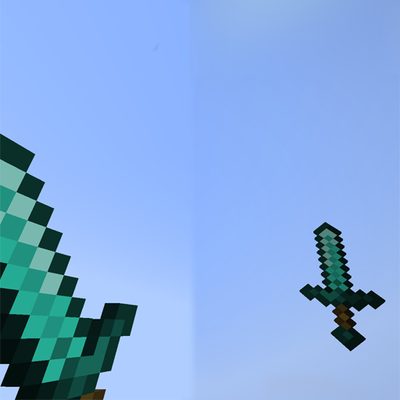
Fully customize your first-person viewmodel with in-game controls for hand scale, position, and rotation.