Fabric API Needed by Protoncracker Engine pckr-engine-0.1.3+mc_26.x.x.jar
requiredMatching file found Matched file: [26.1.2] Fabric API 0.155.3+26.1.2
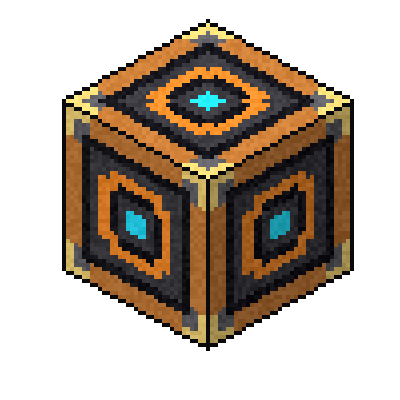
CurseForge · Minecraft mod
A simple engine to configure, enable, and disable mods from the Protoncracker Framework and, in the near future, others.
Quick answer
Protoncracker Engine pckr-engine-0.1.3+mc_26.x.x.jar targets 26.1, 26.1.1, 26.1.2 with Fabric. The project page does not say whether this file belongs on the client, dedicated server, or both. All 1 required mods have matching files.
Where it goes
The project page does not say whether this file belongs on the client, dedicated server, or both.
The source does not explicitly classify this release as client-only or server-only.
pckr-engine-0.1.3+mc_26.x.x.jar on 26.1.2. Every mod below is checked against that same setup.
Install Fabric API first. We found matching files for this game-version and loader setup.
We only count dependency files that match this setup. A file for another loader does not fill the gap.
Before you install it
Built for Protoncracker Engine pckr-engine-0.1.3+mc_26.x.x.jar on 26.1.2. Pick another file and the loader, install side or required mods may change.
Use pckr-engine-0.1.3+mc_26.x.x.jar. It targets 26.1, 26.1.1, 26.1.2 with Fabric; another release may have different loader, side or dependency requirements.
Install Fabric API first. We found matching files for this game-version and loader setup.
The project page does not say whether this file belongs on the client, dedicated server, or both.
Use the “Get this file” button beside pckr-engine-0.1.3+mc_26.x.x.jar. It opens that exact file at the source.
About this project
The PCKR Engine is the core configuration framework, UI runtime, and management mod for all my (PCKR) mods. It provides a clean, unified in-game configuration interface, automatic server-client configuration synchronization in multiplayer, an embedded third-party config bridge, and dynamic resource reloading: eliminating scattered config screens, conflicting keybinds, and desynced settings.
P hotkey anywhere in-game.[✓] PCKR Only) to instantly switch between displaying only my mod suite or every loaded Fabric mod in your environment.[⧉ Split: ON/OFF] in the header for a spacious two-pane layout. Select any mod on the left list, and adjust its live settings, view its branded banner, and read its description on the right.modmenu-api entrypoint and detects third-party config screens (like Sodium, Iris, Moonrise, etc.). Just click Configure… to open their settings right from the dashboard.!): Click the exclamation mark ! next to any mod to open a clean information card displaying its icon, side badge, full description, author credits, license, and direct links to its Website, Wiki, Issues, and Source code.⚠ N Errors if anything fails to register) gives you a real-time health readout, active mod registrations, and compatibility status whenever you want to inspect them..tmp write followed by atomic rename) so your settings can never be corrupted by sudden crashes or power loss.F3 + U for bounding boxes, F3 + Z for widget hierarchy dumps).Open the standard Minecraft Options menu and click the PCKR Engine button next to "Done" (or press P) to open the dashboard. The dashboard organizes your mods into:
SERVER, CLIENT, UNIVERSAL), and direct config buttons.Within the config menu, players can:
Admin commands are available to server operators (permission level 2+):
/pckr reload: Loads all configuration files from disk, runs reload listeners for each active mod to sweep chunks/levels, and re-evaluates all dynamic recipes and conditions without restarting the server./pckr status: Displays a summary of all active managed mods, registered values, and engine state.Thanks for downloading, and if you ever run into any issues, please contact me. I'll get it sorted right away.
~protoncracker.
Project description from CurseForge.
Pick your setup
Choose the version and loader you play, then open the matching release.
Check the dependencies, then try the file in a copied instance before changing a world you care about.
Recent files
pckr-engine-0.1.3.jar
21 Sept 2026
pckr-engine-0.1.0.jar
12 Jul 2026
Looking for an older file? The official CurseForge project page is in Resources.
 mod
A settings screen library for Fabric and NeoForge mods: tabs, folding sections, smooth scrolling and a card that explains each setting with a picture.
 mod
A library that extends Player Animation Library and bendable-cuboids with improved player animation rotation, bend deformation, and playback sync support.
 mod
Play libretro emulators on in-world TV screens