Minecraft version
Back to mods 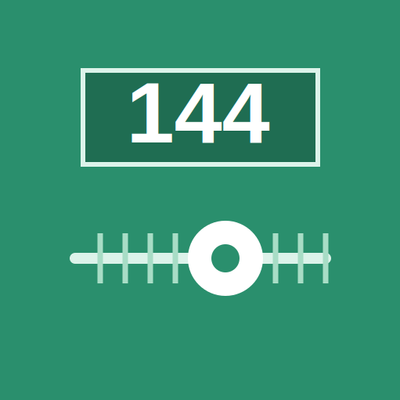
CurseForge · Minecraft mod
Sodium FPS Step Fix
Lets you set Sodium's FPS limit to any exact value instead of being locked to steps of 10
Choose a version Pick your version below, then grab the matching file.
Quick answer
Which Sodium FPS Step Fix release matches 26.2?
Best match for your filters sodium-fps-step-fix-fabric-1.0.2-26.2.jar
Game version 26.2
Loader Fabric
Sodium FPS Step Fix sodium-fps-step-fix-fabric-1.0.2-26.2.jar targets 26.2 with Fabric. The project page does not say whether this file belongs on the client, dedicated server, or both. No extra mods listed for this file.
Where it goes
Is Sodium FPS Step Fix required on the client, server, or both?
The project page does not say whether this file belongs on the client, dedicated server, or both.
Client Source doesn’t say
Dedicated server Source doesn’t say
Loader for this release Fabric
Required install it here Optional supported, not mandatory Not supported do not install here Source doesn’t say do not assume
The source does not explicitly classify this release as client-only or server-only.
What else does Sodium FPS Step Fix sodium-fps-step-fix-fabric-1.0.2-26.2.jar need?
sodium-fps-step-fix-fabric-1.0.2-26.2.jar on 26.2. Every mod below is checked against that same setup.
This file does not list any required mods. Do not add a library just because a different file uses it.
This file does not list any required or optional mods.
Before you install it
Add Sodium FPS Step Fix without breaking your instance.
Built for Sodium FPS Step Fix sodium-fps-step-fix-fabric-1.0.2-26.2.jar on 26.2. Pick another file and the loader, install side or required mods may change.
- 01
Stick to this file
Use sodium-fps-step-fix-fabric-1.0.2-26.2.jar. It targets 26.2 with Fabric; another release may have different loader, side or dependency requirements.
- 02
Bring the mods it needs
This file does not list any required mods. Do not add a library just because a different file uses it.
- 03
Put it on the correct side
The project page does not say whether this file belongs on the client, dedicated server, or both.
- 04
Pick the file you checked
Use the “Get this file” button beside sodium-fps-step-fix-fabric-1.0.2-26.2.jar. It opens that exact file at the source.
About this project
What does Sodium FPS Step Fix add?
Unofficial add-on — not affiliated with or endorsed by the Sodium team.
Sodium's video settings only let you set a maximum framerate in increments of 10 (140, 150, 160…), which makes it impossible to match your monitor's actual refresh rate if it isn't a multiple of ten — for example, a 144Hz or 165Hz display.
This mod removes that restriction. It patches Sodium's framerate limit slider so it accepts any exact integer value between 10 and 260 FPS, letting you set it to 144, 165, 240, or any other number your monitor supports. It also fixes a related issue in Minecraft's own settings storage, which internally rounded the saved framerate limit down to the nearest multiple of 10 — so your chosen value now persists correctly across game sessions instead of reverting.
This is a lightweight client-side add-on: it does not modify Sodium's files, add any new items, blocks, or gameplay content, and has no effect on world generation or multiplayer compatibility. Requires Sodium to be installed.
Project description from CurseForge.
Pick your setup
Sodium FPS Step Fix by Minecraft version and loader
Choose the version and loader you play, then open the matching release.
Minecraft version
26.2
2 loader buildsMinecraft version
26.1.2
2 loader buildsMinecraft version
26.1.1
2 loader buildsMinecraft version
26.1
2 loader buildsMinecraft version
1.21.11
2 loader buildsMinecraft version
1.21.10
2 loader buildsMinecraft version
1.21.1
2 loader buildsMinecraft version
1.20.1
1 loader buildCheck the dependencies, then try the file in a copied instance before changing a world you care about.
Recent files
Sodium FPS Step Fix versions and loaders
sodium-fps-step-fix-fabric-1.0.2-26.2.jar
18 Nov 2026
Client Source doesn’t say Server Source doesn’t say Dependencies No extras listed Listed on Release listing
Check the 26.2 · Fabric setup Fabric26.2 release
sodium-fps-step-fix-neoforge-1.0.2-26.2.jar
18 Nov 2026
Client Source doesn’t say Server Source doesn’t say Dependencies No extras listed Listed on Release listing
Check the 26.2 · NeoForge setup NeoForge26.2 release
sodium-fps-step-fix-neoforge-1.0.1-26.2.jar
18 Sept 2026
Client Source doesn’t say Server Source doesn’t say Dependencies No extras listed Listed on Release listing
Check the 26.2 · NeoForge setup NeoForge26.2 release
sodium-fps-step-fix-1.0.1.jar
19 Jul 2026
Client Source doesn’t say Server Source doesn’t say Dependencies No extras listed Listed on Release listing
Check the 26.2 · Fabric setup Fabric26.2 release
sodium-fps-step-fix-1.0.0.jar
13 Jul 2026
Client Source doesn’t say Server Source doesn’t say Dependencies No extras listed Listed on Release listing
Check the 26.2 · Fabric setup Fabric26.2 release
Looking for an older file? The official CurseForge project page is in Resources.