Minecraft version
Back to mods 
CurseForge · Minecraft mod
MineFeed
A client-side social feed for Minecraft. Share posts, screenshots and conversations across worlds and Discord.
Choose a version Pick your version below, then grab the matching file.
Quick answer
Which MineFeed release should I use?
Latest stable file minefeed-0.2.0+26.1.2-fabric.jar
Game version 26.1.2
Loader Fabric
minefeed-0.2.0+26.1.2-fabric.jar targets 26.1.2 with Fabric. The project page does not say whether this file belongs on the client, dedicated server, or both. No extra mods listed for this file.
Where it goes
Is MineFeed required on the client, server, or both?
The project page does not say whether this file belongs on the client, dedicated server, or both.
Client Source doesn’t say
Dedicated server Source doesn’t say
Loader for this release Fabric
Required install it here Optional supported, not mandatory Not supported do not install here Source doesn’t say do not assume
The source does not explicitly classify this release as client-only or server-only.
What else does minefeed-0.2.0+26.1.2-fabric.jar need?
minefeed-0.2.0+26.1.2-fabric.jar. Change the file and its required mods may change too.
This file does not list any required mods. Do not add a library just because a different file uses it.
This file does not list any required or optional mods.
Before you install it
Add MineFeed without breaking your instance.
Built for minefeed-0.2.0+26.1.2-fabric.jar. Pick another file and the loader, install side or required mods may change.
- 01
Stick to this file
Use minefeed-0.2.0+26.1.2-fabric.jar. It targets 26.1.2 with Fabric; another release may have different loader, side or dependency requirements.
- 02
Bring the mods it needs
This file does not list any required mods. Do not add a library just because a different file uses it.
- 03
Put it on the correct side
The project page does not say whether this file belongs on the client, dedicated server, or both.
- 04
Pick the file you checked
Use the “Get this file” button beside minefeed-0.2.0+26.1.2-fabric.jar. It opens that exact file at the source.
About this project
What does MineFeed add?
MineFeed
Your Minecraft moments, shared without leaving the game.
MineFeed brings a social feed straight into Minecraft. Share your builds, screenshots, achievements, and funny moments, or ask other players for help — without switching out of the game.
The feed connects players across different worlds and servers. MineFeed is client-side, so you don't need to install it on the server.
What's new in V2?
MineFeed V2 is a major update with a new API, player profiles, communities, and Discord integration.
- Player profiles — create an account with a nickname and a unique @tag.
- Posts and screenshots — share whatever is happening in your Minecraft world.
- Comments and reactions — keep the conversation going right in the game.
- Polls and hashtags — ask the community questions and find posts by topic.
- Private communities — join a space for your own group of players.
- Optional Discord linking — link your account and connect with the community on Discord.
- Notifications and post templates — customize how you use the feed.
- Optional 18+ feed — disabled unless you choose to enable it.
Supported versions
MineFeed V2 is available for Fabric and NeoForge on:
- Minecraft 1.20.1
- Minecraft 1.21.1
- Minecraft 26.1.2
Download the file that matches both your Minecraft version and mod loader. Fabric builds also require Fabric API.
Getting started
- Install the matching mod loader and put the MineFeed JAR in your
modsfolder. - Launch Minecraft and press J, or click the MF button next to your inventory.
- Create your profile and save your recovery code somewhere safe. Never share it with anyone.
- Start exploring the feed and sharing your moments!
MineFeed requires an internet connection. Posts in the global feed are public and may also appear in the connected Discord feed.
Updating from V1
MineFeed V1 is no longer supported. V2 uses a new API, so you'll need to replace your old MineFeed JAR with the V2 build for your Minecraft version and loader, then create a V2 profile.
Links
Project description from CurseForge.
Pick your setup
MineFeed by Minecraft version and loader
Choose the version and loader you play, then open the matching release.
Minecraft version
1.21.1
2 loader buildsMinecraft version
1.20.1
2 loader buildsCheck the dependencies, then try the file in a copied instance before changing a world you care about.
Recent files
MineFeed versions and loaders
minefeed-0.2.0+26.1.2-fabric.jar
minefeed-0.2.0-26.1.2-fabric.jar
9 Nov 2026
Client Source doesn’t say Server Source doesn’t say Dependencies No extras listed Listed on Release listing
Check the 26.1.2 · Fabric setup Fabric26.1.2 release
minefeed-0.2.0+26.1.2-neoforge.jar
minefeed-0.2.0-26.1.2-neoforge.jar
9 Nov 2026
Client Source doesn’t say Server Source doesn’t say Dependencies No extras listed Listed on Release listing
Check the 26.1.2 · NeoForge setup NeoForge26.1.2 release
minefeed-0.2.0+1.21.1-neoforge.jar
minefeed-0.2.0-1.21.1-neoforge.jar
9 Nov 2026
Client Source doesn’t say Server Source doesn’t say Dependencies No extras listed Listed on Release listing
Check the 1.21.1 · NeoForge setup 1.21.1NeoForge release
minefeed-0.2.0+1.21.1-fabric.jar
minefeed-0.2.0-1.21.1-fabric.jar
9 Nov 2026
Client Source doesn’t say Server Source doesn’t say Dependencies No extras listed Listed on Release listing
Check the 1.21.1 · Fabric setup Fabric1.21.1 release
minefeed-0.2.0+1.20.1-neoforge.jar
minefeed-0.2.0-1.20.1-neoforge.jar
9 Nov 2026
Client Source doesn’t say Server Source doesn’t say Dependencies No extras listed Listed on Release listing
Check the 1.20.1 · NeoForge setup 1.20.1NeoForge release
minefeed-0.2.0+1.20.1-fabric.jar
minefeed-0.2.0-1.20.1-fabric.jar
9 Nov 2026
Client Source doesn’t say Server Source doesn’t say Dependencies No extras listed Listed on Release listing
Check the 1.20.1 · Fabric setup Fabric1.20.1 release
feed-0.1.0.jar
14 Jul 2026
Client Source doesn’t say Server Source doesn’t say Dependencies No extras listed Listed on Release listing
Check the 1.21.1 · NeoForge setup 1.21.1NeoForge release
Looking for an older file? The official CurseForge project page is in Resources.
 mod
CurseForge · Minecraft
CobblePvPAnnounce
Announces when Pokemon battles are happening between players!
 mod
CurseForge · Minecraft
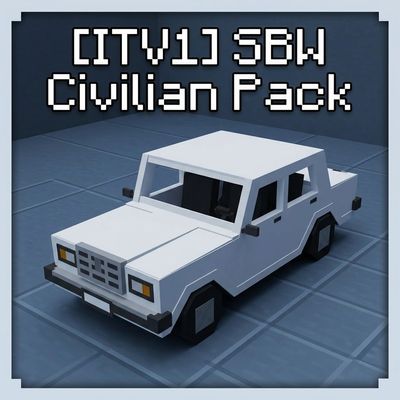
[ITV1] SBW: Civilian Pack
Civilian vehicles addon for Superb Warfare: Soviet, Russian and foreign cars with working seats, trunks and repaints — built for RP servers and modpacks. Requires Superb Warfare 0.8.9+
 mod
CurseForge · Minecraft
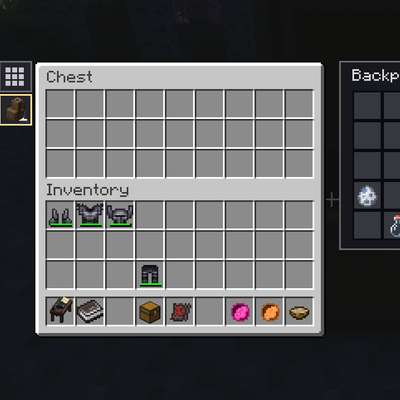
Better Inventory And Backpacks Compatibility
Adds backpack access to Cinematic Interaction screens and chests, recipe autofill, and backpack recovery through Ragdollified Player Corpses.