Minecraft version
Back to mods 
CurseForge · Minecraft mod
GlideMouse – Adaptive Mouse Smoothing
Adaptive mouse smoothing for steadier Minecraft camera movement without aim assist, mouse acceleration or a dead zone.
Choose a version Pick your version below, then grab the matching file.
Quick answer
Which GlideMouse – Adaptive Mouse Smoothing release should I use?
Latest stable file glidemouse-1.2.0-dev.1-forge-1.20.1.jar
Game version 1.20.1
Loader Forge
GlideMouse – Adaptive Mouse Smoothing glidemouse-1.2.0-dev.1-forge-1.20.1.jar targets 1.20.1 with Forge. The project page does not say whether this file belongs on the client, dedicated server, or both. No extra mods listed for this file.
Where it goes
Is GlideMouse – Adaptive Mouse Smoothing required on the client, server, or both?
The project page does not say whether this file belongs on the client, dedicated server, or both.
Client Source doesn’t say
Dedicated server Source doesn’t say
Loader for this release Forge
Required install it here Optional supported, not mandatory Not supported do not install here Source doesn’t say do not assume
The source does not explicitly classify this release as client-only or server-only.
What else does GlideMouse – Adaptive Mouse Smoothing glidemouse-1.2.0-dev.1-forge-1.20.1.jar need?
glidemouse-1.2.0-dev.1-forge-1.20.1.jar. Change the file and its required mods may change too.
This file does not list any required mods. Do not add a library just because a different file uses it.
This file does not list any required or optional mods.
Before you install it
Add GlideMouse – Adaptive Mouse Smoothing without breaking your instance.
Built for GlideMouse – Adaptive Mouse Smoothing glidemouse-1.2.0-dev.1-forge-1.20.1.jar. Pick another file and the loader, install side or required mods may change.
- 01
Stick to this file
Use glidemouse-1.2.0-dev.1-forge-1.20.1.jar. It targets 1.20.1 with Forge; another release may have different loader, side or dependency requirements.
- 02
Bring the mods it needs
This file does not list any required mods. Do not add a library just because a different file uses it.
- 03
Put it on the correct side
The project page does not say whether this file belongs on the client, dedicated server, or both.
- 04
Pick the file you checked
Use the “Get this file” button beside glidemouse-1.2.0-dev.1-forge-1.20.1.jar. It opens that exact file at the source.
About this project
What does GlideMouse – Adaptive Mouse Smoothing add?
GlideMouse – Adaptive Mouse Smoothing
GlideMouse adds optional adaptive mouse smoothing to Minecraft.
Very slow physical mouse movement is not always perfectly consistent. Small hand stops and corrections can be transferred directly to the in-game camera, making slow camera movement appear uneven even when the frame rate and frame time are stable.
GlideMouse smooths these small input variations while preserving responsive control during faster movement.
Features
- Adaptive mouse smoothing
- Smoother slow camera movement
- Reduced visible mouse jitter and micro-stopping
- Time-based filtering independent of frame rate
- Configurable smoothing strength
- Separate adaptive and cinematic modes
- Raw Input compatibility
- High-DPI and high-polling-rate mouse support
- No aim assist
- No automatic targeting
- No mouse acceleration
- No artificial dead zone
- Client-side only
- Vivecraft-safe behavior
Smoothing modes
Off
Uses Minecraft's original mouse input without modification.
Adaptive
Applies more smoothing to small and slow mouse movements and automatically reduces the filtering during faster turns.
This mode is intended for normal gameplay.
Cinematic
Uses stronger smoothing for recordings, screenshots and slow camera movements.
Cinematic mode may feel less immediate and is not recommended for fast combat.
What GlideMouse does not do
GlideMouse does not:
- aim at entities
- correct the player's aim
- move the camera toward targets
- add mouse acceleration
- create an aiming advantage
- alter attack or interaction behavior
The mod only filters the mouse movement generated by the player.
Requirements
- Minecraft 26.2
- NeoForge 26.2
- Java 25
- Client-side installation
GlideMouse does not need to be installed on a dedicated server.
It does not require VoxelLift, DLSS, Vulkan or a specific graphics card.
Recommended starting settings
For normal gameplay:
- Mode: Adaptive
- Strength: Low or Medium
- Minecraft Raw Input: Enabled
- Mouse polling rate: 1000 Hz
Higher smoothing values are mainly intended for cinematic camera movement.
Vivecraft and VR
GlideMouse does not smooth or modify VR headset tracking.
When Vivecraft VR is active, headset movement remains direct and unfiltered.
Compatibility
GlideMouse is designed as an independent client-side input mod.
Compatibility may vary when another installed mod also changes:
- mouse input
- camera rotation
- cinematic camera behavior
- sensitivity
- raw input handling
Avoid enabling multiple mouse-smoothing systems at the same time.
Bug reports
Please include the following information when reporting a problem:
- Minecraft version
- NeoForge version
- GlideMouse version
- operating system
- mouse model
- DPI
- polling rate
- Minecraft sensitivity
- Raw Input setting
- selected GlideMouse mode
- smoothing strength
- average frame rate
- latest.log
Credits
Developed by Oliver Walter.
GlideMouse is an independent community project and is not affiliated with or endorsed by Mojang Studios.
Deutsche Beschreibung
GlideMouse fügt Minecraft eine optionale adaptive Mausglättung hinzu.
Bei sehr langsamen echten Mausbewegungen entstehen häufig kleine Stopps und Korrekturen. Minecraft überträgt diese direkt auf die Kamera, wodurch langsame Bewegungen trotz stabiler Bildrate ungleichmäßig wirken können.
GlideMouse glättet diese kleinen Schwankungen, während schnelle Drehungen möglichst direkt und reaktionsschnell bleiben.
Funktionen
- Adaptive Mausglättung
- Gleichmäßigere langsame Kamerabewegungen
- Reduzierung kleiner sichtbarer Mausstopps
- Von der Bildrate unabhängige zeitbasierte Filterung
- Einstellbare Glättungsstärke
- Adaptiver und filmischer Modus
- Raw-Input-Unterstützung
- Kein Aim Assist
- Keine automatische Zielerfassung
- Keine Mausbeschleunigung
- Keine künstliche Totzone
- Ausschließlich clientseitig
- Vivecraft-sicheres Verhalten
GlideMouse bewegt die Kamera niemals automatisch zu Gegnern oder anderen Zielen. Die Mod verarbeitet ausschließlich die vom Spieler erzeugte Mausbewegung.
Die Mod muss nicht auf einem dedizierten Server installiert werden.
Project description from CurseForge.
Pick your setup
GlideMouse – Adaptive Mouse Smoothing by Minecraft version and loader
Choose the version and loader you play, then open the matching release.
Minecraft version
26.1.2
1 loader buildMinecraft version
1.21.1
1 loader buildMinecraft version
1.20.1
1 loader buildCheck the dependencies, then try the file in a copied instance before changing a world you care about.
Recent files
GlideMouse – Adaptive Mouse Smoothing versions and loaders
glidemouse-1.2.0-dev.1-forge-1.20.1.jar
5 Nov 2026
Client Source doesn’t say Server Source doesn’t say Dependencies No extras listed Listed on Release listing
Check the 1.20.1 · Forge setup 1.20.1Forge release
glidemouse-1.2.0-dev.1-neoforge-1.21.1.jar
5 Nov 2026
Client Source doesn’t say Server Source doesn’t say Dependencies No extras listed Listed on Release listing
Check the 1.21.1 · NeoForge setup 1.21.1NeoForge release
glidemouse-1.2.0-dev.1-neoforge-26.2.jar
5 Nov 2026
Client Source doesn’t say Server Source doesn’t say Dependencies No extras listed Listed on Release listing
Check the 26.2 · NeoForge setup NeoForge26.2 release
glidemouse-1.2.0-dev.1-neoforge-26.1.2.jar
5 Nov 2026
Client Source doesn’t say Server Source doesn’t say Dependencies No extras listed Listed on Release listing
Check the 26.1.2 · NeoForge setup NeoForge26.1.2 release
glidemouse-1.1.0-dev.1-neoforge-26.1.2.jar
26 Aug 2026
Client Source doesn’t say Server Source doesn’t say Dependencies No extras listed Listed on Release listing
Check the 26.1.2 · NeoForge setup NeoForge26.1.2 release
glidemouse-1.0.0-neoforge-26.2.jar
15 Jul 2026
Client Source doesn’t say Server Source doesn’t say Dependencies No extras listed Listed on Release listing
Check the 26.2 · NeoForge setup NeoForge26.2 release
Looking for an older file? The official CurseForge project page is in Resources.
 mod
CurseForge · Minecraft
Vertical Trapdoors
Allows you to place your trapdoors vertically! - It should support all modded trapdoors as well - No new blocks added.
 mod
CurseForge · Minecraft
Let Me Place: Yuushya
Let Me Place! - Yuushya brings more creative possibilities to Yuushya windows by allowing compatible blocks and decorations to share the same space.
 mod
CurseForge · Minecraft
MrCrayFish's Furniture Mod (Legacy Continued) + Nosiphus Furniture Mod
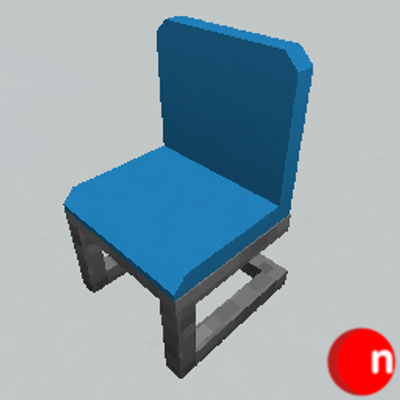
The greatest furniture mod ever made, updated and extended for modern versions of Minecraft.