Minecraft version
Back to mods 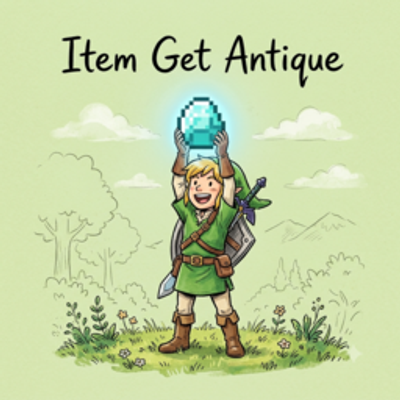
CurseForge · Minecraft mod
Item Get! Antique
This mod is a Minecraft 1.12 port of Item Get! Item Get! is a Minecraft mod that can pop up instructions to guide players when they trigger certain conditions.
Choose a version Pick your version below, then grab the matching file.
Quick answer
Which Item Get! Antique release should I use?
Latest stable file item-get-antique-1.1.0.jar
Game version 1.12.2
Loader Forge
Item Get! Antique item-get-antique-1.1.0.jar targets 1.12.2 with Forge. The project page does not say whether this file belongs on the client, dedicated server, or both. No extra mods listed for this file.
Where it goes
Is Item Get! Antique required on the client, server, or both?
The project page does not say whether this file belongs on the client, dedicated server, or both.
Client Source doesn’t say
Dedicated server Source doesn’t say
Loader for this release Forge
Required install it here Optional supported, not mandatory Not supported do not install here Source doesn’t say do not assume
The source does not explicitly classify this release as client-only or server-only.
What else does Item Get! Antique item-get-antique-1.1.0.jar need?
item-get-antique-1.1.0.jar. Change the file and its required mods may change too.
This file does not list any required mods. Do not add a library just because a different file uses it.
This file does not list any required or optional mods.
Before you install it
Add Item Get! Antique without breaking your instance.
Built for Item Get! Antique item-get-antique-1.1.0.jar. Pick another file and the loader, install side or required mods may change.
- 01
Stick to this file
Use item-get-antique-1.1.0.jar. It targets 1.12.2 with Forge; another release may have different loader, side or dependency requirements.
- 02
Bring the mods it needs
This file does not list any required mods. Do not add a library just because a different file uses it.
- 03
Put it on the correct side
The project page does not say whether this file belongs on the client, dedicated server, or both.
- 04
Pick the file you checked
Use the “Get this file” button beside item-get-antique-1.1.0.jar. It opens that exact file at the source.
About this project
What does Item Get! Antique add?
Item Get! Antique
Item Get! Antique is a configurable reminder mod for Minecraft 1.12.2 on Forge. Inspired by Nintendo's item acquisition presentation in The Legend of Zelda: Breath of the Wild, it lets modpack authors create cinematic first-time and milestone notifications through an in-game visual editor.
This repository contains the Minecraft 1.12.2 Forge port of Item Get!. The original Minecraft 1.20.1 Forge edition is maintained in Item-Get-Forge, while the NeoForge 1.21.1 edition is maintained in Item-Get-NeoForge with separate releases.
Features
- Item acquisition and entity kill counters
- Health, hunger, effect, weather, time, biome, structure, dimension, death, and advancement triggers
- Optional GameStages gained/lost and CraftTweaker-scripted event triggers
- Custom title, description, icon, sound, and singleplayer pause behavior
- Creative-tab item picker with full item NBT, including potion and enchanted-item variants
- Built-in, vanilla, modded, and user-provided sound selection
- External MP3 and OGG sound support
- Searchable selection lists and batch reminder management
- Per-player progress preserved across death, End return, logout, and rule edits
- Immersive and do-not-disturb presentation modes with toast notifications, unread knowledge tracking, and a persistent handbook
- Code-drawn or external-image backgrounds and inline images with click-to-preview and mouse-wheel zoom
- Chinese and English localization
Usage
Bind the reminder manager key in Minecraft's controls screen or run /itemgetantique manager to open the manager. The manager is editable by operators in multiplayer. Triggered knowledge can be viewed through the inventory handbook button, a separately bindable handbook key, or /itemgetantique handbook. The reminder close and interaction key defaults to R; all three keys can be changed in Minecraft's controls screen.
Reminder rules are saved globally in config/item_get_antique/rules.json, so modpack authors can create them once and have them apply to every world. Per-player trigger progress is still stored per world/player.
Custom MP3 and OGG sounds can be placed in:
config/item_get_antique/sounds
External PNG, JPG, and JPEG images used for the window background or [addicon:name] inline content can be placed in:
config/item_get_antique/images
Name the background image background. External images are loaded at startup and can be reloaded together with the client display configuration by running /itemgetantique reloadimages.
With CraftTweaker installed, scripts can trigger a matching named reminder through the IPlayer ZenMethod:
player.IGAtrigger("event name");
Project description from CurseForge.
Pick your setup
Item Get! Antique by Minecraft version and loader
Choose the version and loader you play, then open the matching release.
Check the dependencies, then try the file in a copied instance before changing a world you care about.
Recent files
Item Get! Antique versions and loaders
item-get-antique-1.1.0.jar
24 Jul 2026
Client Source doesn’t say Server Source doesn’t say Dependencies No extras listed Listed on Release listing
Check the 1.12.2 · Forge setup Forge1.12.2 release
item-get-antique-1.0.0.jar
16 Jul 2026
Client Source doesn’t say Server Source doesn’t say Dependencies No extras listed Listed on Release listing
Check the 1.12.2 · Forge setup Forge1.12.2 release
Looking for an older file? The official CurseForge project page is in Resources.
 mod
CurseForge · Minecraft
Ancient City Companion
Tracks shrieker warnings and the Warden, shows where sculk sensors can hear you, finds every chest and highlights rare loot.
 mod
CurseForge · Minecraft
Better MCA
An addon for Minecraft Comes Alive where villagers age, marry and build family lineages across generations but even more alive.
 mod
CurseForge · Minecraft
TouchFire
👉 Adds an ignition system and makes torches more realistic 🔥 Dropped torches can set nearby flammable blocks on fire