Mod Menu (Updated) Optional for Anon Chat AnonChat 0.2.4
optionalNo matching file

CurseForge · Minecraft mod
Advanced Fabric chat mod for Minecraft — multi-window chat, LabyMod-compatible filters, profiles, macros & chat logging. MC 1.21.1–1.21.5 & 26.x
Quick answer
Anon Chat AnonChat 0.2.4 targets 26.1.2 with Fabric. The project page does not say whether it belongs on the client. The project page does not say whether it belongs on the dedicated server. No extra mods listed for this file.
Where it goes
The project page does not say whether it belongs on the client. The project page does not say whether it belongs on the dedicated server.
The source does not explicitly classify this release as client-only or server-only.
AnonChat 0.2.4 on 26.1.2. Every mod below is checked against that same setup.
This file does not list any required mods. Do not add a library just because a different file uses it.
We only count dependency files that match this setup. A file for another loader does not fill the gap.
Before you install it
Built for Anon Chat AnonChat 0.2.4 on 26.1.2. Pick another file and the loader, install side or required mods may change.
Use AnonChat 0.2.4. It targets 26.1.2 with Fabric; another release may have different loader, side or dependency requirements.
This file does not list any required mods. Do not add a library just because a different file uses it.
The project page does not say whether it belongs on the client. The project page does not say whether it belongs on the dedicated server.
Use the “Get this file” button beside AnonChat 0.2.4. It opens that exact file at the source.
About this project
Advanced chat customization for Minecraft 1.21.1 – 1.21.5, 26.1.2 & 26.2
Take full control of your chat experience. Organize messages into separate windows, filter out noise, highlight player mentions, save chat history, and switch between complete configuration profiles — all without leaving the game.
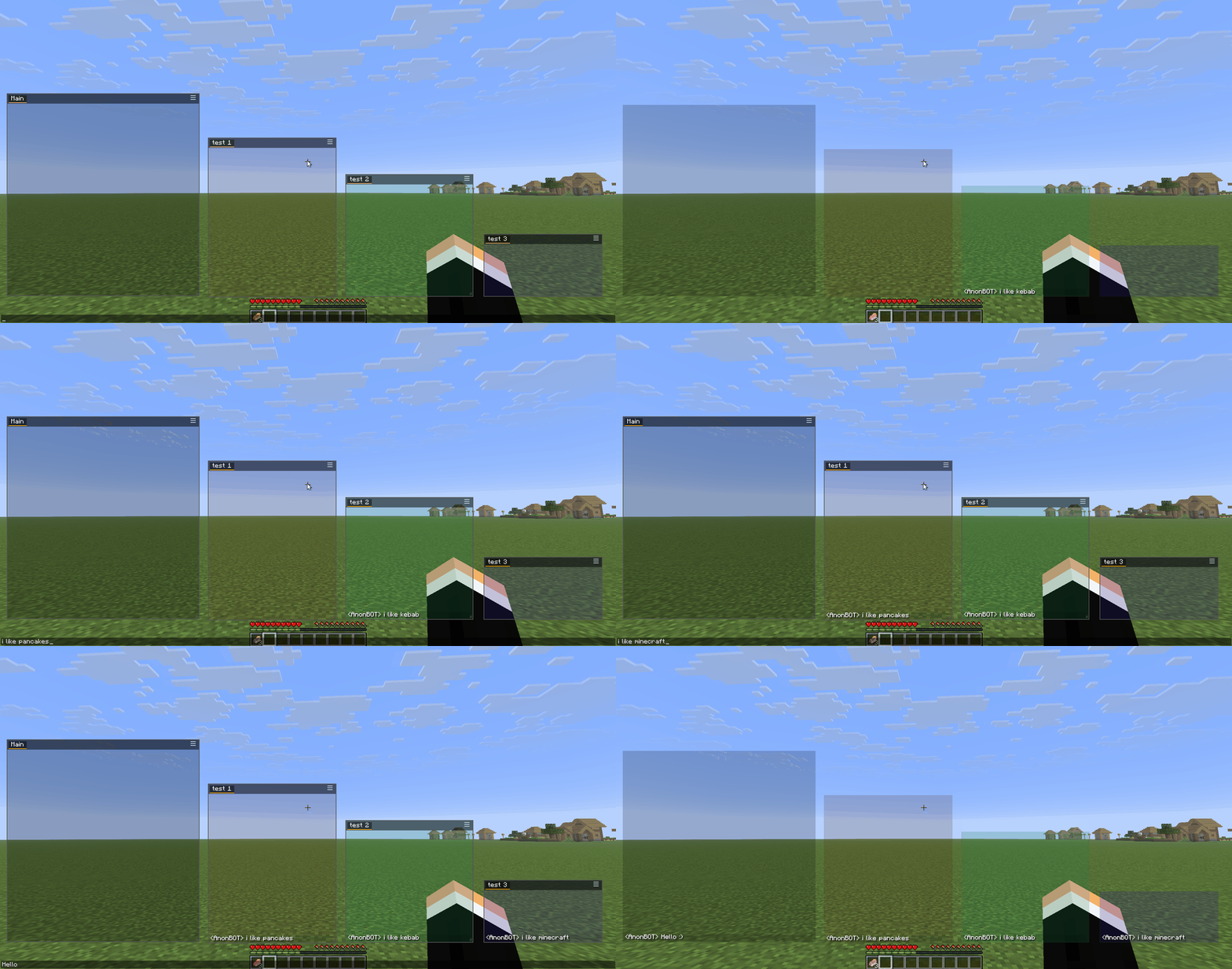
Define include and exclude tags for each tab to route messages exactly where you want them:
profiles/ folderchatlog/ folder next to your config0.16.9+ for 1.21.1–1.21.5, 0.19.3+ for 26.1.2/26.20.110.0+1.21.1 for 1.21.x, 0.154.2+26.1.2 / 0.154.2+26.2 for 26.xJava 21+ for 1.21.x, Java 25+ for 26.xmods/ folderThe AnonChat Filter Editor is a standalone Windows app that lets you manage your filter tags outside the game.
The problem it solves: Minecraft's in-game text field strips the § color code, so you can't type precise tags like Money§8. The editor writes the JSON directly with literal §, so color-precise tags work.
What it does:
%APPDATA%/AnonChatMC/profiles/ (the main chat.json is protected)latest.log) and see unique messages with occurrence counters➡️ Download the latest version: GitHub Releases → download AnonChatFilterEditor-0.2.4.exe (no Python required)
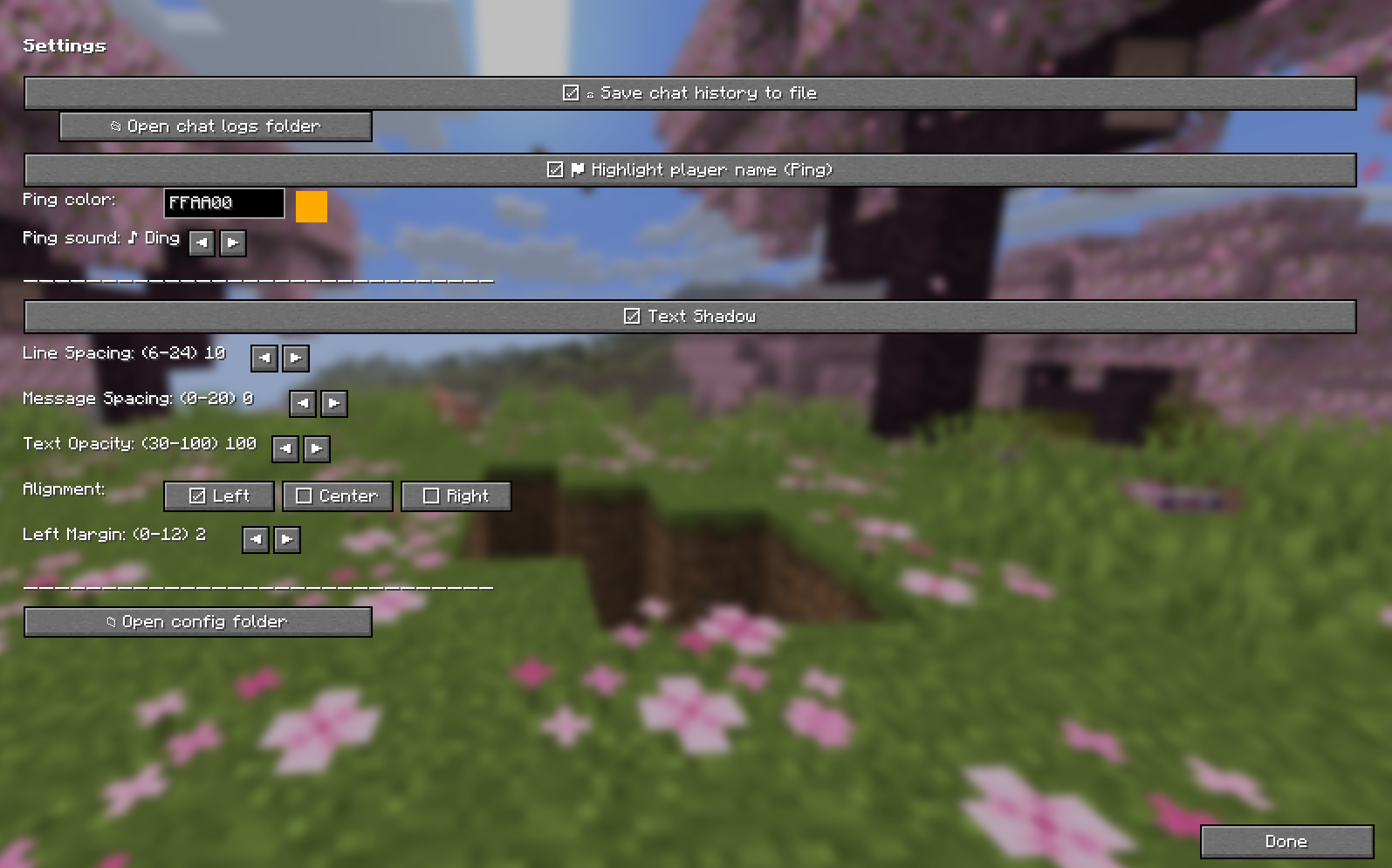
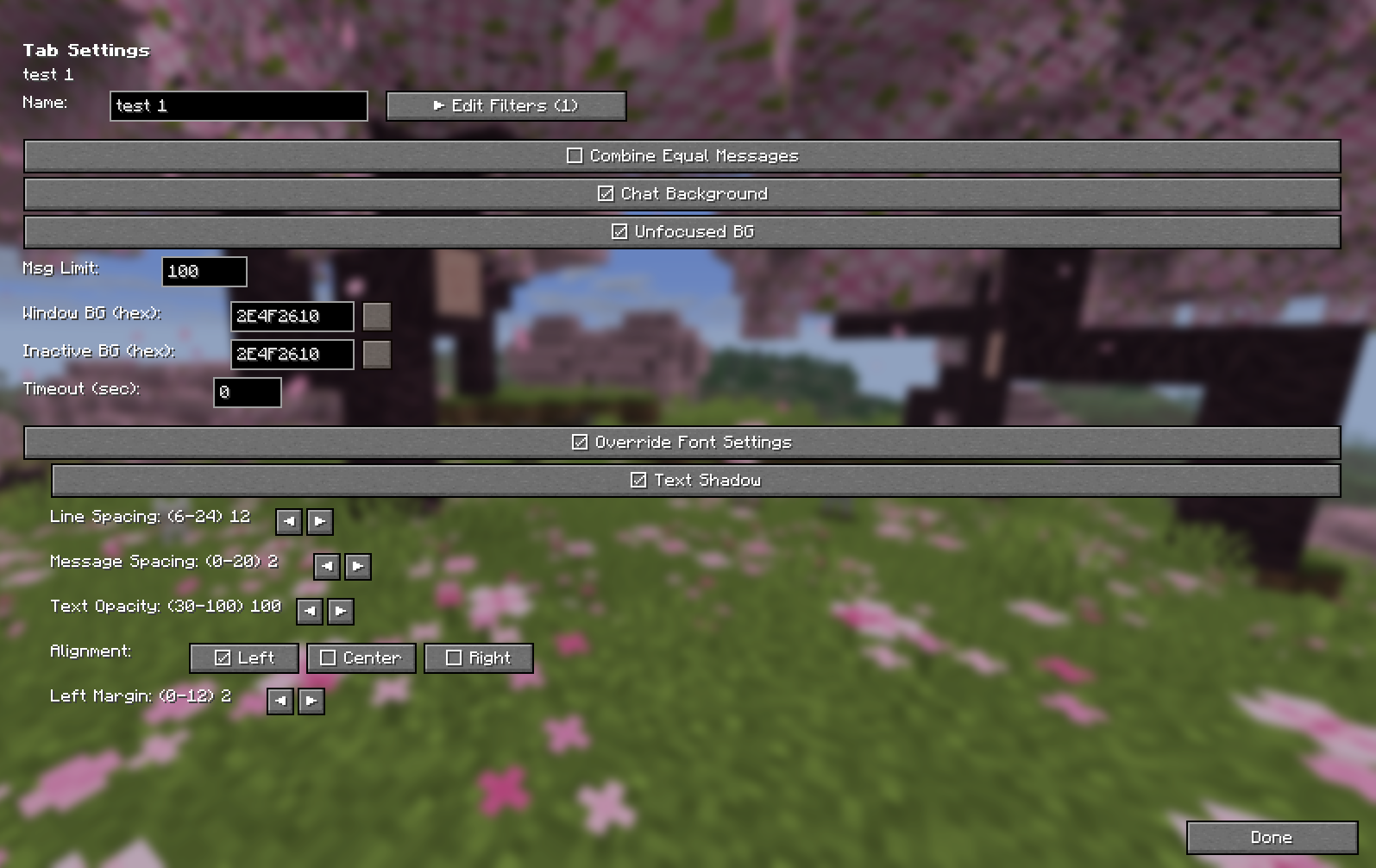
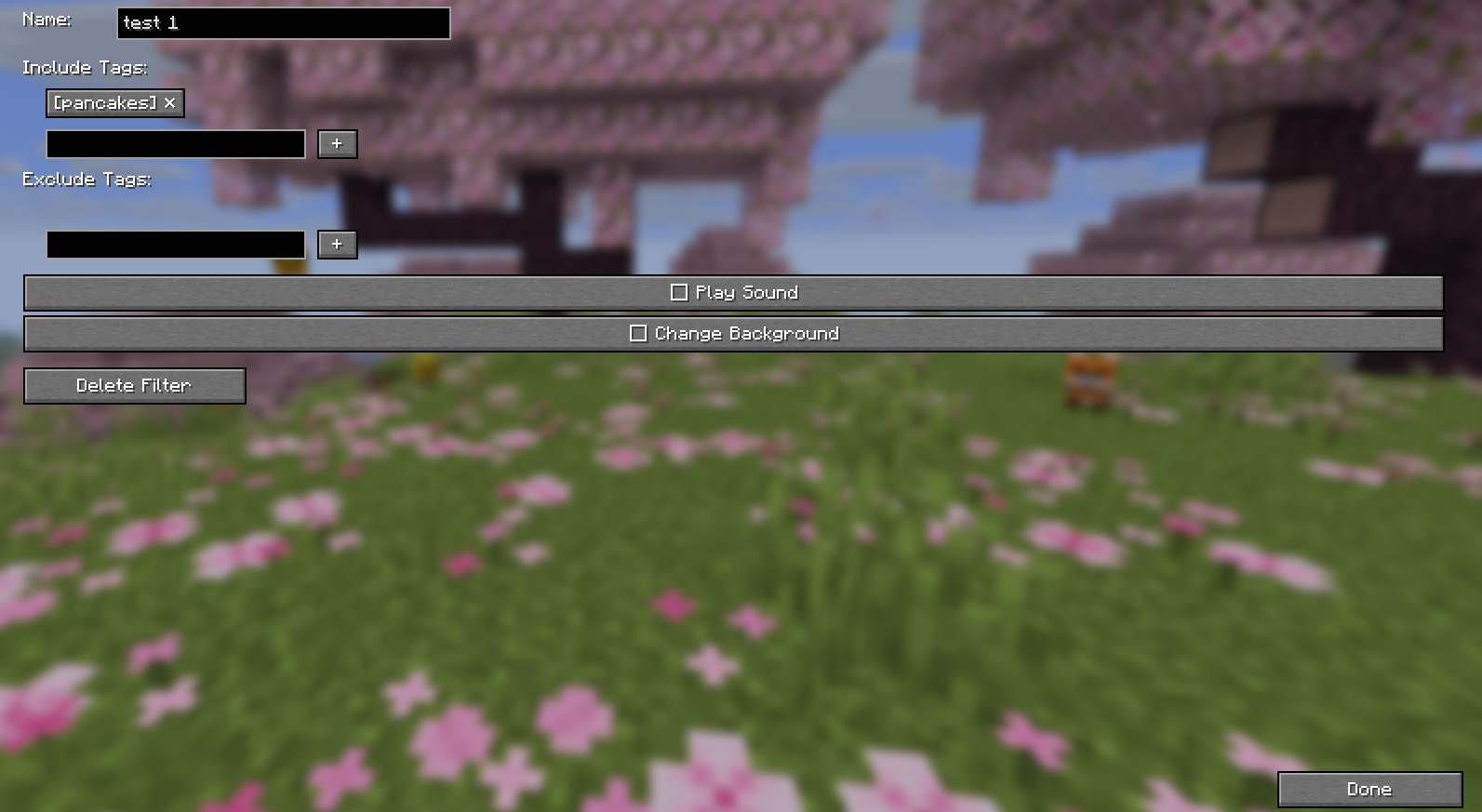
Your existing chat.json from LabyMod is fully compatible. Simply:
chat.json to %APPDATA%/AnonChatMC/chat.json (Windows)| OS | Path |
|---|---|
| Windows | %APPDATA%/AnonChatMC/chat.json |
| macOS | ~/Library/Application Support/AnonChatMC/chat.json |
| Linux | ~/.local/share/AnonChatMC/chat.json |
Tip: Use the "Open config folder" button in Settings → Appearance to quickly access your files.
This project is licensed under the GNU Affero General Public License v3.0 (AGPL-3.0).
TL;DR: You are free to use, modify, and distribute this mod. If you modify it and provide a service using it (e.g., a server or launcher), you must make your modified source code available to users.
chat.json format for easy migration.Project description from CurseForge.
Pick your setup
Choose the version and loader you play, then open the matching release.
Check the dependencies, then try the file in a copied instance before changing a world you care about.
Recent files
AnonChatMod-26.1.2-0.2.4.jar
1 Aug 2026
AnonChatMod-26.1.2-0.2.3.jar
25 Jul 2026
AnonChatMod-26.1.2-0.2.2.jar
22 Jul 2026
AnonChatMod-26.1.2-0.2.1.jar
17 Jul 2026
AnonChatMod-26.1.2-0.2.0.jar
16 Jul 2026
Looking for an older file? The official CurseForge project page is in Resources.
 mod
modTurn Blockbench models into simple Minecraft entities without writing Java code.
 mod
modEnhances vanilla wolves with unique personalities (Aggressive, Pacifist, Normal), smarter AI, safety behaviors, and combat improvements.
 mod
modAutomatically refills your offhand with a totem when it breaks.