Minecraft version
Back to mods 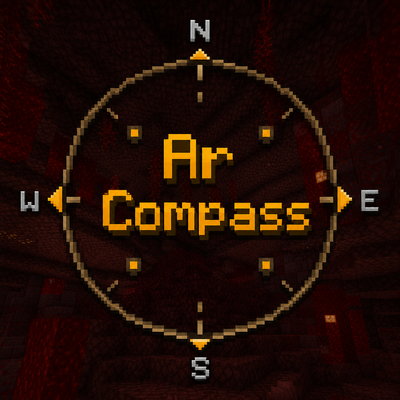
CurseForge · Minecraft mod
ArCompass
Compass mod that will point you in direction without using f3
Choose a version Pick your version below, then grab the matching file.
Quick answer
Which ArCompass release should I use?
Latest stable file ArCompass 26.2 - 1.2.3
Game version 26.2
Loader Fabric
ArCompass 26.2 - 1.2.3 targets 26.2 with Fabric. The project page does not say whether this file belongs on the client, dedicated server, or both. No extra mods listed for this file.
Where it goes
Is ArCompass required on the client, server, or both?
The project page does not say whether this file belongs on the client, dedicated server, or both.
Client Source doesn’t say
Dedicated server Source doesn’t say
Loader for this release Fabric
Required install it here Optional supported, not mandatory Not supported do not install here Source doesn’t say do not assume
The source does not explicitly classify this release as client-only or server-only.
What else does ArCompass 26.2 - 1.2.3 need?
ArCompass 26.2 - 1.2.3. Change the file and its required mods may change too.
This file does not list any required mods. Do not add a library just because a different file uses it.
This file does not list any required or optional mods.
Before you install it
Add ArCompass without breaking your instance.
Built for ArCompass 26.2 - 1.2.3. Pick another file and the loader, install side or required mods may change.
- 01
Stick to this file
Use ArCompass 26.2 - 1.2.3. It targets 26.2 with Fabric; another release may have different loader, side or dependency requirements.
- 02
Bring the mods it needs
This file does not list any required mods. Do not add a library just because a different file uses it.
- 03
Put it on the correct side
The project page does not say whether this file belongs on the client, dedicated server, or both.
- 04
Pick the file you checked
Use the “Get this file” button beside ArCompass 26.2 - 1.2.3. It opens that exact file at the source.
About this project
What does ArCompass add?
ArCompass
A compact compass bar at the top of your screen that shows nearby players — using the same waypoint data as vanilla's built-in Locator Bar, just laid out as an actual compass instead of a cryptic strip of dots. Now with a full personal waypoint system too: mark spots, get auto-created death markers, and manage everything from an in-game list.
N/E/S/W letters track where you're facing, player points move along the bar as you turn, and holding Tab reveals names. Can also hide vanilla's own Locator Bar so you're not seeing double.
Features
Compass
- N/E/S/W directions — always know which way you're facing, no F3 needed. Optional NE/SE/SW/NW, or arrow glyphs instead of letters.
- Player points, same data as vanilla — no custom tracking, no server mods needed beyond whatever already powers vanilla's Locator Bar.
- Names on Tab — hold Tab to see who's who, like Player Locator Plus. Can be set to always-on, and toggled off entirely with a hotkey if you just want directions.
- Replaces, doesn't duplicate — toggle to hide vanilla's Locator Bar.
Personal waypoints
- One key to mark a spot — press to instantly drop a waypoint where you're standing.
- Death waypoints, automatically — die, and a waypoint appears where it happened. Your most recent death is always "Latest Death," your very first is "Oldest Death," and everything in between is kept too, dated, so you never lose your history.
- Full management GUI — rename, recolor (8 presets), edit coordinates directly, copy coordinates to clipboard, or teleport straight to one (works across dimensions too, same permission rules as typing the command yourself).
- Nether/Overworld conversion built in — viewing an Overworld waypoint while you're in the Nether (or vice versa) shows you the portal-ratio equivalent coordinates automatically.
- Cycle how they show on the compass with one key: name, hidden, name + distance, or marker-only.
- Separated by world — waypoints from one server or singleplayer save won't show up in another.
Same footprint as the XP bar, so it doesn't dominate your screen.
Requirements
- Minecraft 26.2, Fabric Loader, Fabric API
- Mod Menu + Cloth Config, for the in-game config screen
Controls
- + (Equal key) — add a waypoint where you're standing.
- U — open the waypoint list.
- ; — cycle how your waypoints display on the compass.
- , — toggle players on/off the compass.
- Tab — show player names (or enable "Always Show Player Names" in config).
Notes
The player-tracking side of this mod is a client-side reskin, not a tracking mod — it reads whatever the server already sends for vanilla's Locator Bar. If a server doesn't populate waypoints for players, you'll just see directions and your own waypoints, same as vanilla would show nothing.
Project description from CurseForge.
Pick your setup
ArCompass by Minecraft version and loader
Choose the version and loader you play, then open the matching release.
Check the dependencies, then try the file in a copied instance before changing a world you care about.
Recent files
ArCompass versions and loaders
ArCompass 26.2 - 1.2.3
arcompass-1.2.3.jar
19 Jul 2026
Client Source doesn’t say Server Source doesn’t say Dependencies No extras listed Listed on Release listing
Check the 26.2 · Fabric setup Fabric26.2 release
ArCompass 26.2 - 1.2.2
arcompass-1.2.2.jar
18 Jul 2026
Client Source doesn’t say Server Source doesn’t say Dependencies No extras listed Listed on Release listing
Check the 26.2 · Fabric setup Fabric26.2 release
ArCompass 26.2 - 1.2.1
arcompass-1.2.1.jar
18 Jul 2026
Client Source doesn’t say Server Source doesn’t say Dependencies No extras listed Listed on Release listing
Check the 26.2 · Fabric setup Fabric26.2 release
ArCompass 26.2 - 1.2.0
arcompass-1.1.1.jar
18 Jul 2026
Client Source doesn’t say Server Source doesn’t say Dependencies No extras listed Listed on Release listing
Check the 26.2 · Fabric setup Fabric26.2 release
ArCompass 26.2 - 1.1.0 BETA
arcompass-1.1.1.jar
17 Jul 2026
Client Source doesn’t say Server Source doesn’t say Dependencies No extras listed Listed on Release listing
Check the 26.2 · Fabric setup Fabric26.2 release
ArCompass 26.2 - 1.0.1
arcompass-1.0.1.jar
17 Jul 2026
Client Source doesn’t say Server Source doesn’t say Dependencies No extras listed Listed on Release listing
Check the 26.2 · Fabric setup Fabric26.2 release
ArCompass 26.2 - 1.0.0
arcompass-1.0.0.jar
17 Jul 2026
Client Source doesn’t say Server Source doesn’t say Dependencies No extras listed Listed on Release listing
Check the 26.2 · Fabric setup Fabric26.2 release
Looking for an older file? The official CurseForge project page is in Resources.
 mod
mod CurseForge · Minecraft
Thirst Was Upgraded
Adds Thirst Was Reclaimed compatibilities and automatic drinking functionality to Traveler's Backpack.
 mod
mod CurseForge · Minecraft
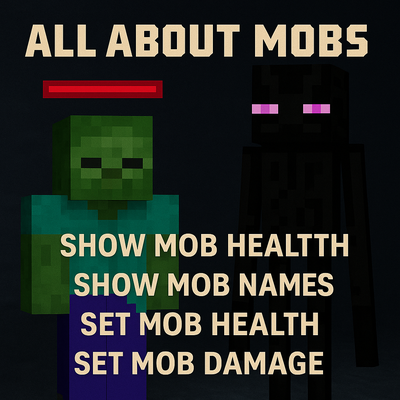
All About Mobs - Show & Edit Mob Health, Names & Damage
Show mob health and names, and customize mob health and damage in Minecraft.
 mod
mod CurseForge · Minecraft
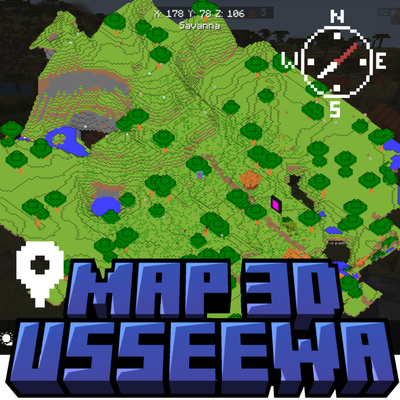
Map 3d usseewa
This is a mod that adds a 3D map to Minecraft. Upgrade your navigation experience with a real-time, interactive 3D map. Visualize terrain elevation, underground caves, structures, and custom waypoints with true depth instead of a flat overlay