Mod Menu Optional for FramingLib 1.0.15+1.19.4-Forge
optionalNo matching file

CurseForge · Minecraft mod
A lightweight, client-sided configuration library for creating interactive, draggable HUD layout screens
Quick answer
FramingLib 1.0.15+1.19.4-Forge targets 1.19.4 with Forge. The project page does not say whether this file belongs on the client, dedicated server, or both. No extra mods listed for this file.
Where it goes
The project page does not say whether this file belongs on the client, dedicated server, or both.
The source does not explicitly classify this release as client-only or server-only.
1.0.15+1.19.4-Forge. Change the file and its required mods may change too.
This file does not list any required mods. Do not add a library just because a different file uses it.
We only count dependency files that match this setup. A file for another loader does not fill the gap.
Before you install it
Built for FramingLib 1.0.15+1.19.4-Forge. Pick another file and the loader, install side or required mods may change.
Use 1.0.15+1.19.4-Forge. It targets 1.19.4 with Forge; another release may have different loader, side or dependency requirements.
This file does not list any required mods. Do not add a library just because a different file uses it.
The project page does not say whether this file belongs on the client, dedicated server, or both.
Use the “Get this file” button beside 1.0.15+1.19.4-Forge. It opens that exact file at the source.
About this project


A lightweight, client-sided configuration screen library for creating interactive, draggable HUD layout screens!
This is a client-side configuration screen library for creating draggable HUD layout screens.
It allows developers to create configuration screens with interactive, draggable elements to make positioning their HUD/GUI elements easier for the player.
This is not a complete configuration API, it is simply for creating configuration screens.
Basically, this is for other mods that rely on it to work.
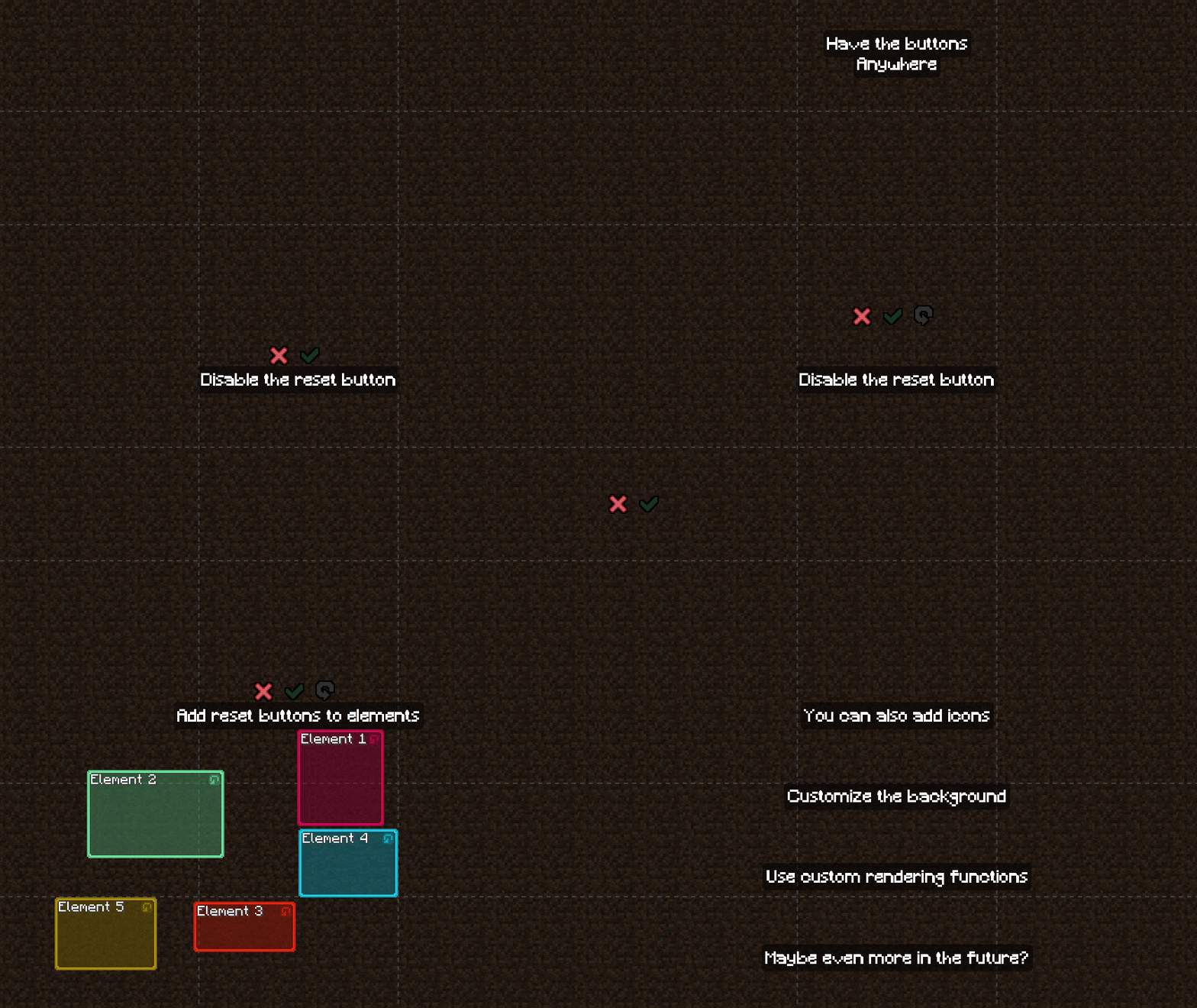
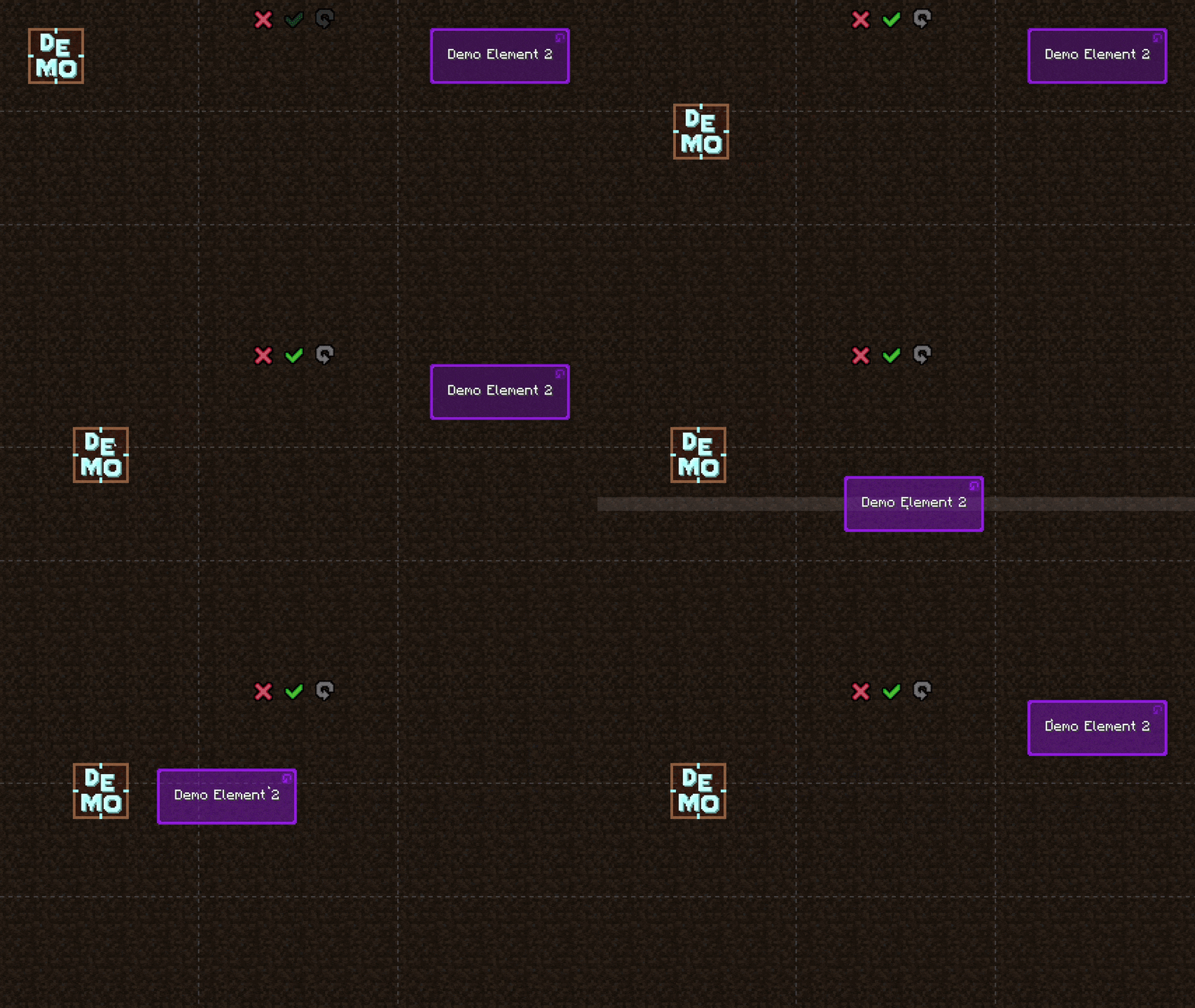
Here are some visuals to help show what this does:
A more practical example, moving chat around:
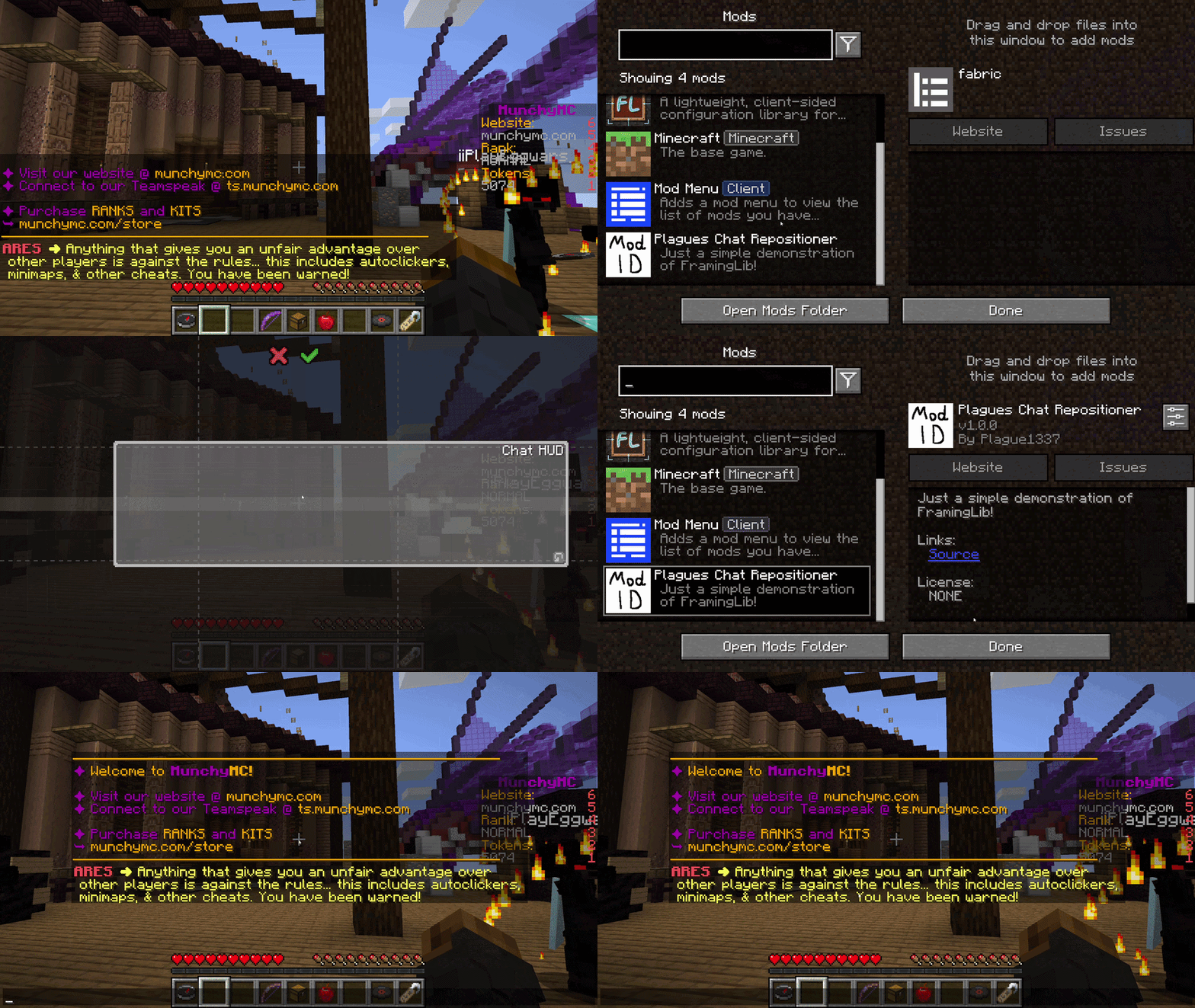
⚠️ To remain flexible, this library does not automatically save or load layout data to the disk. Developers are responsible for serializing the layout object (into JSON/YAML/INI/your preferred config format) and deserializing it when the game initializes.
⚠️️ This is a library mod, and does nothing on its own.
Put the jar file in your mods folder and you're good to go!
For Fabric and Quilt version, you probably also need to put ModMenu in your mods folder.
Developer documentation can be accessed here
| Minecraft | Fabric | Quilt | Forge | NeoForge |
|---|---|---|---|---|
| 26.2 | ⏳ | ⏳ | ⏳ | ⏳ |
| 26.1.2 | ⏳ | ⏳ | ⏳ | ⏳ |
| 26.1.1 | ⏳ | ⏳ | ⏳ | ⏳ |
| 26.1 | ⏳ | ⏳ | ⏳ | ⏳ |
| 1.21.11 | ⏳ | ⏳ | ⏳ | ⏳ |
| 1.21.10 | ⏳ | ⏳ | ⏳ | ⏳ |
| 1.21.9 | ⏳ | ⏳ | ⏳ | ⏳ |
| 1.21.8 | ⏳ | ⏳ | ⏳ | ⏳ |
| 1.21.7 | ⏳ | ⏳ | ⏳ | ⏳ |
| 1.21.6 | ⏳ | ⏳ | ⏳ | ⏳ |
| 1.21.5 | ⏳ | ⏳ | ⏳ | ⏳ |
| 1.21.4 | ⏳ | ⏳ | ⏳ | ⏳ |
| 1.21.3 | ⏳ | ⏳ | ⏳ | ⏳ |
| 1.21.2 | ⏳ | ⏳ | ⏳ | ⏳ |
| 1.21.1 | ⏳ | ⏳ | ⏳ | ⏳ |
| 1.21 | ⏳ | ⏳ | ⏳ | ⏳ |
| 1.20.6 | ⏳ | ⏳ | ⏳ | ⏳ |
| 1.20.5 | ⏳ | ⏳ | ⏳ | ⏳ |
| 1.20.4 | ⏳ | ⏳ | ⏳ | ⏳ |
| 1.20.3 | ❌ | ❌ | ❌ | ❌ |
| 1.20.2 | ⏳ | ⏳ | ⏳ | ⏳ |
| 1.20.1 | ⏳ | ⏳ | ⏳ | ⏳ |
| 1.20 | ⏳ | ⏳ | ⏳ | ❌ |
| 1.19.4 | ✅(1.0.15) | ✅(1.0.15) | ✅(1.0.15) | ❌ |
| 1.19.3 | ✅(1.0.14) | ✅(1.0.14) | ✅(1.0.14) | ❌ |
| 1.19.2 | ✅(1.0.13) | ✅(1.0.13) | ✅(1.0.13) | ❌ |
| 1.19.1 | ✅(1.0.12) | ✅(1.0.12) | ✅(1.0.12) | ❌ |
| 1.19 | ✅(1.0.11) | ✅(1.0.11) | ✅(1.0.11) | ❌ |
| 1.18.2 | ✅(1.0.10) | ✅(1.0.10) | ✅(1.0.10) | ❌ |
| 1.18.1 | ✅(1.0.9) | ✅(1.0.9) | ✅(1.0.9) | ❌ |
| 1.18 | ✅(1.0.8) | ✅(1.0.8) | ✅(1.0.8) | ❌ |
| 1.17.1 | ✅(1.0.7) | ✅(1.0.7) | ✅(1.0.7) | ❌ |
| 1.17 | ❌ | ❌ | ❌ | ❌ |
| 1.16.5 | ✅(1.0.2) | ✅(1.0.2) | ✅(1.0.2) | ❌ |
✅ - Supported ⏳ - Planned ⏳ - Not supported
Notes:
Project description from CurseForge.
Pick your setup
Choose the version and loader you play, then open the matching release.
Check the dependencies, then try the file in a copied instance before changing a world you care about.
Recent files
framinglib-1.19.4-forge-1.0.15.jar
25 Aug 2026
framinglib-1.19.4-fabric-1.0.15.jar
25 Aug 2026
framinglib-1.19.3-forge-1.0.14.jar
25 Aug 2026
framinglib-1.19.3-fabric-1.0.14.jar
25 Aug 2026
framinglib-1.19.2-fabric-1.0.13.jar
25 Aug 2026
framinglib-1.19.2-forge-1.0.13.jar
25 Aug 2026
framinglib-1.19.1-forge-1.0.12.jar
25 Aug 2026
framinglib-1.19.1-fabric-1.0.12.jar
25 Aug 2026
framinglib-1.19-fabric-1.0.11.jar
24 Aug 2026
framinglib-1.19-forge-1.0.11.jar
24 Aug 2026
framinglib-1.18.2-fabric-1.0.10.jar
24 Aug 2026
framinglib-1.18.2-forge-1.0.10.jar
24 Aug 2026
Looking for an older file? The official CurseForge project page is in Resources.
 mod
modUpgrade blocks instead of crafting new ones
 mod
modAdjusts the stats of bosses and mobs, multiplied by the number of players on the server.
 mod
modClient-side Fabric mod for full control over brightness and visual effects: gamma boost, night vision, darkness resistance, and blindness resistance.
