Minecraft version
Back to mods 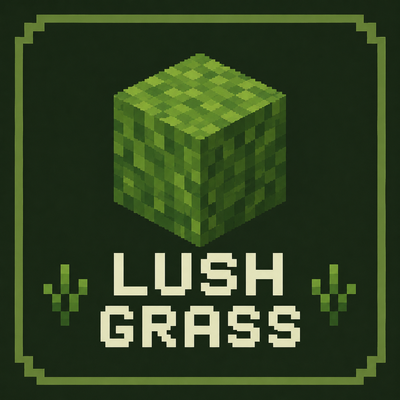
CurseForge · Minecraft mod
Lush Grass
A client-side NeoForge mod for lush, vanilla-style grass visuals.
Choose a version Pick your version below, then grab the matching file.
Quick answer
Which Lush Grass release should I use?
Latest stable file lush_grass-1.0.0-neoforge+mc26.2.jar
Game version 26.2
Loader NeoForge
Lush Grass lush_grass-1.0.0-neoforge+mc26.2.jar targets 26.2 with NeoForge. The project page does not say whether this file belongs on the client, dedicated server, or both. No extra mods listed for this file.
Where it goes
Is Lush Grass required on the client, server, or both?
The project page does not say whether this file belongs on the client, dedicated server, or both.
Client Source doesn’t say
Dedicated server Source doesn’t say
Loader for this release NeoForge
Required install it here Optional supported, not mandatory Not supported do not install here Source doesn’t say do not assume
The source does not explicitly classify this release as client-only or server-only.
What else does Lush Grass lush_grass-1.0.0-neoforge+mc26.2.jar need?
lush_grass-1.0.0-neoforge+mc26.2.jar. Change the file and its required mods may change too.
This file does not list any required mods. Do not add a library just because a different file uses it.
This file does not list any required or optional mods.
Before you install it
Add Lush Grass without breaking your instance.
Built for Lush Grass lush_grass-1.0.0-neoforge+mc26.2.jar. Pick another file and the loader, install side or required mods may change.
- 01
Stick to this file
Use lush_grass-1.0.0-neoforge+mc26.2.jar. It targets 26.2 with NeoForge; another release may have different loader, side or dependency requirements.
- 02
Bring the mods it needs
This file does not list any required mods. Do not add a library just because a different file uses it.
- 03
Put it on the correct side
The project page does not say whether this file belongs on the client, dedicated server, or both.
- 04
Pick the file you checked
Use the “Get this file” button beside lush_grass-1.0.0-neoforge+mc26.2.jar. It opens that exact file at the source.
About this project
What does Lush Grass add?

Lush Grass
Lush Grass is a lightweight client-side visual mod that makes grass blocks and grassy landscapes look more natural and lush while preserving the vanilla style.

Features
- Improves the appearance of vanilla grass blocks, making grasslands look lusher.- Renders grass tufts on unobstructed grass blocks to add depth to grasslands.- Provides client-side configuration with independent controls for grass-block coverage and grass-tuft rendering.- Supports popular rendering optimization and shader mods, giving grass tufts the correct shader materials and vegetation movement.

Configuration
Lush Grass provides two client-side visual options. Both are enabled by default and can be changed independently.
- Better Grass Blocks improves the appearance of vanilla grass blocks.
- Lusher Grass renders short grass on unobstructed vanilla grass blocks to make grasslands look fuller.
The settings are available through the client configuration screen and in config/lush_grass-client.toml. Changing either option automatically refreshes the affected chunks.
AI tools were used to assist with portions of the code. All functionality was reviewed and tested by the author.
Project description from CurseForge.
Pick your setup
Lush Grass by Minecraft version and loader
Choose the version and loader you play, then open the matching release.
Minecraft version
1.21.11
2 loader buildsMinecraft version
1.21.1
2 loader buildsMinecraft version
1.20.1
2 loader buildsCheck the dependencies, then try the file in a copied instance before changing a world you care about.
Recent files
Lush Grass versions and loaders
lush_grass-1.0.0-neoforge+mc26.2.jar
27 Jul 2026
Client Source doesn’t say Server Source doesn’t say Dependencies No extras listed Listed on Release listing
Check the 26.2 · NeoForge setup NeoForge26.2 release
lush_grass-1.0.0-neoforge+mc1.21.11.jar
27 Jul 2026
Client Source doesn’t say Server Source doesn’t say Dependencies No extras listed Listed on Release listing
Check the 1.21.11 · NeoForge setup NeoForge1.21.11 release
lush_grass-1.0.0-fabric+mc26.2.jar
27 Jul 2026
Client Source doesn’t say Server Source doesn’t say Dependencies No extras listed Listed on Release listing
Check the 26.2 · Fabric setup Fabric26.2 release
lush_grass-1.0.0-fabric+mc1.21.11.jar
27 Jul 2026
Client Source doesn’t say Server Source doesn’t say Dependencies No extras listed Listed on Release listing
Check the 1.21.11 · Fabric setup Fabric1.21.11 release
lush_grass-1.0.0-fabric+mc1.21.1.jar
26 Jul 2026
Client Source doesn’t say Server Source doesn’t say Dependencies No extras listed Listed on Release listing
Check the 1.21.1 · Fabric setup Fabric1.21.1 release
lush_grass-1.0.0-fabric+mc1.20.1.jar
21 Jul 2026
Client Source doesn’t say Server Source doesn’t say Dependencies No extras listed Listed on Release listing
Check the 1.20.1 · Fabric setup Fabric1.20.1 release
lush_grass-1.0.0-forge+mc1.20.1.jar
21 Jul 2026
Client Source doesn’t say Server Source doesn’t say Dependencies No extras listed Listed on Release listing
Check the 1.20.1 · Forge setup 1.20.1Forge release
lush_grass-1.0.0-neoforge+mc1.21.1.jar
19 Jul 2026
Client Source doesn’t say Server Source doesn’t say Dependencies No extras listed Listed on Release listing
Check the 1.21.1 · NeoForge setup 1.21.1NeoForge release
Looking for an older file? The official CurseForge project page is in Resources.
 mod
CurseForge · Minecraft
InfiniteCore
A lightweight client-side Fabric mod focused on PvP visuals, performance optimizations, and useful HUDs for Minecraft 1.21.11.
 mod
CurseForge · Minecraft
ReignClient
Client companion for the Reign Cobblemon server: phone menus, GTS, Pokébuilder, Poké Radar, rift HUD and a cleaner battle HUD.
 mod
CurseForge + Modrinth · Minecraft
End-Parasitize and Convert All
This is an infection mod with magical elements.