GeckoLib Needed by Naruto Shinobi Nations naruto_shinobi_nations-0.7.1-beta.jar
requiredMatching file found Matched file: geckolib-forge-1.20.1-4.8.4.jar
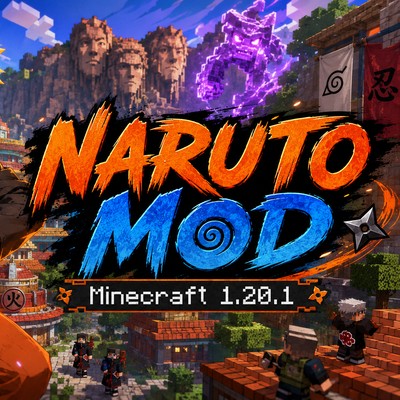
CurseForge · Minecraft mod
Adds Naruto-inspired chakra abilities, jutsu attacks, and shinobi combat features to Minecraft.
Quick answer
Naruto Shinobi Nations naruto_shinobi_nations-0.7.1-beta.jar targets 1.20.1 with Forge. The project page does not say whether this file belongs on the client, dedicated server, or both. All 1 required mods have matching files.
Where it goes
The project page does not say whether this file belongs on the client, dedicated server, or both.
The source does not explicitly classify this release as client-only or server-only.
naruto_shinobi_nations-0.7.1-beta.jar. Change the file and its required mods may change too.
Install GeckoLib first. We found matching files for this game-version and loader setup.
We only count dependency files that match this setup. A file for another loader does not fill the gap.
Before you install it
Built for Naruto Shinobi Nations naruto_shinobi_nations-0.7.1-beta.jar. Pick another file and the loader, install side or required mods may change.
Use naruto_shinobi_nations-0.7.1-beta.jar. It targets 1.20.1 with Forge; another release may have different loader, side or dependency requirements.
Install GeckoLib first. We found matching files for this game-version and loader setup.
The project page does not say whether this file belongs on the client, dedicated server, or both.
Use the “Get this file” button beside naruto_shinobi_nations-0.7.1-beta.jar. It opens that exact file at the source.
About this project
Minecraft 1.20.1 | Forge 47.4.21 | Beta
Naruto: Shinobi Nations is a large-scale Naruto-inspired progression, combat, clan, village and exploration mod.
Create your shinobi identity, choose a clan, train your physical and chakra-based skills, unlock more than 140 techniques, activate powerful dojutsu, transform into legendary creatures, command NPC squads, travel between dimensions and build your own shinobi nation.
The mod supports both singleplayer and dedicated multiplayer servers.
This is a beta release. Balance, visuals, and individual effects can still change. Please report bugs and share feedback.
I know the animations are terrible. You can also let me know if you have any requests. Or fun clan/jutsu ideas.
Feel free to use anything I’ve made for this mod however you like, including the visuals and everything else. There’s no copyright or anything like that. Take care :)
When entering a world for the first time:
H.Your character progression, clan, chakra, skills, unlocked jutsu, dojutsu state, transformations and Flying Raijin markers are stored per player.
| Key | Function |
|---|---|
H |
Opens the Shinobi Profile and progression interface |
Mouse Button 4 |
Selects the previous jutsu slot |
Mouse Button 5 |
Selects the next jutsu slot |
Right-click |
Uses the selected jutsu |
O |
Activates or performs the current dojutsu action |
Shift + O |
Cycles through available eye stages |
] |
Opens or changes eye alignment and visual settings |
V |
Toggles Chakra Walk |
K |
Activates or advances Susanoo |
Shift + K |
Closes Susanoo |
B |
Opens the Shinobi Squad Command interface |
Some jutsu have their own special controls. These are explained in their respective sections.
Use:
X + 1 through X + 0 to interact with your stored Flying Raijin markers.While commanding your shinobi squad:
| Shortcut | Order |
|---|---|
Z + 1 |
Retreat |
Z + 2 |
Defend |
Z + 3 |
Attack selected area |
Z + 4 |
Attack everything, including neutral creatures |
Z + 5 |
Attack hostile creatures and enemy shinobi only |
Z + 6 |
Follow |
Z + 7 |
Wait |
Area selections are cleared correctly after leaving the command interface.
The Shinobi Profile contains your:
Jutsu Points, commonly displayed as JP, are used to unlock techniques.
More advanced techniques require:
Unlocking a technique does not automatically cast it. Assign it to an available jutsu slot, select that slot and use right-click.
Most ninjutsu, genjutsu, medical techniques and transformations consume Chakra.
Chakra can be spent:
If a maintained technique runs out of Chakra, it is automatically closed and its summoned structures are removed.
Taijutsu techniques generally do not consume Chakra. They instead rely on Taijutsu skill, physical requirements, cooldowns and exhaustion.
Chakra Control improves techniques that depend on precise chakra manipulation.
Press V to toggle Chakra Walk. When properly trained, Chakra Walk allows the player to move across surfaces that would normally be difficult to traverse.
Medical techniques and advanced control-based abilities may require high Chakra Control.
The current version contains eleven playable clans:
Each clan has different skill affinities, limits, progression paths and exclusive techniques.
Lee clan members can reach the highest Taijutsu limit. Hyuga members also have an increased Taijutsu limit, while other clans have a lower maximum.
Forms a rotating sphere of chakra for a powerful close-range impact.
Concentrates lightning chakra into a high-damage forward strike.
Each stage creates a progressively larger number of shadow clones.
Clones inherit:
Summon the clones while holding an item to give the clones a visual copy of that item. Summoning them with an empty hand creates unarmed clones.
Ignites a dangerous area of fire around the selected location.
Launches tracking embers that seek nearby targets.
Fires a powerful flame projectile that damages and burns its target.
Creates a large fiery eruption around the caster or impact area.
Creates a basic defensive wall of water.
Creates a larger and stronger water barrier.
Creates the strongest version of the Water Wall.
Launches a compressed blade of water.
Creates restorative mist that heals entities inside its area.
Traps a target inside a water prison and restricts movement.
Raises a basic stone wall for protection.
Creates a stronger defensive wall made from deepslate.
Creates the strongest reinforced earth barrier.
Covers the user with defensive earth chakra.
Raises a stone pillar from the ground.
Launches a heavy boulder toward the target.
Creates damaging spikes from the ground.
Launches the player using a controlled burst of wind.
Slows falling and reduces the danger of high drops.
Fires a sharp ranged blade of wind.
Creates a rotating wind field that disrupts nearby entities.
Electrifies a close-range attack.
Calls lightning onto the selected target or location.
Surrounds the user with an electrical combat aura.
Creates a large wooden defensive structure.
Continuously grows trees in the aimed area while the technique is maintained.
Restrains an enemy with rapidly growing wood.
Creates a durable clone made from wood.
Rapidly grows large trees in the selected area.
Launches sharp wooden projectiles.
Creates a wooden prison around targets.
Summons a flying Wood Dragon that attacks enemies and causes a normal impact explosion.
Provides movement and traversal abilities through Wood Release chakra.
Summons a gigantic controllable wooden construct.
The construct:
True Several Thousand Hands Wood Dragons fly more slowly than ordinary Wood Dragons. On impact, they silently destroy a small amount of breakable terrain without producing a normal explosion animation, explosion sound or expensive item-drop cascade. This reduces server load while preserving terrain damage.
Unbreakable blocks and block entities are protected.
Surrounds the victim with disorienting red mist.
Inflicts artificial pain through genjutsu.
Traps and restricts the victim through an illusion.
Creates an area where affected targets perceive a false environment.
Temporarily interferes with the victim’s control.
Forces targets into a powerful nightmare illusion.
Creates an advanced large-scale genjutsu assault.
Progressively strengthens the Byakugan’s perception abilities.
The Byakugan can provide:
Dojutsu information and overlays are visible only to the player who activated the eye.
Attacks chakra points and interferes with the target’s Chakra.
Creates a rotating chakra defense around the user.
Launches a ranged burst of Gentle Fist chakra.
Performs a rapid sequence of chakra-point attacks.
Performs the advanced sixty-four strike Gentle Fist combination.
The first Sharingan stage and the beginning of enhanced visual perception.
Improves the Sharingan’s awareness and progression abilities.
Provides the most advanced normal Sharingan perception.
While looking at another player, the eye can display that player’s currently selected jutsu slot near the lower center of the screen:
An empty target slot is displayed as empty.
Applies genjutsu through direct visual contact.
Copies compatible observed techniques.
Launches the signature Uchiha fireball.
Uses Sharingan perception to improve projectile prediction.
Warps a target through close physical contact.
Places the user in a spectator-like intangible state.
While active:
Creates a distant Kamui distortion around the aimed target.
Travels between the normal world and the Kamui dimension.
Creates black flames at the selected area.
Targets black flames more precisely onto an enemy.
Summons a progressively stronger chakra guardian.
Use K to activate or advance Susanoo and Shift + K to close it.
Temporarily rewrites a fatal or unfavorable result at a significant cost.
Traps the victim inside an extremely powerful visual genjutsu.
Enemy NPC self-casting animations are hidden from the local player in first-person view when appropriate, preventing obstructive camera visuals. They remain visible in third-person.
Creates a gravitational core that pulls nearby matter and entities inward.
A stronger and larger version of Chibaku Tensei.
Repels nearby entities with gravitational force.
A stronger large-area repulsion.
Instantly exchanges positions through space-time manipulation.
Creates a portal for dimensional or long-distance movement.
Pulls a target toward the caster.
A more powerful gravitational attraction.
Creates an extremely large gravitational seal.
Releases a massive repulsive wave.
Rinnegan overlays, vision effects and jutsu-slot observations are visible only to the Rinnegan user.
Creates chakra chains that strike or restrain a target.
Places a sealing trap in the world.
Forms a defensive barrier using chakra chains.
Transfers the user’s vitality to another entity.
Restricts the target’s Chakra use or regeneration.
Applies an advanced Uzumaki sealing formula.
Creates a powerful chain prison around enemies.
Reveals chakra and grants advanced celestial perception.
Creates black chakra receivers that damage and disrupt targets.
Tears open a spatial rift.
Manipulates nearby targets with gravitational force.
Absorbs chakra-based attacks or energy.
Unleashes a high-level Otsutsuki offensive technique.
Removes all harmful status effects from the user, including poison, nausea and similar negative conditions.
Costs 20 Chakra.
A toggleable medical technique.
While active:
Heals another player within three blocks.
It cannot be used as a self-heal. Every second, it restores 5% of the target’s maximum health.
Forms medical chakra blades around the hands. Its damage scales with the user’s Medical skill and the technique’s configured combat formula.
Disrupts the target’s nervous system for an extended duration, interfering with normal movement and control.
Consumes 10 Chakra per second and anticipates damage so the body can begin healing before the injury fully develops.
Stores and releases a large reserve of medical chakra for advanced regeneration.
Provides extremely powerful regeneration at a high continuous Chakra cost.
The ultimate medical technique.
While active:
This technique is designed as the highest-level medical counter to fatal taijutsu consequences.
Taijutsu techniques do not require Chakra. They require Taijutsu skill, JP, progression stages and physical recovery.
A devastating punch that scales with Taijutsu and causes enormous knockback.
Toggles the Strong Fist fighting style and improves sustained physical combat.
Locks onto a nearby target and performs a cloud-burst flying kick.
Can lock onto a target within approximately one block.
The technique:
Unlocks the Gate of Opening and Gate of Healing and grants the permanent Gate Raise and Gate Lower controls.
Launches a target upward, restrains its movement and performs a powerful follow-up at the cost of severe user fatigue.
Locks onto a target and surges forward through a burning phoenix-shaped trail. Targets struck by it are damaged and ignited.
A more destructive version of Front Lotus.
It damages enemies within approximately two blocks, heavily exhausts the user and has a long recovery period.
Unlocks the Gate of Life and Gate of Pain.
Requires the Sixth Gate and releases compressed air pressure powerful enough to blast away a target.
Unlocks the Gate of Limit and Gate of View.
Requires at least the Fifth Gate. Launches a long-range tiger-shaped pressure wave that deals heavy damage and explodes on impact.
Requires the Seventh Gate. Surrounds the user with a damaging dragon current that acts as both an offensive attack and a defensive zone.
Unlocks the Gate of Wonder and Gate of Death.
Requires the Eighth Gate.
Night Guy:
Can only be used while Night Guy is active.
The technique launches the player approximately eighteen blocks forward and inflicts massive damage on everything in the path.
Unlocking Eight Gates I–II grants two permanent controls:
These controls can be placed in the jutsu assignment bar.
The same controls are used for every later Gate unlock. Eight Gates III–IV, V–VI and VII–VIII do not give duplicate control items.
| Gate | Unarmed Taijutsu damage |
|---|---|
| First Gate | 1.1× |
| Second Gate | 1.2× |
| Third Gate | 1.3× |
| Fourth Gate | 1.4× |
| Fifth Gate | 1.5× |
| Sixth Gate | 1.6× |
| Seventh Gate | 2.0× |
| Eighth Gate | 3.0× |
A continuous Eight Gates session can last at most five minutes.
Changing the Gate level does not reset this timer. The timer resets only after the Gates are fully closed.
| Highest active Gate | Consequence |
|---|---|
| Gates 1–4 | No additional penalty |
| Gates 5–6 | Lose 20% health and receive 20% slowing for 30 seconds |
| Gate 7 | Lose 70% health and receive 70% slowing |
| Gate 8 | Lose 100% health and receive complete slowing for two minutes |
| Night Guy | Fatal without advanced medical protection |
Slowing is removed normally if the player dies.
Fires three fast olive-chakra leaves. Repeated hits slow the same target.
Instantly raises a thick defensive stone hemisphere approximately three blocks in front of the caster.
It is around eight blocks wide and does not push players or living entities while forming.
Restrains a grounded target with olive roots for approximately four seconds. The victim remains able to fight back.
Consumes 3% of maximum Chakra and creates three harmless mirages.
When the caster moves:
The mirages cannot cast jutsu.
Grows a large, physical and breakable olive tree at the aimed location.
For twenty seconds, while the tree remains intact, every player within ten blocks recovers:
Creates a seven-gate defensive sanctuary.
The sanctuary disappears when its duration expires, its durability is depleted or the caster runs out of Chakra.
Sneak-right-click while this technique is selected to close it manually.
A toggleable healing technique attached to the caster.
Three olive guardians continuously send homing leaves to allied players within a sixty-block diameter.
Creates a much larger defensive sanctuary.
Sneak-right-click while selected to close it.
Creates a sanctuary ten times larger than Sanctuary II.
A giant Healing Herald stands in the center. Every 0.25 seconds, it sends a visible homing leaf to every allied living entity inside the sanctuary.
Each leaf:
Sneak-right-click while selected to dismiss the entire sanctuary.
Releases a short conical blast of pressure. Damage scales with Ninjutsu.
Fires five straight jade needles. Repeated hits temporarily disrupt Chakra regeneration.
Performs a rapid collision-aware dash in the current movement direction.
Summons a spiraling cloud serpent that pulls enemies inward before lifting them.
Projects a spectral tiger roar. Its pressure is strongest near the center of its path.
Launches a serpentine azure dragon that explodes and chains lightning between targets when it hits.
Cycles through four guardian phases and finishes with a devastating four-direction shockwave.
Transforms the player into a large winged celestial dragon for 180 seconds.
While transformed:
Launches a fast curved wolf-fang blade made from pale wind chakra.
Marks a target for eight seconds.
While marked:
Performs a collision-aware twelve-block aerial dash and briefly prevents fall damage.
Sends three spectral wolves along separate attack paths. A complete pack hit slows the prey.
Releases an independent spectral wolf.
The wolf:
Plants a war standard that improves movement and periodically strikes enemies with chakra lightning.
Transforms the player directly into a giant celestial blue wolf for 180 seconds.
While transformed:
The new clan Ninjutsu techniques use a controlled progression multiplier rather than directly multiplying damage by the full Ninjutsu stat.
Typical scaling:
| Ninjutsu | Approximate multiplier |
|---|---|
| 100 | 1.0× |
| 200 | 1.2× |
| 500 | 1.5× |
| 1,000 | 2.0× |
This keeps high-level techniques powerful without allowing raw skill values to produce unreasonable damage.
Kunai can be thrown and become embedded in blocks like arrows. Embedded kunai can be collected by approaching them.
Use five iron materials in the following pattern:
_ _ I
_ I I
I I _
Produces 32 Kunai.
Combine:
Produces eight Explosive Kunai.
Explosive Kunai take longer to detonate than ordinary instant-impact explosives.
A specialized marked kunai used by the Namikaze progression.
It:
The mod includes the Seven Ninja Swords and their associated combat systems.
The swords are rare and powerful weapons associated with Kirigakure. Their special abilities vary by weapon and may require particular interactions, targets or combat conditions.
Sharingan, Mangekyou Sharingan, Eternal Mangekyou Sharingan, Rinnegan, Byakugan and Celestial Eye visual overlays are client-specific.
Only the player who activates the eye sees:
Other nearby players can see the user’s physical eye appearance, including the configured eye size, but do not receive that user’s private vision effects.
For characters with very large health pools, the HUD compresses hearts into heart rows.
The maximum number of heart rows is shown on the left and the current number is shown on the right:
11x / 9x
This means the character has a maximum of eleven full heart rows and currently has nine.
Every ten full hearts, or twenty half-hearts, correspond to one displayed row. Lost hearts remain visually understandable instead of being represented only by a vague multiplier.
The world contains major shinobi settlements, including:
Village systems include:
Map regions and village overlays are rendered with corrected texture filtering to prevent blurred or corrupted sections.
Shinobi NPCs can:
Hostile orders distinguish between enemies and neutral creatures.
Press B to open the squad command interface.
Depending on your commander rank, you can recruit and control shinobi of different ranks, including:
Select squad members and an area, then issue an order.
Leaving and reopening the interface no longer preserves an unintended previous area selection.
A custom travelling shinobi merchant can spawn in the Shinobi world.
This spawn system can operate even when normal natural mob spawning is disabled, allowing servers with restricted natural spawning to retain access to the merchant.
The mod contains special dimensions and travel systems associated with advanced dojutsu and space-time techniques.
These include:
Use these systems carefully on multiplayer servers because some destinations may be dangerous or difficult to leave without the correct technique.
The following general rule applies:
Shift + Right-click.This applies to:
The action does not close an unrelated transformation or structure if a different slot is selected.
The mod is designed for dedicated multiplayer use, but very large techniques may still be demanding.
Server owners should consider:
True Several Thousand Hands uses controlled dragon limits and silent terrain removal to reduce server freezes caused by large synchronous explosions and block-update cascades.
Naruto: Shinobi Nations currently includes:
Build your identity, master your clan, form a squad and create your own shinobi nation.
Recent Beta Additions

Tailed Beast / Jinchuriki System
The mod now includes a major Jinchuriki progression system built around the Tailed Beasts.

- Tailed Beasts can exist as unique world entities.
- A Tailed Beast can be sealed into a player or compatible living host.
- A defeated Tailed Beast can release its chakra/sealing item for capture.
- If an unbonded player host dies, the sealed Tailed Beast is released again.
- NPC hosts release their sealed Tailed Beast when they die.
- Each sealed Tailed Beast raises the player’s Medical skill capacity.
- Multiple Tailed Beasts can be sealed into the same player, with progressively increasing sealing requirements.
- The world can enforce one active instance per Tailed Beast type, or an operator can enable unlimited Tailed Beast spawning for testing.

Each Tailed Beast has its own transformation seal and training progression.
Stage I, II and III are available before the final bond is completed.
Stage IV requires the player to build trust with the sealed Tailed Beast through an internal dialogue system.

Bond Dialogue System
Sealed Tailed Beasts speak with their host over multiple in-game days.

- Dialogue messages arrive gradually in chat rather than all at once.
- Different Tailed Beasts have different bond durations.
- Multiple sealed Tailed Beasts can participate in the same internal conversations.
- Friendly bonded Tailed Beasts may support the player during later conversations.
- Unfriendly Tailed Beasts can argue with the host or other imprisoned beasts.
- Once a bond is complete, the player can safely access Stage IV for that Tailed Beast.

Transformation Stages
Tailed Beast transformations provide their own movement scaling and combat behavior.

- Transformation Speed and Transformation Jump are separate from normal H-profile speed and jump bonuses.
- Stage I uses a reduced transformation movement multiplier.
- Stage II provides a stronger multiplier.
- Stage III provides full transformation movement.
- Stage IV and advanced giant forms use the highest transformation multiplier.
- Stage IV forms have enlarged body size, extended melee reach and stronger jump capability.
- Shift-right-clicking a selected Tailed Beast transformation seal in Stage IV cycles through the player’s bonded Tailed Beast forms.
- The selected form can be closed through its designated selected-slot control.

Tailed Beast Bombs
Tailed Beast Bombs are cast directly while transformed rather than through a separate bomb item.

- Stage III uses a longer charge sequence.
- Stage IV uses a faster charge sequence.
- The visual charge builds around the Tailed Beast’s mouth before firing.
- The projectile creates a large TNT-style explosion rather than a terrain-mining effect.
- The blast can destroy Obsidian-level terrain but protects bedrock and similarly unbreakable blocks.
- The explosion damages terrain, water and living entities in its blast zone.

Matatabi and Isobu
Matatabi and Isobu have additional transformation-specific traits.

Matatabi:
- Has a reduced hitbox compared with the other large Tailed Beasts.
- Receives greatly increased Stage IV speed and jump movement.
- Uses a special blue-flame themed attack set.

Isobu:
- Gains a major defensive benefit while transformed.
- Takes substantially reduced incoming damage.

Tailed Beast Location Missions
Tailed Beast Location Charts are now connected to village-rank missions rather than ordinary random loot.

- Half-Kage players may be called back to their Kage.
- The Kage sends periodic private location reminders.
- Speaking with the Kage begins a timed mission dialogue.
- Kage players can receive a report from a Half-Kage messenger instead.
- Completing the dialogue awards a Tailed Beast Location Chart.
- The chart can identify a wild Tailed Beast or the current host/location of a sealed one.
- The test command /naruto_shinobi_nations bijuu_locator_mission is restricted to operators only.
Project description from CurseForge.
Pick your setup
Choose the version and loader you play, then open the matching release.
Check the dependencies, then try the file in a copied instance before changing a world you care about.
Recent files
naruto_shinobi_nations-0.6.0-beta.jar
27 Aug 2026
naruto_shinobi_nations-0.6.0-beta.jar
24 Aug 2026
naruto_shinobi_nations-0.6.0-beta.jar
16 Aug 2026
10 Aug 2026
6 Aug 2026
31 Jul 2026
19 Jul 2026
Looking for an older file? The official CurseForge project page is in Resources.
 mod
modA mod in wich you need to pay taxes
 mod
modAn extension and modification to DMZ mod to fit the Dragon Ball World created by a friend for an original TTRPG of Dragon Ball!
 mod
modBloodlines. Choose from 14 playable races, each with unique stats, abilities, and cosmetics like tails, wings, horns, and ears.