Obsidian Core (Mod) Needed by FabricDiscord v1.0.1 26.x
requiredMatching file found Matched file: Obsidian Core v1.0.3 26.x

CurseForge · Minecraft mod
The modded version of the popular Paper/Spigot plugin, DiscordSRV. This mod is not made by the developers of the plugin.
Quick answer
FabricDiscord v1.0.1 26.x targets 26.1, 26.1.1, 26.1.2 with Fabric. The project page does not say whether this file belongs on the client, dedicated server, or both. All 2 required mods have matching files.
Where it goes
The project page does not say whether this file belongs on the client, dedicated server, or both.
The source does not explicitly classify this release as client-only or server-only.
FabricDiscord v1.0.1 26.x. Change the file and its required mods may change too.
Install Obsidian Core (Mod), Fabric Language Kotlin first. We found matching files for this game-version and loader setup. 1 comes through another mod in the chain.
1 extra mod was pulled in by another dependency. Indented rows show who needs each one. We only count dependency files that match this setup. A file for another loader does not fill the gap.
Before you install it
Built for FabricDiscord v1.0.1 26.x. Pick another file and the loader, install side or required mods may change.
Use FabricDiscord v1.0.1 26.x. It targets 26.1, 26.1.1, 26.1.2 with Fabric; another release may have different loader, side or dependency requirements.
Install Obsidian Core (Mod), Fabric Language Kotlin first. We found matching files for this game-version and loader setup. 1 comes through another mod in the chain.
The project page does not say whether this file belongs on the client, dedicated server, or both.
Use the “Get this file” button beside FabricDiscord v1.0.1 26.x. It opens that exact file at the source.
About this project

FabricDiscord is the Fabric port to ForgeDiscord, as well as the modded version of the popular Spigot/Paper plugin DiscordSRV.

To setup FabricDiscord, you will need to make a bot on the Discord Developer Portal, then after you do that, you can edit your bots name, about me, pfp, and banner how ever you want, then go to the bot tab, in the bot tab, you will see a text saying Token with a button under it saying Reset Token

Click reset token, and it will generate a long string of numbers and letters which is known as your bot token. this is how the mod uses the bot. save the token somewhere because if you loose it and regenerate a new one, the token that is used on the bot actively will no longer work, causing your bot to fail. Put the token you get inside of the config for the mod then restart the server.
Scrolling down a little on the bots page, you will see 3 toggle sliders. Presence Intent, Guild Intent, and Message Intent. to get the bot to actually work, enable all 3 of them.
To get the bot to print in the channel, you will need to enable Developer Mode (User Settings -> Devloper -> Enable Developer Mode). then when you enable developer mode, you will need go to the server with the channel, right click on the channel (or hold on the channel if youre on mobile), then click Copy Channel ID. take the numbers that it gives you and paste it in the config. the same is done with the console channel.
Project description from CurseForge.
Pick your setup
Choose the version and loader you play, then open the matching release.
Check the dependencies, then try the file in a copied instance before changing a world you care about.
Recent files
fabricdiscord-1.0.1-26.x.jar
17 Aug 2026
fabricdiscord-1.0.1-1.21.8-1.21.11.jar
17 Aug 2026
fabricdiscord-1.0.0-26.x.jar
21 Jul 2026
fabricdiscord-1.0.0-1.21.8-1.21.11.jar
21 Jul 2026
Looking for an older file? The official CurseForge project page is in Resources.
 mod
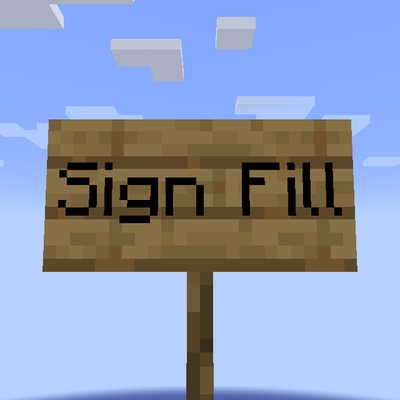
Scales up short text on signs to fit
 mod
The shared library behind the Let's Do mods. HUD panels, seats, storage, food, tooltips, rarities and more for Fabric & NeoForge.
 mod
A simple quality of life mod that adds new recipes