Minecraft version
Back to mods 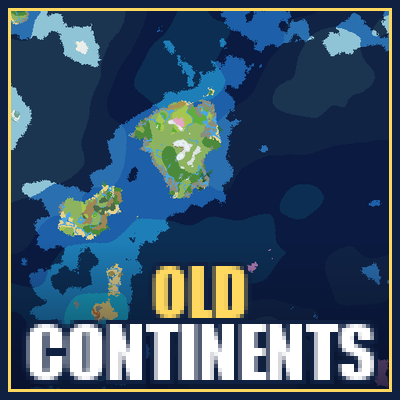
CurseForge · Minecraft mod
Old Continents Slider
Remember when Minecraft had real oceans? Until 1.6.4, the world was big continents floating in a huge ocean. Since 1.7.2, it's an infinite landmass with elongated lakes.
Choose a version Pick your version below, then grab the matching file.
Quick answer
Which Old Continents Slider release should I use?
Latest stable file Old Continents 0.1.0 (MC 26.2, NeoForge)
Game version 26.2
Loader NeoForge
Old Continents Slider Old Continents 0.1.0 (MC 26.2, NeoForge) targets 26.2 with NeoForge. The project page does not say whether this file belongs on the client, dedicated server, or both. No extra mods listed for this file.
Where it goes
Is Old Continents Slider required on the client, server, or both?
The project page does not say whether this file belongs on the client, dedicated server, or both.
Client Source doesn’t say
Dedicated server Source doesn’t say
Loader for this release NeoForge
Required install it here Optional supported, not mandatory Not supported do not install here Source doesn’t say do not assume
The source does not explicitly classify this release as client-only or server-only.
What else does Old Continents Slider Old Continents 0.1.0 (MC 26.2, NeoForge) need?
Old Continents 0.1.0 (MC 26.2, NeoForge). Change the file and its required mods may change too.
This file does not list any required mods. Do not add a library just because a different file uses it.
This file does not list any required or optional mods.
Before you install it
Add Old Continents Slider without breaking your instance.
Built for Old Continents Slider Old Continents 0.1.0 (MC 26.2, NeoForge). Pick another file and the loader, install side or required mods may change.
- 01
Stick to this file
Use Old Continents 0.1.0 (MC 26.2, NeoForge). It targets 26.2 with NeoForge; another release may have different loader, side or dependency requirements.
- 02
Bring the mods it needs
This file does not list any required mods. Do not add a library just because a different file uses it.
- 03
Put it on the correct side
The project page does not say whether this file belongs on the client, dedicated server, or both.
- 04
Pick the file you checked
Use the “Get this file” button beside Old Continents 0.1.0 (MC 26.2, NeoForge). It opens that exact file at the source.
About this project
What does Old Continents Slider add?

🌊 Old Continents
Remember when Minecraft had real oceans? Until 1.6.4, the world was big continents floating in a huge ocean. Since 1.7.2, it's an infinite landmass with elongated lakes. One of the oldest debates in the community — and this mod doesn't pick a side: you get a slider.
✨ What it does
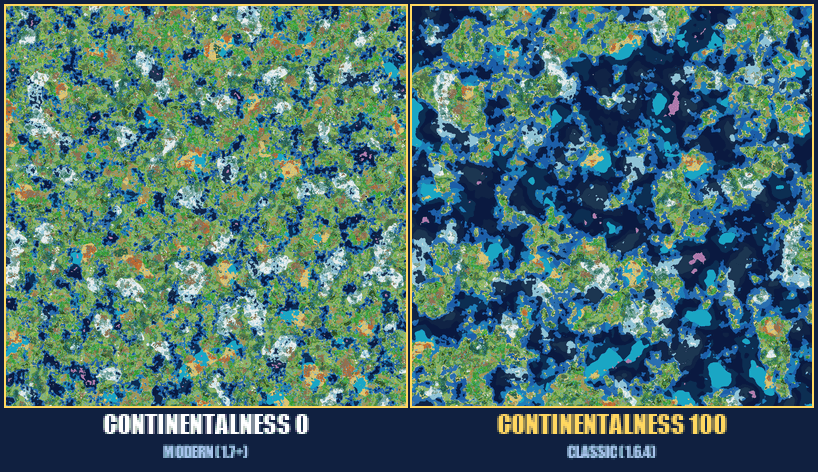
Adds the Continents world type with a Continentalness slider (0–100):
- 🏞 0 — Modern generation, identical to vanilla.
- 🏝 100 — Classic continents: ragged-coast archipelagos in a dominant ocean (~84% water), 1.6.4 style.
- 🌗 Anything in between — hybrid worlds: the higher the value, the bigger the seas.
Every vanilla biome, structure and mechanic works normally. Terrain is built from 100% vanilla density functions — no custom chunk generator — so worlds are stable across mod updates and even safe to open without the mod installed.
🕹 How to use
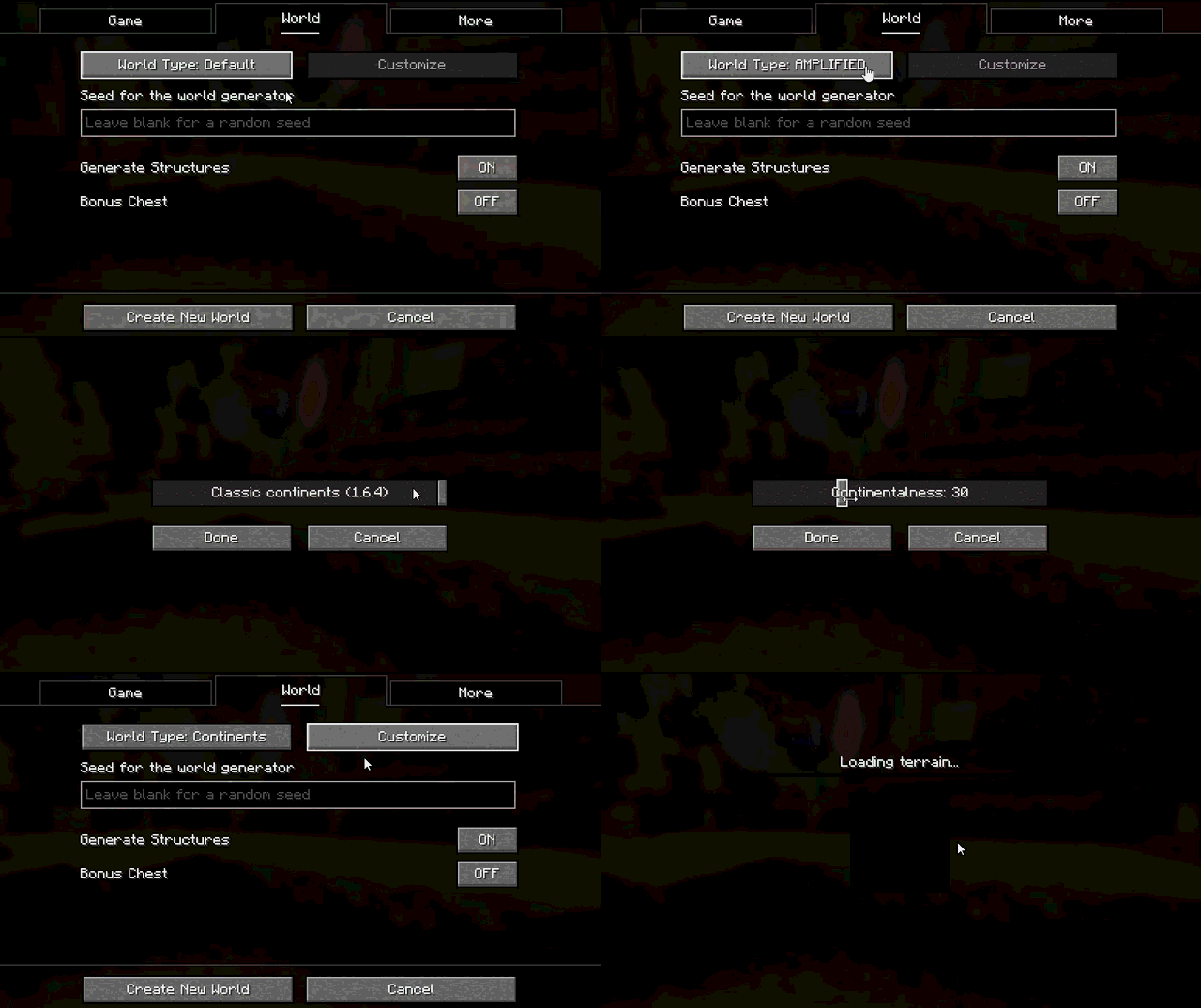
- Create New World → World Type: Continents
- Click Customize and move the slider
- Create — the value is saved in your world forever
🗺 Bonus: instant world maps
/continents map <value> [radius]
Renders a 1024×1024 biome map of your seed at ANY slider value in ~1 second, without generating a single chunk. Compare generations side by side on the same seed.
❓ FAQ
- Multiplayer? Yes — works on dedicated servers (
level-type=continents:continentsgenerates at 100). - Existing worlds? The slider applies at world creation only; existing worlds keep their generation.
- Performance? Same as vanilla — it's the vanilla noise generator with different parameters.
- Requires: Fabric Loader ≥ 0.19.3 + Fabric API.
ES — ¿Te acordás de cuando Minecraft tenía océanos de verdad? Un tipo de mundo con slider de Continentalidad 0–100: 0 = generación moderna idéntica a vanilla, 100 = continentes clásicos estilo 1.6.4 flotando en un océano enorme, intermedios = mundos híbridos. Todos los biomas y estructuras vanilla funcionan normal. Incluye /continents map para renderizar mapas de tu seed en cualquier valor del slider, en un segundo y sin generar chunks.
💙 Credits
This mod was inspired by Minecraft's Continent Problem by MISTYBUNGLER — a great video on the history of one of the community's oldest debates, which imagined exactly this slider. Go watch it!
Project description from CurseForge.
Pick your setup
Old Continents Slider by Minecraft version and loader
Choose the version and loader you play, then open the matching release.
Check the dependencies, then try the file in a copied instance before changing a world you care about.
Recent files
Old Continents Slider versions and loaders
Old Continents 0.1.0 (MC 26.2, NeoForge)
continents-neoforge-0.1.0+26.2.jar
21 Jul 2026
Client Source doesn’t say Server Source doesn’t say Dependencies No extras listed Listed on Release listing
Check the 26.2 · NeoForge setup NeoForge26.2 release
Old Continents 0.1.0 (MC 26.2, Fabric)
continents-minecraft-0.1.0+26.2.jar
21 Jul 2026
Client Source doesn’t say Server Source doesn’t say Dependencies 1 required · 1 unchecked Listed on Release listing
Check the 26.2 · Fabric setup Fabric26.2 release
Looking for an older file? The official CurseForge project page is in Resources.
 mod
CurseForge + Modrinth · Minecraft
Integrated API
The library mod for the Integrated Structures series
 mod
CurseForge + Modrinth · Minecraft
ThirstWasFixed
Fixes and integrations for Thirst was Reclaimed
 mod
CurseForge + Modrinth · Minecraft
ArborFirmaCraft
An addon for TerraFirmaCraft (TFC) adding new trees, new wood types, and tree-tapping recipes.